Minecraft version
Back to mods 
Modrinth · Minecraft mod
Orbit
Command / Keybind Macro Wheel
Choose a version Pick your version below, then grab the matching file.
Quick answer
Which Orbit release should I use?
Latest stable file 1.2.0+26.2
Game version 26.2
Loader Fabric
Orbit 1.2.0+26.2 targets 26.2 with Fabric. It must be installed on the client. Do not install it on the dedicated server. No extra mods listed for this file.
Where it goes
Is Orbit required on the client, server, or both?
It must be installed on the client. Do not install it on the dedicated server.
Client Required
Dedicated server Not supported
Loader for this release Fabric
Required install it here Optional supported, not mandatory Not supported do not install here Source doesn’t say do not assume
This file is marked client-only.
What else does Orbit 1.2.0+26.2 need?
1.2.0+26.2. Change the file and its required mods may change too.
This file does not list any required mods. Do not add a library just because a different file uses it.
This file does not list any required or optional mods.
Before you install it
Add Orbit without breaking your instance.
Built for Orbit 1.2.0+26.2. Pick another file and the loader, install side or required mods may change.
- 01
Stick to this file
Use 1.2.0+26.2. It targets 26.2 with Fabric; another release may have different loader, side or dependency requirements.
- 02
Bring the mods it needs
This file does not list any required mods. Do not add a library just because a different file uses it.
- 03
Put it on the correct side
It must be installed on the client. Do not install it on the dedicated server.
- 04
Pick the file you checked
Use the “Get this file” button beside 1.2.0+26.2. It opens that exact file at the source.
About this project
What does Orbit add?
Orbit


Information
A honestly quite incredible mod allowing you to bind keys and or commands to a singular keybind, opening orbital menu to hover and seamlessly trigger the option you have set.
The amount of Buttons is configurable through modmenu. (It is recommended to have at least 3 buttons and no more than 16)
Usage
To open the Menu, press the Default keybind of Y. You can change this in the Controls Menu.
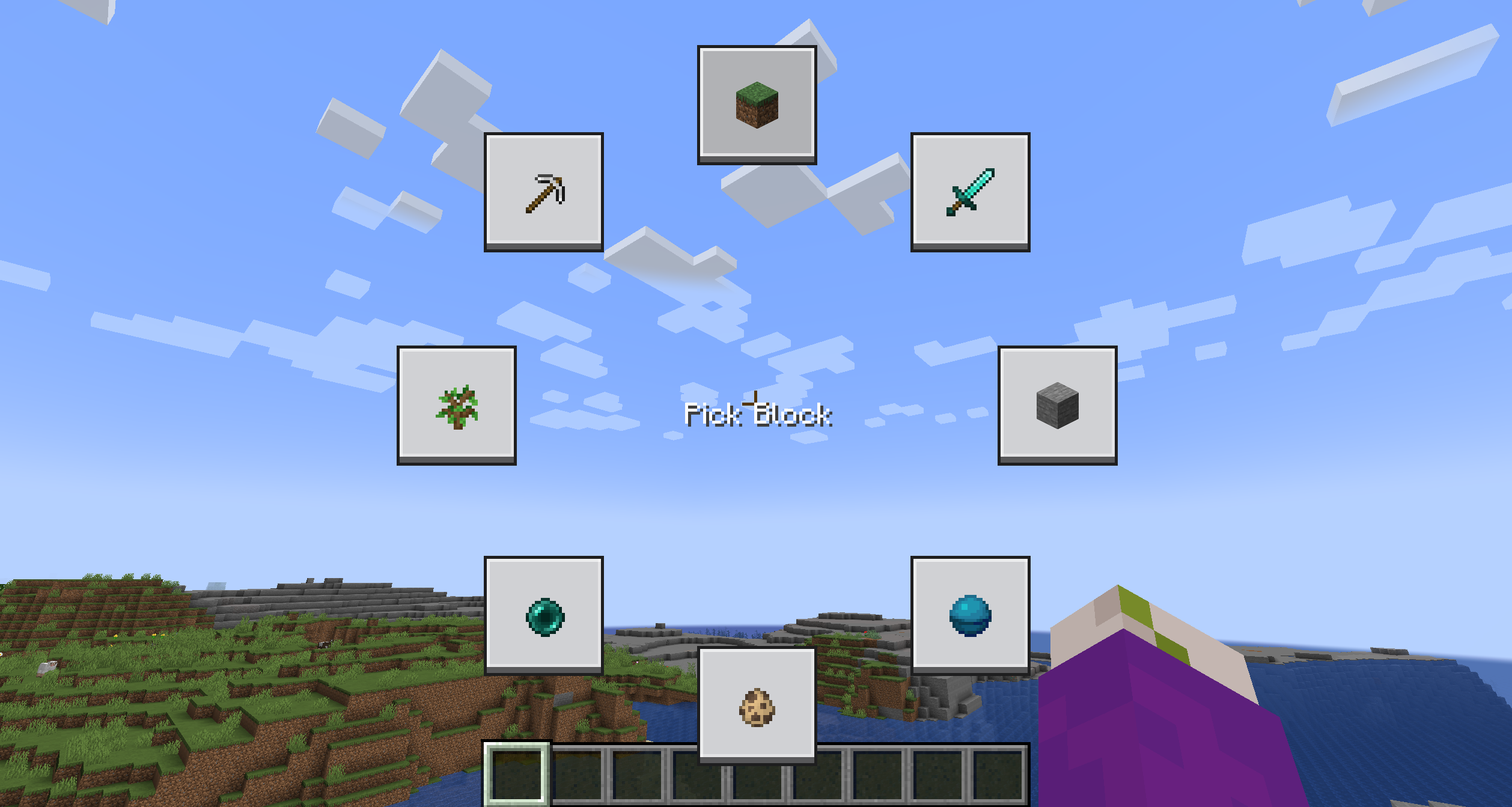
The Menu is going to be quite empty, to edit a button, simply shift click it while holding the menu open.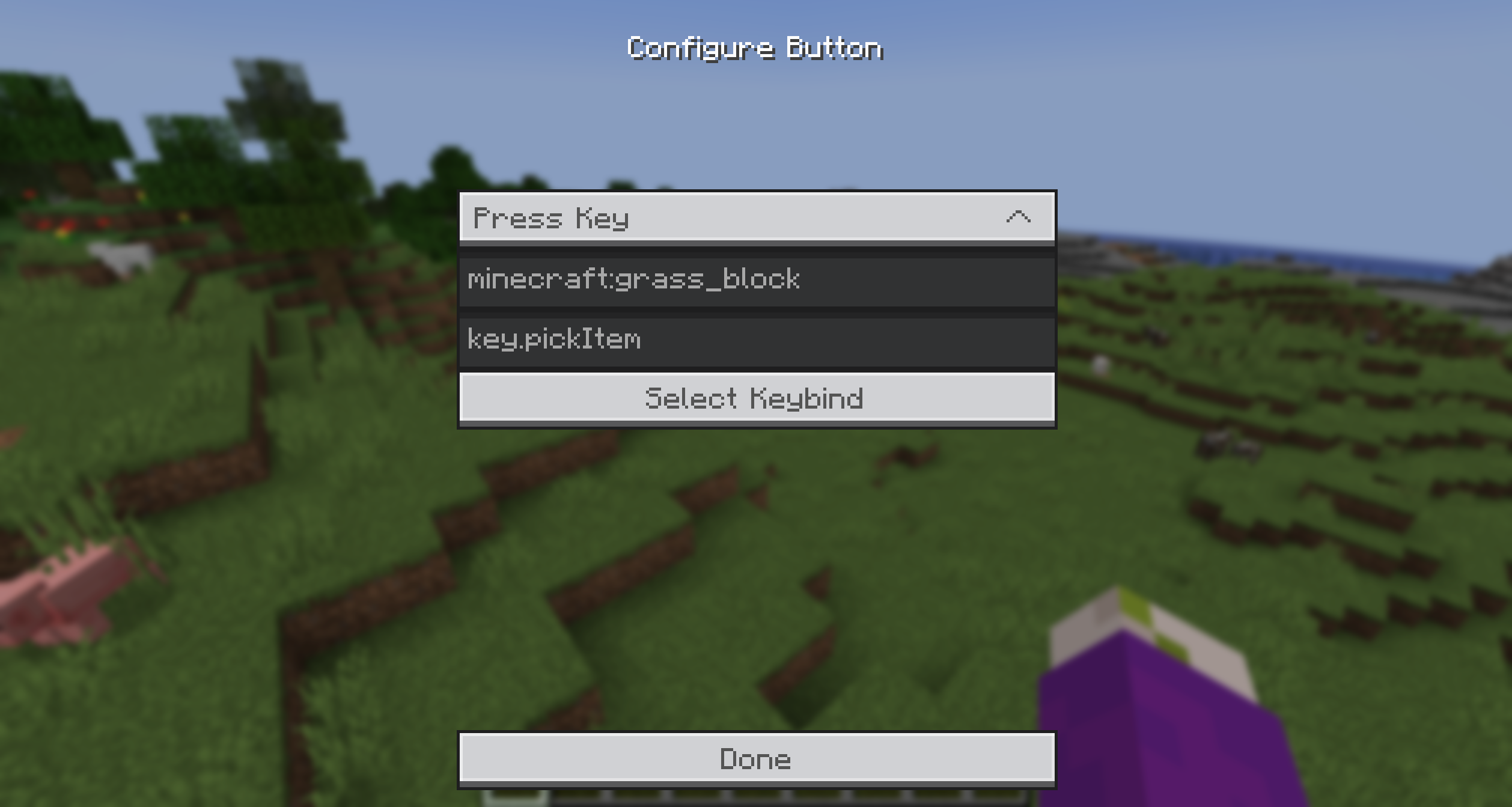
You can select from the provided Actions and enter a command/keybind. To make it easier to get the keybind ID, you can simply click the Keybind Selection Button and pick one from the dynamic List.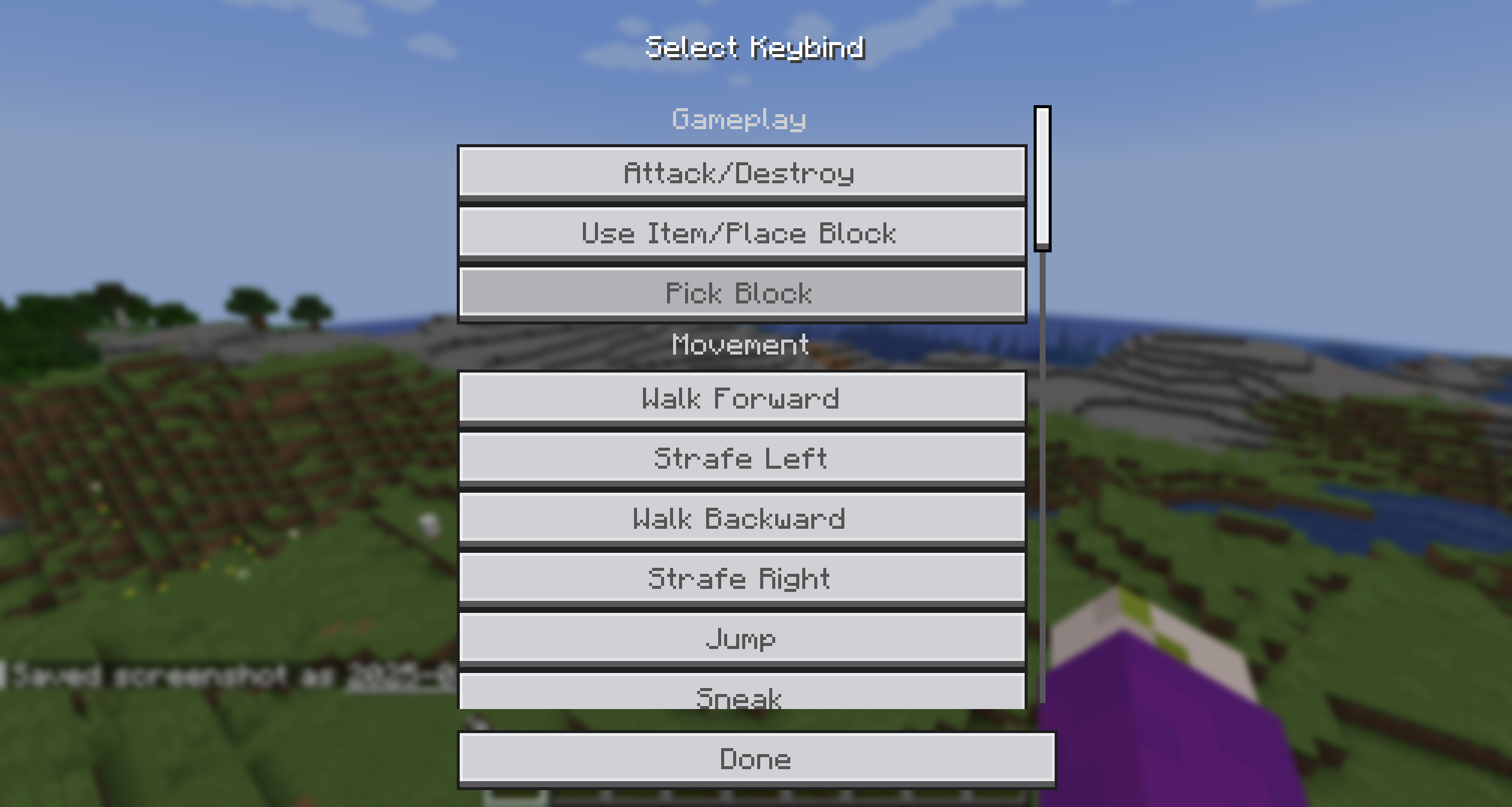
Additionally, you can add an item icon to the button by typing the item ID in the Item ID field.
Then simply, press the key, hover over the option you want to trigger and release the key! It's that simple!
Bisect Partnership

Community
For any questions or support you can join my discord by clicking the button below!

Project description from Modrinth.
Pick your setup
Orbit by Minecraft version and loader
Choose the version and loader you play, then open the matching release.
Minecraft version
26.1.2
1 loader buildMinecraft version
26.1.1
1 loader buildMinecraft version
26.1
1 loader buildMinecraft version
1.21.11
1 loader buildMinecraft version
1.21.10
2 loader buildsMinecraft version
1.21.8
2 loader buildsMinecraft version
1.21.7
2 loader buildsMinecraft version
1.21.6
2 loader buildsMinecraft version
1.21.5
1 loader buildMinecraft version
1.21.4
1 loader buildCheck the dependencies, then try the file in a copied instance before changing a world you care about.
Recent files
Orbit versions and loaders
1.2.0+26.2
Orbit-1.2.0+26.2.jar
7 Oct 2026
Client Required Server Not supported Dependencies No extras listed Listed on Release listing
Check the 26.2 · Fabric setup 26.2Fabric release
1.2.0+26.1.x
Orbit-1.2.0+26.1.x.jar
1 Jun 2026
Client Required Server Not supported Dependencies 2 required · 2 unchecked Listed on Release listing
Check the 26.1.2 · Fabric setup 26.126.1.126.1.2Fabric release
1.2.0+1.21.11
Orbit-1.2.0+1.21.11.jar
1 Jun 2026
Client Required Server Not supported Dependencies No extras listed Listed on Release listing
Check the 1.21.11 · Fabric setup 1.21.11Fabric release
1.1.0+1.21.10
Orbit-1.1.0+1.21.10.jar
9 Nov 2025
Client Required Server Not supported Dependencies 2 required · 2 unchecked Listed on Release listing
Check the 1.21.10 · Fabric setup 1.21.10FabricQuilt release
1.0.0+1.21.6+
Orbit-1.0.0+1.21.6+.jar
29 Jul 2025
Client Required Server Not supported Dependencies 2 required · 2 unchecked Listed on Release listing
Check the 1.21.8 · Fabric setup 1.21.61.21.71.21.8Fabric release
1.0.0+1.21.7
Orbit-1.0.0+1.21.7.jar
14 Jul 2025
Client Required Server Not supported Dependencies 2 required · 2 unchecked Listed on Release listing
Check the 1.21.7 · Fabric setup 1.21.7FabricQuilt release
1.0.0
Orbit-1.0.0+1.21.5.jar
9 May 2025
Client Required Server Not supported Dependencies 2 required · 2 unchecked Listed on Release listing
Check the 1.21.5 · Fabric setup 1.21.5Fabric release
1.0.0
Orbit-1.0.0.jar
26 Mar 2025
Client Required Server Not supported Dependencies 2 required · 2 unchecked Listed on Release listing
Check the 1.21.4 · Fabric setup 1.21.4Fabric release
Looking for an older file? The official Modrinth project page is in Resources.
 mod
mod Modrinth · Minecraft
[Tacz] Slings
Adds a sling slot for use with tacz
 mod
mod Modrinth · Minecraft
DWTS
Effortless chest and inventory management with simple one-click buttons.
 mod
mod CurseForge + Modrinth · Minecraft
TLM: True POWER
A SlashBlade: Resharped and Touhou Little Maid crossover addon, designed to empower maids in wielding SlashBlades.