Fabric Language Kotlin Needed by Orbit 1.2.0+26.1.x
requiredMatching file found Matched file: 1.14.2+kotlin.2.4.21

Modrinth · Minecraft mod
Command / Keybind Macro Wheel
Quick answer
Orbit 1.2.0+26.1.x targets 26.1, 26.1.1, 26.1.2 with Fabric. It must be installed on the client. Do not install it on the dedicated server. All 2 required mods have matching files.
Where it goes
It must be installed on the client. Do not install it on the dedicated server.
This file is marked client-only.
1.2.0+26.1.x on 26.1.2. Every mod below is checked against that same setup.
Install Fabric Language Kotlin, Fabric API first. We found matching files for this game-version and loader setup.
We only count dependency files that match this setup. A file for another loader does not fill the gap.
Before you install it
Built for Orbit 1.2.0+26.1.x on 26.1.2. Pick another file and the loader, install side or required mods may change.
Use 1.2.0+26.1.x. It targets 26.1, 26.1.1, 26.1.2 with Fabric; another release may have different loader, side or dependency requirements.
Install Fabric Language Kotlin, Fabric API first. We found matching files for this game-version and loader setup.
It must be installed on the client. Do not install it on the dedicated server.
Use the “Get this file” button beside 1.2.0+26.1.x. It opens that exact file at the source.
About this project


InformationA honestly quite incredible mod allowing you to bind keys and or commands to a singular keybind, opening orbital menu to hover and seamlessly trigger the option you have set.
The amount of Buttons is configurable through modmenu. (It is recommended to have at least 3 buttons and no more than 16)
UsageTo open the Menu, press the Default keybind of Y. You can change this in the Controls Menu.
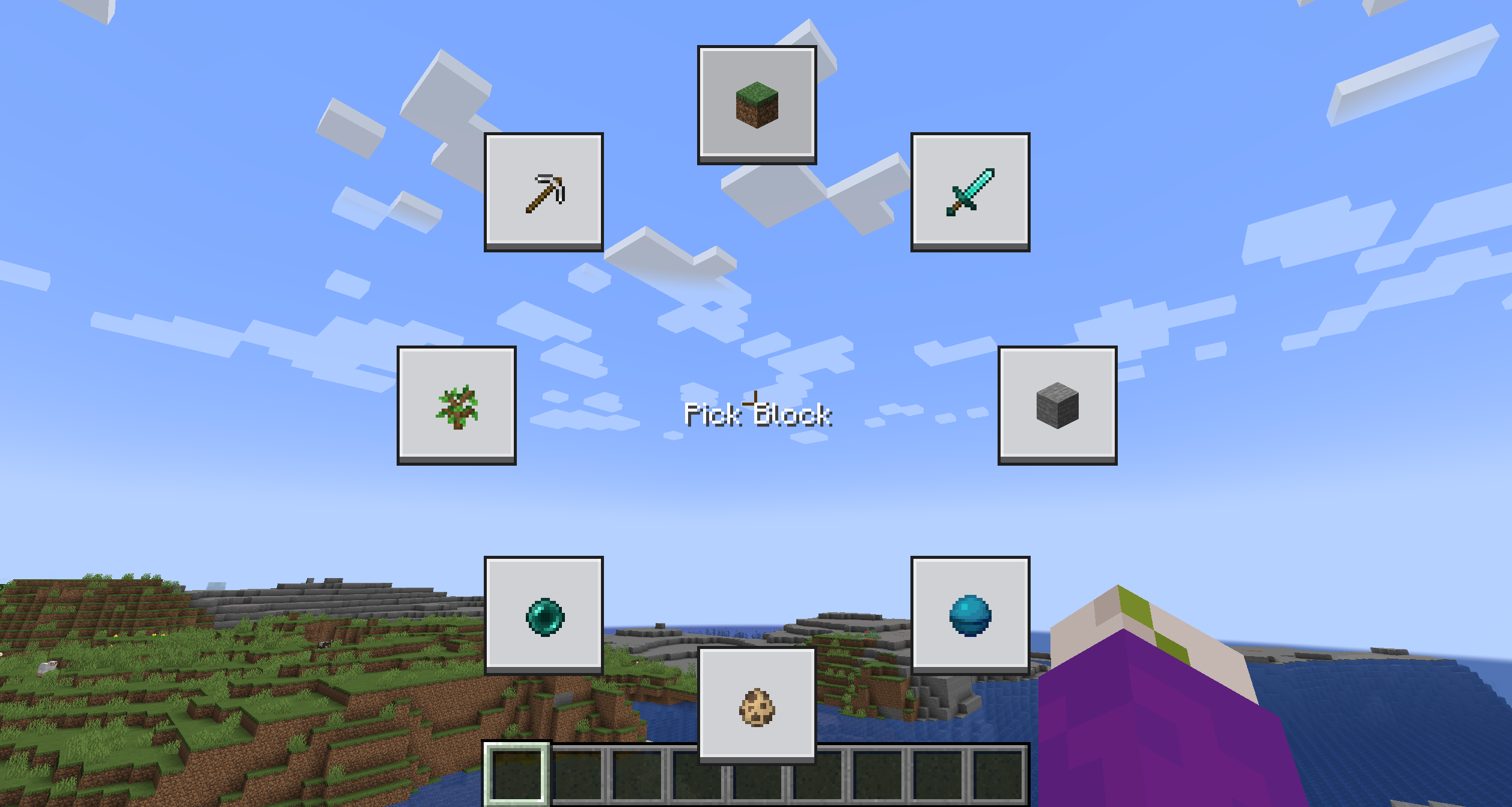
The Menu is going to be quite empty, to edit a button, simply shift click it while holding the menu open.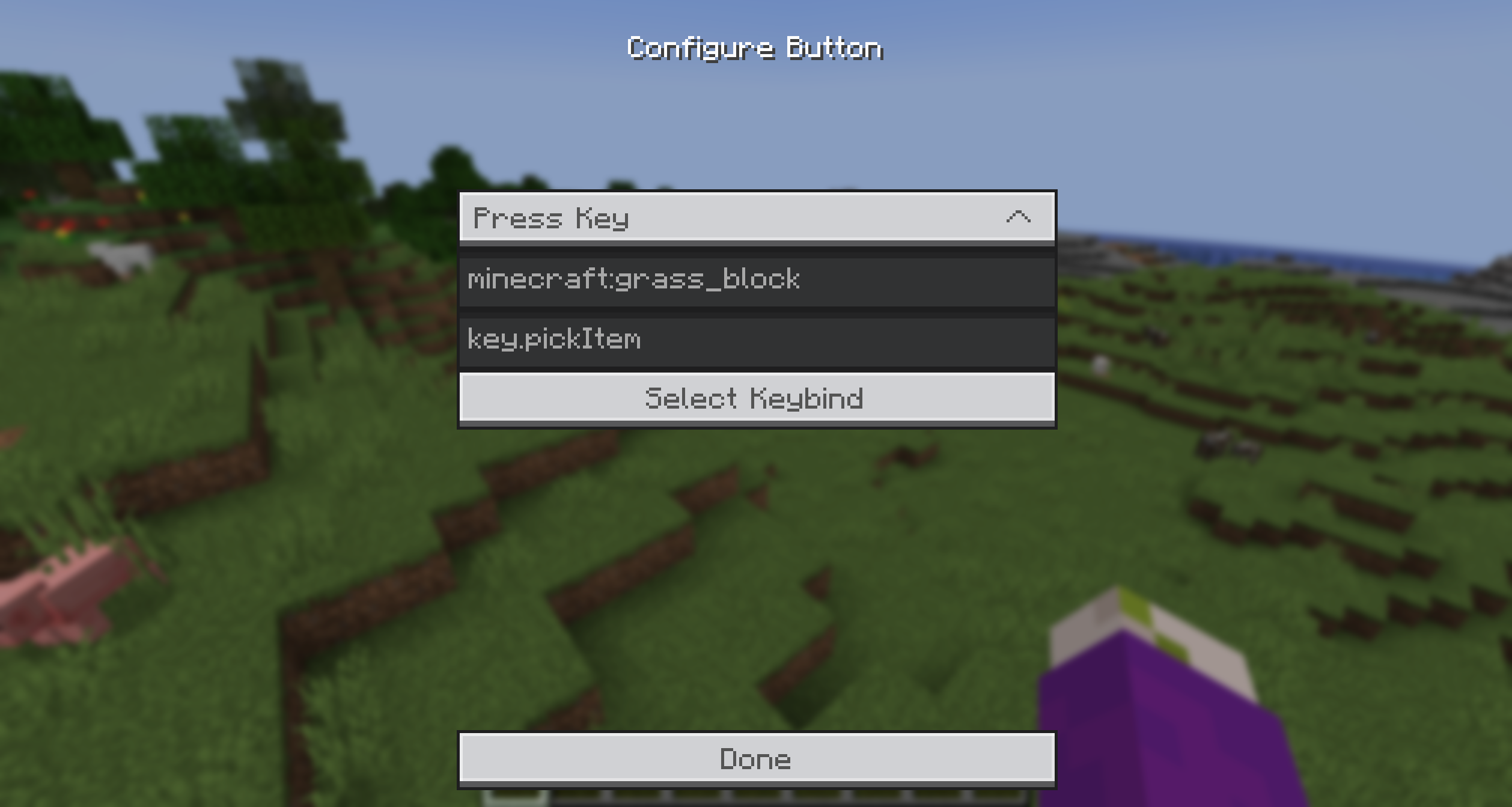
You can select from the provided Actions and enter a command/keybind. To make it easier to get the keybind ID, you can simply click the Keybind Selection Button and pick one from the dynamic List.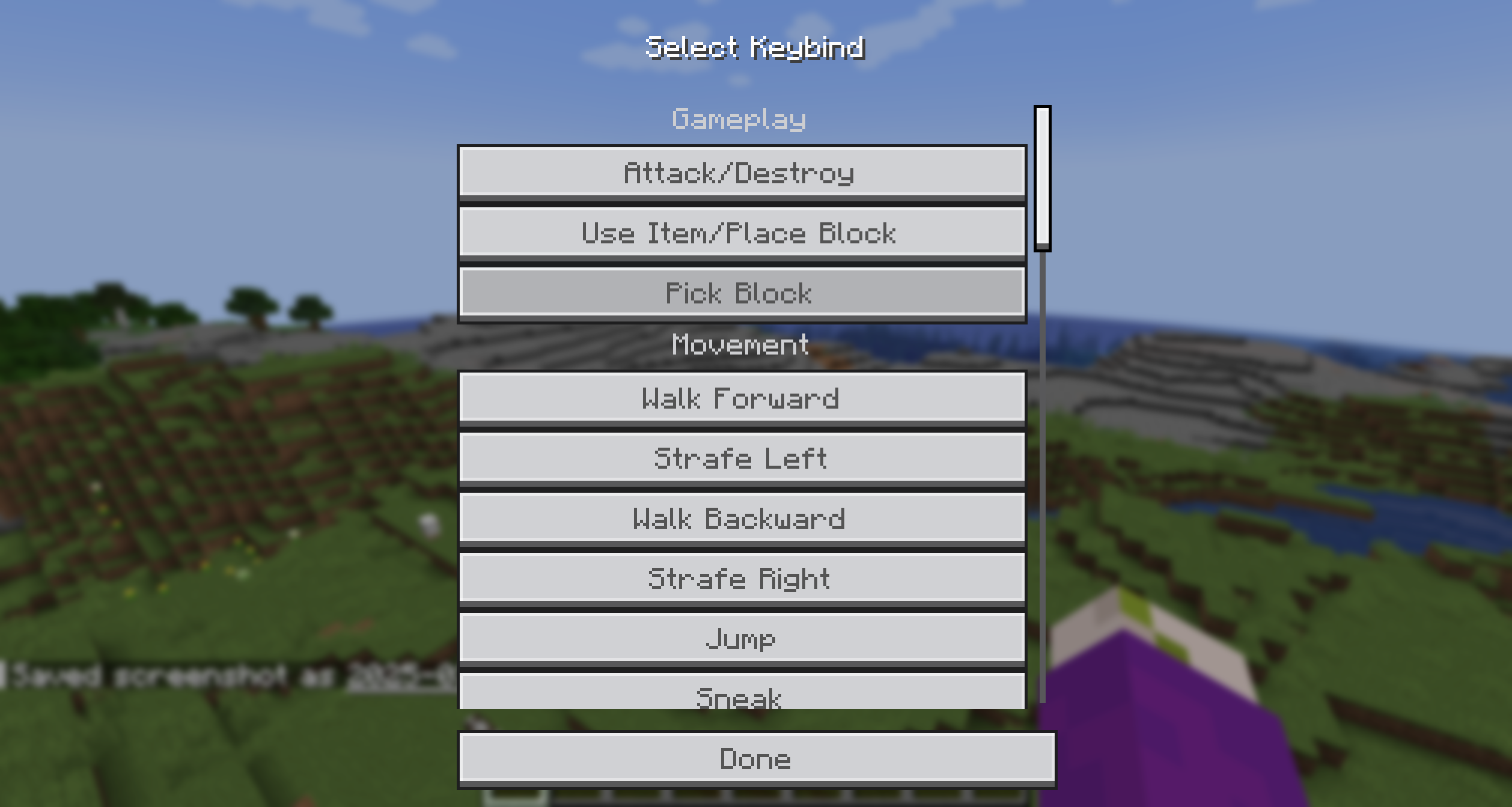
Additionally, you can add an item icon to the button by typing the item ID in the Item ID field.
Then simply, press the key, hover over the option you want to trigger and release the key! It's that simple!
Bisect Partnership
CommunityFor any questions or support you can join my discord by clicking the button below!

Project description from Modrinth.
Pick your setup
Choose the version and loader you play, then open the matching release.
Check the dependencies, then try the file in a copied instance before changing a world you care about.
Recent files
Orbit-1.2.0+26.1.x.jar
1 Jun 2026
Looking for an older file? The official Modrinth project page is in Resources.
 mod
This mod adds extra layers of clouds above the vanilla cloud layer.
 mod
Live your H2O dream! Play as Cleo, Emma, Rikki or Mako characters, use elemental powers, and create your own story!
 mod
Fully Configurable Ambient Horror Mod