Minecraft version
Back to mods 
Modrinth · Minecraft mod
Editable World Generation
A fabric mod that adds a new world type which allows you to create your very own custom world types by editing the world type. This also adds a complete user friendly interface.
Choose a version Pick your version below, then grab the matching file.
Quick answer
Which Editable World Generation release matches 26.1.2?
Best match for your filters mc26.1.x_v4.3.0
Game version 26.1, 26.1.1, 26.1.2
Loader Fabric
Editable World Generation mc26.1.x_v4.3.0 targets 26.1, 26.1.1, 26.1.2 with Fabric. Installation on the client is optional. Installation on the dedicated server is optional. No extra mods listed for this file.
Where it goes
Is Editable World Generation required on the client, server, or both?
Installation on the client is optional. Installation on the dedicated server is optional.
Client Optional
Dedicated server Optional
Loader for this release Fabric
Required install it here Optional supported, not mandatory Not supported do not install here Source doesn’t say do not assume
The source marks this as usable on both the client and server.
What else does Editable World Generation mc26.1.x_v4.3.0 need?
mc26.1.x_v4.3.0 on 26.1.2. Every mod below is checked against that same setup.
This file does not list any required mods. Do not add a library just because a different file uses it.
This file does not list any required or optional mods.
Before you install it
Add Editable World Generation without breaking your instance.
Built for Editable World Generation mc26.1.x_v4.3.0 on 26.1.2. Pick another file and the loader, install side or required mods may change.
- 01
Stick to this file
Use mc26.1.x_v4.3.0. It targets 26.1, 26.1.1, 26.1.2 with Fabric; another release may have different loader, side or dependency requirements.
- 02
Bring the mods it needs
This file does not list any required mods. Do not add a library just because a different file uses it.
- 03
Put it on the correct side
Installation on the client is optional. Installation on the dedicated server is optional.
- 04
Pick the file you checked
Use the “Get this file” button beside mc26.1.x_v4.3.0. It opens that exact file at the source.
About this project
What does Editable World Generation add?
This mod allows you to edit almost every rule of Minecraft's world generation. From biomes, to structures, to terrain & caves to even surface decoration. More versions soon! Working on the 26.3 port.
Start by selecting the "Custom" world type and then click "Edit rules"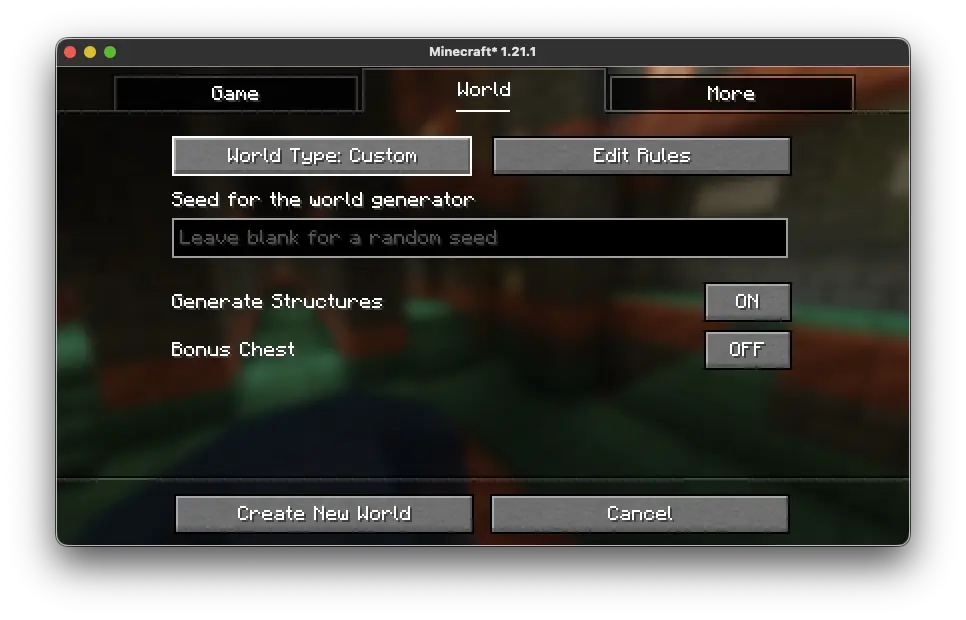
After you do, you will be thrown into the editor where you can edit the world generation rules that make up the world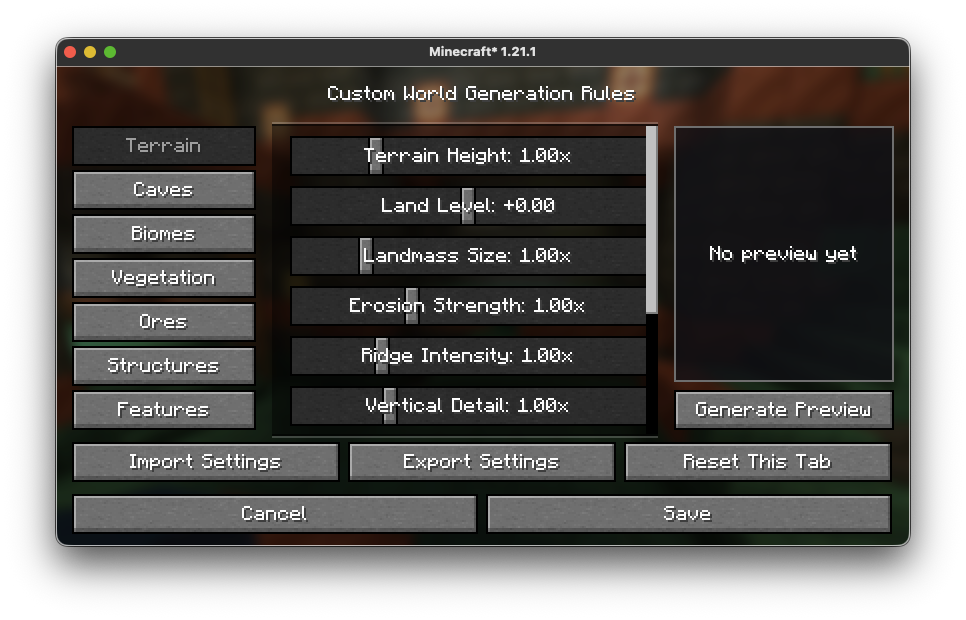
Categories:
- Terrain (world terrain) - v1.0.0+
- Caves (world cave generation) - v1.0.0+
- Biomes (biome settings) - v1.0.0+
- Vegetation (terrain vegetation) - v1.0.0+
- Ores (world ore settings) - v1.0.0+
- Structures (structure settings) - v1.0.0+
- Features (terrain and world additions) - v1.0.0+
- Blocks (replace and remove specific block spawning) - v3.0.0+
Since v2.0.0 you can change settings from the overworld, nether and end!
Then click "Generate Preview" to see a random seed using your rules of world generations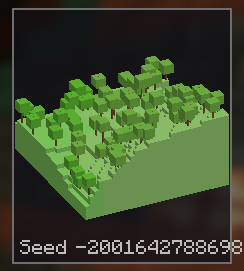
And finally you can import and export settings and by clicking "Open Settings Folder" a file explorer window will open with all your save files.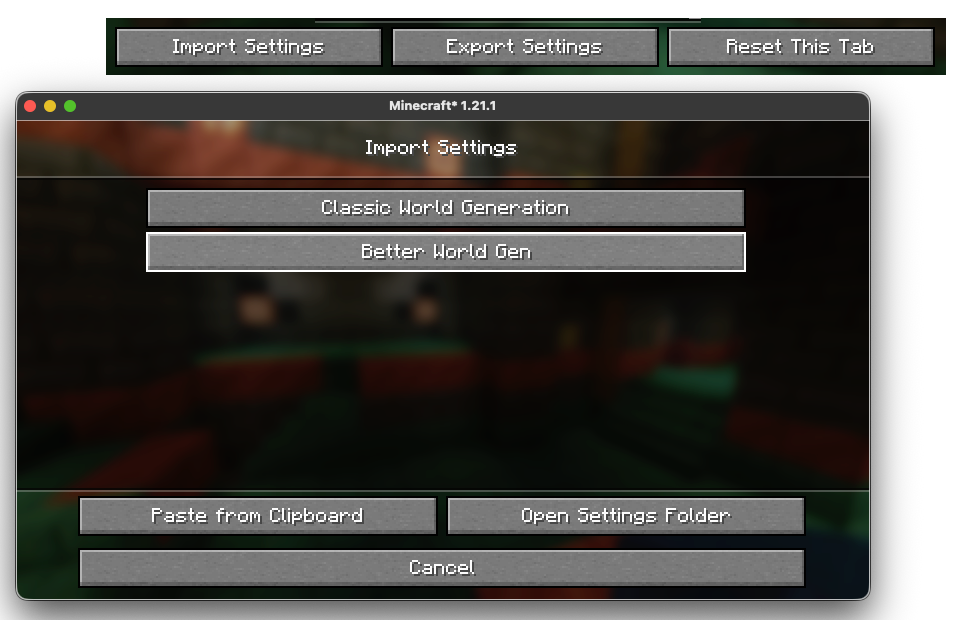
A new alpha feature just came out with a new world type so you can edit the world generation values in-game while the chunks update live to the settings you choose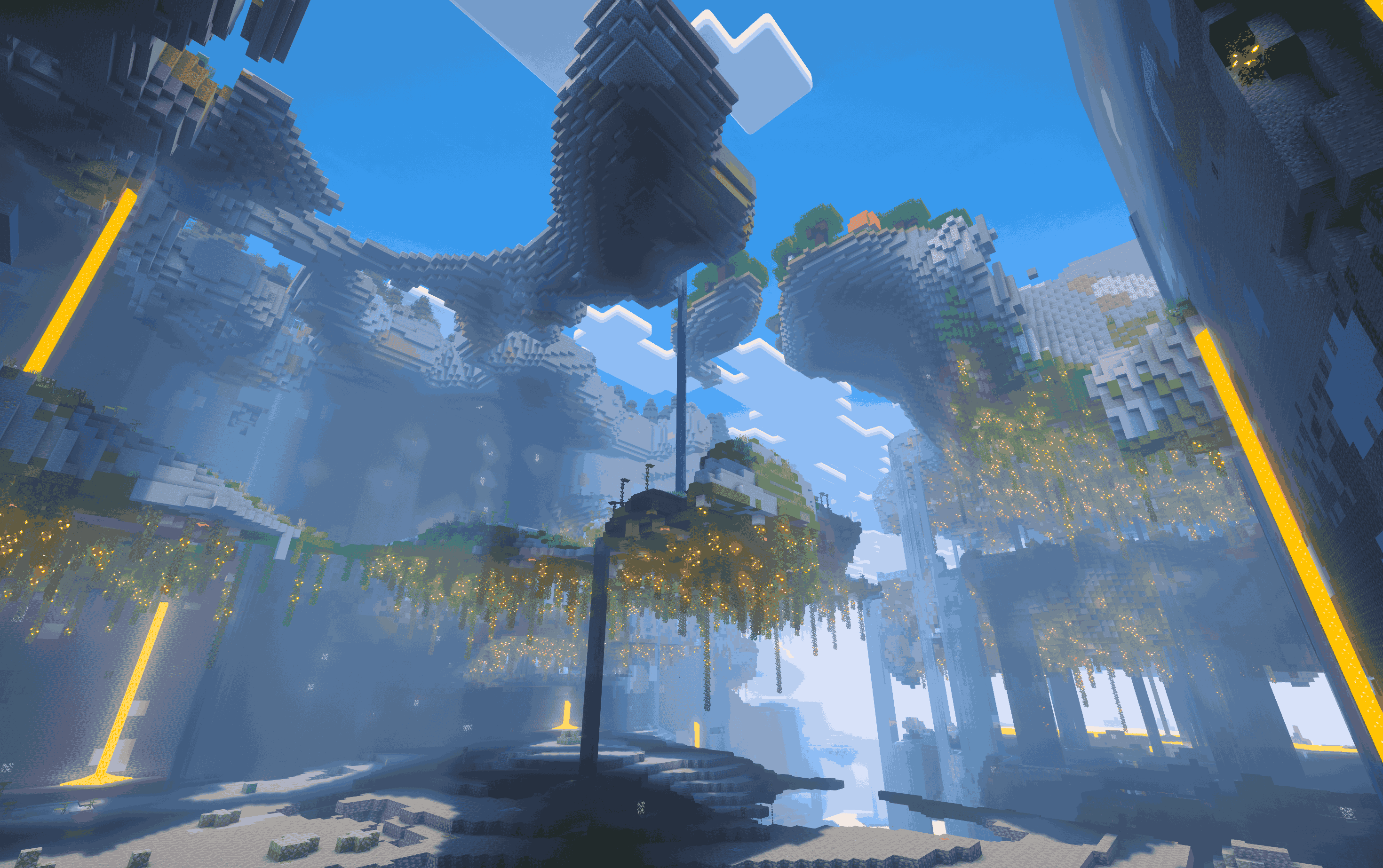
Thanks for reading and using this mod!
Project description from Modrinth.
Pick your setup
Editable World Generation by Minecraft version and loader
Choose the version and loader you play, then open the matching release.
Minecraft version
26.2
1 loader buildMinecraft version
26.1.2
1 loader buildMinecraft version
26.1.1
1 loader buildMinecraft version
26.1
1 loader buildMinecraft version
1.21.11
1 loader buildMinecraft version
1.21.10
1 loader buildMinecraft version
1.21.1
1 loader buildMinecraft version
1.20.6
1 loader buildMinecraft version
1.20.1
1 loader buildCheck the dependencies, then try the file in a copied instance before changing a world you care about.
Recent files
Editable World Generation versions and loaders
mc26.1.x_v4.3.0
customworldgen-mc26.1.2-4.3.0.jar
28 Sept 2026
Client Optional Server Optional Dependencies No extras listed Listed on Release listing
Check the 26.1.2 · Fabric setup 26.126.1.126.1.2Fabric release
mc26.1.2_v3.2.3
customworldgen-mc26.1.2-3.2.3.jar
14 Aug 2026
Client Optional Server Optional Dependencies No extras listed Listed on Release listing
Check the 26.1.2 · Fabric setup 26.1.2Fabric release
Looking for an older file? The official Modrinth project page is in Resources.
 mod
Modrinth · Minecraft
SeedMapper
In-game Minecraft Fabric mod that allows you to do various things with the world seed.
 mod
Modrinth · Minecraft
The Poisonous Potato Update
This mod intends to bring every feature from the legendary Poisonous Potato Update to recent Minecraft versions.
 mod
Modrinth · Minecraft
BetterEnd
New Biomes, mysterious rituals and Mobs for your End