Fabric API Needed by CDNPerspective 3D 1.2
requiredNo matching file

Modrinth · Minecraft mod
Allows for moving the camera 360 Degrees without changing movement-direction.
Quick answer
CDNPerspective 3D 1.2 targets 1.19.3, 1.19.4, 1.20 with Fabric. Installation on the client is optional. Installation on the dedicated server is optional. 1 required mod needs a matching file.
Where it goes
Installation on the client is optional. Installation on the dedicated server is optional.
The source marks this as usable on both the client and server.
1.2 on 1.19.3. Every mod below is checked against that same setup.
Install Fabric API first, but 1 required mod has no matching file for this setup. Do not mix loader builds to force a match.
We only count dependency files that match this setup. A file for another loader does not fill the gap.
Before you install it
Built for CDNPerspective 3D 1.2 on 1.19.3. Pick another file and the loader, install side or required mods may change.
Use 1.2. It targets 1.19.3, 1.19.4, 1.20 with Fabric; another release may have different loader, side or dependency requirements.
Install Fabric API first, but 1 required mod has no matching file for this setup. Do not mix loader builds to force a match.
Installation on the client is optional. Installation on the dedicated server is optional.
Use the “Get this file” button beside 1.2. It opens that exact file at the source.
About this project
NOTE: THIS MOD NOW (1.2+) REQUIRES FABRIC-API FOR 1.19.3+ ON BOTH SERVER & CLIENT.
This Mod allows you to change the Camera-Position while running around, allowing for advanced looking around, while keeping the movement-direction.
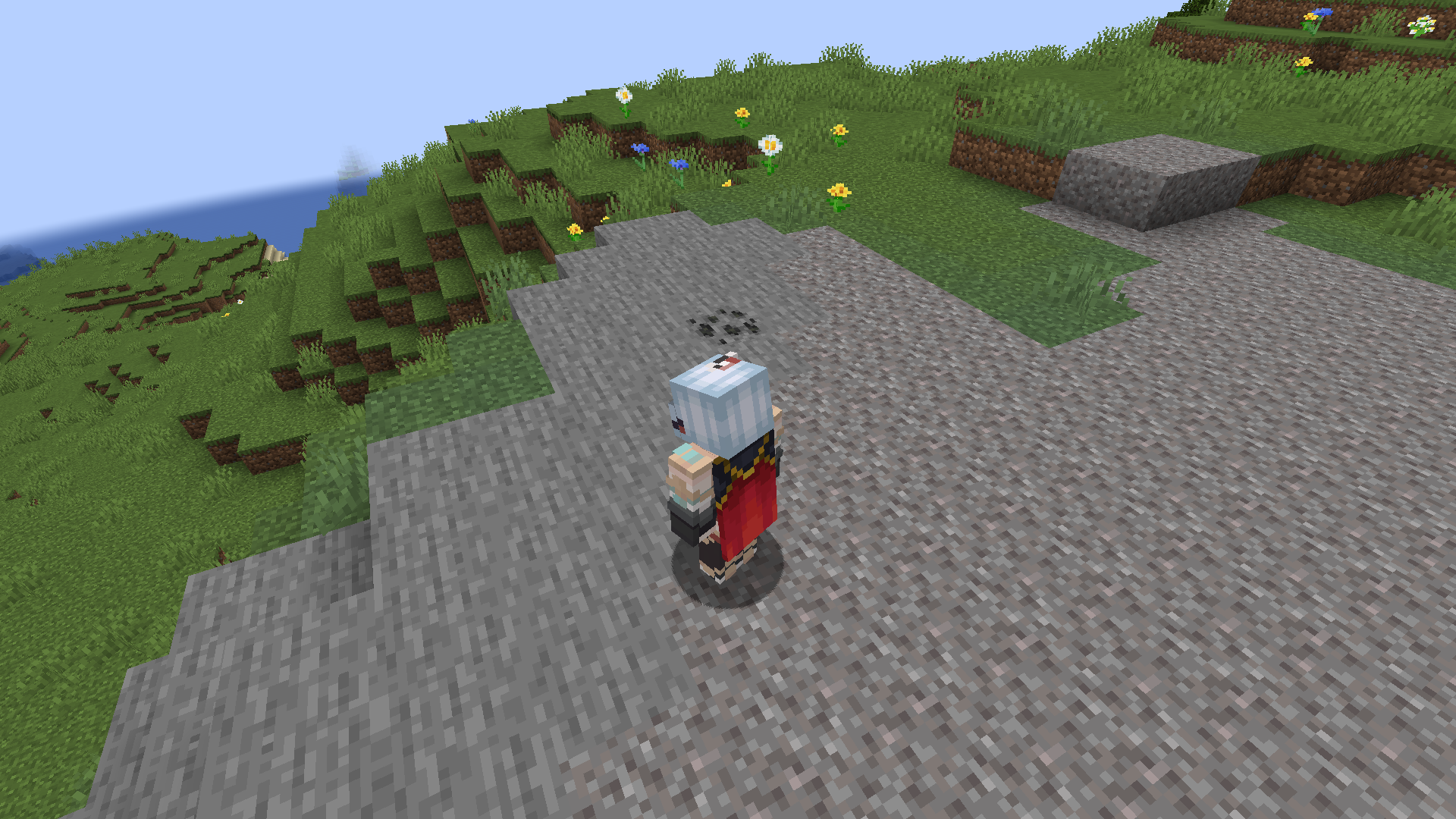
What this Mod does:
Client:
When installed on the Client, you can press a hotkey (F4 by default) to enter perspective-mode. while in this mode, you can use your mouse to look around. This will not affect your movement-direction, only the camera-direction. when you press the hotkey again, you leave perspective-mode, and will be set to the previous Perspective again.
Server:
When installed on a Server, This essentially disables the use of this mod on your server.
How this works?
Once a player joins, this mod will send a packet to that player's client. If the player doesn't have this mod, the packet will just be ignored.
if it has it installed, it will react to the packet, and disable all of it's Features.
NOTE: THIS IS NOT A RELIABLE ANTICHEAT. Java as a language is pretty vulnerable to reverse-engineering, which means technically everyone can just take the source-code, remove these functionalities, and circumvent that system. The mod beeing open source on GitHub is also a thing. I only provide this because this CAN be considered a Cheat.
As always, if you find any Bugs, you can always report them on my GitHub (Left Sidebar, click Issues)
Also as always, you can Support me with an optional donation on Ko-Fi.
Project description from Modrinth.
Pick your setup
Choose the version and loader you play, then open the matching release.
Check the dependencies, then try the file in a copied instance before changing a world you care about.
Recent files
cdnperspective-1.2.jar
19 Apr 2023
cdnperspective-1.1.jar
6 Feb 2023
cdnperspective-1.0.jar
6 Feb 2023
Looking for an older file? The official Modrinth project page is in Resources.
 mod
What the hell is that? A fork of Hwyla which is a fork of Waila.
 mod
A Carpet mod (fabric-carpet) extension, a collection of carpet mod style useful tools and interesting features
 mod
Tech Reborn is a completely standalone tech mod including tools and machines to gather resources, process materials, and progress through the mod.