Fabric API Needed by OPMOD 2.2.6
requiredMatching file found Matched file: 0.141.6+1.21.11

Modrinth · Minecraft mod
QoL Fabric Mod for the german OPSUCHT Server Network.
Quick answer
OPMOD 2.2.6 targets 1.21.11 with Fabric. It must be installed on the client. Do not install it on the dedicated server. All 1 required mods have matching files.
Where it goes
It must be installed on the client. Do not install it on the dedicated server.
This file is marked client-only.
2.2.6. Change the file and its required mods may change too.
Install Fabric API first. We found matching files for this game-version and loader setup.
We only count dependency files that match this setup. A file for another loader does not fill the gap.
Before you install it
Built for OPMOD 2.2.6. Pick another file and the loader, install side or required mods may change.
Use 2.2.6. It targets 1.21.11 with Fabric; another release may have different loader, side or dependency requirements.
Install Fabric API first. We found matching files for this game-version and loader setup.
It must be installed on the client. Do not install it on the dedicated server.
Use the “Get this file” button beside 2.2.6. It opens that exact file at the source.
About this project
Enhance your experience on Germany’s biggest Citybuild server: OPSUCHT
/opmodWe highly recommend going through the settings to discover what OPMOD is truly capable of!
New features and settings are added regularly, so don't forget to check them out and optimize your gameplay.
But if you don't want to, that's perfectly fine. OPMOD's default settings are carefully chosen to provide a great experience right out of the box.
/sw abc prices are includedNever place or write anything you don’t want
And additionally:
/signsearch <input> - Search for text on signs! | /signsearch without any input to reset your searchTake a look!: Ingame Screenshots
Project description from Modrinth.
Pick your setup
Choose the version and loader you play, then open the matching release.
Check the dependencies, then try the file in a copied instance before changing a world you care about.
Recent files
opmod-2.2.6.jar
3 Aug 2026
opmod-2.2.5.jar
3 Aug 2026
opmod-2.2.4.jar
14 Jul 2026
opmod-2.2.3.jar
10 Jul 2026
opmod-2.2.2.jar
9 Jul 2026
opmod-2.2.1.jar
9 Jul 2026
opmod-2.2.0.jar
21 Jun 2026
opmod-2.1.1.jar
31 May 2026
opmod-2.1.0.jar
27 May 2026
opmod-2.0.1.jar
24 May 2026
opmod-2.0.0.jar
17 May 2026
opmod-1.2.8.jar
19 Apr 2026
Looking for an older file? The official Modrinth project page is in Resources.
 mod
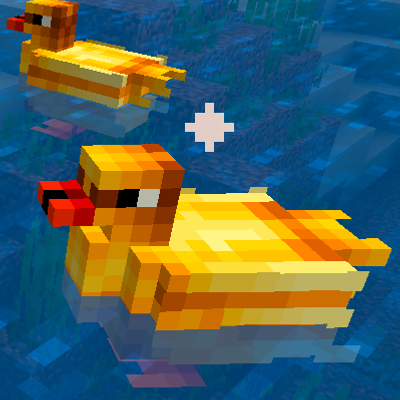
modTameable Ducks that form follow‑the‑leader lines, migrate, quack, dab and bring new drops & recipes. Configure their size and speed.
 mod
modBobby backported to 1.12.2.
 mod
modA minecraft QOL mod for the legions.club minecraft server