Forge Config API Port Needed by Scannable-MC1.20.4-1.7.13
requiredNo matching file

CurseForge · Minecraft mod
One scanner to find them, and with eye candy bind them.
Quick answer
Scannable-MC1.20.4-1.7.13 targets 1.20.4 with Fabric. The project page does not say whether it belongs on the client. The project page does not say whether it belongs on the dedicated server. 3 required mods need a matching file.
Where it goes
The project page does not say whether it belongs on the client. The project page does not say whether it belongs on the dedicated server.
The source does not explicitly classify this release as client-only or server-only.
Scannable-MC1.20.4-1.7.13. Change the file and its required mods may change too.
Install Forge Config API Port, Fabric API, Architectury API first, but 3 required mods have no matching file for this setup. Do not mix loader builds to force a match.
We only count dependency files that match this setup. A file for another loader does not fill the gap.
Before you install it
Built for Scannable-MC1.20.4-1.7.13. Pick another file and the loader, install side or required mods may change.
Use Scannable-MC1.20.4-1.7.13. It targets 1.20.4 with Fabric; another release may have different loader, side or dependency requirements.
Install Forge Config API Port, Fabric API, Architectury API first, but 3 required mods have no matching file for this setup. Do not mix loader builds to force a match.
The project page does not say whether it belongs on the client. The project page does not say whether it belongs on the dedicated server.
Use the “Get this file” button beside Scannable-MC1.20.4-1.7.13. It opens that exact file at the source.
About this project
Scannable is a small addition to the smart explorer's (as in your) tool-belt. Also, eye candy.
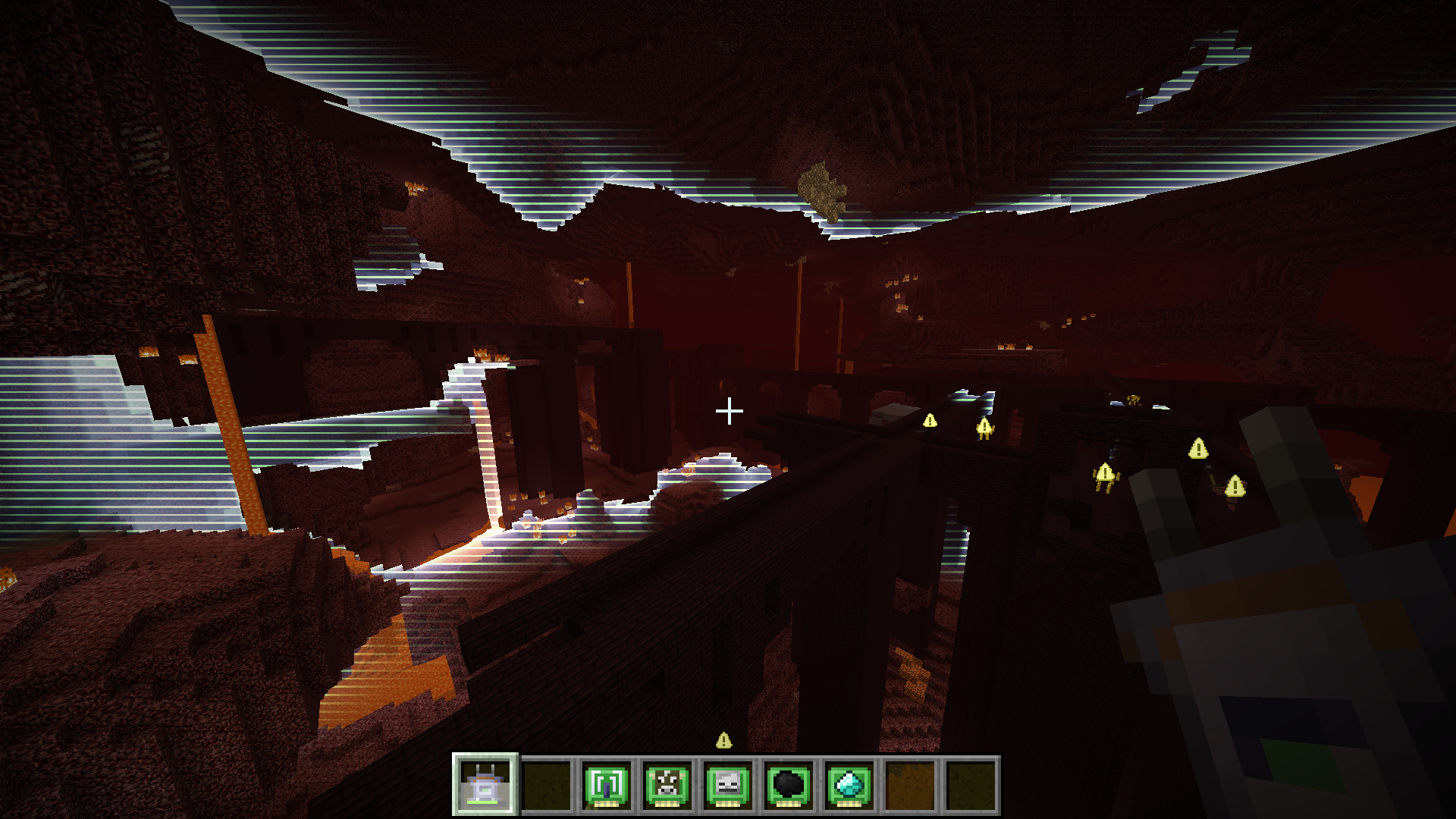
It provides a scanner item that can survey the nearby area for points of interest. Scan results are visualized for a short while in a clean and readable manner, either as in-world highlights or appropriately positioned overlays. Did I mention eye candy yet? What results are shown depends on the modules in the scanner. Up to three modules may be installed at the same time. Default modules include:
Unless disabled in the config, the scanner will act as a chargeable item, using the Forge energy API. The energy consumed for each scan depends on the modules installed in the scanner. The scanner can be recharged in any charger mod block that is compatible with the Forge energy API.
Last but not least, there's - you guessed it - eye candy. Here's a quick video demonstrating the mod.
A few words on performance: it is great. The server does none of the actual scanning computation, so using the scanner cannot lag servers (clients will always respect server settings though). Furthermore, scanning is distributed across several ticks (hence the charging time when using the scanner), so even on the client using the scanner there should be no noticeable impact. As for rendering, the scan wave effect is rendered using a shader and a single quad. This means it's super fast and should have no noticeable impact on FPS. Also tested on a very old laptop with no dip in FPS. Mileage when using OptiFine will vary, no guarantees it'll work.
Other mods can provide additional modules to generate different kind of scan results. If you have an idea for a module, either open an issue on this project's issue tracker or if it involves another mod, try to talk the mod's author into adding support for Scannable. They'll love that. Honest.
Project description from CurseForge.
Pick your setup
Choose the version and loader you play, then open the matching release.
Showing the newest 12 of 16 game versions. Older files are in the list below.
Check the dependencies, then try the file in a copied instance before changing a world you care about.
Recent files
scannable-MC1.20.4-fabric-1.7.13+2d0b4d6.jar
14 Apr 2024
scannable-MC1.20.4-forge-1.7.13+2d0b4d6.jar
14 Apr 2024
scannable-MC1.20.4-neoforge-1.7.13+2d0b4d6.jar
14 Apr 2024
scannable-MC1.20.1-fabric-1.7.12+18ccb75.jar
22 Sept 2023
scannable-MC1.20.1-forge-1.7.12+18ccb75.jar
22 Sept 2023
scannable-MC1.20.1-fabric-1.7.10+bfe753c.jar
21 Sept 2023
scannable-MC1.20.1-forge-1.7.10+bfe753c.jar
21 Sept 2023
scannable-MC1.20.1-fabric-1.7.9+b77b069.jar
17 Sept 2023
scannable-MC1.20.1-forge-1.7.9+b77b069.jar
17 Sept 2023
scannable-MC1.20.1-fabric-1.7.8+2160e98.jar
19 Aug 2023
scannable-MC1.20.1-forge-1.7.8+2160e98.jar
19 Aug 2023
scannable-MC1.20-fabric-1.7.8+9d6800d.jar
15 Aug 2023
Looking for an older file? The official CurseForge project page is in Resources.
 mod
modThis mod introduces a great rarity system for weapons and armor to the game.
 mod
modThis mod adds a simple blade to the game. It is completely unbreakable and deals 4 damage. Hope you like it :D Recommended to install Continuity
 mod
modFall into Purgatory