Minecraft version
Back to mods 
Modrinth · Minecraft mod
Hellscape - Better Nether
Hellscape is a datapack that improves the atmosphere and immersion of the nether and making the dimension much more visually appealing to explore
Choose a version Pick your version below, then grab the matching file.
Quick answer
Which Hellscape - Better Nether release should I use?
Latest stable file 1.3
Game version 26.2
Loader Fabric, NeoForge, Quilt
Hellscape - Better Nether 1.3 targets 26.2 with Fabric, NeoForge, Quilt. Installation on the client is optional. Installation on the dedicated server is optional. No extra mods listed for this file.
Where it goes
Is Hellscape - Better Nether required on the client, server, or both?
Installation on the client is optional. Installation on the dedicated server is optional.
Client Optional
Dedicated server Optional
Loader for this release Fabric, NeoForge, Quilt
Required install it here Optional supported, not mandatory Not supported do not install here Source doesn’t say do not assume
The source marks this as usable on both the client and server.
What else does Hellscape - Better Nether 1.3 need?
1.3. Change the file and its required mods may change too.
This file does not list any required mods. Do not add a library just because a different file uses it.
This file does not list any required or optional mods.
Before you install it
Add Hellscape - Better Nether without breaking your instance.
Built for Hellscape - Better Nether 1.3. Pick another file and the loader, install side or required mods may change.
- 01
Stick to this file
Use 1.3. It targets 26.2 with Fabric, NeoForge, Quilt; another release may have different loader, side or dependency requirements.
- 02
Bring the mods it needs
This file does not list any required mods. Do not add a library just because a different file uses it.
- 03
Put it on the correct side
Installation on the client is optional. Installation on the dedicated server is optional.
- 04
Pick the file you checked
Use the “Get this file” button beside 1.3. It opens that exact file at the source.
About this project
What does Hellscape - Better Nether add?
Hellscape – A Nether Revamp for Minecraft Java 26.2
Created by Zackattack4100 (MC name) / MoisturePack (PMC / Modrinth name)
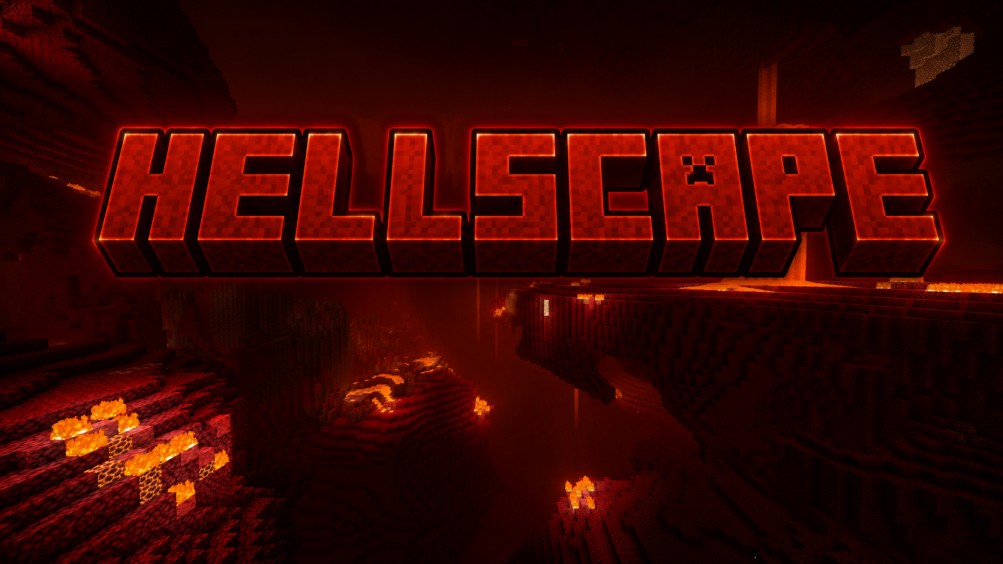
Planet Minecraft Link: Hellscape 26.2 on Planet Minecraft
Hellscape is a complete overhaul of the Nether's default terrain generation, designed to make every journey feel larger, darker, and more atmospheric, while remaining unmistakably vanilla.
This datapack does not add any new blocks, items, mobs, or biomes. Instead, it completely redesigns how the existing Nether generates, making each biome feel unique, dangerous, and immersive without changing the game's core mechanics.
Features
- Redesign of every vanilla Nether biome
- Double the normal height of the nether
- Dramatically improved terrain generation
- A much darker, more oppressive atmosphere
- Designed to make exploration feel exciting again
- 100% survival friendly
- Multiplayer compatible
- Vanilla client compatible
A Bigger Nether
One of Hellscape's biggest changes is the Nether’s height.
The Nether height has been increased from 128 blocks to 256 blocks, creating larger landscapes and giving terrain much more room to breathe.
Even with the increased world height:
- The Nether roof is still fully accessible.
- Existing roof-based farms and transportation systems continue to work.
- More vertical space simply means more impressive terrain below.
The result is a Nether that feels enormous without sacrificing familiar gameplay.
Vanilla-like
Everything you encounter already exists in vanilla Minecraft. No custom biomes. No new blocks. No new dimensions. No complicated mechanics to learn.
Instead, Hellscape pushes Minecraft's existing world generation to its limits!
Compatibility
Hellscape was designed to be compatible with Artemis, Endeavor and Limbo!
How to update Hellscape after its been installed in your world
To update Hellscape in the future, all you have to do is open your world's datapacks folder, then delete the folder called Hellscape and then drag the new Hellscape folder into the datapack folder, then your done!
Feedback
I am just 1 person working on this project, so if you want to leave feed back I'm more than happy to hear it!
If you encounter any bugs or other glitches you believe are not intentional, please message me on Discord/Planet Minecraft.
A Supported Project
This project is planned to be supported into future versions of Minecraft, making it reliable if you plan on using it on a server.
For the best experience, generate new Nether chunks after installing the datapack. Existing chunks will remain unchanged.
Project description from Modrinth.
Pick your setup
Hellscape - Better Nether by Minecraft version and loader
Choose the version and loader you play, then open the matching release.
Check the dependencies, then try the file in a copied instance before changing a world you care about.
Recent files
Hellscape - Better Nether versions and loaders
1.3
Hellscape 26.2 Prod V1.3.jar
12 Aug 2026
Client Optional Server Optional Dependencies No extras listed Listed on Release listing
Check the 26.2 · Fabric setup 26.2FabricNeoForgeQuilt release
1.3
Hellscape 26.2 Prod V1.3.zip
12 Aug 2026
Client Optional Server Optional Dependencies No extras listed Listed on Release listing
Check the 26.2 · datapack setup 26.2datapack release
Looking for an older file? The official Modrinth project page is in Resources.
 mod
mod CurseForge + Modrinth · Minecraft
Quacked SMP - Server Management Panel
Browser-based web panel for full server and player management. Modular features: Land claims, RPG skills & abilities, chat filter, anti-grief, custom dimension, edit mods and do backups. Optional integrations: Votifier, Discord, BlueMap, Simple Voice Chat.
 mod
mod CurseForge + Modrinth · Minecraft
Roundabout: The JoJo Mod
A Jojo's Bizarre Adventure mod that interprets the world and power system of the anime into the world of Minecraft. ( JJBA )
 mod
mod Modrinth · Minecraft
More Armor Trims
Adds 13 new armor trims to discover and collect