Minecraft version
Back to mods 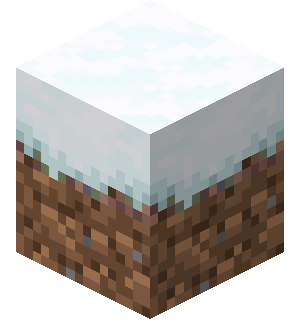
Modrinth · Minecraft mod
Kinda Winter Mode - Vanilla Foliage
Vanilla terrain generation but with a lot of ice and snow, AND vibrant vanilla foliage!
Choose a version Pick your version below, then grab the matching file.
Quick answer
Which Kinda Winter Mode - Vanilla Foliage release matches Forge?
Best match for your filters 26.2+mod
Game version 26.2
Loader Fabric, Forge, NeoForge
Kinda Winter Mode - Vanilla Foliage 26.2+mod targets 26.2 with Fabric, Forge, NeoForge. Installation on the client is optional. Installation on the dedicated server is optional. No extra mods listed for this file.
Where it goes
Is Kinda Winter Mode - Vanilla Foliage required on the client, server, or both?
Installation on the client is optional. Installation on the dedicated server is optional.
Client Optional
Dedicated server Optional
Loader for this release Fabric, Forge, NeoForge
Required install it here Optional supported, not mandatory Not supported do not install here Source doesn’t say do not assume
The source marks this as usable on both the client and server.
What else does Kinda Winter Mode - Vanilla Foliage 26.2+mod need?
26.2+mod on Forge. Every mod below is checked against that same setup.
This file does not list any required mods. Do not add a library just because a different file uses it.
This file does not list any required or optional mods.
Before you install it
Add Kinda Winter Mode - Vanilla Foliage without breaking your instance.
Built for Kinda Winter Mode - Vanilla Foliage 26.2+mod on Forge. Pick another file and the loader, install side or required mods may change.
- 01
Stick to this file
Use 26.2+mod. It targets 26.2 with Fabric, Forge, NeoForge; another release may have different loader, side or dependency requirements.
- 02
Bring the mods it needs
This file does not list any required mods. Do not add a library just because a different file uses it.
- 03
Put it on the correct side
Installation on the client is optional. Installation on the dedicated server is optional.
- 04
Pick the file you checked
Use the “Get this file” button beside 26.2+mod. It opens that exact file at the source.
About this project
What does Kinda Winter Mode - Vanilla Foliage add?

Kinda Winter Mode is a world generation datapack that transform your vanilla world into a snowy, icey and winter theme world by setting all non-cold biomes, oceans and caves' temperature to 0.0.
This version overrides the teal-ish hue based on biome temperature with the more vibrant vanilla foliage colour we all know and love.
Inspired by the short-lived Alpha version's Winter Mode, this time on modern Minecraft version! (26.*+)
Features:
- Snow everywhere!
- Frozen surface water!
- Moody atmosphere!
- Colourful biome-based grass and foliage!
- Absolutely no other gameplay changes (hopefully)
Compatibility
Compatible with any structures, world preset datapacks
Incompatible with datapacks or mods that overrides vanilla biomes generation. Ex: Geophilic
Recommended!
Loves the boring teal hue being everywhere?
Check out Kinda Winter Mode!
DO NOT RUN THOSE DATAPACKS TOGETHER, for they both replace vanilla world generation
Extra
- Want more snow pilling up your world?
Try /gamerule max_snow_accumulation_height <value>! ( can go 0 to 8, default is 1)
Note: Going higher than 1 might destroy your CPU because of how Java checks for each individual blocks in simluated chunks for accumlated snow ticks
- Want eternal snowy weather?
Do /weather rain or /weather thunder
Then Disable weather cycle using /gamerule advance_weather false
- Don't want frozen ocean/lake/river?
Remove .json file of the corresponded biome in data\minecraft\worldgen\biome inside the datapack
- Adding/updating (and removing) the datapack to existing world/map
Notes: Remember to back up/make a copy of your world!
Open saves folder of your Minecraft instance, find your world, put the datapack in your datapacks folder. Afterwards, launch the game and enter your world, type /datapack enable <name of the pack>, then rejoin your world. There's no snow on ground yet, but there will be when it start snowing. If there still isn't any snow, make sure the random_tick_speed gamerule of your world isn't set to 0 (the default is 3). You can increase it for faster snow piling up during snowy weather, but it also affects plant growth and leaf decay, so be careful on the world you are doing!). And enjoy the winter!
If you're tired of "winter mode", you can use /datapack disable and delete the datapack from the datapacks folder, then rejoin your world. (Disabling it should theoretically be safe, as my datapack only modify vanilla biomes temperature, precipitation and foliage colours. Disabling it would revert them to vanilla biome rules). But the snow on the ground won't melt naturally, so have fun cleaning them up! (or you can just use /fill command)
Project description from Modrinth.
Pick your setup
Kinda Winter Mode - Vanilla Foliage by Minecraft version and loader
Choose the version and loader you play, then open the matching release.
Minecraft version
26.3
5 loader buildsMinecraft version
26.2
5 loader buildsMinecraft version
26.1.2
5 loader buildsMinecraft version
1.21.1
5 loader buildsMinecraft version
1.21
5 loader buildsMinecraft version
1.20.1
5 loader buildsMinecraft version
1.20
5 loader buildsMinecraft version
1.17.1
5 loader buildsMinecraft version
1.17
5 loader buildsMinecraft version
1.16.5
5 loader buildsMinecraft version
1.16.4
5 loader buildsShowing the newest 12 of 14 game versions. Older files are in the list below.
Check the dependencies, then try the file in a copied instance before changing a world you care about.
Recent files
Kinda Winter Mode - Vanilla Foliage versions and loaders
26.2+mod
kinda-winter-mode-vanilla-foliage-26.2.jar
3 Oct 2026
Client Optional Server Optional Dependencies No extras listed Listed on Release listing
Check the 26.2 · Forge setup 26.2FabricForgeNeoForge release
26.1.2+mod
kinda-winter-mode-vanilla-foliage-26.1.2.jar
3 Oct 2026
Client Optional Server Optional Dependencies No extras listed Listed on Release listing
Check the 26.1.2 · Forge setup 26.1.2FabricForgeNeoForge release
1.16+mod
kinda-winter-mode-vanilla-foliage-1.16.jar
3 Oct 2026
Client Optional Server Optional Dependencies No extras listed Listed on Release listing
Check the 1.16.5 · Forge setup 1.16.21.16.31.16.41.16.5 release
1.17+mod
kinda-winter-mode-vanilla-foliage-1.17.jar
3 Oct 2026
Client Optional Server Optional Dependencies No extras listed Listed on Release listing
Check the 1.17.1 · Forge setup 1.171.17.1FabricForge release
1.20.1+mod
kinda-winter-mode-vanilla-foliage-1.20.1.jar
3 Oct 2026
Client Optional Server Optional Dependencies No extras listed Listed on Release listing
Check the 1.20.1 · Forge setup 1.201.20.1FabricForge release
1.21.1+mod
kinda-winter-mode-vanilla-foliage-1.21.1.jar
3 Oct 2026
Client Optional Server Optional Dependencies No extras listed Listed on Release listing
Check the 1.21.1 · Forge setup 1.211.21.1FabricForge release
26.3+mod
kinda-winter-mode-vanilla-foliage-26.3.jar
3 Oct 2026
Client Optional Server Optional Dependencies No extras listed Listed on Release listing
Check the 26.3 · Forge setup 26.3FabricForgeNeoForge release
Looking for an older file? The official Modrinth project page is in Resources.
 mod
Modrinth · Minecraft
Kinda Indev Hell
Modern world generation with lots of lava, enternal darkness, and gritty crimson sky. Almost like Indev's "Hell" map theme!
 mod
Modrinth · Minecraft
Kinda Winter Mode
Vanilla terrain generation but with a lot of ice and snow!
 mod
Modrinth · Minecraft
Hydrogen Performance
Zero-dependency performance mod that measures your CPU, GPU, monitor and frame times at runtime. Auto-tunes core pinning, clocks, GC, VRAM, DRS+FidelityFX CAS, wall/leaf/shadow culling, idle throttling & dynamic sim distance. Fabric/Quilt/Forge/NeoForge.