Project ordsPcFz Needed by YARRP 0.2.0+1.20.6
requiredStill checking

Modrinth · Minecraft mod
Yet Another Runtime Resource Pack
Quick answer
YARRP 0.2.0+1.20.6 targets 1.20.5, 1.20.6 with NeoForge. Installation on the client is optional. Installation on the dedicated server is optional. 1 required mod needs checking.
Where it goes
Installation on the client is optional. Installation on the dedicated server is optional.
The source marks this as usable on both the client and server.
0.2.0+1.20.6. Change the file and its required mods may change too.
Install project ordsPcFz first. 1 required mod still needs checking for this exact setup.
We only count dependency files that match this setup. A file for another loader does not fill the gap.
Before you install it
Built for YARRP 0.2.0+1.20.6. Pick another file and the loader, install side or required mods may change.
Use 0.2.0+1.20.6. It targets 1.20.5, 1.20.6 with NeoForge; another release may have different loader, side or dependency requirements.
Install project ordsPcFz first. 1 required mod still needs checking for this exact setup.
Installation on the client is optional. Installation on the dedicated server is optional.
Use the “Get this file” button beside 0.2.0+1.20.6. It opens that exact file at the source.
About this project
Has it ever bothered you that so much configuration of blocks, items, recipes,
and now even enchantments is defined in untyped JSON files? Well then you should
probably just use
data generation which
is much more battle tested and even used by Mojang for the Vanilla data. But,
if you also want to be able to adjust the data dynamically or want some things
to be configurable, then this might just be the thing for you. YARRP is inspired
by ARRP and
BRRP but written from the ground up with an
easy to use Kotlin API. It allows you to create resource packs (i.e. both data
packs and asset packs) at runtime, so you don't need to have JSON files ready
for all possible options.
To add YARRP as a dependency, add the following to your build.gradle.kts:
repositories {
    // you can use either one
    maven("https://jitpack.io")
    maven("https://api.modrinth.com/maven")
}

dependencies {
    // replace the versions and loader as needed. the loader is one of `fabric` or `neoforge`
    modImplementation("com.github.RubixDev.YARRP:yarrp-mc1.21.1-fabric:v0.2.0") // when using jitpack
    modImplementation("maven.modrinth:yarrp:0.2.0+1.21.1-fabric") // when using modrinth maven
}
Don't forget to also list YARRP as a dependency in your fabric.mod.json andneoforge.mods.toml files.
You can then use YARRP by creating a pack and adding it to one of the register
callbacks. Here's an example:
object MyModResources {
    // call this in your mod initializer
    fun register() {
        YarrpCallbacks.register(PackPosition.AFTER_VANILLA, ResourceType.SERVER_DATA) {
            add(PACK)
        }
    }

    @JvmField
    val PACK = RuntimeResourcePack(
        RuntimeResourcePack.createInfo(
            Identifier.of("modid", "my_runtime_pack"),
            Text.of("Pack Title"),
            "pack version", // should probably be set to the version of your mod
        ),
        RuntimeResourcePack.createMetadata(Text.of("pack description")),
    )

    val MY_ENCHANTMENT: RegistryKey<Enchantment> = PACK.addEnchantment(
        Identifier.of("modid", "my_enchantment"),
        Enchantment.definition(
            // this dummy type can be used to create a RegistryEntryList from a given TagKey
            // but should only be used for adding resources to a runtime pack
            DummyHolderSet(ItemTags.LEG_ARMOR_ENCHANTABLE),
            5,
            3,
            Enchantment.leveledCost(5, 8),
            Enchantment.leveledCost(55, 8),
            2,
            AttributeModifierSlot.LEGS,
        ),
    )

    init {
        if (MyModSettings.myEnchantmentIsTreasure) {
            PACK.addTag(EnchantmentTags.TREASURE) { add(MY_ENCHANTMENT) }
        } else {
            PACK.addTag(EnchantmentTags.NON_TREASURE) { add(MY_ENCHANTMENT) }
        }

        if (MyModSettings.enableRecipe) {
            PACK.addRecipeAndAdvancement(
                Identifier.of("modid", "my_recipe"),
                ShapedRecipeJsonBuilder.create(RecipeCategory.MISC, Items.DIAMOND, 64)
                    .criterion("tick", TickCriterion.Conditions.createTick())
                    .pattern("//")
                    .pattern("//")
                    .input('/', Items.STICK),
            )
        }
    }
}
Full API documentation can be found at
yarrp.rubixdev.de.
Project description from Modrinth.
Pick your setup
Choose the version and loader you play, then open the matching release.
Check the dependencies, then try the file in a copied instance before changing a world you care about.
Recent files
yarrp-mc1.20.6-neoforge-v0.2.0.jar
17 Nov 2025
yarrp-mc1.21.1-neoforge-v0.2.0.jar
17 Nov 2025
yarrp-mc1.21.1-fabric-v0.2.0.jar
17 Nov 2025
yarrp-mc1.20.6-fabric-v0.2.0.jar
17 Nov 2025
yarrp-mc1.21.1-fabric-v0.1.0.jar
16 Nov 2025
yarrp-mc1.20.6-neoforge-v0.1.0.jar
16 Nov 2025
yarrp-mc1.21.1-neoforge-v0.1.0.jar
16 Nov 2025
yarrp-mc1.20.6-fabric-v0.1.0.jar
16 Nov 2025
yarrp-mc1.21.1-fabric-v0.1.0-SNAPSHOT.jar
15 Nov 2025
Looking for an older file? The official Modrinth project page is in Resources.
 mod
modThis mod adds a dedicated Trinket slot for lanterns so you can always make use of them!
 mod
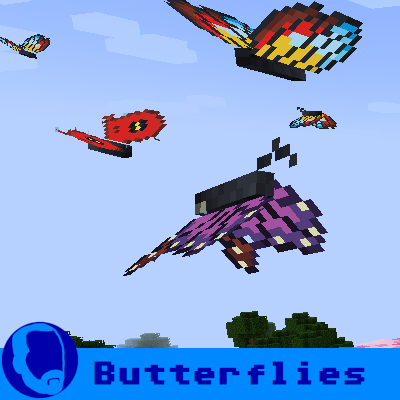
modA simple mod that adds butterflies to the game.
 mod
modFixes a shader artifact when using Iris with Create: Aeronautics.