Puzzles Lib Needed by Stonecutting Upgrade 26.2.0
requiredMatching file found Matched file: 26.2.5

Modrinth · Minecraft mod
Bigger stonecutter menus, remembered recipes, and quick refills for speedy crafting.
Quick answer
Stonecutting Upgrade 26.2.0 targets 26.2 with NeoForge. It must be installed on the client. Do not install it on the dedicated server. All 1 required mods have matching files.
Where it goes
It must be installed on the client. Do not install it on the dedicated server.
This file is marked client-only.
26.2.0 on 26.2. Every mod below is checked against that same setup.
Install Puzzles Lib first. We found matching files for this game-version and loader setup.
We only count dependency files that match this setup. A file for another loader does not fill the gap.
Before you install it
Built for Stonecutting Upgrade 26.2.0 on 26.2. Pick another file and the loader, install side or required mods may change.
Use 26.2.0. It targets 26.2 with NeoForge; another release may have different loader, side or dependency requirements.
Install Puzzles Lib first. We found matching files for this game-version and loader setup.
It must be installed on the client. Do not install it on the dedicated server.
Use the “Get this file” button beside 26.2.0. It opens that exact file at the source.
About this project







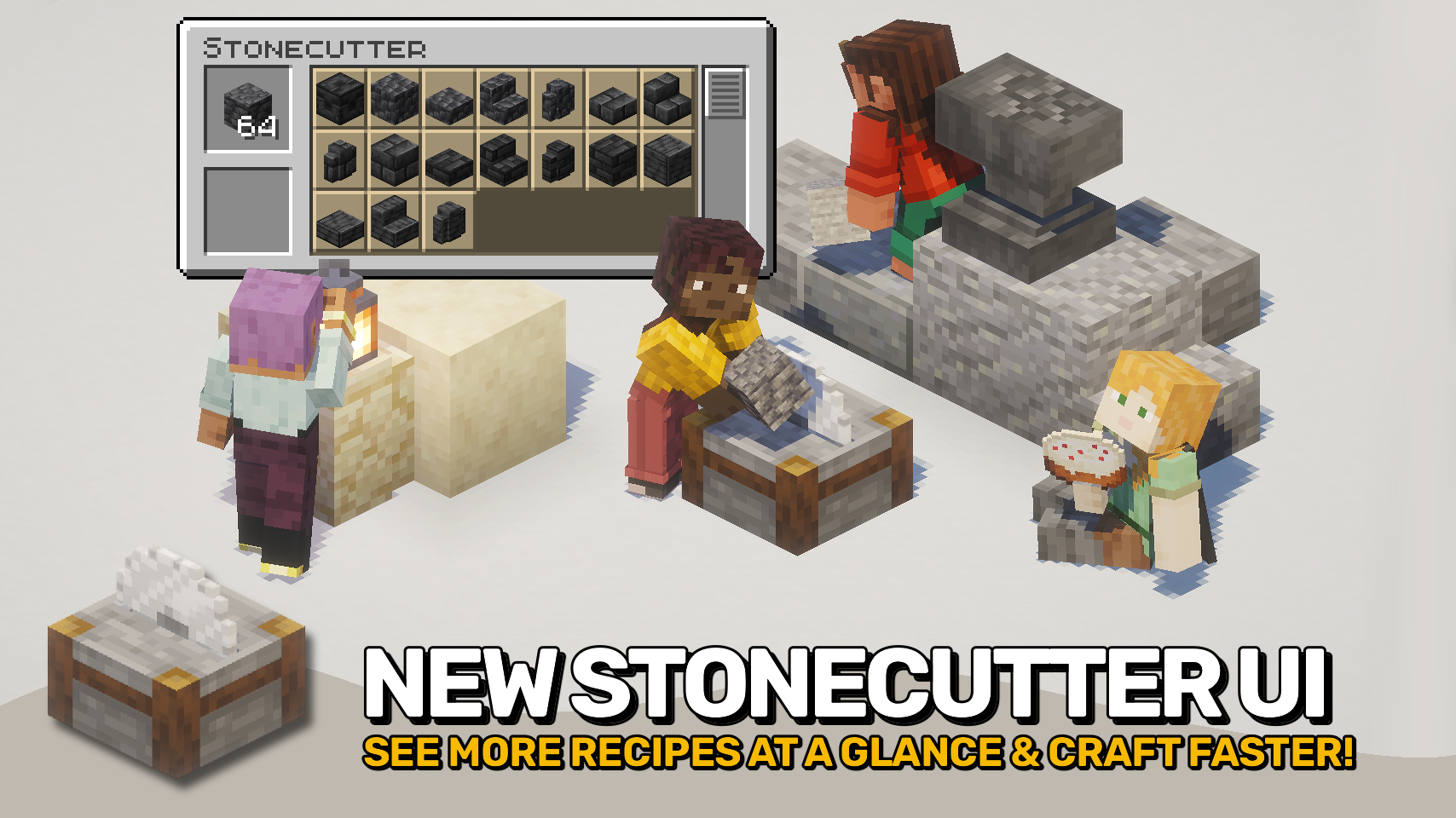
Stonecutting Upgrade gives the stonecutter menu the overhaul it deserves. 🪨 With a larger recipe selection area, smoother scrolling, and a more convenient layout, stonecutting finally feels comfortable to use again.
No more constantly scrolling through cramped recipe lists or reselecting the same block over and over. This mod remembers your last recipe and includes quick refill controls to keep crafting flowing smoothly. ✨
Best of all, the mod is fully client side, making it easy to use anywhere without requiring server installation. ⚙️



⏩ INSTALLATION REQUIRED ON CLIENT
⏩ REQUIRES PUZZLES LIB TO BE INSTALLED (FABRIC & NEOFORGE)
⏩ REQUIRES FABRIC API TO BE INSTALLED (FABRIC)
⏩ REQUIRES FORGE CONFIG API PORT TO BE INSTALLED (FABRIC)

If available for a mod, configuration is possible directly from in-game using the mod menu (requires Mod Menu by Prospector to be installed on Fabric).
For manual configuration using an external text editor all files are found at .minecraft/config, named as MOD_ID-client.toml, MOD_ID-common.toml, or MOD_ID-server.toml, depending on the type of config. Not all types might exist for a mod, if any at all.

🌟 Thanks to weirdbrackets and their Portable Stonecutter mod for inspiring the improved stonecutter menu.
 |
 |
|
 |
 |
|
 |
 |
|
 |
 |
|
 |
 |

© 2026 @heyitsfuzs. All rights reserved. This page was last edited on 11 September 2026, at 06:44 (UTC).
Project description from Modrinth.
Pick your setup
Choose the version and loader you play, then open the matching release.
Check the dependencies, then try the file in a copied instance before changing a world you care about.
Recent files
StonecuttingUpgrade-v26.2.0-mc26.2.x-NeoForge.jar
18 Jun 2026
StonecuttingUpgrade-v26.2.0-mc26.2.x-Fabric.jar
18 Jun 2026
Looking for an older file? The official Modrinth project page is in Resources.
 mod
A mod that adds a simple, immersive, and balanced Glider to the game!
 mod
The all-you-could-want 1.7, 1.8, and modern animations mod for Minecraft. Animatium fork, backported to 1.8.9 and more. By Polyfrost, best with OneClient.
 mod
Farming automation mod with planters, machines, modules, and power gen.