Fabric Language Kotlin Needed by Widgets 1.0.5-mc1.20
requiredMatching file found Matched file: 1.14.2+kotlin.2.4.21
Modrinth · Minecraft mod
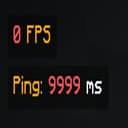
A customizable HUD mod that displays FPS, ping, coordinates, time, date, memory, CPU, and GPU info. Move widgets anywhere on the screen, adjust their appearance, and toggle them on/off via an in-game config menu.
Quick answer
Widgets 1.0.5-mc1.20 targets 1.20, 1.20.1, 1.20.2 with Fabric. It must be installed on the client. Do not install it on the dedicated server. All 2 required mods have matching files.
Where it goes
It must be installed on the client. Do not install it on the dedicated server.
This file is marked client-only.
1.0.5-mc1.20 on 1.20.3. Every mod below is checked against that same setup.
Install Fabric Language Kotlin, Cloth Config API first. We found matching files for this game-version and loader setup.
We only count dependency files that match this setup. A file for another loader does not fill the gap.
Before you install it
Built for Widgets 1.0.5-mc1.20 on 1.20.3. Pick another file and the loader, install side or required mods may change.
Use 1.0.5-mc1.20. It targets 1.20, 1.20.1, 1.20.2 with Fabric; another release may have different loader, side or dependency requirements.
Install Fabric Language Kotlin, Cloth Config API first. We found matching files for this game-version and loader setup.
It must be installed on the client. Do not install it on the dedicated server.
Use the “Get this file” button beside 1.0.5-mc1.20. It opens that exact file at the source.
About this project
Enhance your Minecraft experience with customizable on-screen widgets!Widgets Mod adds a set of useful, fully customizable widgets to your Minecraft HUD, providing real-time information at a glance. Whether you're monitoring your FPS, ping, coordinates, or system performance, this mod has you covered. With an intuitive configuration screen, you can easily tweak the appearance and position of your widgets to suit your needs.
✨ Key Features:
📋 Supported Widgets:
Project description from Modrinth.
Pick your setup
Choose the version and loader you play, then open the matching release.
Showing the newest 12 of 13 game versions. Older files are in the list below.
Check the dependencies, then try the file in a copied instance before changing a world you care about.
Recent files
widgets-1.0.5.jar
15 Apr 2025
widgets-1.0.0.jar
14 Apr 2025
Looking for an older file? The official Modrinth project page is in Resources.
 mod
A mod for Minecraft helping control input method
 mod
Allows to use game mode switcher even without permissions and change its keybinding
 mod
A mod that adds a flashlight with a dynamic beam without the jerky animation