Fabric API Needed by Crafter Presets 4.6.0+1.21.11
requiredMatching file found Matched file: 0.141.6+1.21.11

Modrinth · Minecraft mod
Fill every Crafter with your saved recipe the moment you open or place it. Outlines show which ones are done, and Hopper Tracking finds items lost in your hoppers. Client-side, works on servers.
Quick answer
Crafter Presets 4.6.0+1.21.11 targets 1.21.11 with Fabric. It must be installed on the client. Do not install it on the dedicated server. All 1 required mods have matching files.
Where it goes
It must be installed on the client. Do not install it on the dedicated server.
This file is marked client-only.
4.6.0+1.21.11. Change the file and its required mods may change too.
Install Fabric API first. We found matching files for this game-version and loader setup.
We only count dependency files that match this setup. A file for another loader does not fill the gap.
Before you install it
Built for Crafter Presets 4.6.0+1.21.11. Pick another file and the loader, install side or required mods may change.
Use 4.6.0+1.21.11. It targets 1.21.11 with Fabric; another release may have different loader, side or dependency requirements.
Install Fabric API first. We found matching files for this game-version and loader setup.
It must be installed on the client. Do not install it on the dedicated server.
Use the “Get this file” button beside 4.6.0+1.21.11. It opens that exact file at the source.
About this project
You built the autocrafter farm. Now comes the part no tutorial shows you: clicking the same 3×3 pattern into every single Crafter. Nine slots each. Forty Crafters is 360 clicks, and one wrong slot quietly breaks the whole line.
Crafter Presets turns all of that into: open the Crafter. Your saved layout snaps in, the Crafter closes itself, and you're already walking to the next one.
11,000+ downloads · Minecraft 1.21.4 to 26.3 · Client-side only, works on servers
Placing a new Crafter? It gets your preset the moment it touches the ground. You never even see its menu.
Love never clicking a Crafter slot? Inventory Presets does the same for your inventory: press one key and every item snaps back to the exact slot you saved it in. Both mods open their settings with ` by default, so if you run both, give one a different key in Options → Controls → Key Binds.
Requires Fabric API. Questions, bugs or ideas? Join the Discord.
One recipe, one save, every Crafter. Go build something bigger.
Project description from Modrinth.
Pick your setup
Choose the version and loader you play, then open the matching release.
Showing the newest 12 of 13 game versions. Older files are in the list below.
Check the dependencies, then try the file in a copied instance before changing a world you care about.
Recent files
crafter-presets-4.6.0+1.21.4.jar
25 Nov 2026
crafter-presets-4.6.0+1.21.5.jar
25 Nov 2026
crafter-presets-4.6.0+1.21.6.jar
25 Nov 2026
crafter-presets-4.6.0+1.21.7.jar
25 Nov 2026
crafter-presets-4.6.0+1.21.8.jar
25 Nov 2026
crafter-presets-4.6.0+1.21.9.jar
25 Nov 2026
crafter-presets-4.6.0+1.21.10.jar
25 Nov 2026
crafter-presets-4.6.0+1.21.11.jar
25 Nov 2026
crafter-presets-4.6.0+26.1.jar
25 Nov 2026
crafter-presets-4.6.0+26.1.1.jar
25 Nov 2026
crafter-presets-4.6.0+26.1.2.jar
25 Nov 2026
crafter-presets-4.6.0+26.2.jar
25 Nov 2026
Looking for an older file? The official Modrinth project page is in Resources.
 mod
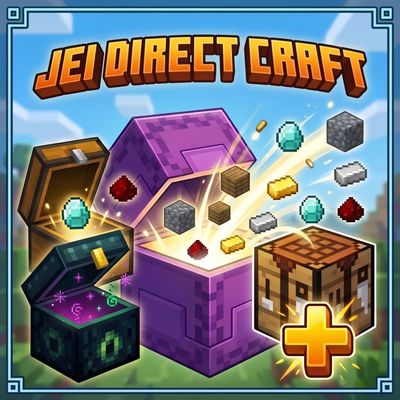
A JEI fork (aka "MCdestined's Simple Storage") that turns your crafting table into a smart Crafting Station: auto-pull ingredients from connected chests, Ender Chests, and Shulker Boxes, or extract in-stock items in 1 click.
 mod
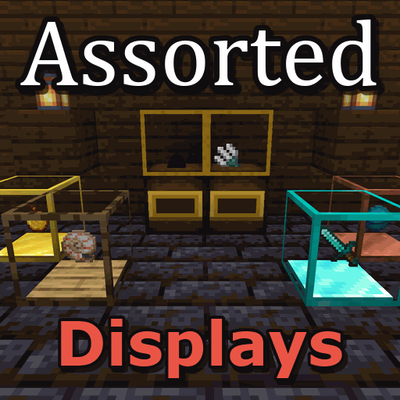
Adds display cases to show off your items, the museum display case, the resizing tool and the cage.
 mod
A tiertagger mod with tiers menu, name history, discord username lookup, nametag editor and all mainstream tierlists including PVPHQ, MCPvP, CatPVP, MCTiers, PvPTiers, Subtiers