
Minecraft version
Back to mods 
Modrinth · Minecraft mod
Security
Adds security features to protect your buildings, valuables, and yourself from threats.
Choose a version Pick your version below, then grab the matching file.
Quick answer
Which Security release should I use?
beta file 1.21.4-0.1.6
Game version 1.21.4
Loader Fabric
Security 1.21.4-0.1.6 targets 1.21.4 with Fabric. Installation on the client is optional. Installation on the dedicated server is optional. No extra mods listed for this file.
Where it goes
Is Security required on the client, server, or both?
Installation on the client is optional. Installation on the dedicated server is optional.
Client Optional
Dedicated server Optional
Loader for this release Fabric
Required install it here Optional supported, not mandatory Not supported do not install here Source doesn’t say do not assume
The source marks this as usable on both the client and server.
What else does Security 1.21.4-0.1.6 need?
1.21.4-0.1.6. Change the file and its required mods may change too.
This file does not list any required mods. Do not add a library just because a different file uses it.
This file does not list any required or optional mods.
Before you install it
Add Security without breaking your instance.
Built for Security 1.21.4-0.1.6. Pick another file and the loader, install side or required mods may change.
- 01
Stick to this file
Use 1.21.4-0.1.6. It targets 1.21.4 with Fabric; another release may have different loader, side or dependency requirements.
- 02
Bring the mods it needs
This file does not list any required mods. Do not add a library just because a different file uses it.
- 03
Put it on the correct side
Installation on the client is optional. Installation on the dedicated server is optional.
- 04
Pick the file you checked
Use the “Get this file” button beside 1.21.4-0.1.6. It opens that exact file at the source.
About this project
What does Security add?
Adds security features to protect your buildings, valuables, and yourself from threats.
Check the wiki to see everything this mod includes: wiki.
Keypad
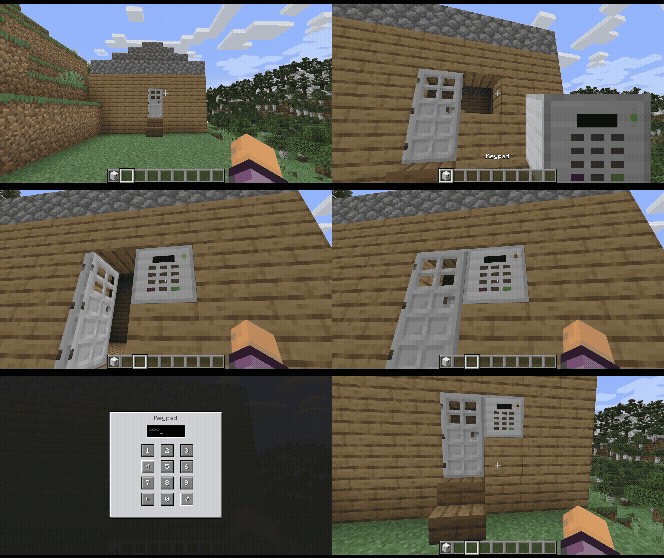
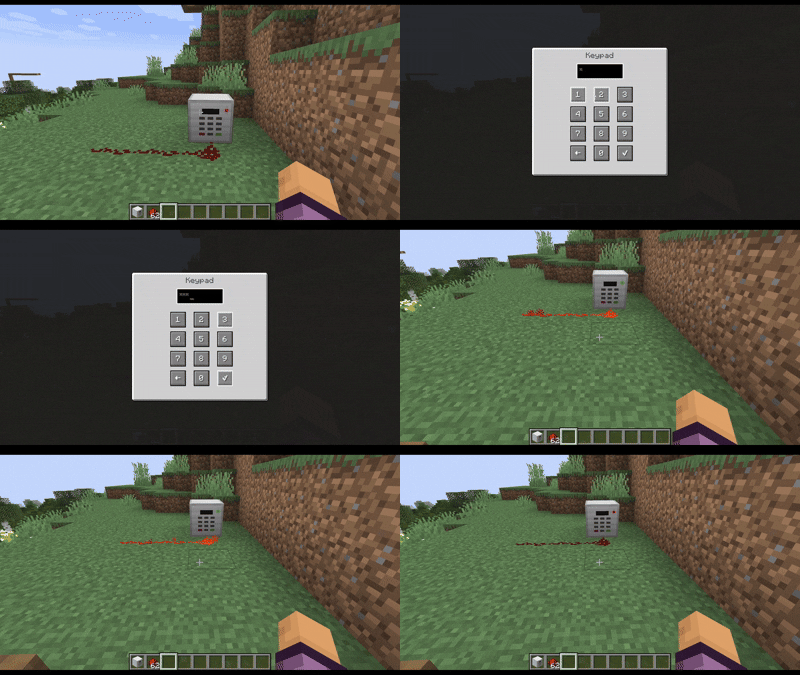
The Keypad is used by right-clicking it, and introducing a numerical passcode.
Once the keycode is set, right-clicking the keypad will allow you to enter the code.
If it's correct, the keypad will emit redstone power for 3 seconds (Can be set with the config keypadBlockAutolockTime)
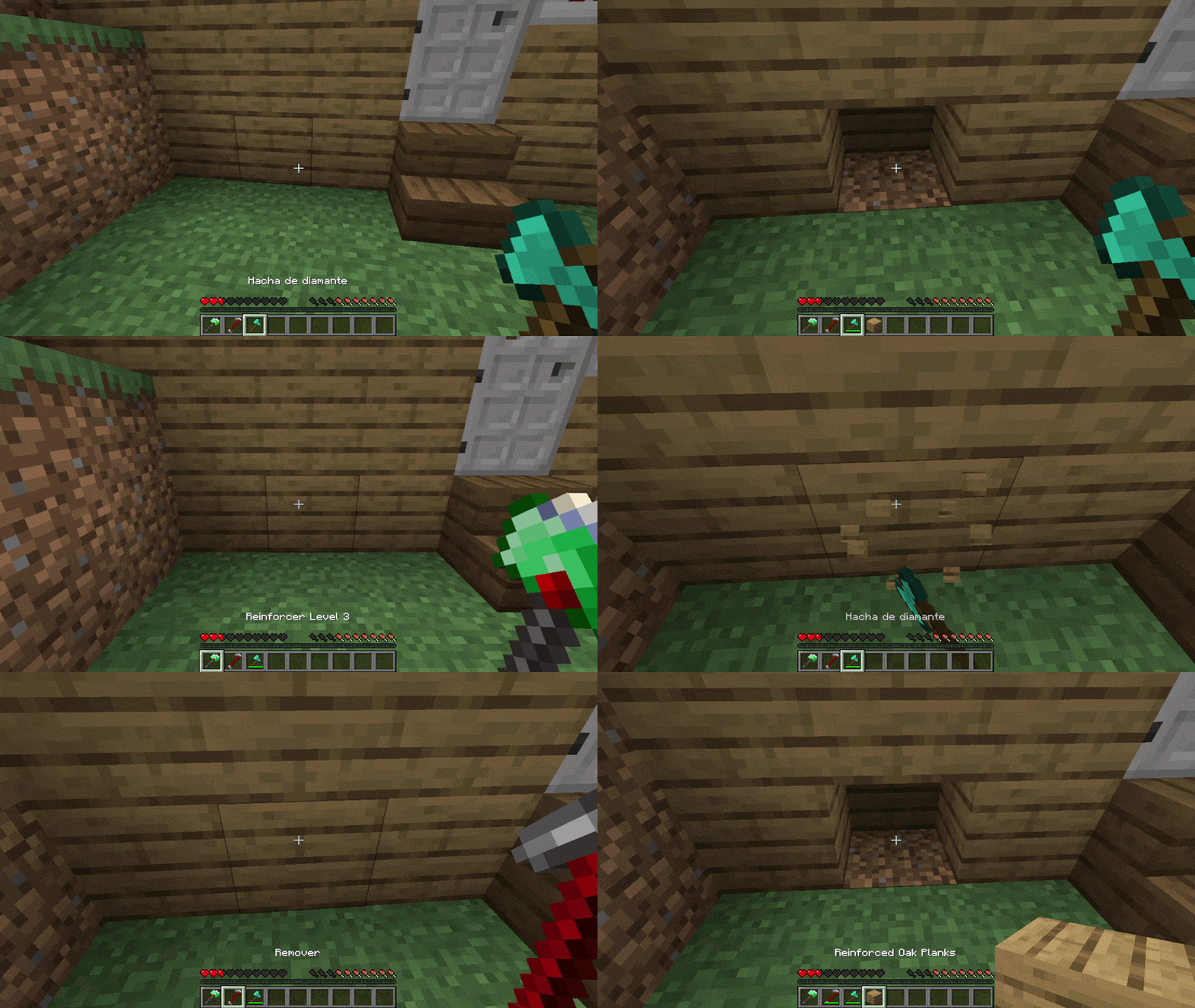
Block Reinforcer / Block Remover
Use the Block Reinforcer to secure your house making your block indestructible.
Once a block is reinforced only the owner with a block remover can remove it.
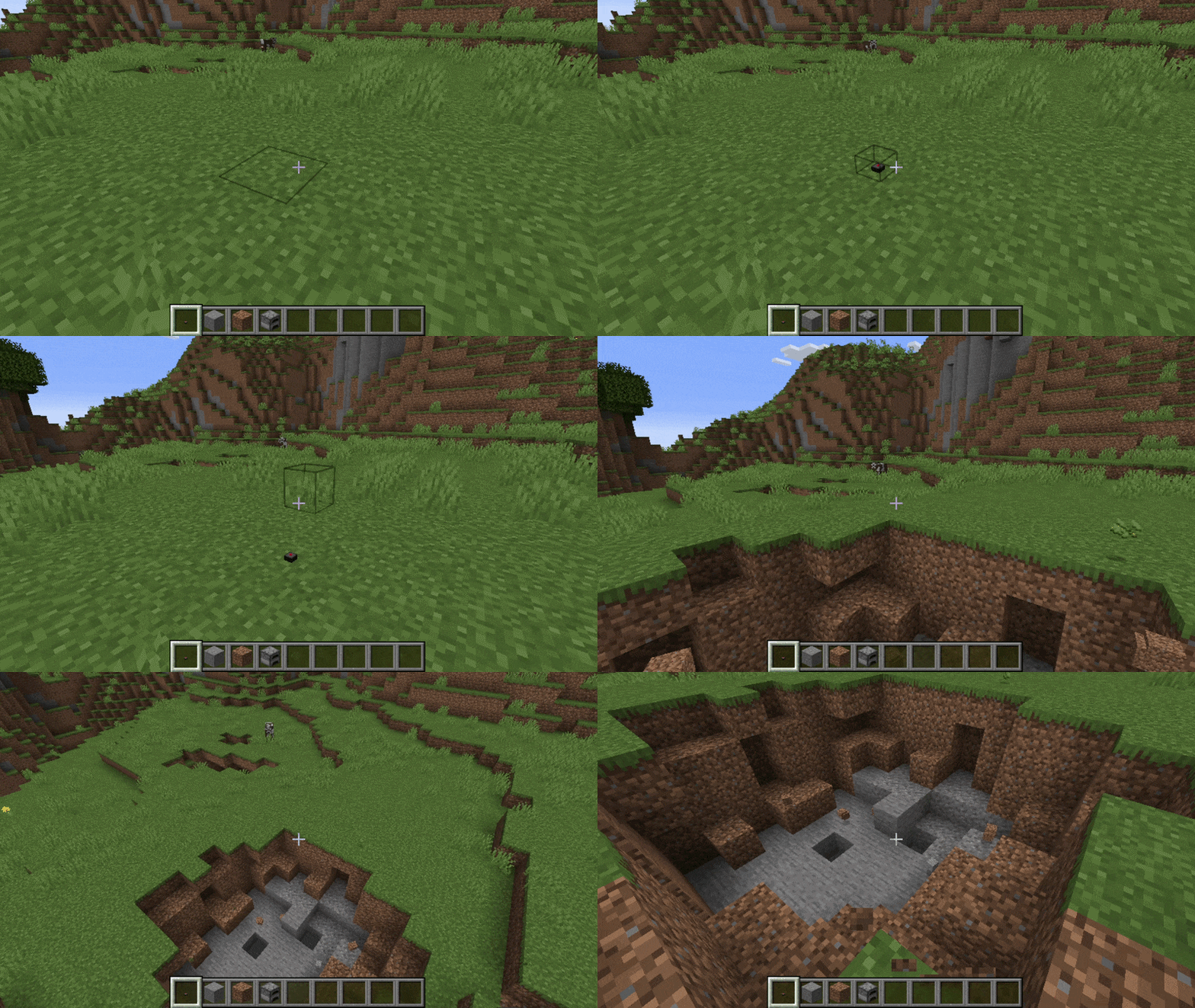
Mines
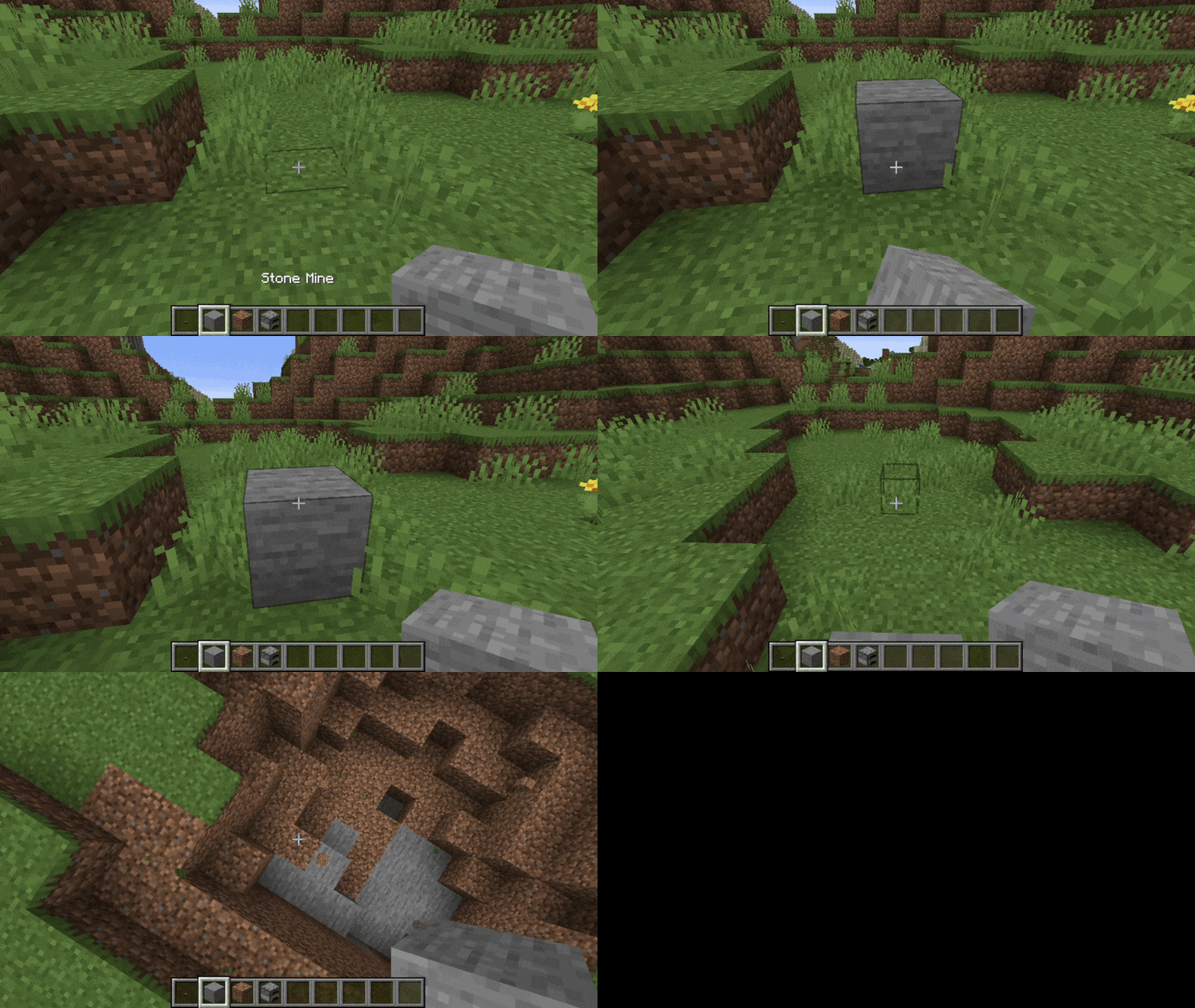
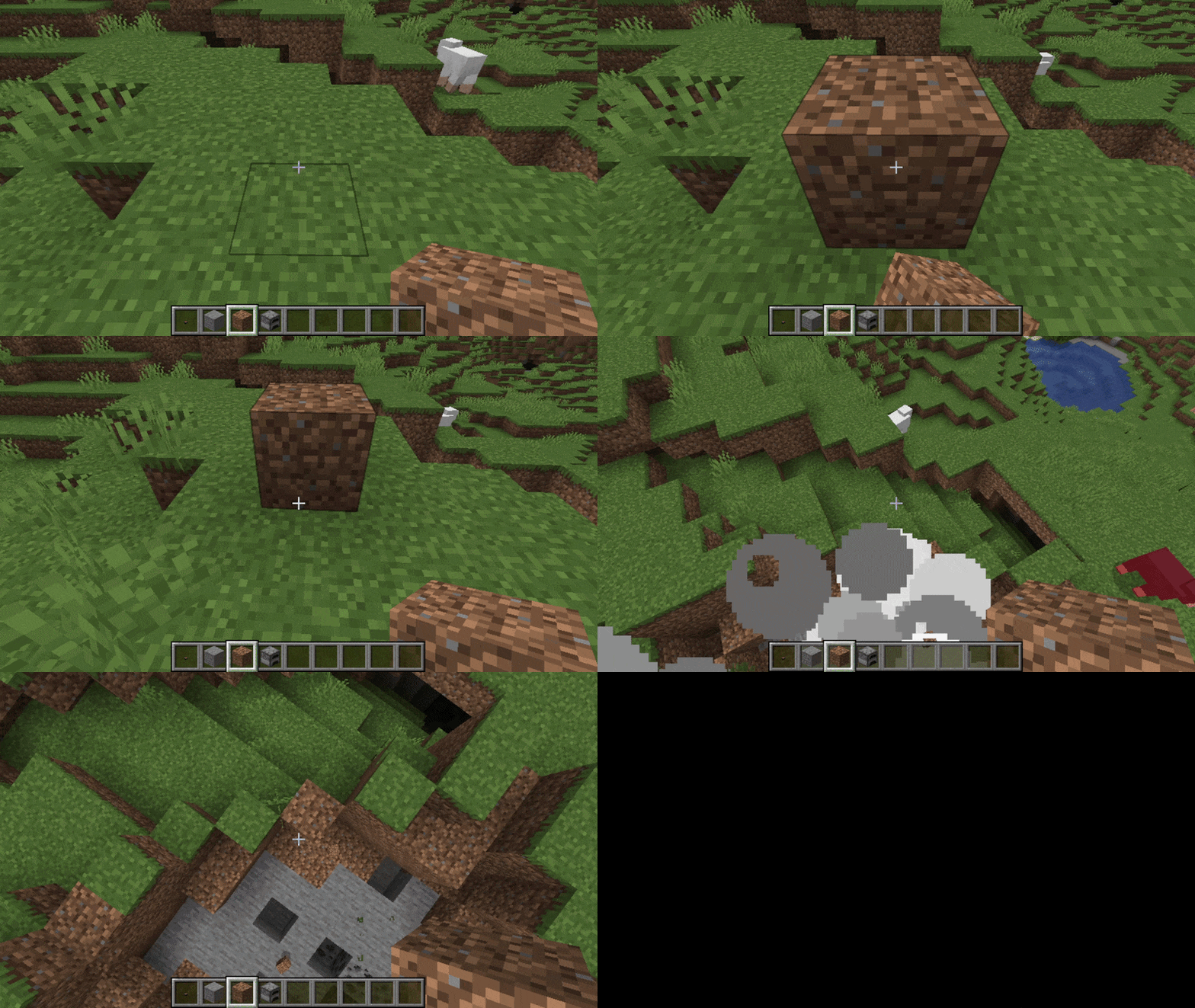
The Mine explodes when stepped on or interacted with. Can be disguised as other blocks.
Mine
Stone Mine
Dirt Mine
Furnace Mine
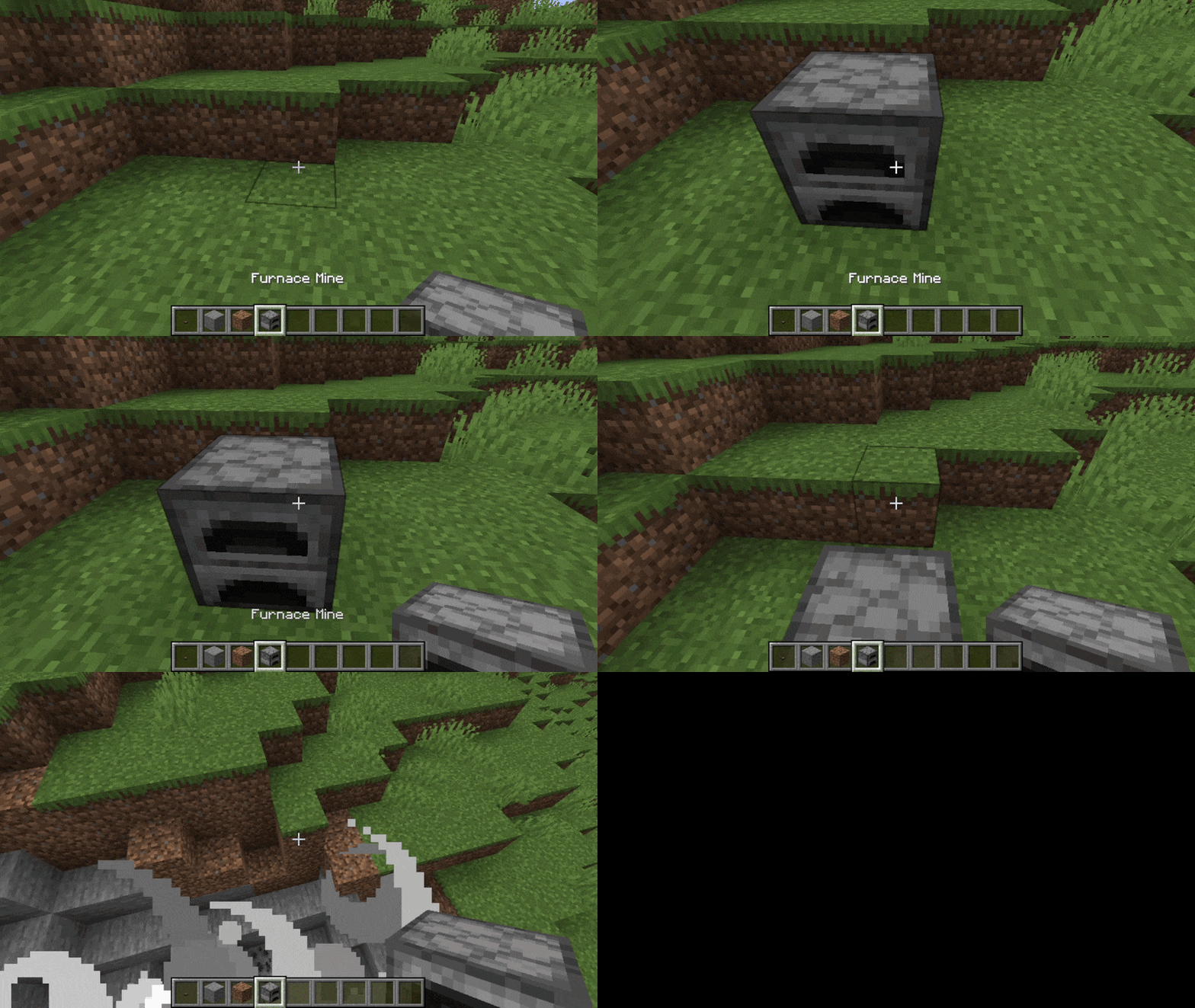
The furnace mine will also explode when you interact with it.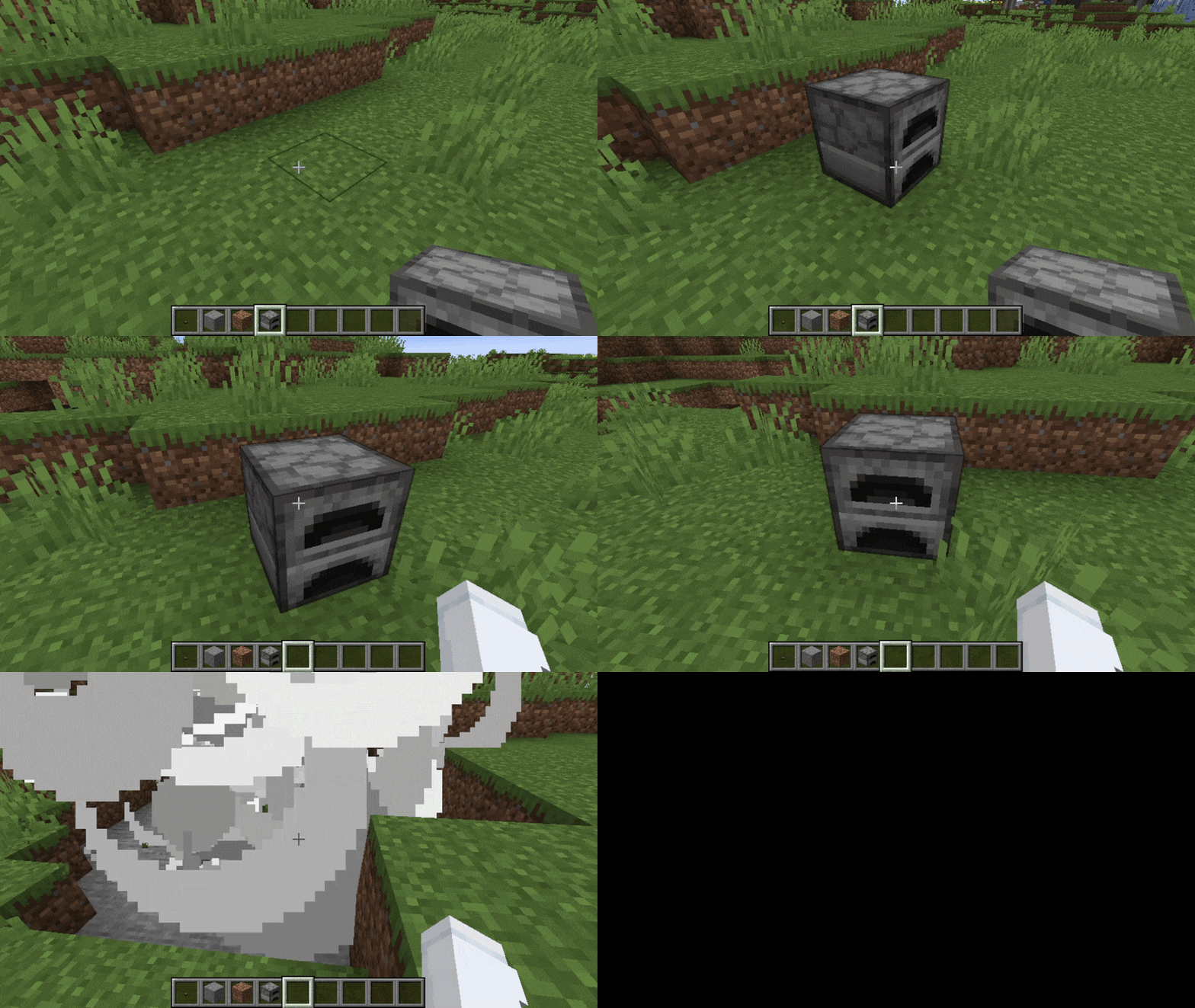
Camera Monitor / Security Camera
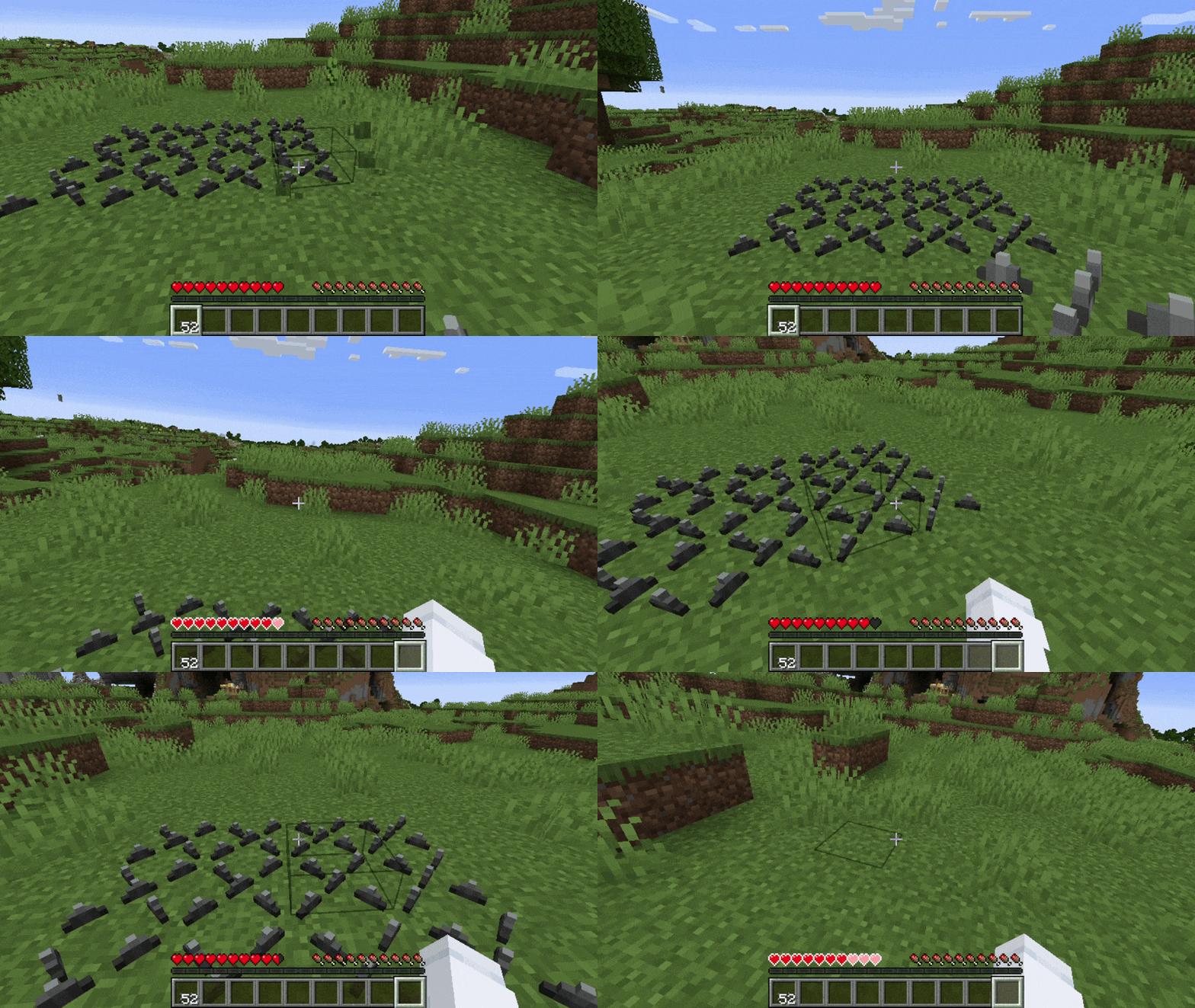
Spikes
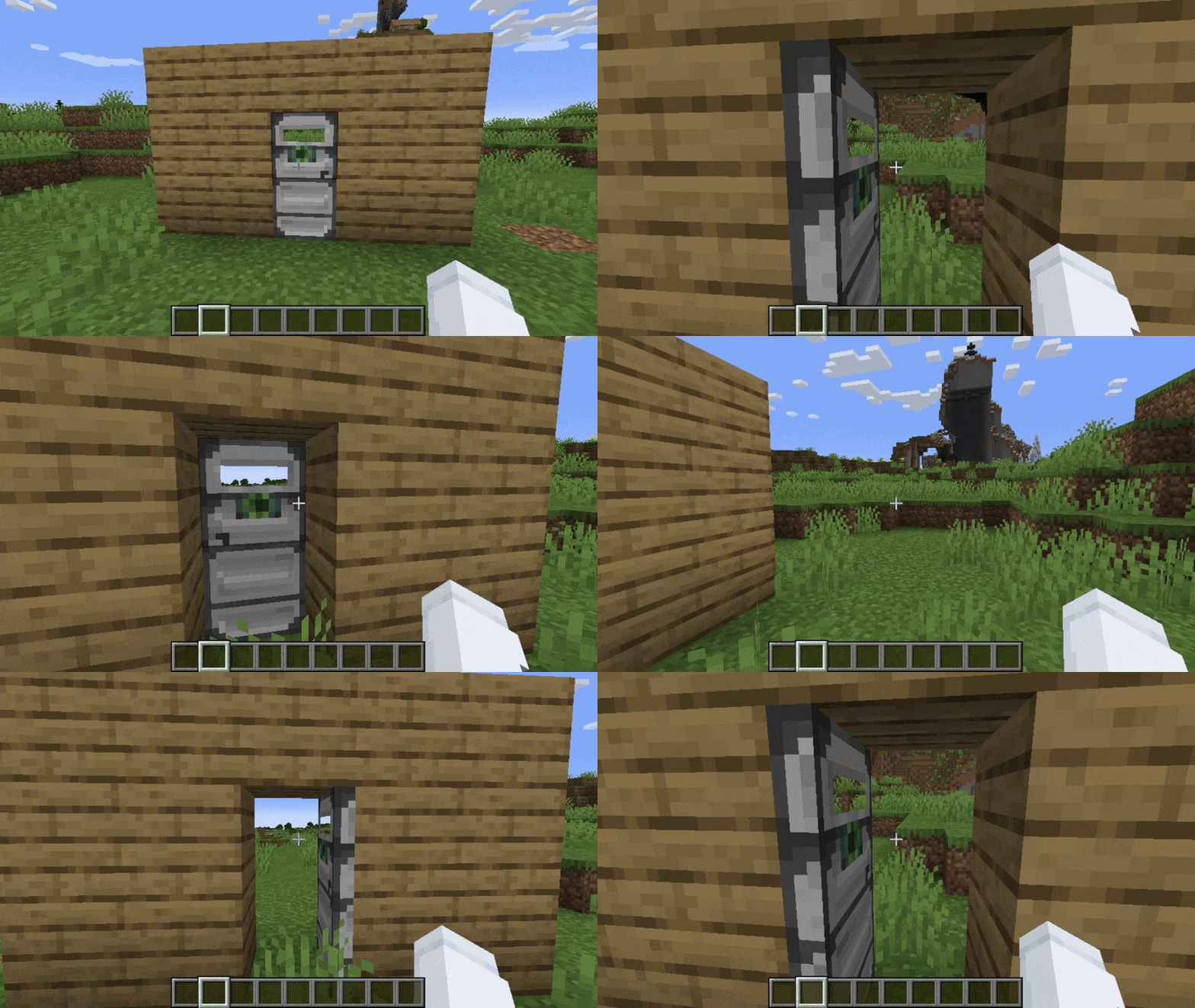
Reinforced Retinal Door
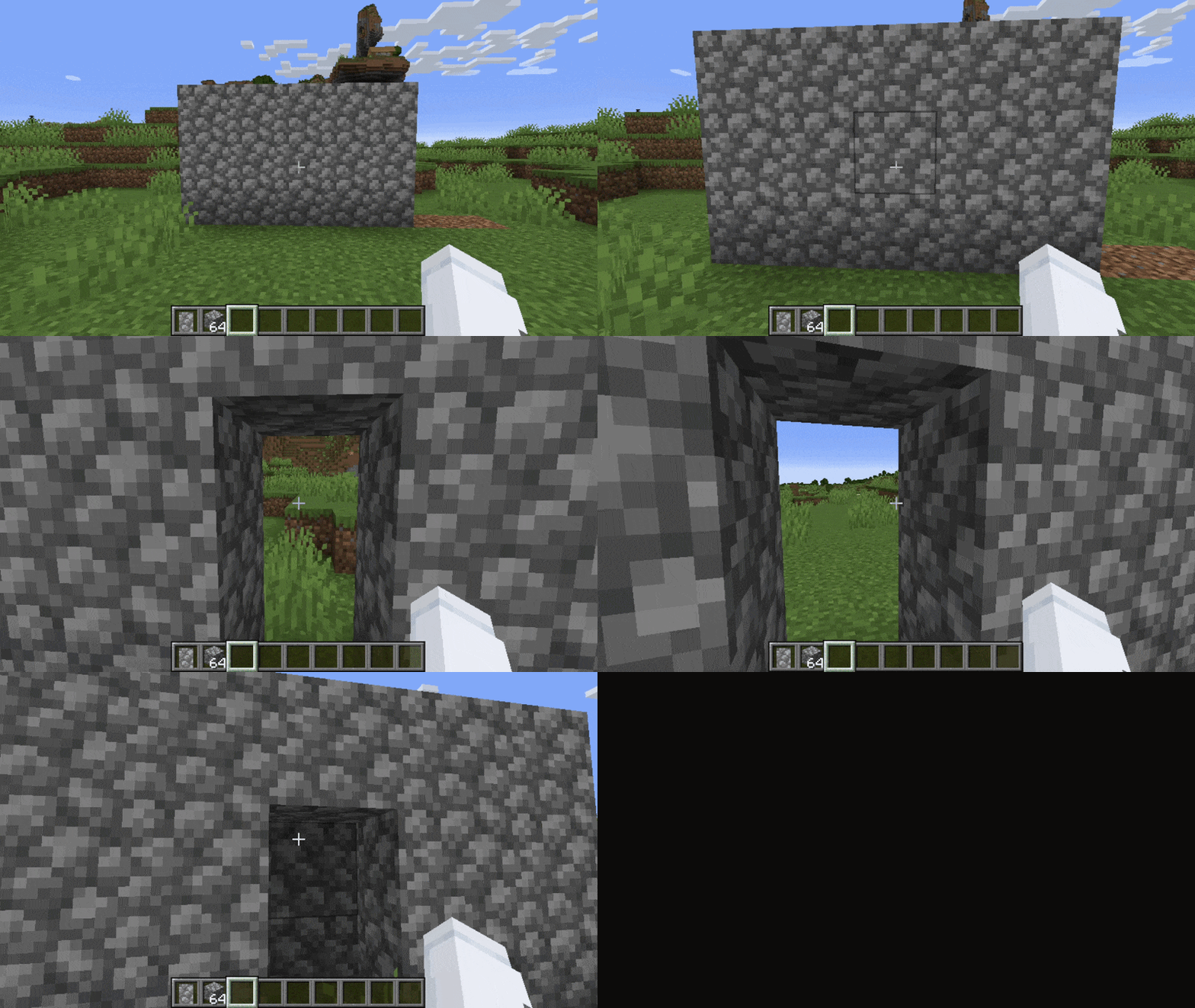
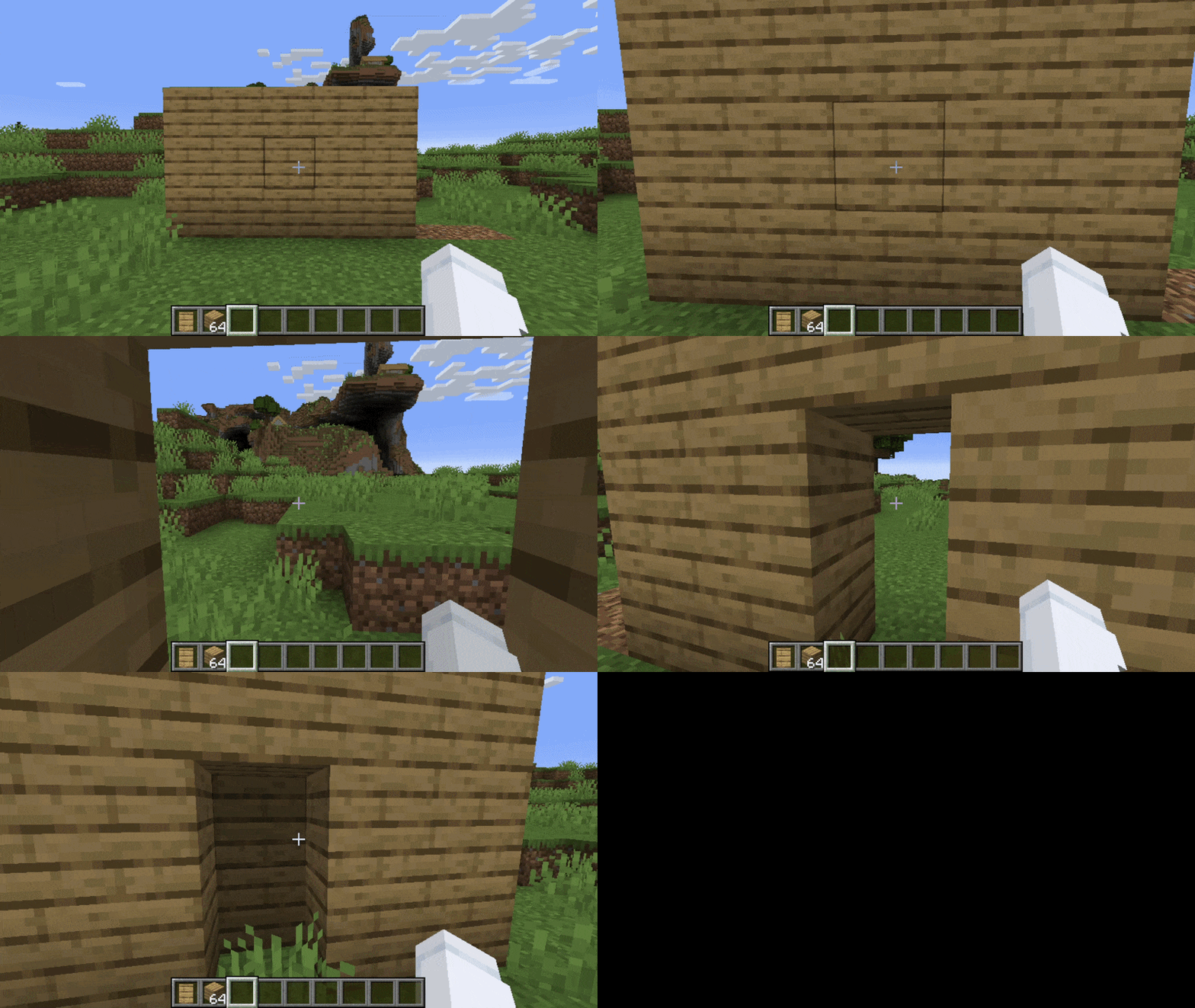
Secret Doors
Stone Secret Door
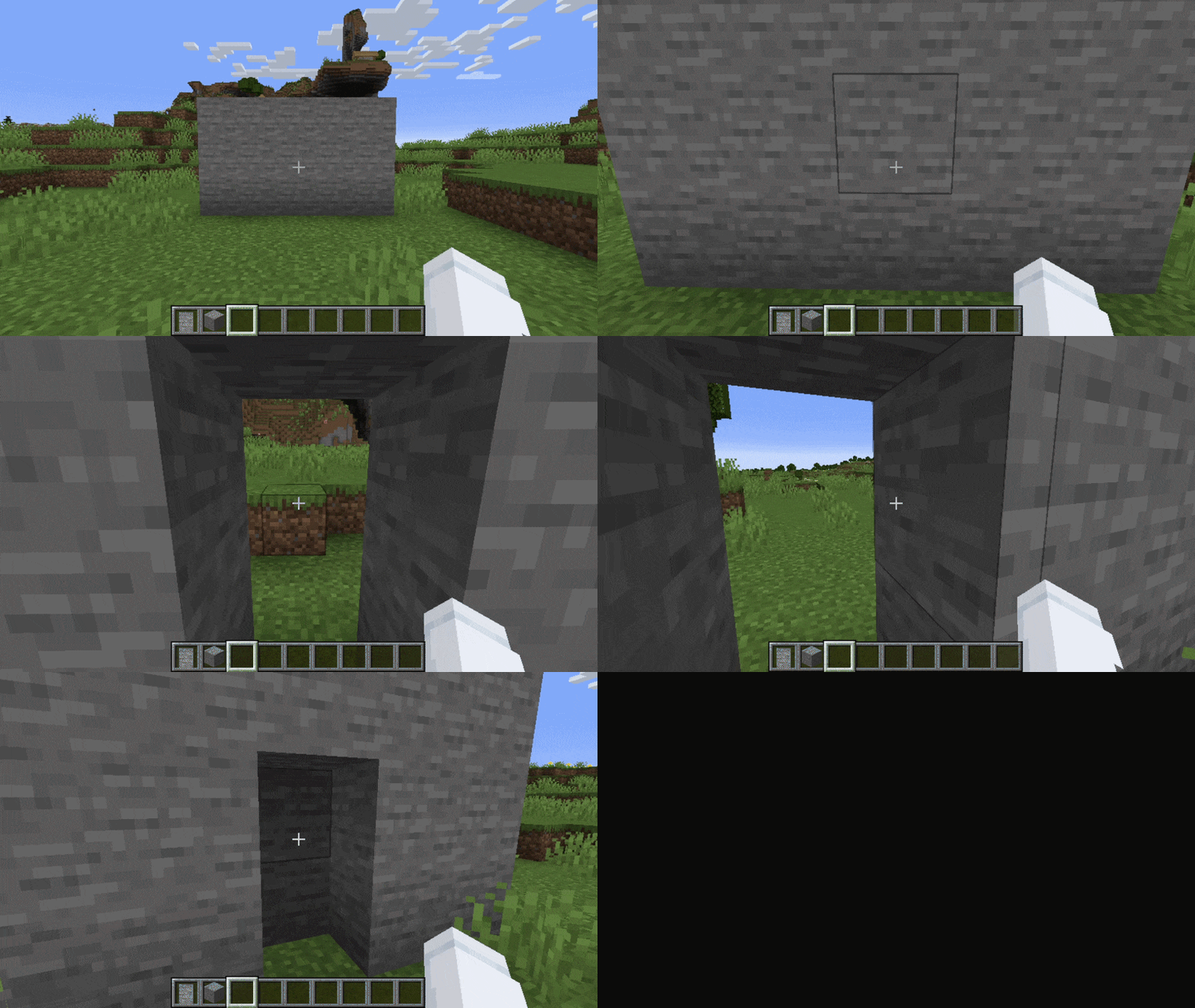
Cobblestone Secret Door
Oak Secret Door
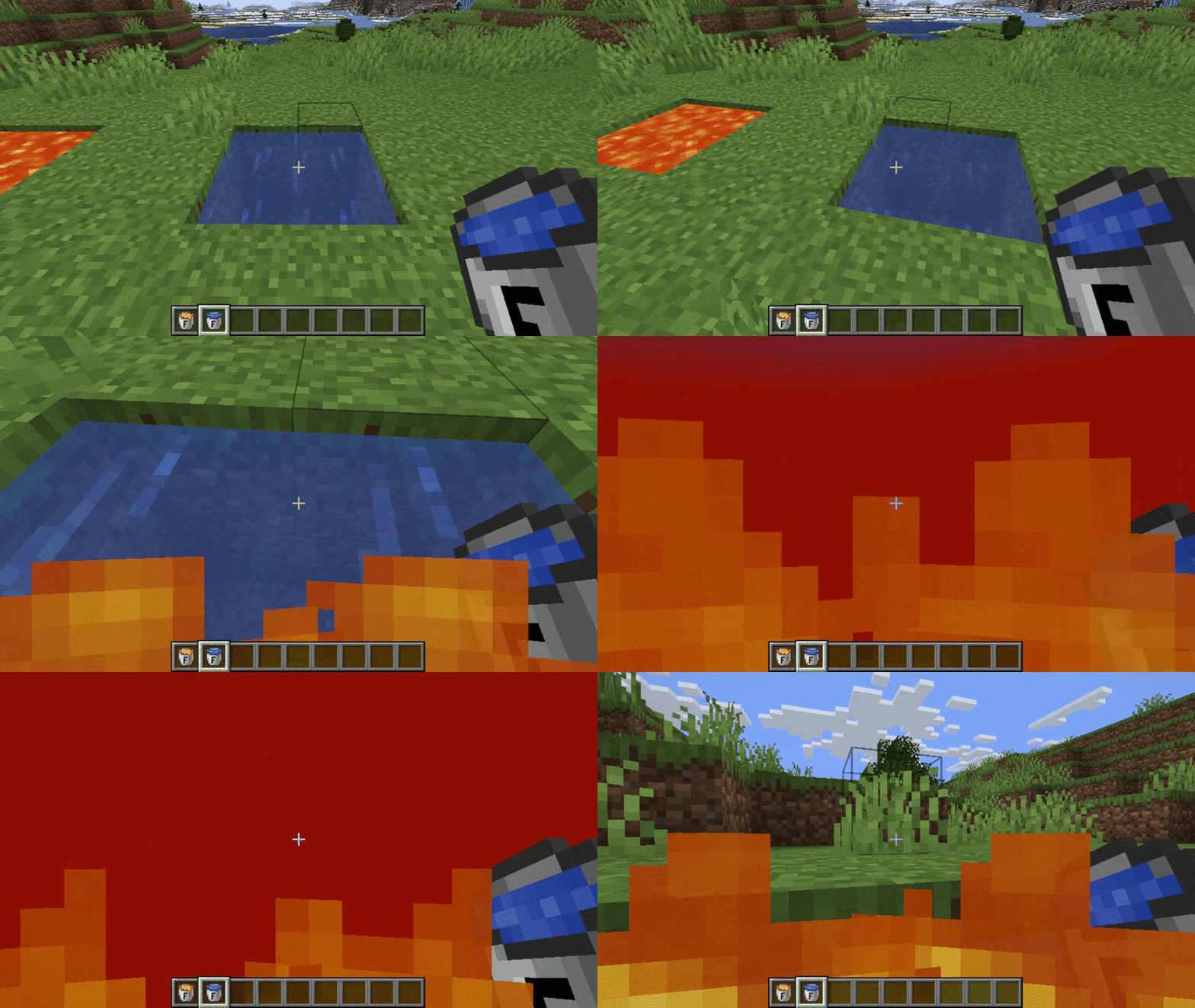
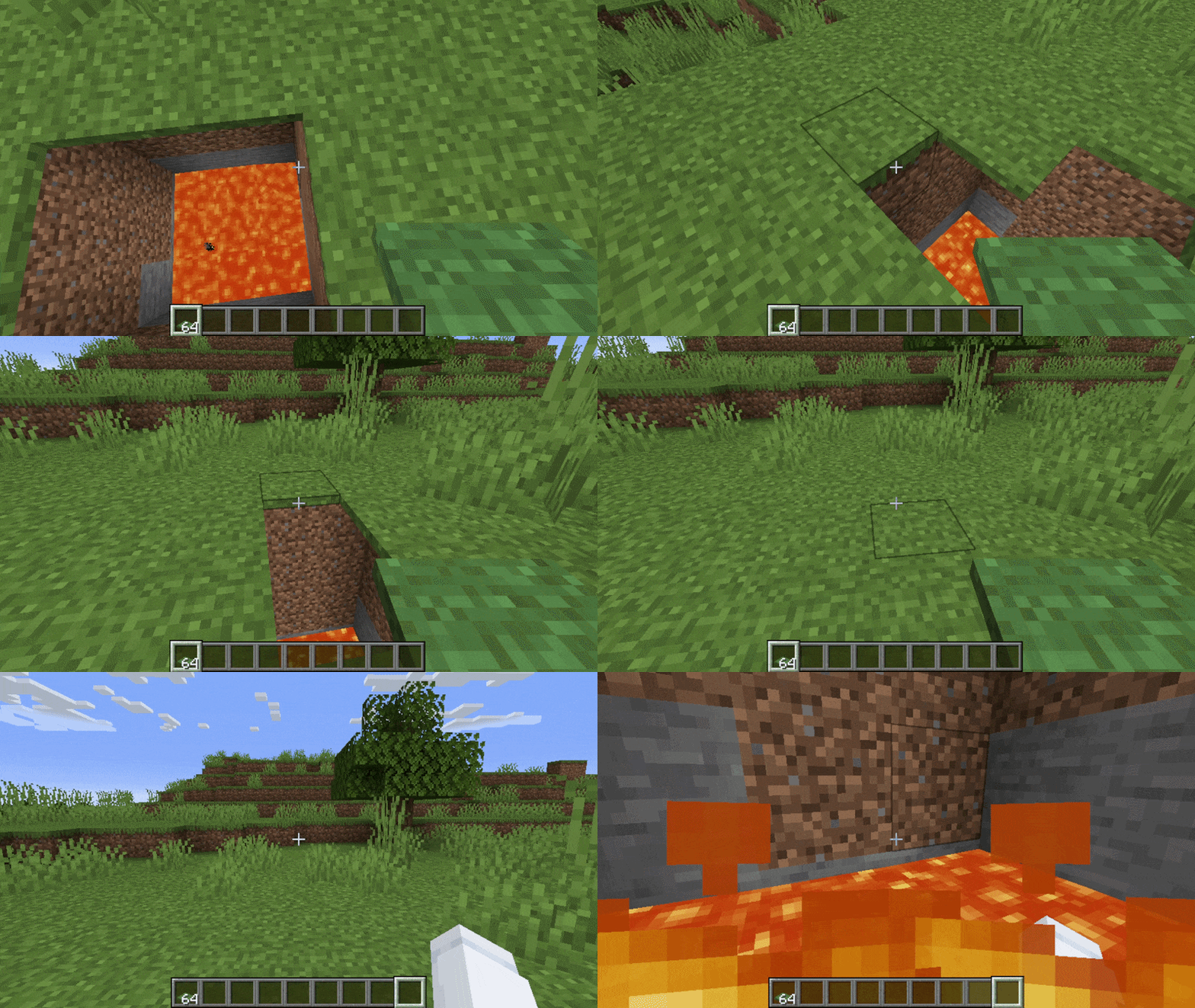
Fake Water / Fake Lava
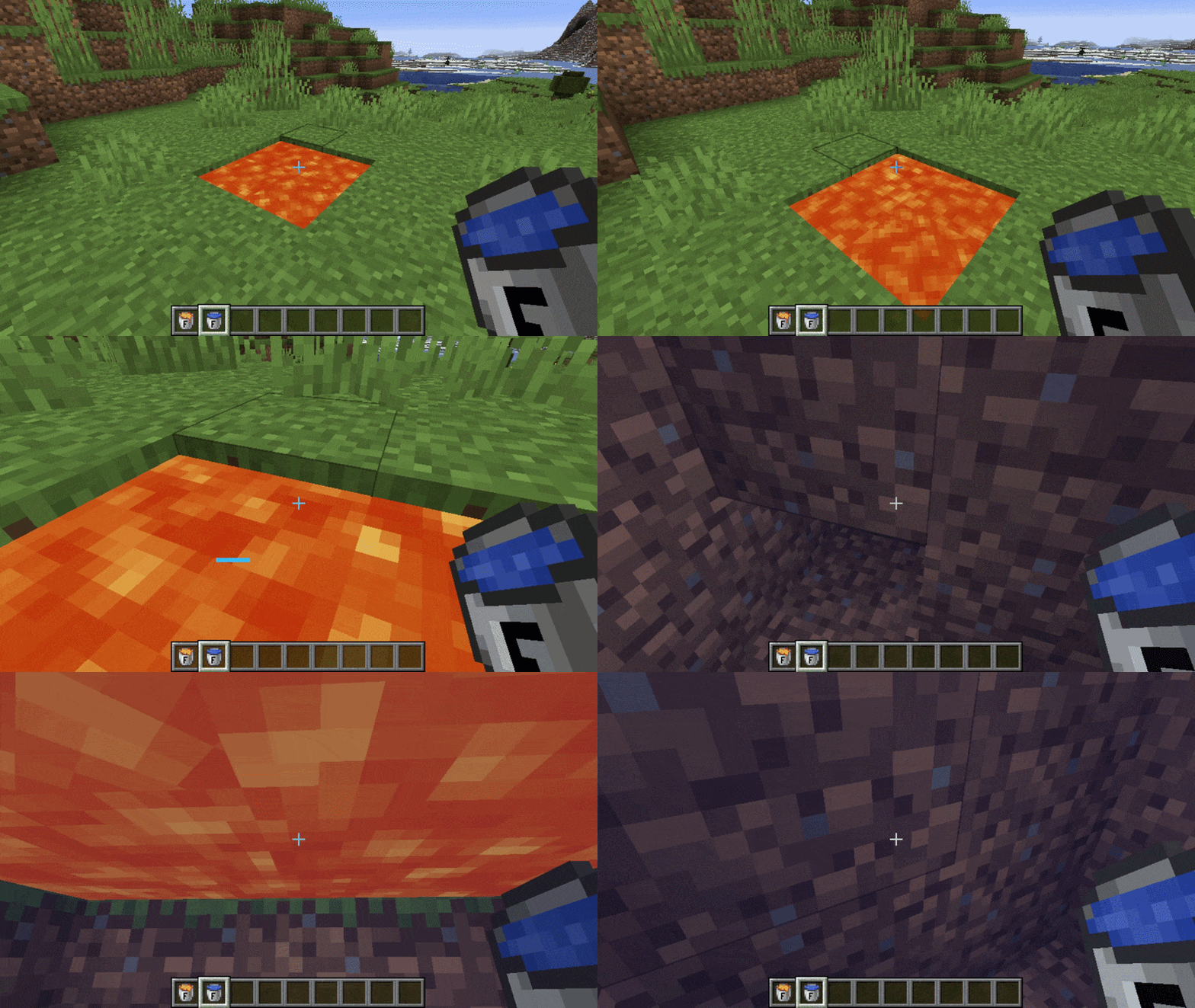
Pitfall Traps
Support and Feedback
If you have any questions or need assistance, feel free to open an issue on GitHub. Any feedback or suggestions are greatly appreciated.
You can also check out the project wiki.
Project description from Modrinth.
Pick your setup
Security by Minecraft version and loader
Choose the version and loader you play, then open the matching release.
Minecraft version
1.21.1
1 loader buildMinecraft version
1.20.1
1 loader buildCheck the dependencies, then try the file in a copied instance before changing a world you care about.
Recent files
Security versions and loaders
1.21.4-0.1.6
security-1.21.4-0.1.6.jar
13 Sept 2026
Client Optional Server Optional Dependencies No extras listed Listed on Release listing
Check the 1.21.4 · Fabric setup 1.21.4Fabric beta
1.20.1-0.1.6
security-1.20.1-0.1.6.jar
13 Sept 2026
Client Optional Server Optional Dependencies No extras listed Listed on Release listing
Check the 1.20.1 · Fabric setup 1.20.1Fabric beta
1.21.1-0.1.6
security-1.21.1-0.1.6.jar
13 Sept 2026
Client Optional Server Optional Dependencies No extras listed Listed on Release listing
Check the 1.21.1 · Fabric setup 1.21.1Fabric beta
1.20.1-0.1.5
security-1.20.1-0.1.5.jar
28 Jul 2026
Client Optional Server Optional Dependencies No extras listed Listed on Release listing
Check the 1.20.1 · Fabric setup 1.20.1Fabric beta
1.21.4-0.1.4
security-1.21.4-0.1.4.jar
24 Jul 2026
Client Optional Server Optional Dependencies No extras listed Listed on Release listing
Check the 1.21.4 · Fabric setup 1.21.4Fabric beta
1.21.1-0.1.4
security-1.21.1-0.1.4.jar
24 Jul 2026
Client Optional Server Optional Dependencies No extras listed Listed on Release listing
Check the 1.21.1 · Fabric setup 1.21.1Fabric beta
1.20.1-0.1.4
security-1.20.1-0.1.4.jar
24 Jul 2026
Client Optional Server Optional Dependencies No extras listed Listed on Release listing
Check the 1.20.1 · Fabric setup 1.20.1Fabric beta
1.21.4-0.1.4-alpha
security-1.21.4-0.1.4-alpha.jar
16 Jun 2026
Client Optional Server Optional Dependencies No extras listed Listed on Release listing
Check the 1.21.4 · Fabric setup 1.21.4Fabric alpha
1.21.1-0.1.4-alpha
security-1.21.1-0.1.4-alpha.jar
16 Jun 2026
Client Optional Server Optional Dependencies No extras listed Listed on Release listing
Check the 1.21.1 · Fabric setup 1.21.1Fabric alpha
1.20.1-0.1.4-alpha
security-1.20.1-0.1.4-alpha.jar
16 Jun 2026
Client Optional Server Optional Dependencies No extras listed Listed on Release listing
Check the 1.20.1 · Fabric setup 1.20.1Fabric alpha
1.21.1-0.1.3
security-1.21.1-0.1.3.jar
17 Apr 2026
Client Optional Server Optional Dependencies No extras listed Listed on Release listing
Check the 1.21.1 · Fabric setup 1.21.1Fabric beta
1.20.1-0.1.3
security-1.20.1-0.1.3.jar
14 Apr 2026
Client Optional Server Optional Dependencies No extras listed Listed on Release listing
Check the 1.20.1 · Fabric setup 1.20.1Fabric beta
Looking for an older file? The official Modrinth project page is in Resources.