Fabric Language Kotlin Needed by Detexturify 0.0.6
requiredMatching file found Matched file: 1.13.13+kotlin.2.4.10

Modrinth · Minecraft mod
Removes the custom forced Hypixel SkyBlock texture pack and restores the old textures.
Quick answer
Detexturify 0.0.6 targets 26.2 with Fabric. It must be installed on the client. Do not install it on the dedicated server. All 2 required mods have matching files.
Where it goes
It must be installed on the client. Do not install it on the dedicated server.
This file is marked client-only.
0.0.6. Change the file and its required mods may change too.
Install Fabric Language Kotlin, Fabric API first. We found matching files for this game-version and loader setup.
We only count dependency files that match this setup. A file for another loader does not fill the gap.
Before you install it
Built for Detexturify 0.0.6. Pick another file and the loader, install side or required mods may change.
Use 0.0.6. It targets 26.2 with Fabric; another release may have different loader, side or dependency requirements.
Install Fabric Language Kotlin, Fabric API first. We found matching files for this game-version and loader setup.
It must be installed on the client. Do not install it on the dedicated server.
Use the “Get this file” button beside 0.0.6. It opens that exact file at the source.
About this project
Detexturify removes the custom texture pack that's forced by Hypixel SkyBlock and replaces the items with their original item models with 0 performance impact!
The custom Hypixel SkyBlock texture pack is not cool enough to be forced!
Yes! You can load them normally like you would on a vanilla instance.
This project uses data which is sourced from Noamm9's item list! The said item list is available here.
Project description from Modrinth.
Pick your setup
Choose the version and loader you play, then open the matching release.
Check the dependencies, then try the file in a copied instance before changing a world you care about.
Recent files
detexturify-0.0.6+26.2.jar
30 Jul 2026
detexturify-0.0.6+26.1.jar
30 Jul 2026
detexturify-0.0.6+1.21.11.jar
30 Jul 2026
detexturify-0.0.5+26.2.jar
18 Jul 2026
detexturify-0.0.5+26.1.jar
18 Jul 2026
detexturify-0.0.5+1.21.11.jar
18 Jul 2026
detexturify-0.0.4+26.2.jar
10 Jul 2026
detexturify-0.0.4+26.1.jar
10 Jul 2026
detexturify-0.0.4+1.21.11.jar
10 Jul 2026
detexturify-0.0.3+26.2.jar
9 Jul 2026
detexturify-0.0.3+26.1.jar
9 Jul 2026
detexturify-0.0.3+1.21.11.jar
9 Jul 2026
Looking for an older file? The official Modrinth project page is in Resources.
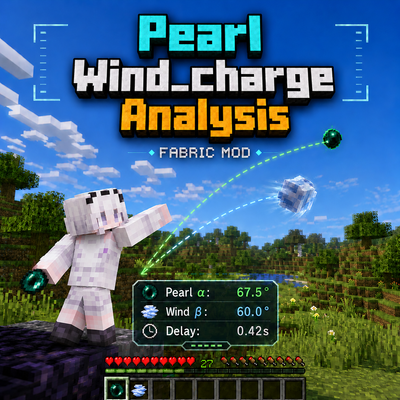 mod
modA client-side Fabric HUD for analyzing ender pearl and wind-charge trajectories, with P1/P2 tracking, recommended angles, and configurable visual guides.
 mod
modEchoes of Antiquity is a Minecraft mod inspired by Game Theory's exploration of Minecraft lore. It introduces ancient artifacts, specialized gear, and mechanics centered around the Void/the End, the Pillager's past and the "Ancient Builders"..
 mod
modPlay as the zombie: beds explode, you sleep in coffins, villagers flee.