LambDynamicLights - Dynamic Lights Optional for Simplified Backpacks 26.3-r1
optionalMatching file found Matched file: 4.13.0+26.3

Modrinth · Minecraft mod
Simple Backpacks with nifty addons!
Quick answer
Simplified Backpacks 26.3-r1 targets 26.3 with Fabric. Installation on the client is optional. Installation on the dedicated server is optional. All 1 required mods have matching files.
Where it goes
Installation on the client is optional. Installation on the dedicated server is optional.
The source marks this as usable on both the client and server.
26.3-r1. Change the file and its required mods may change too.
Install Trinkets Updated first. We found matching files for this game-version and loader setup. 3 come through another mod in the chain.
3 extra mods were pulled in by other dependencies. Indented rows show who needs each one. We only count dependency files that match this setup. A file for another loader does not fill the gap.
Before you install it
Built for Simplified Backpacks 26.3-r1. Pick another file and the loader, install side or required mods may change.
Use 26.3-r1. It targets 26.3 with Fabric; another release may have different loader, side or dependency requirements.
Install Trinkets Updated first. We found matching files for this game-version and loader setup. 3 come through another mod in the chain.
Installation on the client is optional. Installation on the dedicated server is optional.
Use the “Get this file” button beside 26.3-r1. It opens that exact file at the source.
About this project

This mod needs Trinkets Updated to work!
For 1.21.8, use Trinkets Canary.
Simplified Backpacks adds a simple Backpack, which can be upgraded to various tiers, with each one increasing the amount of rows in the backpack!
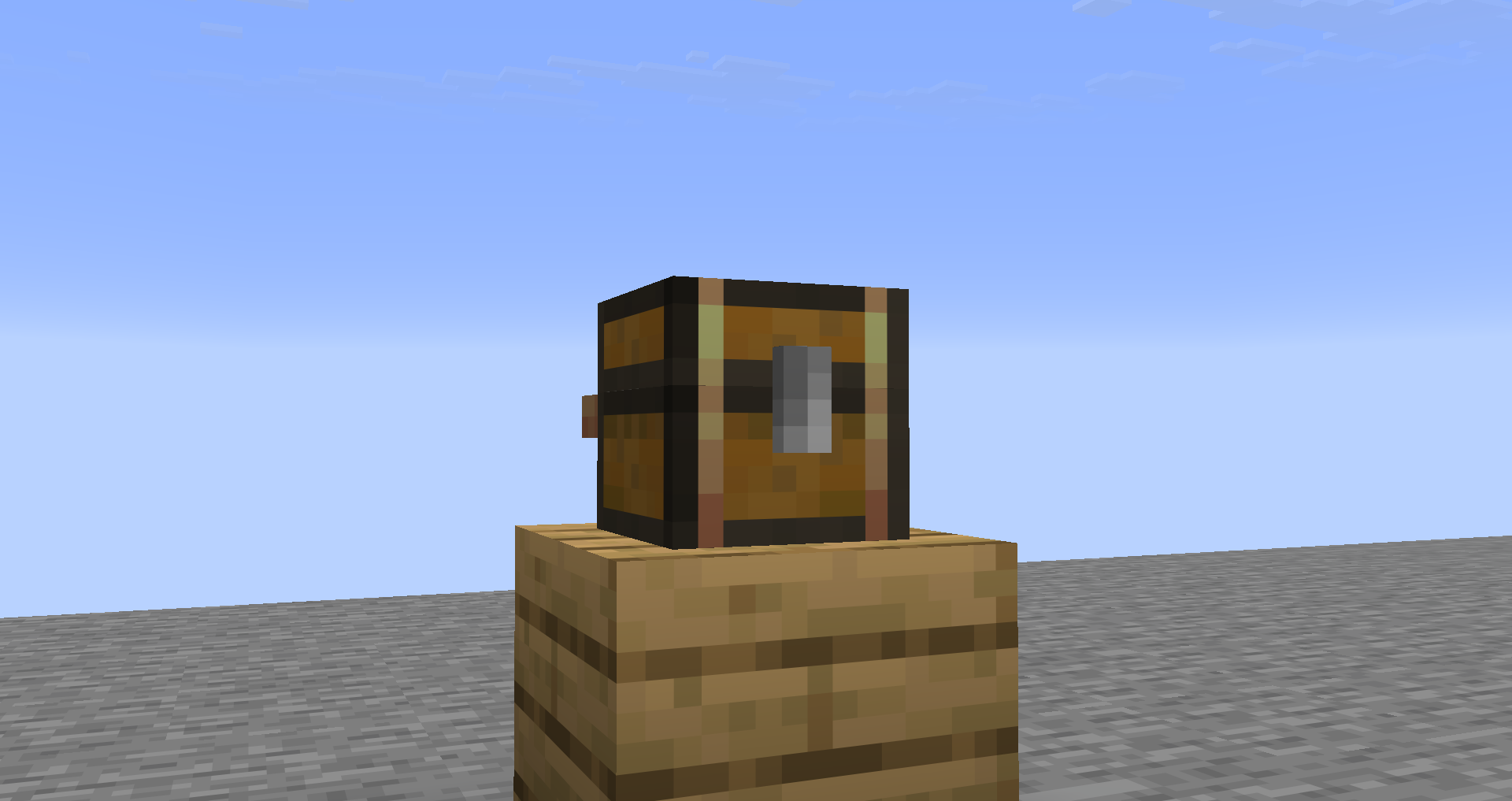
Backpacks are placeable by sneaking and right-clicking on a block. You can pick them back up by either sneaking and right-clicking, or by breaking the Backpack block.
English, German, Pirate Speak and LOLCAT by flingus
English (Upside Down), Shakespearean English, Anglish by skyrpy
Russian by HafniuMark
Backpacks can have Addons, which give a new function to each Backpack that has one.
Backpacks can only contain one Addon at a time, without commands.
The Sorting Backpack Addon adds two buttons.
The Magnetic Backpack Addon also adds two buttons.
Luminous makes the Backpack emit light when placed down, or produce Dynamic Lights when used with LambDynamicLights.
Prideful only adds one button next to any other buttons, if there are any.
You can toggle which Pride Flag you want to have by right-clicking the Backpack in the inventory.
Backpack Addons are sold by Leatherworker Villagers.
To apply these, place them inside of a Smithing Table along with the Addon's desired smithing item.
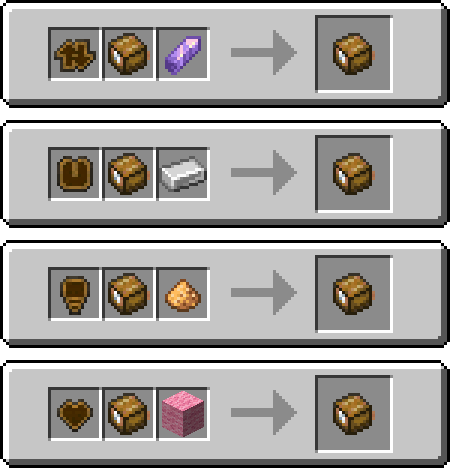
Applying an addon will get rid of any other addons on the Backpack, but the Prideful addon can go with any other addon applied.
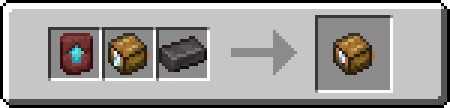
Each Backpack has a Tier they can upgrade to. To upgrade, you need an Upgrade Template of the Tier and its corresponding item.
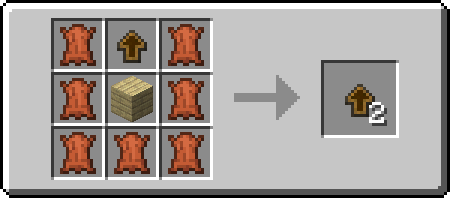
The Backpack Upgrade Base is sold by a Leatherworker Villager aswell, but you can duplicate it by crafting one with any type of Planks and Leather.
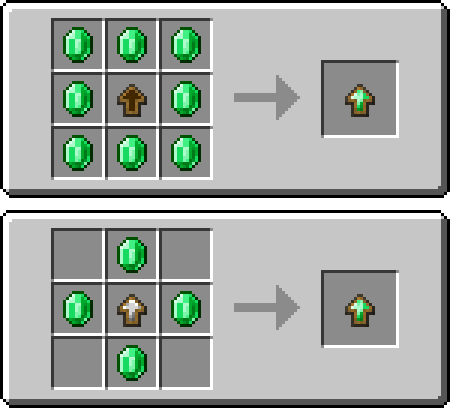
To craft an upgrade for a new Tier, you can either use eight of the Tier's material, or four of the material but with the previous Tier's upgrade template.
The classic backpack!
This tier has 1 row of slots you can put stuff in.

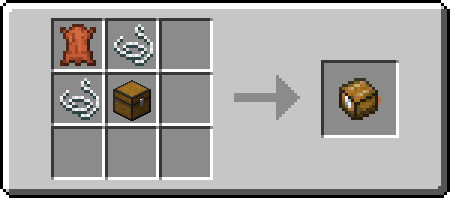
Second Tier
This tier has 2 rows of slots you can put stuff in.
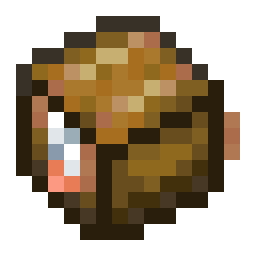
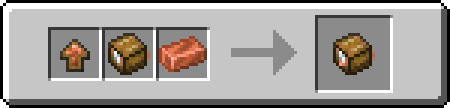
Third Tier
This tier has 3 rows of slots you can put stuff in.
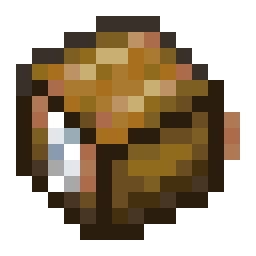
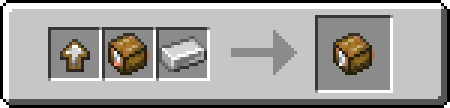
Fourth Tier
This tier has 4 rows of slots you can put stuff in.
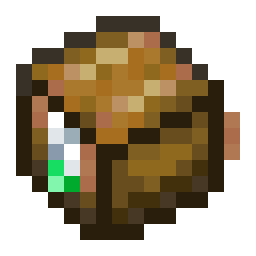
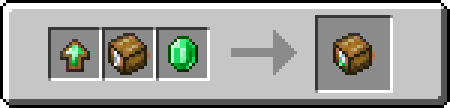
Fifth Tier
This tier has 6 rows of slots you can put stuff in.
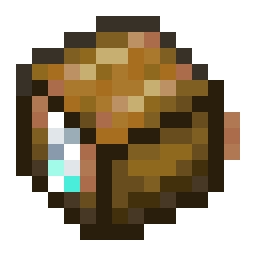
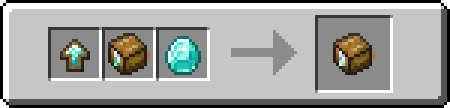
Sixth Tier
This tier has 7 rows of slots you can put stuff in, and won't burn in lava.

Project description from Modrinth.
Pick your setup
Choose the version and loader you play, then open the matching release.
Check the dependencies, then try the file in a copied instance before changing a world you care about.
Recent files
simplified-backpacks-26.3-r1.jar
16 Sept 2026
simplified-backpacks-26.1.2-r2.jar
16 Sept 2026
simplified-backpacks-26.2-r6.jar
16 Sept 2026
simplified-backpacks-26.1.2-r1.jar
3 Jul 2026
simplified-backpacks-26.2-r5.jar
30 Jun 2026
simplified-backpacks-26.2-r4.jar
23 Jun 2026
simplified-backpacks-1.21.11-r10.jar
23 Jun 2026
simplified-backpacks-1.21.8-r7.jar
23 Jun 2026
simplified-backpacks-26.2-r3.jar
22 Jun 2026
simplified-backpacks-1.21.11-r9.jar
21 Jun 2026
simplified-backpacks-1.21.8-r5.jar
21 Jun 2026
simplified-backpacks-26.2-r2.jar
21 Jun 2026
Looking for an older file? The official Modrinth project page is in Resources.
 mod
A multiloader fork of Backpacks for Dummies: A bare-bones backpack mod without any extra keybinds, menus or slots!
 mod
A mod adding many configurable features to EMI!
 mod
Simulate Mobs to create not-so-simulated drops!