Fabric API Needed by LuaDatapack 0.7.1-beta
requiredMatching file found Matched file: [1.19] Fabric API 0.58.0+1.19

Modrinth · Minecraft mod
A simple mod that allows lua to be included in datapacks
Quick answer
LuaDatapack 0.7.1-beta targets 1.19 with Fabric. Do not install it on the client. It must be installed on the dedicated server. All 1 required mods have matching files.
Where it goes
Do not install it on the client. It must be installed on the dedicated server.
This file is marked server-only.
0.7.1-beta on 1.19. Every mod below is checked against that same setup.
Install Fabric API first. We found matching files for this game-version and loader setup.
We only count dependency files that match this setup. A file for another loader does not fill the gap.
Before you install it
Built for LuaDatapack 0.7.1-beta on 1.19. Pick another file and the loader, install side or required mods may change.
Use 0.7.1-beta. It targets 1.19 with Fabric; another release may have different loader, side or dependency requirements.
Install Fabric API first. We found matching files for this game-version and loader setup.
Do not install it on the client. It must be installed on the dedicated server.
Use the “Get this file” button beside 0.7.1-beta. It opens that exact file at the source.
About this project

Allows lua scripts to be ran in Minecraft.
Note: LuaDatapack is in beta, so the api is subject to change.
I currently don't plan on working on this project much more. Instead I've been making a dedicated programming language that compiles to Minecraft commands called Amethyst. It's more useful than this because it doesn't require a dedicated mod.
Create a new datapack with the lua subfolder. For example: data/foo/lua/bar.lua.
require and use Minecraft's namespaced id system/luaUsage: /lua <name> [<args>]
Example, to run data/foo/lua/bar.lua: /lua foo:bar
Arguments can be accessed via an array called args in the lua script.
The api reference can be found here.
A few utility libraries are included by default.
| Library | Path |
|---|---|
| json.lua | std:json |
| class.lua | std:class |
| Standard lua library | std:math |
| Standard lua library | std:string |
| Standard lua library | std:bit32 |
| Standard lua library | std:utf8 |
| Commands library | std:commands |
| Storage library | std:storage |
| Configuration utilities library | std:config |
Note: If you prefer a different OOP library, you can simply add one to your datapack.
There is a simple project system which allows for customization of which scripts can be executed and imported by external projects (scripts not in the same namespace).
To customize your project, add a _project.lua file to your namespace. For example if the namespace was foo then you would make a foo:_project.lua:
return {
    scripts = {"foo:bar"},
    exports = {"foo:baz"},
    depends = {"hello"},

    load = {"foo:load"},
    tick = {"foo:tick"}
}
In the above example foo:bar is a script to be ran via /lua, foo:baz is a script that any file can require, and it requires the hello project to function. Scripts can import any script in the same namespace, even if it is not included in the exports array. If a project does not include a _project.lua, then the default std:_default_datapack is used instead:
local config = require("std:config")

return {
    scripts = config.without_underscore(),
    exports = {}
}
Note: not all fields need to be explicitly defined.
If a project fails to load, all scripts in it are unable to load.
Building this repo is the same as any other Fabric mod. There may be issues with libraries (Cobalt, Apache commons-io, etc) not loading when starting the game, but running the game though the VSCode debugger works for some reason.
Source: https://github.com/kinderhead/LuaDatapack
Modrinth: https://modrinth.com/mod/luadatapack
Api reference: https://kinderhead.github.io/LuaDatapack
Project description from Modrinth.
Pick your setup
Choose the version and loader you play, then open the matching release.
Check the dependencies, then try the file in a copied instance before changing a world you care about.
Recent files
luadatapack-0.7.1-beta-all.jar
28 Jul 2022
luadatapack-0.7.0-beta-all.jar
27 Jul 2022
luadatapack-0.6.0-beta-all.jar
19 Jul 2022
luadatapack-0.5.0-beta-all.jar
14 Jul 2022
luadatapack-0.4.1-beta-all.jar
13 Jul 2022
luadatapack-0.4.0-beta-all.jar
13 Jul 2022
luadatapack-0.3.1-alpha-all.jar
13 Jul 2022
luadatapack-0.3.0-alpha-all.jar
13 Jul 2022
luadatapack-0.2.0-alpha-all.jar
9 Jul 2022
luadatapack-0.1.0-alpha-all.jar
9 Jul 2022
Looking for an older file? The official Modrinth project page is in Resources.
 mod
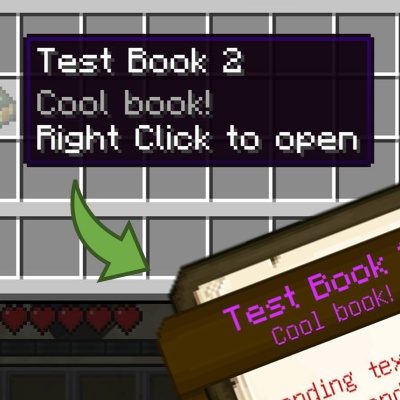
Open guidebooks, backpacks, handhelds and more with a single click in inventory
 mod
Authentication mod for Fabric servers
 mod
Mine Menu - Radial menu, 'nuff said