Mod Menu Optional for Tiers 0.9.1+1.21
optionalMatching file found Matched file: 11.0.5

Modrinth · Minecraft mod
Official tiertagger mod for PvPTiers. Also Supports other tierlists: MCTiers and Subtiers
Quick answer
Tiers 0.9.1+1.21 targets 1.21 with Fabric, Quilt. It must be installed on the client. Do not install it on the dedicated server. All 1 required mods have matching files.
Where it goes
It must be installed on the client. Do not install it on the dedicated server.
This file is marked client-only.
0.9.1+1.21. Change the file and its required mods may change too.
Install Fabric API first. We found matching files for this game-version and loader setup. 1 comes through another mod in the chain.
1 extra mod was pulled in by another dependency. Indented rows show who needs each one. We only count dependency files that match this setup. A file for another loader does not fill the gap.
Before you install it
Built for Tiers 0.9.1+1.21. Pick another file and the loader, install side or required mods may change.
Use 0.9.1+1.21. It targets 1.21 with Fabric, Quilt; another release may have different loader, side or dependency requirements.
Install Fabric API first. We found matching files for this game-version and loader setup. 1 comes through another mod in the chain.
It must be installed on the client. Do not install it on the dedicated server.
Use the “Get this file” button beside 0.9.1+1.21. It opens that exact file at the source.
About this project

The official tier display mod for PvPTiers. Also supports other tierlists: MCTiers and Subtiers.
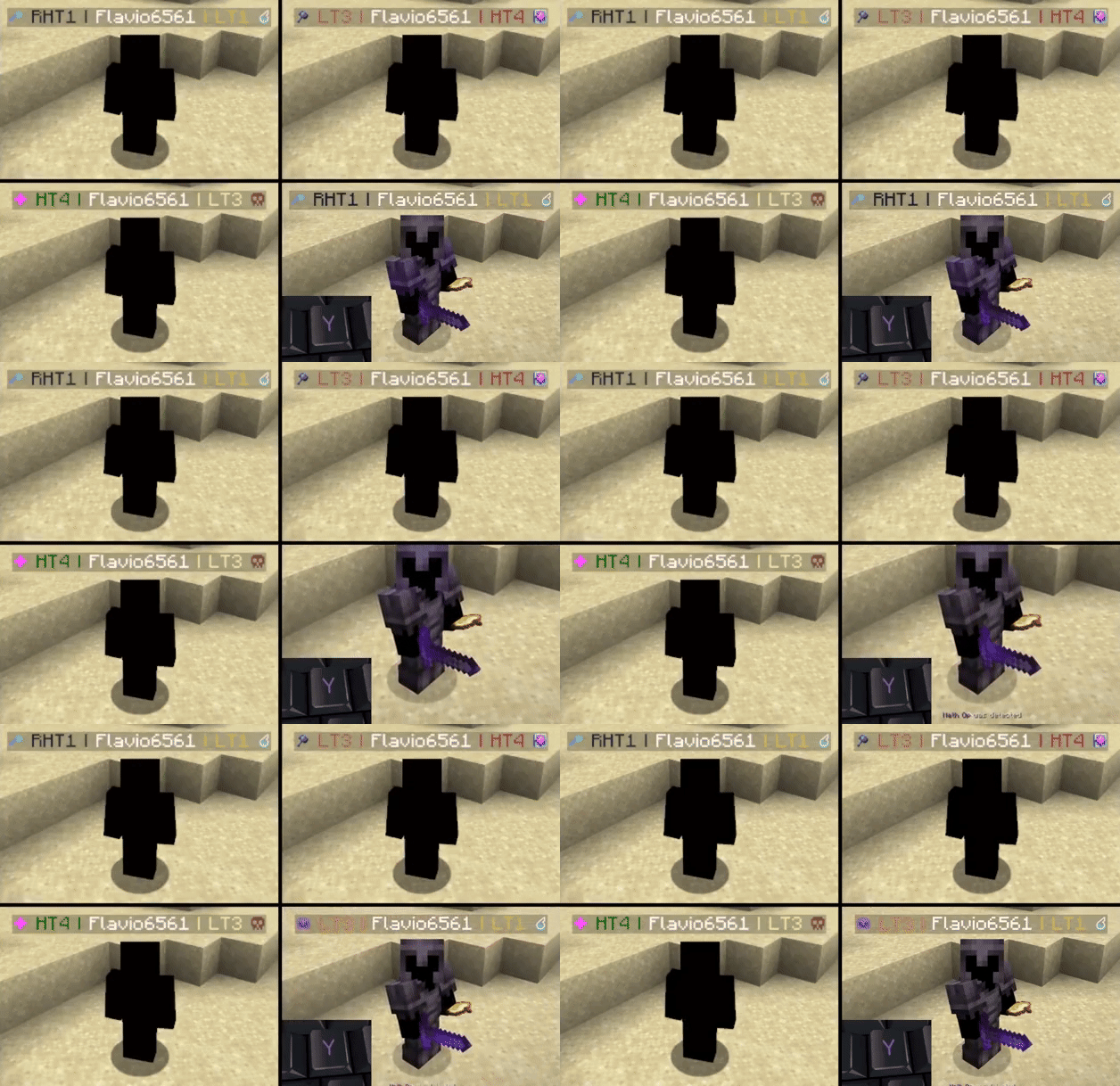
Switchable PvPTiers, MCTiers, and classic icons and colorsAuto-detect kit: press 'Y' to auto-detect the current gamemode
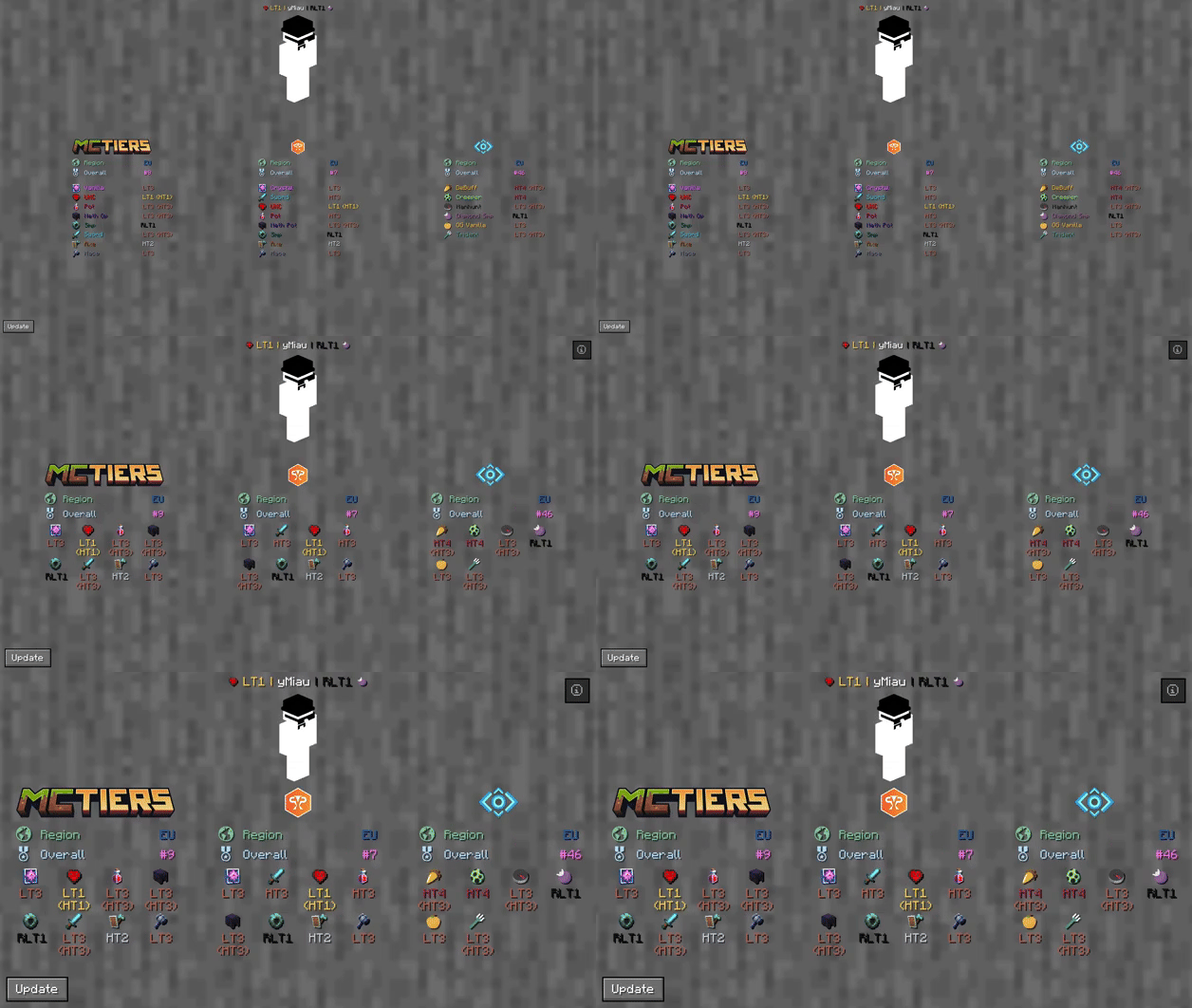
The profile search result screen with PvPTiers icons on different GUI scales
Tiers is still in beta. Report an issue.
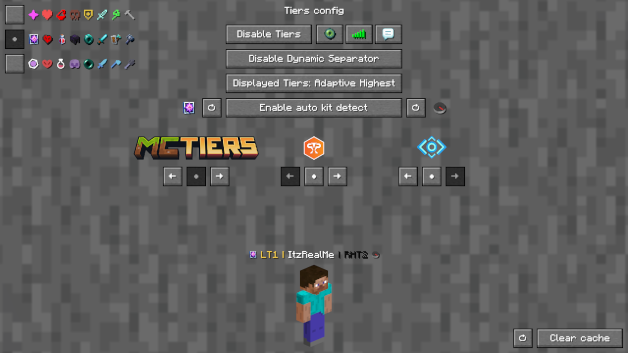
Auto-detect kit: Press Y (editable) to auto-detect the gamemode you are playing, allowing you to easily switch and see opponent tiers in that specific mode.See nearest player stats: Press H (editable) to open the closest player's search result screen.Search screen: See all tiers, peaks, regions, points, global rankings, skin, NameMC page, and Discord profile with /tiers name.Change gamemodes and their position: Choose a gamemode for each ranking site and decide whether to display it on the left or right.Cycle keybinds: Press U and I (editable) to easily cycle between the right and left displayed gamemodes.Change preset styles: Change icon and color presets within the config screen.Display region: View which region players are in.Display gamemodes: Choose whether to display the selected mode, adaptive highest, or absolute highest tier.Chat and Tablist support: In addition to nametags, tiers can be displayed both on the tablist and in the chat.Toggle Tiers: Toggles the mod on / off.Toggle Region: Toggles the region display next to the tier.Toggle Icons: Toggles the icons next to the tier.Toggle Peak Tiers: Toggles peak tiers. For example, if you had HT3 and were demoted to LT3, you'll see ^HT3.Toggle Tab: Toggles Tiers on the tablist.Toggle Chat: Toggles Tiers in chat.Toggle Dynamic Separator: Decides if the separator (|) matches the tier color or remains gray.Displayed Tier: Decides whether to display the selected mode, adaptive highest, or absolute highest.Auto kit detect: Toggles Tiers displaying the gamemode based on your current inventory.Left and Right gamemode switcher: Switches between gamemodes of the selected provider.Position Settings: Decides if the specific provider's gamemodes are displayed on the right, left, or neither.Icon and color presets: Switch between classic, PvPTiers, and MCTiers styled icons.Preview Switcher: Decides whether to preview the default profile (ItzRealMe) or your own character.Clear cache: Clears the player cache (/tiers -clear).Reset settings: Resets the settings to their defaults (/tiers -reset).
The config screen on GUI scale 4
Want to manually modify the icons or tier colors? Edit the default texture pack and add it to your resource pack folder.
Settings will be saved in your config folder and updated at runtime.
The mod is client-side (works on multiplayer servers).
Project description from Modrinth.
Pick your setup
Choose the version and loader you play, then open the matching release.
Showing the newest 12 of 17 game versions. Older files are in the list below.
Check the dependencies, then try the file in a copied instance before changing a world you care about.
Recent files
tiers-0.9.1+1.21.jar
6 Nov 2026
tiers-0.9.1+1.21.1.jar
6 Nov 2026
tiers-0.9.1+1.21.2.jar
6 Nov 2026
tiers-0.9.1+1.21.3.jar
6 Nov 2026
tiers-0.9.1+1.21.4.jar
6 Nov 2026
tiers-0.9.1+1.21.5.jar
6 Nov 2026
tiers-0.9.1+1.21.6.jar
6 Nov 2026
tiers-0.9.1+1.21.7.jar
6 Nov 2026
tiers-0.9.1+1.21.8.jar
6 Nov 2026
tiers-0.9.1+1.21.9.jar
6 Nov 2026
tiers-0.9.1+1.21.10.jar
6 Nov 2026
tiers-0.9.1+1.21.11.jar
5 Nov 2026
Looking for an older file? The official Modrinth project page is in Resources.
 mod
Glass made with Diamonds with the Attributes of Obsidian [Forge]
 mod
Tameable eagles that hunt, scout and fly at your side.
 mod
This mod disables item drop scatter by centering items on the block grid.