Create Optional for AsyncParticles-26.3.2.0-alpha.3+26.3.jar
optionalNo matching file
CurseForge · Minecraft mod
Async particle tick, GPU accelerated particle rendering.
Quick answer
AsyncParticles-26.3.2.0-alpha.3+26.3.jar targets 26.3 with Fabric, NeoForge. The project page does not say whether this file belongs on the client, dedicated server, or both. No extra mods listed for this file.
Where it goes
The project page does not say whether this file belongs on the client, dedicated server, or both.
The source does not explicitly classify this release as client-only or server-only.
AsyncParticles-26.3.2.0-alpha.3+26.3.jar. Change the file and its required mods may change too.
This file does not list any required mods. Do not add a library just because a different file uses it.
We only count dependency files that match this setup. A file for another loader does not fill the gap.
Before you install it
Built for AsyncParticles-26.3.2.0-alpha.3+26.3.jar. Pick another file and the loader, install side or required mods may change.
Use AsyncParticles-26.3.2.0-alpha.3+26.3.jar. It targets 26.3 with Fabric, NeoForge; another release may have different loader, side or dependency requirements.
This file does not list any required mods. Do not add a library just because a different file uses it.
The project page does not say whether this file belongs on the client, dedicated server, or both.
Use the “Get this file” button beside AsyncParticles-26.3.2.0-alpha.3+26.3.jar. It opens that exact file at the source.
About this project
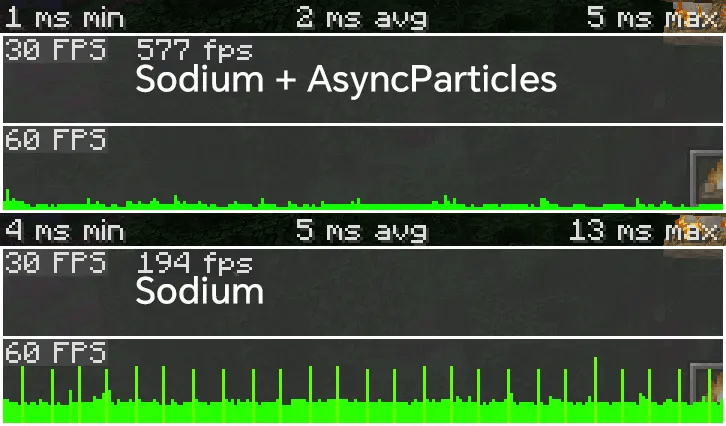
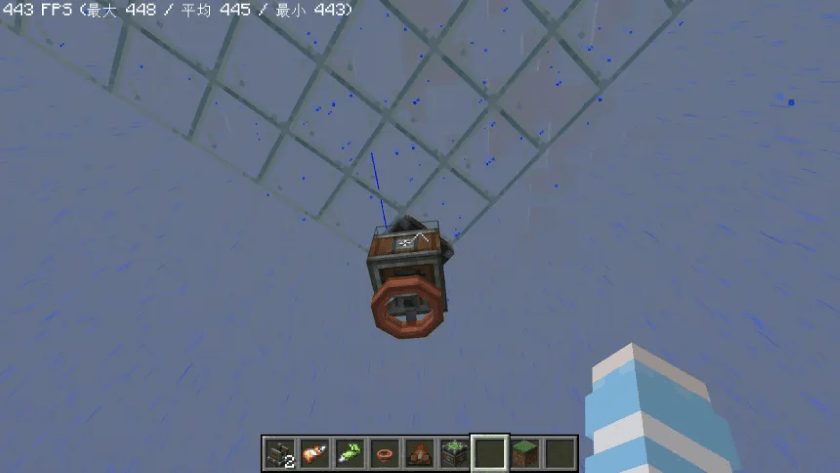
Async Animate Tick.GPU Only Async Particle Tick.enable_particle_manager_optimization: false in badoptimizations.txt20.1.1.0/21.1.1.0.enforceSafeWorldRandomAccess = "false" in c2me.tomlbuffer_particles = false in lodestone-client.toml.ClassInstanceMultiMap or Level.getEntities(...)Mixin → Make 'ClassInstanceMultiMap' Thread-SafeLevel.getBlockEntity(...)Mixin → Make 'LevelChunk#blockEntities' Thread-SafeThis exception typically occurs when particle rendering and ticking concurrently access the same thread-unsafe container.
particle$lockProvider and particle$lockRequired in the mod's Mixin settings.Note: This enables fine-grained locking for specific particle types, allowing safe asynchronous execution between the
tick()andrender()methods.
Starting in vX.4.0, the default particle rendering mode has been changed to SYNCHRONOUSLY to prevent rare ConcurrentModificationExceptions when used with mods that access external thread-unsafe containers (e.g., global maps or lists) during particle rendering.
SYNCHRONOUSLY in the config screen for improved stability.FASTEST provides a noticeable FPS boost in your setup, you can switch to it in the config screen—but use with caution, as it may trigger crashes with incompatible mods.If you’re unsure how to identify or fix the issue, please open a GitHub Issue or start a Discussion.
SYNCHRONOUSLY to avoid rare and confusing ConcurrentModificationExceptions when used with certain mods.SYNCHRONOUSLY in the config screen.ASYNCHRONOUSLY) provides a noticeable FPS boost in your modpack, you can manually select another enum value in the config screen—use with caution.Project description from CurseForge.
Pick your setup
Choose the version and loader you play, then open the matching release.
Check the dependencies, then try the file in a copied instance before changing a world you care about.
Recent files
18 Sept 2026
16 Sept 2026
15 Sept 2026
15 Sept 2026
15 Sept 2026
14 Sept 2026
14 Sept 2026
14 Sept 2026
14 Sept 2026
14 Sept 2026
31 Aug 2026
29 Aug 2026
Looking for an older file? The official CurseForge project page is in Resources.
 mod
modNature's Compass is an item that allows you to locate biomes anywhere in the world.
 mod
moda 1.20.1 Forge port of the upstream 1.21.1 Create: Integrated Farming project by DragonsPlus
 mod
modMaps L_Ender's Cataclysm accessory items to standard Curios slots