
Minecraft version
Back to mods 
Modrinth · Minecraft mod
Xp Bottle Optimizer
Optimizes XP bottle throwing client side to be instant like zero ping.
Choose a version Pick your version below, then grab the matching file.
Quick answer
Which Xp Bottle Optimizer release should I use?
Latest stable file 1.0.0+1.21.X
Game version 1.21, 1.21.1, 1.21.10
Loader Fabric
Xp Bottle Optimizer 1.0.0+1.21.X targets 1.21, 1.21.1, 1.21.10 with Fabric. It must be installed on the client. Do not install it on the dedicated server. No extra mods listed for this file.
Where it goes
Is Xp Bottle Optimizer required on the client, server, or both?
It must be installed on the client. Do not install it on the dedicated server.
Client Required
Dedicated server Not supported
Loader for this release Fabric
Required install it here Optional supported, not mandatory Not supported do not install here Source doesn’t say do not assume
This file is marked client-only.
What else does Xp Bottle Optimizer 1.0.0+1.21.X need?
1.0.0+1.21.X. Change the file and its required mods may change too.
This file does not list any required mods. Do not add a library just because a different file uses it.
This file does not list any required or optional mods.
Before you install it
Add Xp Bottle Optimizer without breaking your instance.
Built for Xp Bottle Optimizer 1.0.0+1.21.X. Pick another file and the loader, install side or required mods may change.
- 01
Stick to this file
Use 1.0.0+1.21.X. It targets 1.21, 1.21.1, 1.21.10 with Fabric; another release may have different loader, side or dependency requirements.
- 02
Bring the mods it needs
This file does not list any required mods. Do not add a library just because a different file uses it.
- 03
Put it on the correct side
It must be installed on the client. Do not install it on the dedicated server.
- 04
Pick the file you checked
Use the “Get this file” button beside 1.0.0+1.21.X. It opens that exact file at the source.
About this project
What does Xp Bottle Optimizer add?
XP Bottle Optimizer

Makes XP bottles feel more instant and responsive on the client side.
When throwing XP bottles on servers, the bottle can feel delayed because your client has to wait for the server bottle to appear first.
XP Bottle Optimizer helps by showing a client side XP bottle instantly, making XP bottle throwing feel smoother especially when you have ping.
Works across 1.21 - 1.21.11 in the same jar (1.21.X)
Requires:
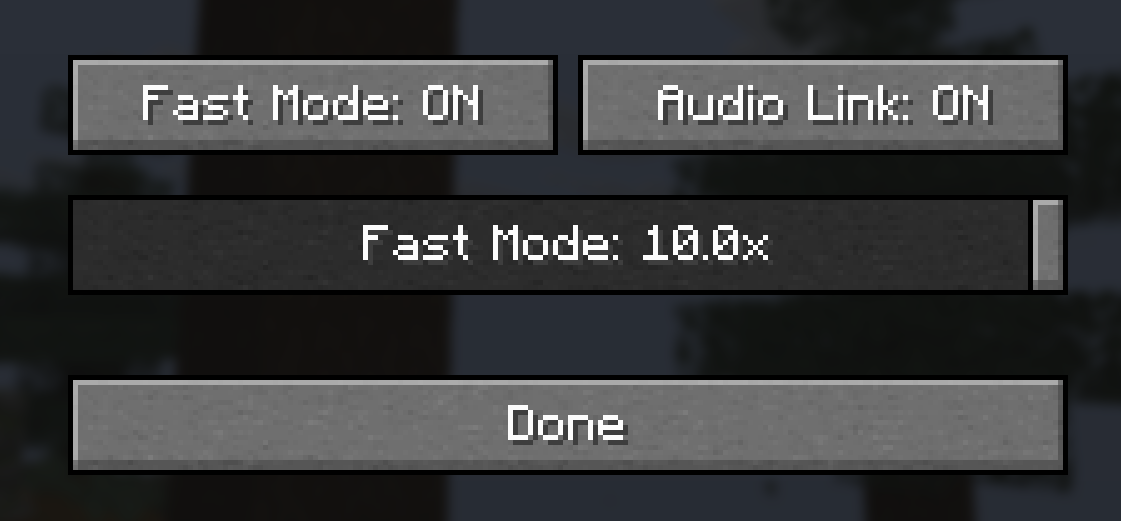
What it does
When you throw an XP bottle, XP Bottle Optimizer shows a client side XP bottle instantly instead of waiting for the server bottle to appear first.
This helps XP bottles feel cleaner and more responsive on servers, especially if your ping makes bottles look delayed or weird.
The server still controls the real XP bottle, real XP drops, inventory usage, cooldowns, bottle breaking, and all real server behavior.
This mod does not give extra XP, does not duplicate bottles, does not make XP appear early server side, does not change bottle speed, and does not bypass the server.
It only makes the visual side feel smoother while the server stays in control of what actually happens.
works simular to my other mods
XP Bottle Optimizer also reduces duplicate delayed throw sounds when the real server sound comes in after the predicted client side throw.
This helps keep XP bottle throwing feeling fast without making the sound messy or doubled.
There is also server opt out support, so servers can disable XP Bottle Optimizer if they do not want players using it on their server.
This mod is client side, but if a server opts out then the optimizer will turn itself off there.
if you want the opt out just make a ticket in the discord!
XP Bottle Optimizer is only a visual responsiveness mod, so don't worry about it changing how XP bottles actually work server side. Throwing, inventory, XP drops, bottle breaking, and real XP bottle behavior are still handled by the server like normal.
Project description from Modrinth.
Pick your setup
Xp Bottle Optimizer by Minecraft version and loader
Choose the version and loader you play, then open the matching release.
Minecraft version
1.21.10
1 loader buildMinecraft version
1.21.9
1 loader buildMinecraft version
1.21.8
1 loader buildMinecraft version
1.21.7
1 loader buildMinecraft version
1.21.6
1 loader buildMinecraft version
1.21.5
1 loader buildMinecraft version
1.21.4
1 loader buildMinecraft version
1.21.3
1 loader buildMinecraft version
1.21.2
1 loader buildMinecraft version
1.21.1
1 loader buildMinecraft version
1.21
1 loader buildCheck the dependencies, then try the file in a copied instance before changing a world you care about.
Recent files
Xp Bottle Optimizer versions and loaders
1.0.0+1.21.X
XPBottleOptimizer-1.21.X.jar
30 May 2026
Client Required Server Not supported Dependencies No extras listed Listed on Release listing
Check the 1.21.11 · Fabric setup 1.211.21.11.21.101.21.11 release
Looking for an older file? The official Modrinth project page is in Resources.
 mod
CurseForge + Modrinth · Minecraft
Cobblemon Raid Dens Icons
Display raid den icons on the map
 mod
Modrinth · Minecraft
Ender IO: Conduit Optimizer
Optimizes Ender IO conduits with customizable tick intervals and smart algorithms to maximize endgame logistics.
 mod
Modrinth · Minecraft
Hedge's Bestiary
Adds new and fantastical creatures to your world!