Minecraft version
Back to mods 
Modrinth · Minecraft mod
Boss Tweaks
Fully heal Bosses when all nearby players are defeated, add bossbars to Bosses that lack one... And more!
Choose a version Pick your version below, then grab the matching file.
Quick answer
Which Boss Tweaks release should I use?
Latest stable file 3.1.1
Game version 1.21.1
Loader Fabric
Boss Tweaks 3.1.1 targets 1.21.1 with Fabric. Do not install it on the client. It must be installed on the dedicated server. No extra mods listed for this file.
Where it goes
Is Boss Tweaks required on the client, server, or both?
Do not install it on the client. It must be installed on the dedicated server.
Client Not supported
Dedicated server Required
Loader for this release Fabric
Required install it here Optional supported, not mandatory Not supported do not install here Source doesn’t say do not assume
This file is marked server-only.
What else does Boss Tweaks 3.1.1 need?
3.1.1. Change the file and its required mods may change too.
This file does not list any required mods. Do not add a library just because a different file uses it.
This file does not list any required or optional mods.
Before you install it
Add Boss Tweaks without breaking your instance.
Built for Boss Tweaks 3.1.1. Pick another file and the loader, install side or required mods may change.
- 01
Stick to this file
Use 3.1.1. It targets 1.21.1 with Fabric; another release may have different loader, side or dependency requirements.
- 02
Bring the mods it needs
This file does not list any required mods. Do not add a library just because a different file uses it.
- 03
Put it on the correct side
Do not install it on the client. It must be installed on the dedicated server.
- 04
Pick the file you checked
Use the “Get this file” button beside 3.1.1. It opens that exact file at the source.
About this project
What does Boss Tweaks add?
A mod that heals Bosses when players are defeated, adds configurable bossbars for any entity (vanilla or modded) and adds some balancing changes for multiplayer servers.
Healing
When a boss has no nearby alive players in a configurable radius, it recovers all of it's health. Long gone are the days of bed respawn or similar exploits.
Armor Scaling
All bosses have configurable amounts of armor and armor toughness increased for each connected player in the server. Now players are encouraged to cooperate to defeat them.
Persistence
Bosses won't naturally despawn. You can retry those battles as many times you want if you respawn far from them.
Chest Loot Drops
Defeated bosses will have a chest with it's loot table waiting to be generated instead of dropping items to the floor. Perfect for usage with Lootr or similar in Multiplayer. (Disabled by default since the Wither and Ender Dragon have empty loot tables in vanilla)
Configurable Bossbars
Now you can add very configurable and performance-friendly bossbars to your favorite (mini)bosses that lack one.
Compatibility
Hardcore Revival: Knocked out players won't prevent bosses from healing.
Lootr: Boss Loot Chest is compatible with lootr.
Configuration
The server config file located in /config/boss_regen_server.json:
- "detectionRadius": The radius in blocks from the boss to search for alive players (Used for healing).
- "armorBonusPerExtraPlayer": Pretty self explanatory.
- "toughnessBonusPerExtraPlayer": Pretty self explanatory.
The bossbar config file is located in /config/boss_regen_bossbar_config.json:
By default there's 2 entries for the Warden and Elder Guardian.
Each entry has the following attributes:
- "entityID": The path to the entity.
- "range": Distance in blocks from where the bossbar is visible.
- "color": The color for the bossbar out of the 7 colors included in vanilla (purple, red, white, yellow, blue, green or pink).
- "invisibleUntilHit": Determines if the bossbar is hidden until the boss has lost at least 1 HP.
To apply each tweak to an entity there's 4 dedicated tags, located in "data/boss_regen/tags/entity_type":
- has_armor_scaling: Defaults to #c:bosses.
- has_loot_chest: Is empty by default.
- has_persistence: Defaults to #c:bosses.
- has_regen: Defaults to #c:bosses.
You can configure it with a datapack and enable it by default in all worlds with:
Project description from Modrinth.
Pick your setup
Boss Tweaks by Minecraft version and loader
Choose the version and loader you play, then open the matching release.
Check the dependencies, then try the file in a copied instance before changing a world you care about.
Recent files
Boss Tweaks versions and loaders
3.1.1
boss_regen-3.1.1.jar
20 Nov 2026
Client Not supported Server Required Dependencies No extras listed Listed on Release listing
Check the 1.21.1 · Fabric setup 1.21.1Fabric release
3.1.0
boss_regen-3.1.0.jar
2 Nov 2026
Client Not supported Server Required Dependencies 1 required · 1 unchecked Listed on Release listing
Check the 1.21.1 · Fabric setup 1.21.1Fabric release
3.0.0
boss_regen-3.0.0.jar
14 Oct 2026
Client Not supported Server Required Dependencies 1 required · 1 unchecked Listed on Release listing
Check the 1.21.1 · Fabric setup 1.21.1Fabric release
2.1.0
boss_regen-2.1.0.jar
25 Sept 2026
Client Not supported Server Required Dependencies 1 required · 1 unchecked Listed on Release listing
Check the 1.21.1 · Fabric setup 1.21.1Fabric release
2.0.1
boss_regen-2.0.1.jar
15 Sept 2026
Client Not supported Server Required Dependencies 1 required · 1 unchecked Listed on Release listing
Check the 1.21.1 · Fabric setup 1.21.1Fabric release
2.0.0
boss_regen-2.0.0.jar
23 Aug 2026
Client Not supported Server Required Dependencies 1 required · 1 unchecked Listed on Release listing
Check the 1.21.1 · Fabric setup 1.21.1Fabric release
1.2.0
boss_regen-1.2.0.jar
31 Jul 2026
Client Not supported Server Required Dependencies 1 required · 1 unchecked Listed on Release listing
Check the 1.21.1 · Fabric setup 1.21.1Fabric release
1.1.0
boss_regen-1.1.0.jar
13 Jul 2026
Client Not supported Server Required Dependencies 1 required · 1 unchecked Listed on Release listing
Check the 1.21.1 · Fabric setup 1.21.1Fabric release
1.0.0
boss_regen-1.0.0.jar
18 Jun 2026
Client Not supported Server Required Dependencies 1 required · 1 unchecked Listed on Release listing
Check the 1.21.1 · Fabric setup 1.21.1Fabric release
Looking for an older file? The official Modrinth project page is in Resources.
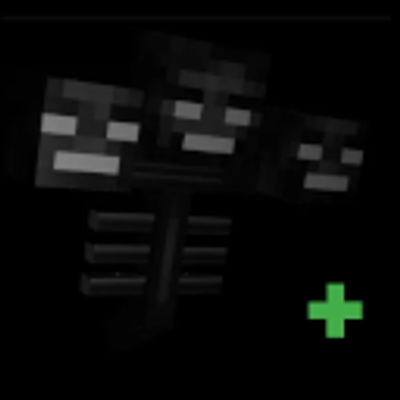 mod
CurseForge · Minecraft
Boss Tweaks
Fully heal Bosses when all nearby players are defeated, add Bossbars to entities that lack one... And more!
 mod
CurseForge + Modrinth · Minecraft
Enchantment Core
A data-driven enchantment component and utility library.
 mod
CurseForge + Modrinth · Minecraft
WynnVista
Adds world effect shaders to Wynncraft and manages LODs for Voxy and Distant Horizons when outside the Wynn map.