Minecraft version
Back to mods 
Modrinth · Minecraft mod
Backbone
A small mod bringing together small features that feel like they could help players and/or other creators, that I could implement relatively quickly.
Choose a version Pick your version below, then grab the matching file.
Quick answer
Which Backbone release matches 1.21.4?
Best match for your filters 1.2-1.21-neo
Game version 1.21.1, 1.21.2, 1.21.3
Loader NeoForge
Backbone 1.2-1.21-neo targets 1.21.1, 1.21.2, 1.21.3 with NeoForge. Do not install it on the client. It must be installed on the dedicated server. No extra mods listed for this file.
Where it goes
Is Backbone required on the client, server, or both?
Do not install it on the client. It must be installed on the dedicated server.
Client Not supported
Dedicated server Required
Loader for this release NeoForge
Required install it here Optional supported, not mandatory Not supported do not install here Source doesn’t say do not assume
This file is marked server-only.
What else does Backbone 1.2-1.21-neo need?
1.2-1.21-neo on 1.21.4. Every mod below is checked against that same setup.
This file does not list any required mods. Do not add a library just because a different file uses it.
This file does not list any required or optional mods.
Before you install it
Add Backbone without breaking your instance.
Built for Backbone 1.2-1.21-neo on 1.21.4. Pick another file and the loader, install side or required mods may change.
- 01
Stick to this file
Use 1.2-1.21-neo. It targets 1.21.1, 1.21.2, 1.21.3 with NeoForge; another release may have different loader, side or dependency requirements.
- 02
Bring the mods it needs
This file does not list any required mods. Do not add a library just because a different file uses it.
- 03
Put it on the correct side
Do not install it on the client. It must be installed on the dedicated server.
- 04
Pick the file you checked
Use the “Get this file” button beside 1.2-1.21-neo. It opens that exact file at the source.
About this project
What does Backbone add?
Backbone

Small feature based incremental mods, grouping any small feature I believe could be
neat to have and can implement in a relatively short time.
Ideas and suggestions are welcome on my Discord server
Features
Other will be added as time comes
Jigsaw placement rotation via command
Since: 1.0
From: A ShaiTheLamb request
(see their Modrinth)
The /place jigsaw now is given optional extra arguments:
from /place jigsaw <pool> <target> <max_depth> <X> <Y> <Z>, it is now possible
to do /place jigsaw <pool> <target> <max_depth> <X> <Y> <Z> [<force_rotation:boolean> <rotation:0|90|160|270>].
There, the two extra arguments behave as such:
force_rotation: iftrue, makes the placed piece forcefully rotated with the provided
rotation. Otherwise, adds the provided rotation to the random one.rotation: Indicates a rotation to apply to the placed piece. If forced, it
allows you to ensure a specific rotation, or otherwise, get variant results
from the random ones.
Entity discarding via command
Since: 1.1
From: me (Nerjal Nosk)
Because some mods add entities that don't properly die or get removed using the/kill command, I decided to add a way to straight up remove an entity from
the world, with a new /discard command.
Usage is similar to the /kill command, except there is no option to discard
oneself.
To avoid causing bugs with unexpected situations, players cannot be discarded.
Structure generation painting placement fix
Since: 1.2
From: A ShaiTheLamb request
(see their Modrinth)
I only added the necessary math Mojang had not, to ensure proper placement of
paintings when generating structures. Also works with structure blocks, and the/place command.
There is nothing for you to do; just have the mod loaded and it works. You're welcome.
Usage
Feel free to use it as a dependency for your own mods, or add it to modpacks.
You are not allowed, however, to bundle this mod (JiJ, modpack overrides, etc)
in your own projects.
You can add it as a code dependency to your own projects using my own maven,
with com.nerjal:predicator at https://maven.nerjal.com/snapshots
Project description from Modrinth.
Pick your setup
Backbone by Minecraft version and loader
Choose the version and loader you play, then open the matching release.
Minecraft version
1.21.3
2 loader buildsMinecraft version
1.21.2
2 loader buildsMinecraft version
1.21.1
2 loader buildsCheck the dependencies, then try the file in a copied instance before changing a world you care about.
Recent files
Backbone versions and loaders
1.2-1.21-neo
backbone-neoforge-1.2.jar
18 Sept 2026
Client Not supported Server Required Dependencies No extras listed Listed on Release listing
Check the 1.21.4 · NeoForge setup 1.21.11.21.21.21.31.21.4 release
1.2-1.21-fabric
backbone-fabric-1.2.jar
18 Sept 2026
Client Not supported Server Required Dependencies No extras listed Listed on Release listing
Check the 1.21.4 · Fabric setup 1.21.11.21.21.21.31.21.4 release
1.1-1.21-neo
backbone-neoforge-1.1.jar
12 Sept 2026
Client Not supported Server Required Dependencies No extras listed Listed on Release listing
Check the 1.21.4 · NeoForge setup 1.21.11.21.21.21.31.21.4 release
1.1-1.21-fabric
backbone-fabric-1.1.jar
12 Sept 2026
Client Not supported Server Required Dependencies No extras listed Listed on Release listing
Check the 1.21.4 · Fabric setup 1.21.11.21.21.21.31.21.4 release
1.0-1.21-neo
backbone-neoforge-1.0.jar
30 Jul 2026
Client Not supported Server Required Dependencies No extras listed Listed on Release listing
Check the 1.21.4 · NeoForge setup 1.21.11.21.21.21.31.21.4 release
1.0-1.21-fabric
backbone-fabric-1.0.jar
30 Jul 2026
Client Not supported Server Required Dependencies No extras listed Listed on Release listing
Check the 1.21.4 · Fabric setup 1.21.11.21.21.21.31.21.4 release
Looking for an older file? The official Modrinth project page is in Resources.
 mod
mod CurseForge + Modrinth · Minecraft
Room For Two
Lets you share a bed with a villager or another player.
 mod
mod CurseForge + Modrinth · Minecraft
Frostbyte's Improved Inventory
Slot cycle, Durability display, Stack refill, Auto swap tools, Container sort & search, Zoom, Paperdoll, Gamma, Boat item view, Colored armor bar, Inventory tabs, Map & Shulker box preview, Expanded bundle tooltip, More HUD info, & Better locator bar
 mod
mod CurseForge + Modrinth · Minecraft
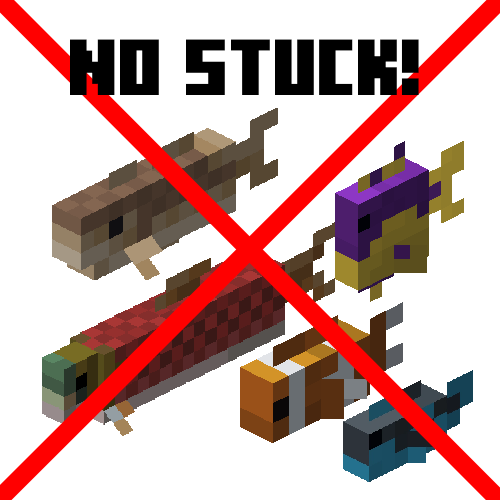
Fish No Stuck
A small mod that fixes fish stop moving entirely (MC-182763)