Utilize Needed by False Reality • Time Changer 2.1.0+1.21.6-1.21.8
requiredMatching file found Matched file: 1.0.12+1.21.6-1.21.8

Modrinth · Minecraft mod
Take full control over the Minecraft client-side time, adjust the time of day, and tweak the moon phase.
Quick answer
False Reality • Time Changer 2.1.0+1.21.6-1.21.8 targets 1.21.6, 1.21.7, 1.21.8 with Fabric. It must be installed on the client. Do not install it on the dedicated server. All 1 required mods have matching files.
Where it goes
It must be installed on the client. Do not install it on the dedicated server.
This file is marked client-only.
2.1.0+1.21.6-1.21.8 on Fabric. Every mod below is checked against that same setup.
Install Utilize first. We found matching files for this game-version and loader setup.
We only count dependency files that match this setup. A file for another loader does not fill the gap.
Before you install it
Built for False Reality • Time Changer 2.1.0+1.21.6-1.21.8 on Fabric. Pick another file and the loader, install side or required mods may change.
Use 2.1.0+1.21.6-1.21.8. It targets 1.21.6, 1.21.7, 1.21.8 with Fabric; another release may have different loader, side or dependency requirements.
Install Utilize first. We found matching files for this game-version and loader setup.
It must be installed on the client. Do not install it on the dedicated server.
Use the “Get this file” button beside 2.1.0+1.21.6-1.21.8. It opens that exact file at the source.
About this project
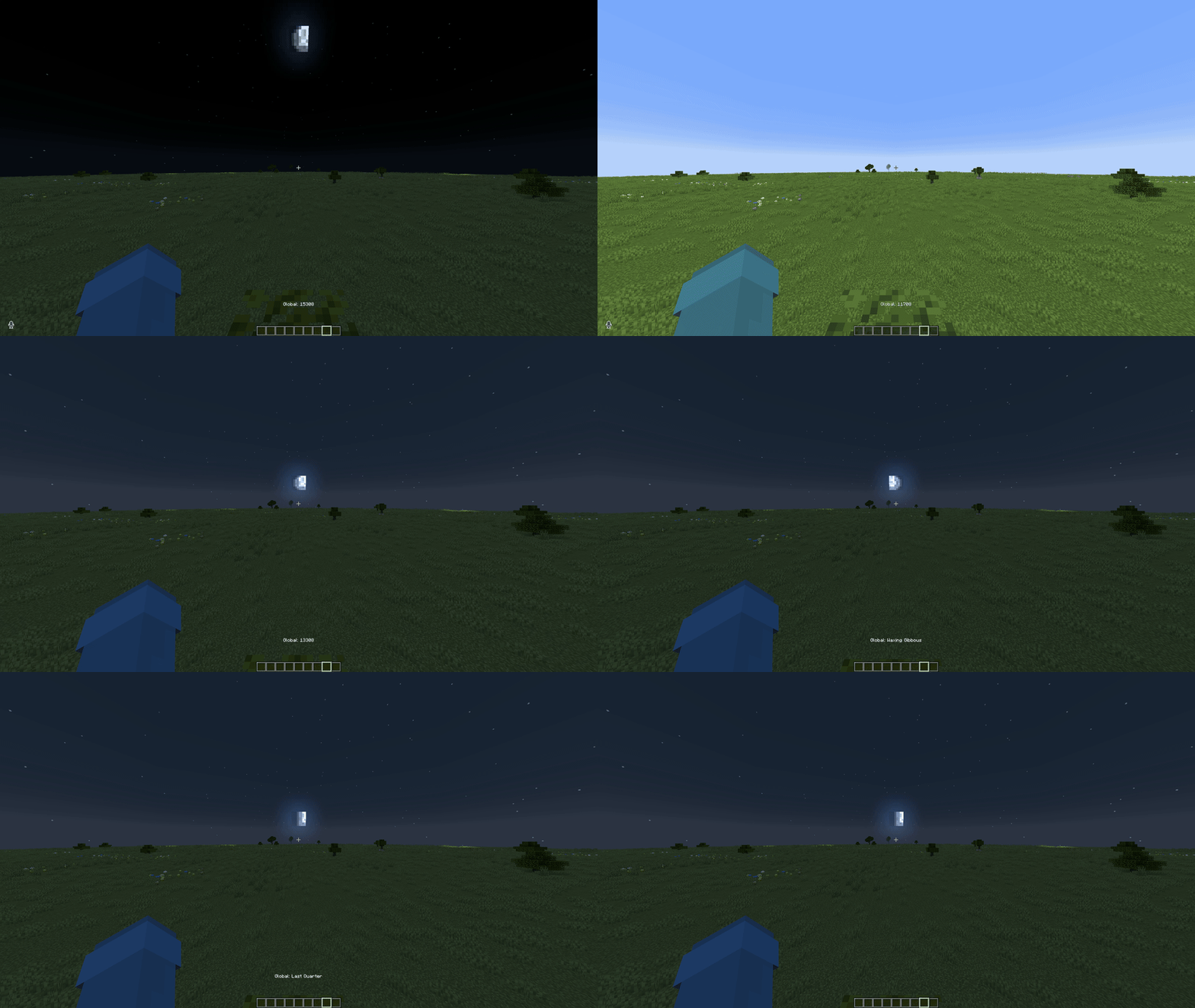
You can download False Reality on Modrinth: Download False Reality
False Reality lets you take full control over the Minecraft client-side time, adjust the time of day, tweak the moon phase, and customize your experience for immersion or cinematic effects.
Scroll = Normal (increments of 50)Scroll + Shift = Slow (increments of 10)Scroll + Control = Fast (increments of 100)Scroll + Shift + Alt = Ultra Slow (increments of 1)Scroll + Control + Alt = Ultra Fast (increments of 200)Controls menu: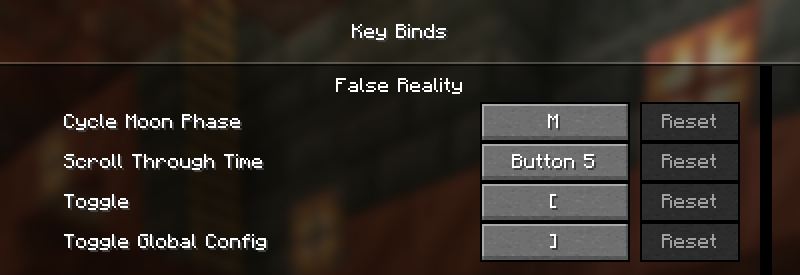
Project description from Modrinth.
Pick your setup
Choose the version and loader you play, then open the matching release.
Check the dependencies, then try the file in a copied instance before changing a world you care about.
Recent files
FalseReality-2.1.0+1.21.6-1.21.8.jar
30 Aug 2025
FalseReality-2.1.0+1.21.4-1.21.5.jar
30 Aug 2025
FalseReality-2.1.0+1.21.2-1.21.3.jar
30 Aug 2025
FalseReality-2.1.0+1.21-1.21.1.jar
30 Aug 2025
FalseReality-2.0.0+1.21-1.21.8.jar
23 Jul 2025
Looking for an older file? The official Modrinth project page is in Resources.
 mod
Cook all kinds of delicious food!
 mod
Add color and formatting options to signs.
 mod
Allow users to link their Minecraft accounts to various services and automatically whitelist them based on specified conditions




