Minecraft version
Back to mods 
Modrinth · Minecraft mod
MTGCard
Open Magic: The Gathering packs and play with friends in Minecraft!
Choose a version Pick your version below, then grab the matching file.
Quick answer
Which MTGCard release should I use?
Latest stable file 1.7.3-1.21.1
Game version 1.21.1
Loader NeoForge
MTGCard 1.7.3-1.21.1 targets 1.21.1 with NeoForge. Installation on the client is optional. Installation on the dedicated server is optional. No extra mods listed for this file.
Where it goes
Is MTGCard required on the client, server, or both?
Installation on the client is optional. Installation on the dedicated server is optional.
Client Optional
Dedicated server Optional
Loader for this release NeoForge
Required install it here Optional supported, not mandatory Not supported do not install here Source doesn’t say do not assume
The source marks this as usable on both the client and server.
What else does MTGCard 1.7.3-1.21.1 need?
1.7.3-1.21.1. Change the file and its required mods may change too.
This file does not list any required mods. Do not add a library just because a different file uses it.
This file does not list any required or optional mods.
Before you install it
Add MTGCard without breaking your instance.
Built for MTGCard 1.7.3-1.21.1. Pick another file and the loader, install side or required mods may change.
- 01
Stick to this file
Use 1.7.3-1.21.1. It targets 1.21.1 with NeoForge; another release may have different loader, side or dependency requirements.
- 02
Bring the mods it needs
This file does not list any required mods. Do not add a library just because a different file uses it.
- 03
Put it on the correct side
Installation on the client is optional. Installation on the dedicated server is optional.
- 04
Pick the file you checked
Use the “Get this file” button beside 1.7.3-1.21.1. It opens that exact file at the source.
About this project
What does MTGCard add?
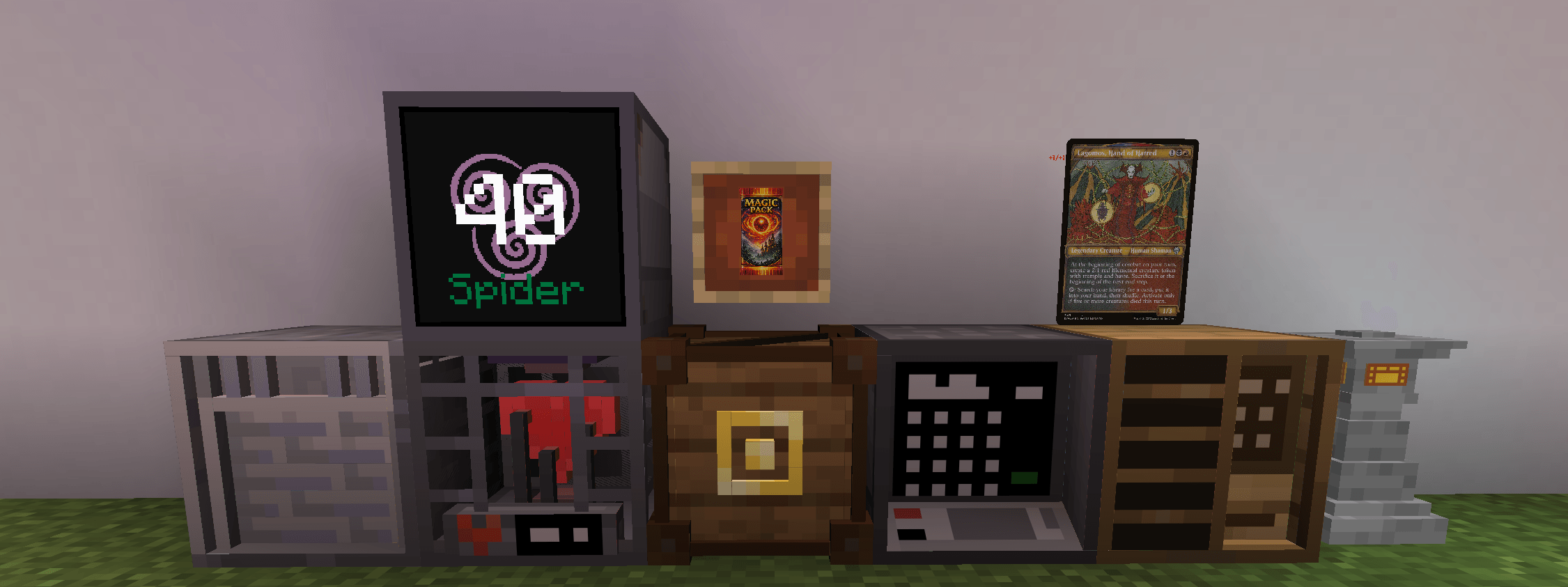
MtgCard brings the world of Magic: The Gathering into Minecraft as a fully interactive, in-game experience.
Features
Open booster packs and collect real MTG cards pulled directly from official Magic: The Gathering sets. Can even store the cards in the Card Database, so that they don't needlessly fill up your chests.
Booster packs can be crafted or found in any loot chest.
If you don't want to always open up booster packs to get the cards, there is a card store that you can buy from. The price on the cards are based on their real value. $1 = 1 diamond
If you don't want the cards to cost diamonds, feel free to go into the config to change it to whatever item you want.
Everything is designed to feel diegetic — cards exist as real items, GUIs are styled like arcane terminals, and displays integrate seamlessly into bases, shops, and multiplayer hubs.
Block features:
Spoiler
- Deckbox
- Store your decks in these 100 slots boxes. They are designed to only hold cards and one slot to hold a bundle for tokens.
- There are multiple wood variants for this block for decoration purposes.
- Graveyard
- This block helps keep track of what cards are in the graveyard and exile during a game.
- Block is designed to look like a crypt for graveyard builds.
- Deck Control
- If placed between a deckbox and a graveyard, it will help you control your deck library in the deckbox by drawing, milling, and many more features.
- Designed to be a light source for gardens. Has multiple color variants.
- Health Tracker
- This will keep track of your health.
- If in a pod you can have it randomly select who goes first and keeps track of commander damage if playing in the commander format.
- Display Block
- Will display the health from the health tracker.
- Also can have it be designed in a way for different looks.
- Card Database
- Has infinite storage for holding all of the cards that you have collected.
- If a deckbox is placed next to it, it has the deckbox screen show up beside the Card Database screen for cross comparing.
- Card Store
- If you don't want to open booster packs all of the time, you can buy them as singles instead.
- You can drag and drop a text file or a csv file onto the screen and it will load the cards into the cart instead.
- The cards are based on their real value at that time. $1 = 1 diamond
Customizability
There is even a functionality to import your own custom cards into the game using the import command.
/mtg custom import
Custom cards have a higher chance on showing up in booster packs when being opened unless configured diffeently.
If you don't want the cards to have a value in diamonds, then you can change the item in the configs as well.
Info
This was designed to make the tcg game feel playable in Minecraft. You can place cards on floors or walls, keep track of your life total on displays, even some of the blocks has some redstone capabilites.
Whether you’re a Magic player, a Minecraft builder, or a server owner looking for a new way to play tabletop-style games in survival, MTG Card Mod turns your world into a living trading card game.
Collect. Display. Play. Build your Magic inside Minecraft.
I have also made a tutorial on the mod as well:
Project description from Modrinth.
Pick your setup
MTGCard by Minecraft version and loader
Choose the version and loader you play, then open the matching release.
Minecraft version
26.2
2 loader buildsMinecraft version
26.1.2
1 loader buildMinecraft version
26.1.1
1 loader buildMinecraft version
26.1
1 loader buildMinecraft version
1.21.11
1 loader buildMinecraft version
1.21.1
2 loader buildsCheck the dependencies, then try the file in a copied instance before changing a world you care about.
Recent files
MTGCard versions and loaders
1.7.3-1.21.1
MtgCard-neoforge-1.7.3-1.21.1.jar
16 Nov 2026
Client Optional Server Optional Dependencies No extras listed Listed on Release listing
Check the 1.21.1 · NeoForge setup 1.21.1NeoForge release
1.7.3-1.21.1
MtgCard-fabric-1.7.3-1.21.1.jar
16 Nov 2026
Client Optional Server Optional Dependencies No extras listed Listed on Release listing
Check the 1.21.1 · Fabric setup 1.21.1Fabric release
1.7.3-26.2
MtgCard-fabric-1.7.3-26.2.jar
16 Nov 2026
Client Optional Server Optional Dependencies No extras listed Listed on Release listing
Check the 26.2 · Fabric setup 26.2Fabric release
1.7.3-26.2
MtgCard-neoforge-1.7.3-26.2.jar
16 Nov 2026
Client Optional Server Optional Dependencies No extras listed Listed on Release listing
Check the 26.2 · NeoForge setup 26.2NeoForge release
1.7.3-26.3
MtgCard-fabric-1.7.3-26.3.jar
16 Nov 2026
Client Optional Server Optional Dependencies No extras listed Listed on Release listing
Check the 26.3 · Fabric setup 26.3Fabric release
1.7.3-26.3
MtgCard-neoforge-1.7.3-26.3.jar
16 Nov 2026
Client Optional Server Optional Dependencies No extras listed Listed on Release listing
Check the 26.3 · NeoForge setup 26.3NeoForge release
1.7.2-1.21.1
MtgCard-fabric-1.7.2-1.21.1.jar
6 Nov 2026
Client Optional Server Optional Dependencies No extras listed Listed on Release listing
Check the 1.21.1 · Fabric setup 1.21.1Fabric release
1.7.2-1.21.1
MtgCard-neoforge-1.7.2-1.21.1.jar
6 Nov 2026
Client Optional Server Optional Dependencies No extras listed Listed on Release listing
Check the 1.21.1 · NeoForge setup 1.21.1NeoForge release
1.7.2-26.3
MtgCard-neoforge-1.7.2-26.3.jar
6 Nov 2026
Client Optional Server Optional Dependencies No extras listed Listed on Release listing
Check the 26.3 · NeoForge setup 26.3NeoForge release
1.7.2-26.3
MtgCard-fabric-1.7.2-26.3.jar
6 Nov 2026
Client Optional Server Optional Dependencies No extras listed Listed on Release listing
Check the 26.3 · Fabric setup 26.3Fabric release
1.7.2-26.2
MtgCard-neoforge-1.7.2-26.2.jar
6 Nov 2026
Client Optional Server Optional Dependencies No extras listed Listed on Release listing
Check the 26.3 · NeoForge setup 26.3NeoForge release
1.7.2-26.2
MtgCard-fabric-1.7.2-26.2.jar
6 Nov 2026
Client Optional Server Optional Dependencies No extras listed Listed on Release listing
Check the 26.2 · Fabric setup 26.2Fabric release
Looking for an older file? The official Modrinth project page is in Resources.
 mod
CurseForge · Minecraft
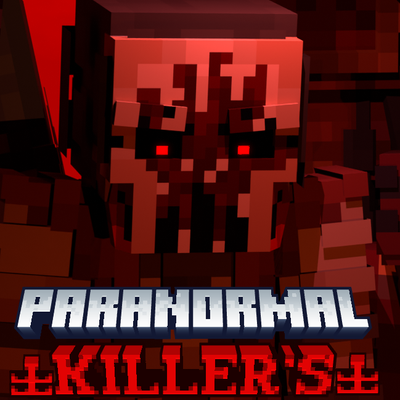
Paranormal Killer's 土 Paranormal Order
A model based on the Brazilian RPG Paranormal Order.
 mod
CurseForge + Modrinth · Minecraft
BuildCraft Redux
BuildCraft 7.x and 8.x improved and unified on modern MC: pipes, engines, oil, quarries, builders, logic gates AND robots.
 mod
CurseForge + Modrinth · Minecraft
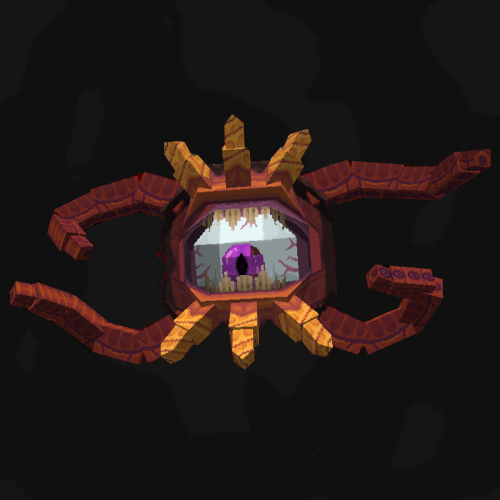
WynnVista
Adds world effect shaders to Wynncraft and manages LODs for Voxy and Distant Horizons when outside the Wynn map.