Cloth Config API Optional for Titlebar Changer 1.21.x-0.4
optionalMatching file found Matched file: 19.0.147+fabric

Modrinth · Minecraft mod
Minecraft mod that offers advanced customization of window appearance, including titlebar, title, and border colors. Full functionality is available only on Windows 11; on Windows 10, the mod's features are limited to changing the titlebar color to dark.
Quick answer
Titlebar Changer 1.21.x-0.4 targets 1.21, 1.21.1, 1.21.2 with Fabric, Quilt. It must be installed on the client. Do not install it on the dedicated server. No extra mods listed for this file.
Where it goes
It must be installed on the client. Do not install it on the dedicated server.
This file is marked client-only.
1.21.x-0.4. Change the file and its required mods may change too.
This file does not list any required mods. Do not add a library just because a different file uses it.
2 extra mods were pulled in by other dependencies. Indented rows show who needs each one. We only count dependency files that match this setup. A file for another loader does not fill the gap.
Before you install it
Built for Titlebar Changer 1.21.x-0.4. Pick another file and the loader, install side or required mods may change.
Use 1.21.x-0.4. It targets 1.21, 1.21.1, 1.21.2 with Fabric, Quilt; another release may have different loader, side or dependency requirements.
This file does not list any required mods. Do not add a library just because a different file uses it.
It must be installed on the client. Do not install it on the dedicated server.
Use the “Get this file” button beside 1.21.x-0.4. It opens that exact file at the source.
About this project
Personalize the look of your Minecraft window titlebar — tweak colors, text, corners, and borders on Windows.
Below are examples of custom titlebar colors (Windows 11):
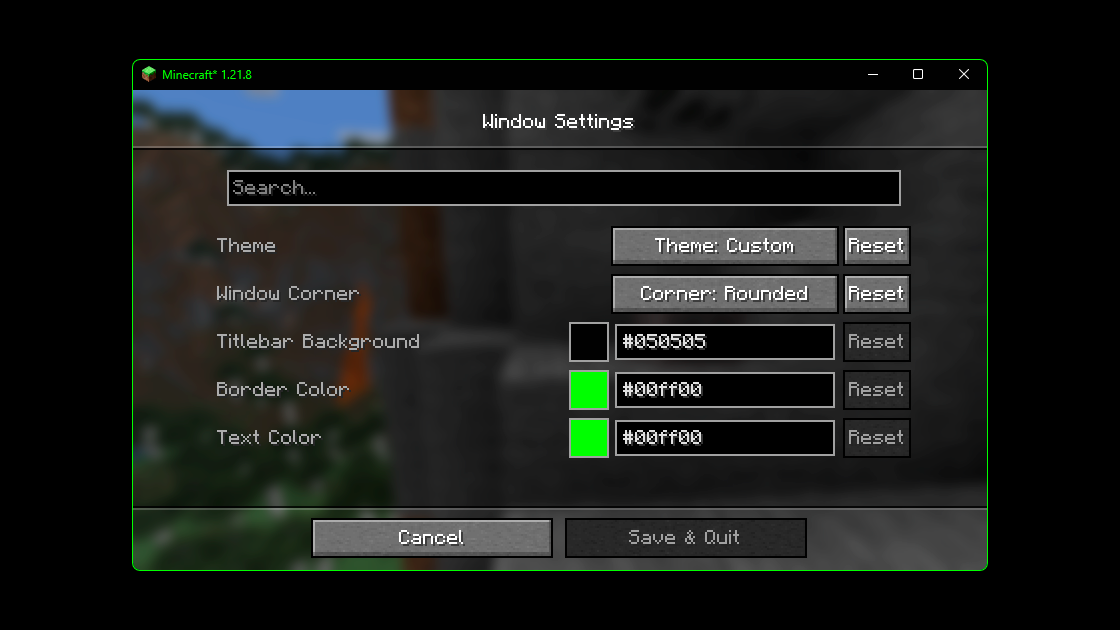
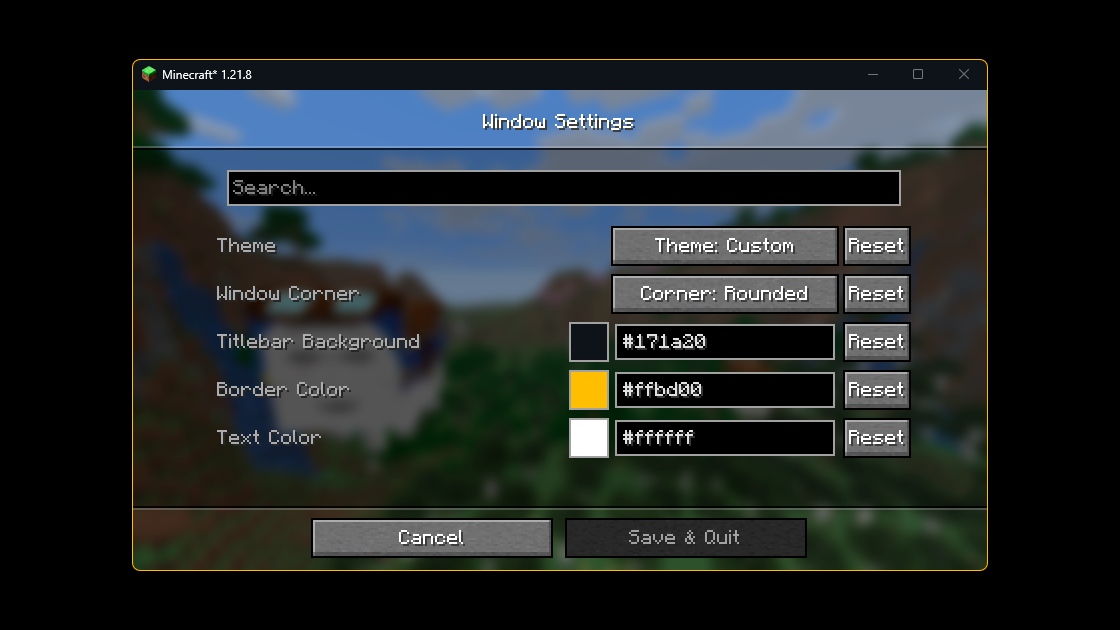
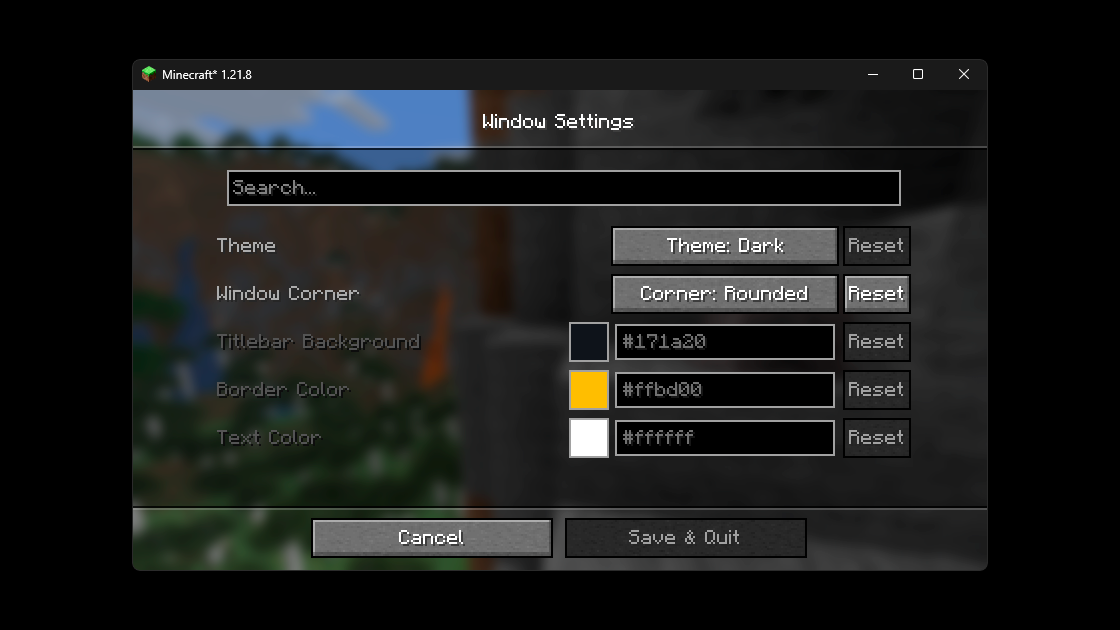
And here’s an extra — the Titlebar Changer with my cat wearing a crown 👑
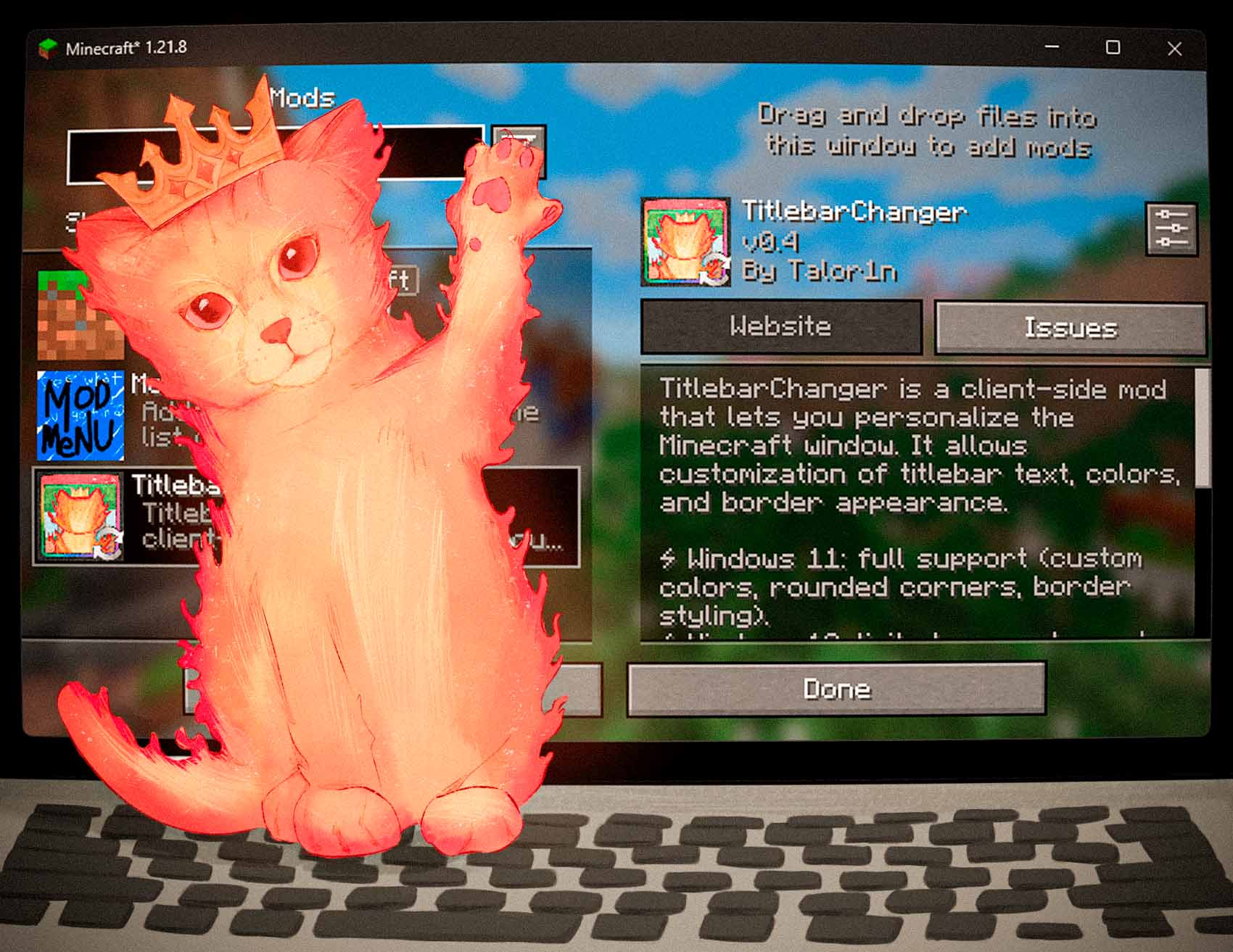
The source code for the mod is available on GitHub. If you encounter any issues or have suggestions for improvements, please feel free to leave them in the Issues section on GitHub.
You can configure the mod either in‑game (recommended) or by editing the JSON file.
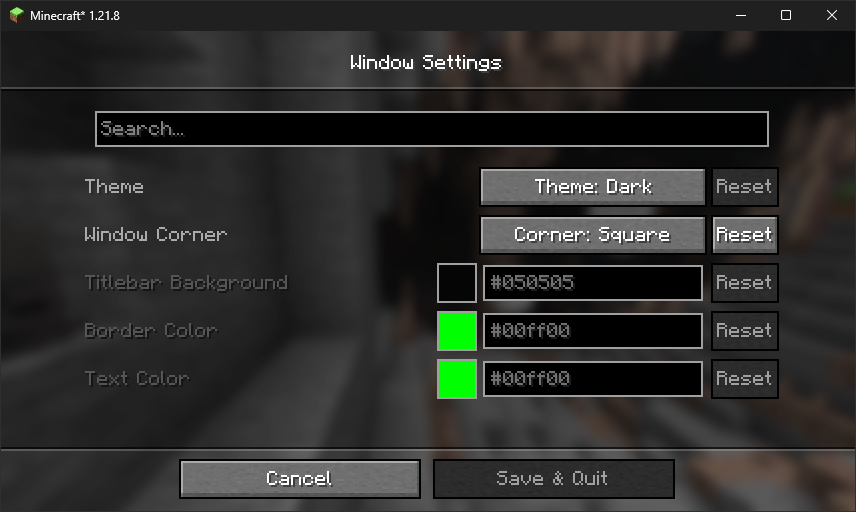
The file lives at: config/titlebar_settings.json
{
  // Window Theme: LIGHT (0), DARK (1), CUSTOM (2)
  // Controls the overall appearance of the titlebar
  // Restriction: Custom only works on Windows 11+
  "theme": "1",

  // Window Corners: SYSTEM_DEFAULT (0), NO_ROUNDING (1), ROUNDED (2), ROUNDED_SMALL (3)
  // Controls how window corners are rendered
  // Restriction: Only works on Windows 11+
  "corner": "0",

  // Caption (titlebar) background color
  // Format: #RRGGBB
  // Restriction: Only works when theme is CUSTOM (2)
  "captionColor": "#FF0505",

  // Window border color
  // Format: #RRGGBB
  // Restriction: Only works when theme is CUSTOM (2)
  "borderColor": "#FF00FF",

  // Title text and button color
  // Format: #RRGGBB
  // Restriction: Only works when theme is CUSTOM (2)
  "textColor": "#FF00FF"
}
| Option | Values / Format | Notes |
|---|---|---|
theme |
0 = Light • 1 = Dark • 2 = Custom |
On Windows 10 only 0/1 are supported. Full customization (2) works only on Windows 11. |
corner |
0 = System default • 1 = No rounding • 2 = Rounded • 3 = Rounded small |
Available only on Windows 11. |
captionColor |
#RRGGBB |
Used only with theme = 2 (Custom). |
borderColor |
#RRGGBB |
Used only with theme = 2 (Custom). |
textColor |
#RRGGBB |
Used only with theme = 2 (Custom). |
Tip: restart the game after manual edits.
Does it work on Linux or macOS?
The mod uses Windows APIs. On non‑Windows systems it will load in dormant mode (inactive, no changes applied).
Does it work in fullscreen?
The titlebar is part of the windowed UI. Fullscreen modes that hide the window frame will also hide the titlebar.
Can I use hex colors with alpha (#AARRGGBB)?
No — use #RRGGBB.
Project description from Modrinth.
Pick your setup
Choose the version and loader you play, then open the matching release.
Check the dependencies, then try the file in a copied instance before changing a world you care about.
Recent files
titlebarchanger-fabric-1.21.x-0.4.jar
21 Aug 2025
titlebarchanger-neoforge-1.21.x-0.4.jar
21 Aug 2025
titlebarchanger-forge-1.21.x-0.4.jar
21 Aug 2025
titlebarchanger-fabric-1.20.1-0.4.jar
21 Aug 2025
titlebarchanger-forge-1.20.1-0.4.jar
21 Aug 2025
titlebarchanger-fabric-0.3.jar
1 Jan 2025
titlebarchanger-forge-0.3.jar
1 Jan 2025
titlebarchanger-neoforge-0.3.jar
1 Jan 2025
titlebarchanger-fabric-0.3.jar
1 Jan 2025
titlebarchanger-forge-0.3.jar
1 Jan 2025
TitlebarChanger-Forge-0.1+1.21.jar
27 Jul 2024
TitlebarChanger-Fabric-0.1+1.21.jar
27 Jul 2024
Looking for an older file? The official Modrinth project page is in Resources.
 mod
modA mod to take full and automated control of your appliances
 mod
modIt adds a GUI which helps you get any trade you want from villagers.
 mod
modA Fabric mod for Minecraft 1.21.1+ that prevents selected players from dying by keeping their health at a minimum of half a heart.