Minecraft version
Back to mods 
Modrinth · Minecraft mod
Holograms
Simple mod that allows to create of server side holograms
Choose a version Pick your version below, then grab the matching file.
Quick answer
Which Holograms release should I use?
Latest stable file 1.5.2+1.20-legacy-edition
Game version 1.20, 1.20.1
Loader Fabric, Quilt
Holograms 1.5.2+1.20-legacy-edition targets 1.20, 1.20.1 with Fabric, Quilt. Do not install it on the client. It must be installed on the dedicated server. No extra mods listed for this file.
Where it goes
Is Holograms required on the client, server, or both?
Do not install it on the client. It must be installed on the dedicated server.
Client Not supported
Dedicated server Required
Loader for this release Fabric, Quilt
Required install it here Optional supported, not mandatory Not supported do not install here Source doesn’t say do not assume
This file is marked server-only.
What else does Holograms 1.5.2+1.20-legacy-edition need?
1.5.2+1.20-legacy-edition. Change the file and its required mods may change too.
This file does not list any required mods. Do not add a library just because a different file uses it.
This file does not list any required or optional mods.
Before you install it
Add Holograms without breaking your instance.
Built for Holograms 1.5.2+1.20-legacy-edition. Pick another file and the loader, install side or required mods may change.
- 01
Stick to this file
Use 1.5.2+1.20-legacy-edition. It targets 1.20, 1.20.1 with Fabric, Quilt; another release may have different loader, side or dependency requirements.
- 02
Bring the mods it needs
This file does not list any required mods. Do not add a library just because a different file uses it.
- 03
Put it on the correct side
Do not install it on the client. It must be installed on the dedicated server.
- 04
Pick the file you checked
Use the “Get this file” button beside 1.5.2+1.20-legacy-edition. It opens that exact file at the source.
About this project
What does Holograms add?
No longer maintained!
For 1.21.1 and newer, checkout HoloDisplays!
Holograms
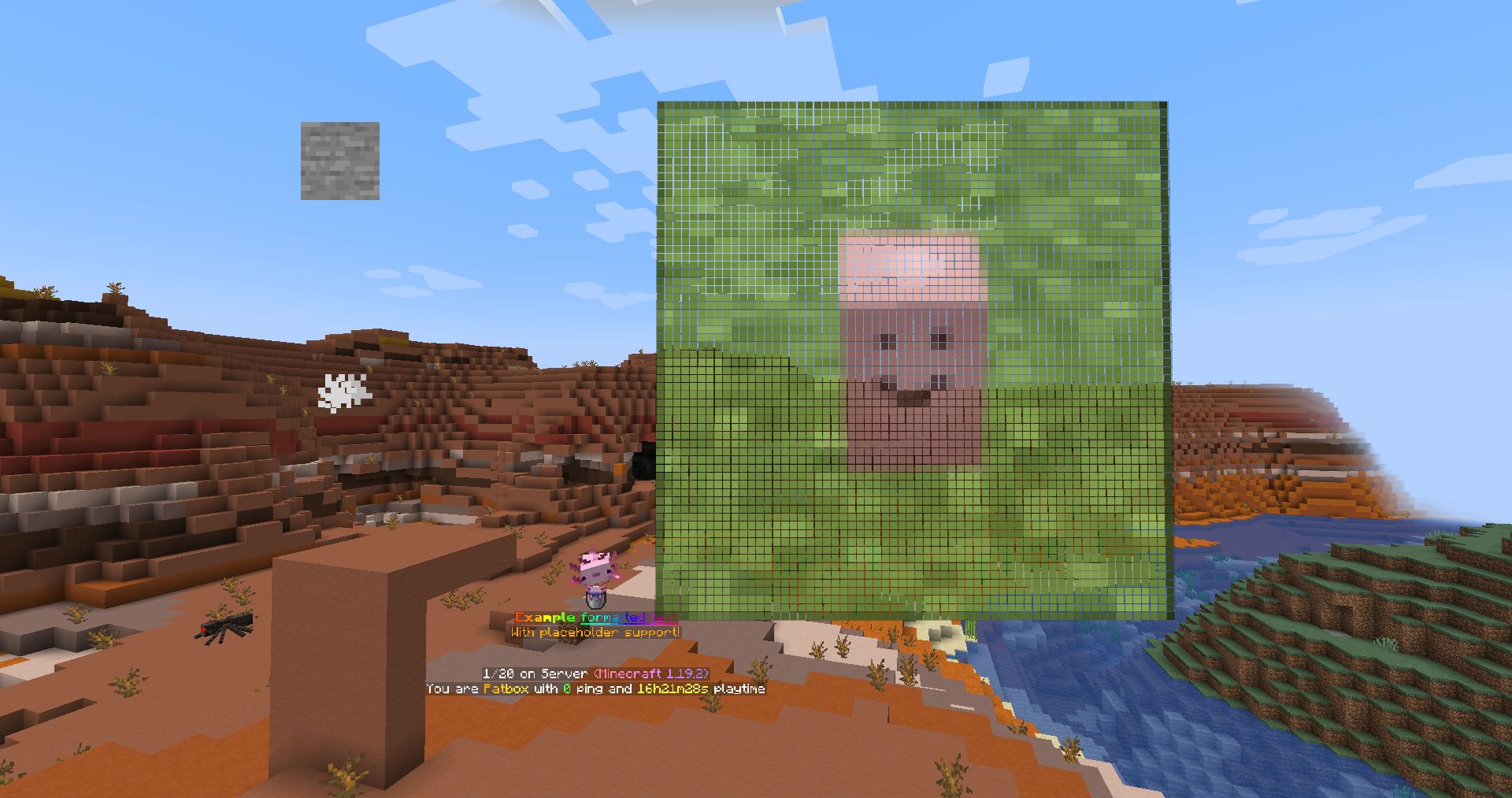
It's a simple mod that allows to create of server side holograms with full support for formatting and items.
Everything is created on packet level, which means commands or other mods shouldn't break them.
Formatting uses PlaceholderAPI's Text Parser for which docs you can find here.
It also supports usage of placeholders from Placeholder API.
If you have any questions, you can ask them on my Discord
You can download it from Modrinth or CurseForge.
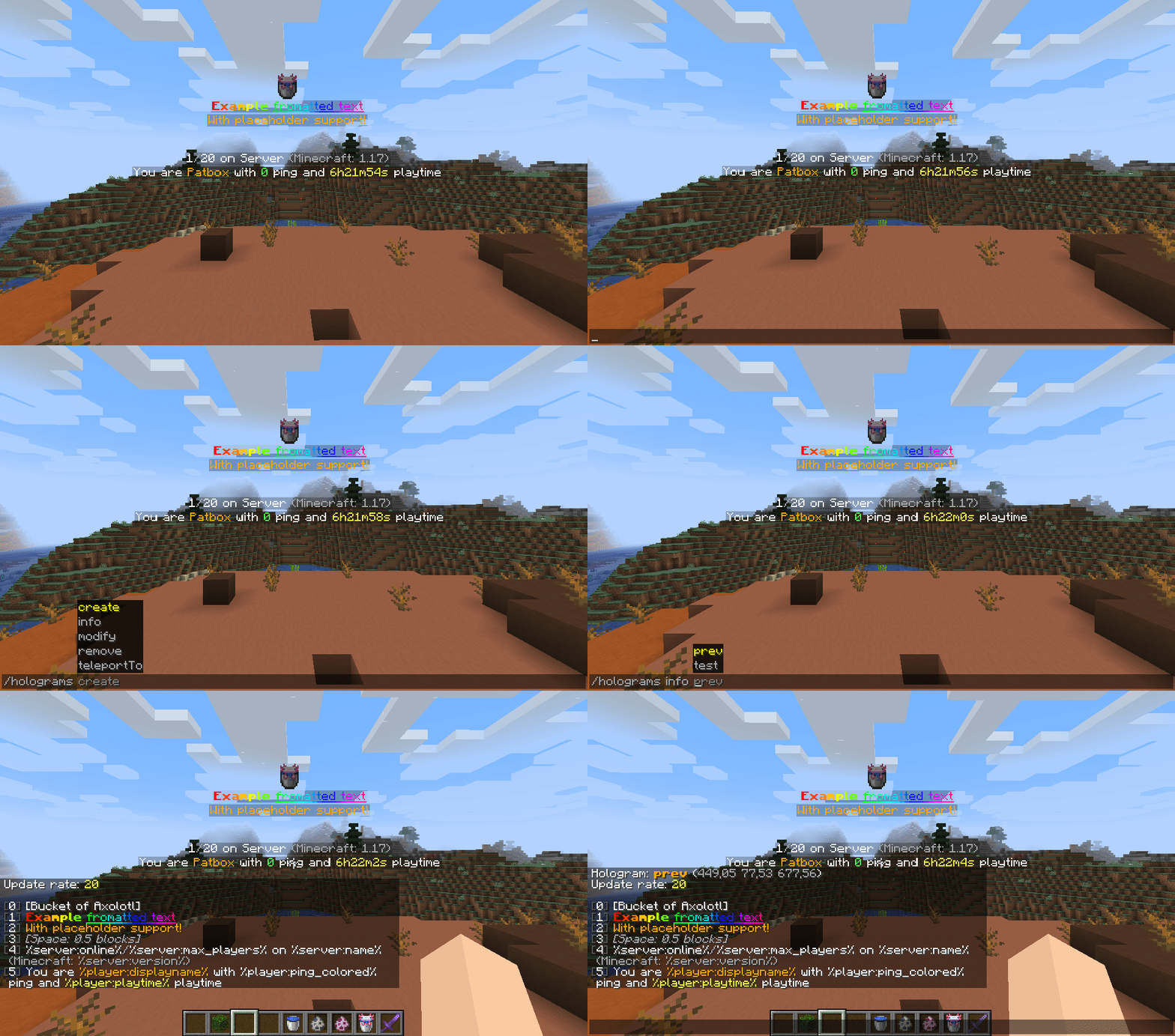
Supported line types:
- text - Simple formatted text
- text-long - Simple formatted text (visible on longer distance)
- item - Displays item (either rotating or static)
- entity - Displays entity
- particle - Displays a particle
- image - Displays an image
- execute - Invisible, clickable element executing commands
- space - Adds space between lines
Commands
You need to have holograms.admin and holograms.main permissions to use these commands.
Additionally, you need holograms.executable if you want to add commands to them.
You can also use /holo or /hd instead of /holograms
/holograms- Displays mod's version,/holograms create <id>- Creates new hologram,/holograms remove <id>- Removes selected hologram,/holograms teleportTo <id>- Teleports player to hologram,/holograms info <id>- Displays information about hologram,/holograms modify <id> ...- Modifies hologram:... update-rate <value>- Changes how much time (in ticks, 1 sec = 20 ticks) needs to pass before placeholders are updated,... position [<optional coords>]- Changes position of hologram... lines ...- Changes content of hologram:... set <position> <line value...>- Sets line to line value... add <line value...>- Adds line to the end... insert <position> <line value...>- Inserts line at position (moves everything after one line)... remove <position>- Removes line at position
Holograms API
If you are developer interested in using API, check Hologram API repository
Project description from Modrinth.
Pick your setup
Holograms by Minecraft version and loader
Choose the version and loader you play, then open the matching release.
Minecraft version
1.20
2 loader buildsMinecraft version
1.19.4-rc2
2 loader buildsMinecraft version
1.19.4
2 loader buildsMinecraft version
1.19.3-rc2
2 loader buildsMinecraft version
1.19.2
2 loader buildsMinecraft version
1.19.1
2 loader buildsMinecraft version
1.19-rc2
2 loader buildsMinecraft version
1.19
2 loader buildsMinecraft version
1.18.2
2 loader buildsMinecraft version
1.18.1
1 loader buildMinecraft version
1.18
1 loader buildShowing the newest 12 of 14 game versions. Older files are in the list below.
Check the dependencies, then try the file in a copied instance before changing a world you care about.
Recent files
Holograms versions and loaders
1.5.2+1.20-legacy-edition
holograms-1.5.2+1.20-legacy-edition.jar
12 Jun 2023
Client Not supported Server Required Dependencies No extras listed Listed on Release listing
Check the 1.20.1 · Fabric setup 1.201.20.1FabricQuilt release
1.5.1+1.19.4-legacy-edition
holograms-1.5.1+1.19.4-legacy-edition.jar
11 Mar 2023
Client Not supported Server Required Dependencies No extras listed Listed on Release listing
Check the 1.19.4-rc2 · Fabric setup 1.19.4-rc21.19.4FabricQuilt release
1.5.0+1.19.3
holograms-1.5.0+1.19.3.jar
5 Dec 2022
Client Not supported Server Required Dependencies No extras listed Listed on Release listing
Check the 1.19.3-rc2 · Fabric setup 1.19.3-rc2FabricQuilt release
1.4.0+1.19.2
holograms-1.4.0+1.19.2.jar
13 Sept 2022
Client Not supported Server Required Dependencies No extras listed Listed on Release listing
Check the 1.19.2 · Fabric setup 1.19.2FabricQuilt release
1.3.2+1.19.1
holograms-1.3.2+1.19.1.jar
27 Jul 2022
Client Not supported Server Required Dependencies No extras listed Listed on Release listing
Check the 1.19.2 · Fabric setup 1.19.11.19.2FabricQuilt release
1.3.2+1.19
holograms-1.3.2+1.19.jar
6 Jun 2022
Client Not supported Server Required Dependencies No extras listed Listed on Release listing
Check the 1.19-rc2 · Fabric setup 1.19-rc21.19FabricQuilt release
1.3.1+1.18.2
holograms-1.3.1+1.18.2.jar
28 Feb 2022
Client Not supported Server Required Dependencies No extras listed Listed on Release listing
Check the 1.18.2 · Fabric setup 1.18.2FabricQuilt release
1.3.1+1.18
holograms-1.3.1+1.18.jar
28 Nov 2021
Client Not supported Server Required Dependencies No extras listed Listed on Release listing
Check the 1.18.1 · Fabric setup 1.181.18.1Fabric release
1.3.0
holograms-1.3.0+1.17.1.jar
25 Jul 2021
Client Not supported Server Required Dependencies No extras listed Listed on Release listing
Check the 1.17.1 · Fabric setup 1.17.1Fabric release
1.2.1
holograms-1.2.1+1.17.1.jar
6 Jul 2021
Client Not supported Server Required Dependencies No extras listed Listed on Release listing
Check the 1.17.1 · Fabric setup 1.17.1Fabric release
1.2.0
holograms-1.2.0.jar
28 Jun 2021
Client Not supported Server Required Dependencies No extras listed Listed on Release listing
Check the 1.17 · Fabric setup 1.17Fabric release
1.1.1
holograms-1.1.1.jar
20 Jun 2021
Client Not supported Server Required Dependencies No extras listed Listed on Release listing
Check the 1.17 · Fabric setup 1.17Fabric release
Looking for an older file? The official Modrinth project page is in Resources.
 mod
mod CurseForge + Modrinth · Minecraft
Plague's Noisy Creepers
A client-side Fabric mod that adds footstep and idle sounds to creepers!
 mod
mod Modrinth · Minecraft
Nexa AI Chat
The Mod/Plugin Introduces Nexa Ai Agent into the Minecraft. Your sidekick in minecraft! Accessible from the chat. You can talk to it anytime, even ask it to do actions. it has all context of you and environment so when it talks, you better listen.
 mod
mod Modrinth · Minecraft
Litematica-Printer-Hana
litematica-printer, following multiple revisions by Hana