Mod Menu Needed by Now Playing 2.3.0-beta.1+26.2-pre-2
requiredMatching file found Matched file: 20.0.0-alpha.1
Modrinth · Minecraft mod
Displays a "Now Playing" popup whenever the music changes.
Quick answer
Now Playing 2.3.0-beta.1+26.2-pre-2 targets 26.2-pre-2 with Fabric. It must be installed on the client. Do not install it on the dedicated server. 1 required mod needs a matching file.
Where it goes
It must be installed on the client. Do not install it on the dedicated server.
This file is marked client-only.
2.3.0-beta.1+26.2-pre-2 on 26.2-pre-2. Every mod below is checked against that same setup.
Install Mod Menu, Text Placeholder API, Fabric API first, but 1 required mod has no matching file for this setup. Do not mix loader builds to force a match. 2 come through another mod in the chain.
2 extra mods were pulled in by other dependencies. Indented rows show who needs each one. We only count dependency files that match this setup. A file for another loader does not fill the gap.
Before you install it
Built for Now Playing 2.3.0-beta.1+26.2-pre-2 on 26.2-pre-2. Pick another file and the loader, install side or required mods may change.
Use 2.3.0-beta.1+26.2-pre-2. It targets 26.2-pre-2 with Fabric; another release may have different loader, side or dependency requirements.
Install Mod Menu, Text Placeholder API, Fabric API first, but 1 required mod has no matching file for this setup. Do not mix loader builds to force a match. 2 come through another mod in the chain.
It must be installed on the client. Do not install it on the dedicated server.
Use the “Get this file” button beside 2.3.0-beta.1+26.2-pre-2. It opens that exact file at the source.
About this project
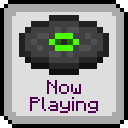
Shows a popup whenever the active music track changes.
Have you ever wondered what all the songs in Minecraft are actually called? Sure, you could check
the soundtrack to find out, but then you have to listen to every song, hoping it's the one you're
thinking of.
With this mod, wonder no more! A toast will pop up in the top right corner of your screen or just
above your hotbar (configurable), telling you what song you're about to listen to.
/nowplaying command is used.Now Playing supports changing which disc sprites are displayed for each background music track
via a resource pack. First, create a nowplaying folder in the assets folder of your pack,
and place a sprites.json file in that folder, as shown below.
assets
├── minecraft
└── nowplaying
    └── sprites.json
Next, populate the sprites.json file with key-value pairs, where the key is the music resource
location (or part thereof), and the value is the sprite location, as shown below.
{
    "minecraft:music/game":                   "minecraft:textures/item/music_disc_cat",
    "minecraft:music/game/creative":          "minecraft:textures/item/music_disc_blocks",
    "minecraft:music/game/creative/taswell":  "minecraft:textures/item/music_disc_chirp",
    "minecraft:music/game/nether":            "minecraft:textures/item/music_disc_pigstep"
}
If you only specify part of a music resource location, the corresponding disc will be shown for
all music tracks in that location, except those that have a more specific definition. In the
example above:
game folder will use the cat sprite, except;creative folder, which will use the blocks sprite, except;taswell track , which will use the chirp spritenether folder, which will use the pigstep sprite.You can use any existing music disc sprite, or any sprite provided by a resourcepack.
If you have a resource pack that adds custom background music, you can specify titles using a
translation file (e.g. en_us.json). First, create a nowplaying folder in the assets folder
of your pack, create a lang folder inside, and place a translation file in that folder, as shown
below.
assets
├── minecraft
└── nowplaying
    └── lang
        └── en_us.json
Next, populate the translation file with key-value pairs, where the key is the music resource
location, prefixed with nowplaying, and the value is the translated title of the track, as
shown below.
{
    "nowplaying.minecraft:music/game/a_familiar_room":     "Aaron Cherof - A Familiar Room",
    "nowplaying.minecraft:music/game/an_ordinary_day":     "Kumi Tanioka - An Ordinary Day",
    "nowplaying.minecraft:music/game/ancestry":            "Lena Raine - Ancestry",
    "nowplaying.minecraft:music/game/clark":               "C418 - Clark",
    "nowplaying.minecraft:music/game/creative/aria_math":  "C418 - Aria Math"
}
Old translation files which use the music.nowplaying.[name] format are still supported, but
have a lower priority than the new format.
Project description from Modrinth.
Pick your setup
Choose the version and loader you play, then open the matching release.
Showing the newest 12 of 24 game versions. Older files are in the list below.
Check the dependencies, then try the file in a copied instance before changing a world you care about.
Recent files
nowplaying-fabric-2.3.0-beta.1+26.2-pre-2.jar
31 May 2026
Looking for an older file? The official Modrinth project page is in Resources.








