Minecraft version
Back to mods 
Modrinth · Minecraft mod
Kerria
Faster texture animation
Choose a version Pick your version below, then grab the matching file.
Quick answer
Which Kerria release should I use?
Latest stable file 1.3.2+1.21.1-neoforge
Game version 1.21.1
Loader NeoForge
Kerria 1.3.2+1.21.1-neoforge targets 1.21.1 with NeoForge. It must be installed on the client. Do not install it on the dedicated server. No extra mods listed for this file.
Where it goes
Is Kerria required on the client, server, or both?
It must be installed on the client. Do not install it on the dedicated server.
Client Required
Dedicated server Not supported
Loader for this release NeoForge
Required install it here Optional supported, not mandatory Not supported do not install here Source doesn’t say do not assume
This file is marked client-only.
What else does Kerria 1.3.2+1.21.1-neoforge need?
1.3.2+1.21.1-neoforge. Change the file and its required mods may change too.
This file does not list any required mods. Do not add a library just because a different file uses it.
This file does not list any required or optional mods.
Before you install it
Add Kerria without breaking your instance.
Built for Kerria 1.3.2+1.21.1-neoforge. Pick another file and the loader, install side or required mods may change.
- 01
Stick to this file
Use 1.3.2+1.21.1-neoforge. It targets 1.21.1 with NeoForge; another release may have different loader, side or dependency requirements.
- 02
Bring the mods it needs
This file does not list any required mods. Do not add a library just because a different file uses it.
- 03
Put it on the correct side
It must be installed on the client. Do not install it on the dedicated server.
- 04
Pick the file you checked
Use the “Get this file” button beside 1.3.2+1.21.1-neoforge. It opens that exact file at the source.
About this project
What does Kerria add?
Kerria
Overview
Kerria is a mod that optimizes texture animations.
In vanilla Minecraft, texture animations are handled rather inefficiently. Each time a texture is updated, it is uploaded onto the atlas via the slow glTexSubImage2D, which involves CPU->GPU upload and may potentially incur a pipeline stall.
This mod adds two optimizations to reduce the performance impact of animated textures:
- Texture Animation Cache. Instead of performing an upload each time, we can cache non-interpolated animated textures once they are uploaded to the GPU. When the texture is subsequently needed, it is applied with a very fast GPU-to-GPU copy.
- Fast Texture Upload. Optimize texture upload performance with persistently mapped buffers and pixel buffer objects.
The optimizations can be configured through the Sodium/Embeddium video settings screen.
FAQs
Is this compatible with Sodium/Embeddium's "Animate Only Visible Textures" option?
Yes. That option improves performance by skipping uploading animated textures that are invisible, while this mod actually speeds up the process of uploading animated textures.
Project description from Modrinth.
Pick your setup
Kerria by Minecraft version and loader
Choose the version and loader you play, then open the matching release.
Minecraft version
1.20.6
1 loader buildMinecraft version
1.20.5
1 loader buildMinecraft version
1.20.4
1 loader buildMinecraft version
1.20.3
1 loader buildMinecraft version
1.20.2
1 loader buildMinecraft version
1.20.1
2 loader buildsMinecraft version
1.20
1 loader buildMinecraft version
1.19.4
1 loader buildMinecraft version
1.19.3
1 loader buildMinecraft version
1.19.2
2 loader buildsMinecraft version
1.19.1
1 loader buildShowing the newest 12 of 15 game versions. Older files are in the list below.
Check the dependencies, then try the file in a copied instance before changing a world you care about.
Recent files
Kerria versions and loaders
1.3.2+1.21.1-neoforge
Kerria-1.3.2+1.21.1-neoforge.jar
3 Jul 2026
Client Required Server Not supported Dependencies No extras listed Listed on Release listing
Check the 1.21.1 · NeoForge setup 1.21.1NeoForge release
1.3.2+1.21.1-fabric
Kerria-1.3.2+1.21.1-fabric.jar
3 Jul 2026
Client Required Server Not supported Dependencies No extras listed Listed on Release listing
Check the 1.21.1 · Fabric setup 1.21.1Fabric release
1.3.2+1.20.1-forge
Kerria-1.3.2+1.20.1-forge.jar
3 Jul 2026
Client Required Server Not supported Dependencies No extras listed Listed on Release listing
Check the 1.20.1 · Forge setup 1.20.1Forge release
1.3.2+1.20.1-fabric
Kerria-1.3.2+1.20.1-fabric.jar
3 Jul 2026
Client Required Server Not supported Dependencies No extras listed Listed on Release listing
Check the 1.20.6 · Fabric setup 1.19.31.19.41.201.20.1 release
1.3.2+1.19.2-forge
Kerria-1.3.2+1.19.2-forge.jar
3 Jul 2026
Client Required Server Not supported Dependencies No extras listed Listed on Release listing
Check the 1.19.2 · Forge setup 1.19.2Forge release
1.3.2+1.19.2-fabric
Kerria-1.3.2+1.19.2-fabric.jar
3 Jul 2026
Client Required Server Not supported Dependencies No extras listed Listed on Release listing
Check the 1.19.4 · Fabric setup 1.19.21.19.31.19.4Fabric release
1.3.2+1.18.2-forge
Kerria-1.3.2+1.18.2-forge.jar
3 Jul 2026
Client Required Server Not supported Dependencies No extras listed Listed on Release listing
Check the 1.18.2 · Forge setup 1.18.2Forge release
1.3.2+1.18.2-fabric
Kerria-1.3.2+1.18.2-fabric.jar
3 Jul 2026
Client Required Server Not supported Dependencies No extras listed Listed on Release listing
Check the 1.18.2 · Fabric setup 1.18.2Fabric release
1.3.2+1.16.5-forge
Kerria-1.3.2+1.16.5-forge.jar
3 Jul 2026
Client Required Server Not supported Dependencies No extras listed Listed on Release listing
Check the 1.16.5 · Forge setup 1.16.5Forge release
1.3.2+1.16.5-fabric
Kerria-1.3.2+1.16.5-fabric.jar
3 Jul 2026
Client Required Server Not supported Dependencies No extras listed Listed on Release listing
Check the 1.16.5 · Fabric setup 1.16.5Fabric release
1.3.1+1.21.1-neoforge
Kerria-1.3.1+1.21.1-neoforge.jar
17 Jun 2026
Client Required Server Not supported Dependencies No extras listed Listed on Release listing
Check the 1.21.1 · NeoForge setup 1.21.1NeoForge release
1.3.1+1.21.1-fabric
Kerria-1.3.1+1.21.1-fabric.jar
17 Jun 2026
Client Required Server Not supported Dependencies No extras listed Listed on Release listing
Check the 1.21.1 · Fabric setup 1.21.1Fabric release
Looking for an older file? The official Modrinth project page is in Resources.
 mod
mod CurseForge + Modrinth · Minecraft
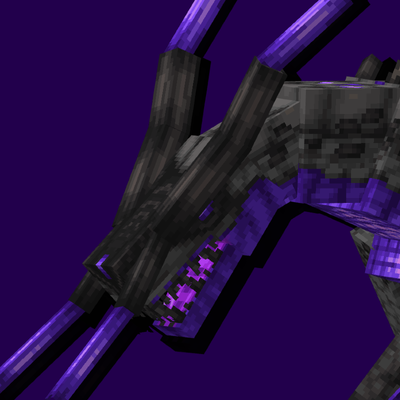
Saint's Dragons
Adds animated dragons that can do things
 mod
mod CurseForge + Modrinth · Minecraft
Immersive Technology
Energy Technology addon for Immersive Engineering
 mod
mod CurseForge · Minecraft
Big Randy
A Mod based off the Popular DigBar YouTube series, Big Randy.