Prism Optional for Loot Beams Up 5.2.1+26.3
optionalMatching file found Matched file: 1.1.3

Modrinth · Minecraft mod
Loot beams for items
Quick answer
Loot Beams Up 5.2.1+26.3 targets 26.3 with NeoForge. It must be installed on the client. Do not install it on the dedicated server. No extra mods listed for this file.
Where it goes
It must be installed on the client. Do not install it on the dedicated server.
This file is marked client-only.
5.2.1+26.3. Change the file and its required mods may change too.
This file does not list any required mods. Do not add a library just because a different file uses it.
We only count dependency files that match this setup. A file for another loader does not fill the gap.
Before you install it
Built for Loot Beams Up 5.2.1+26.3. Pick another file and the loader, install side or required mods may change.
Use 5.2.1+26.3. It targets 26.3 with NeoForge; another release may have different loader, side or dependency requirements.
This file does not list any required mods. Do not add a library just because a different file uses it.
It must be installed on the client. Do not install it on the dedicated server.
Use the “Get this file” button beside 5.2.1+26.3. It opens that exact file at the source.
About this project
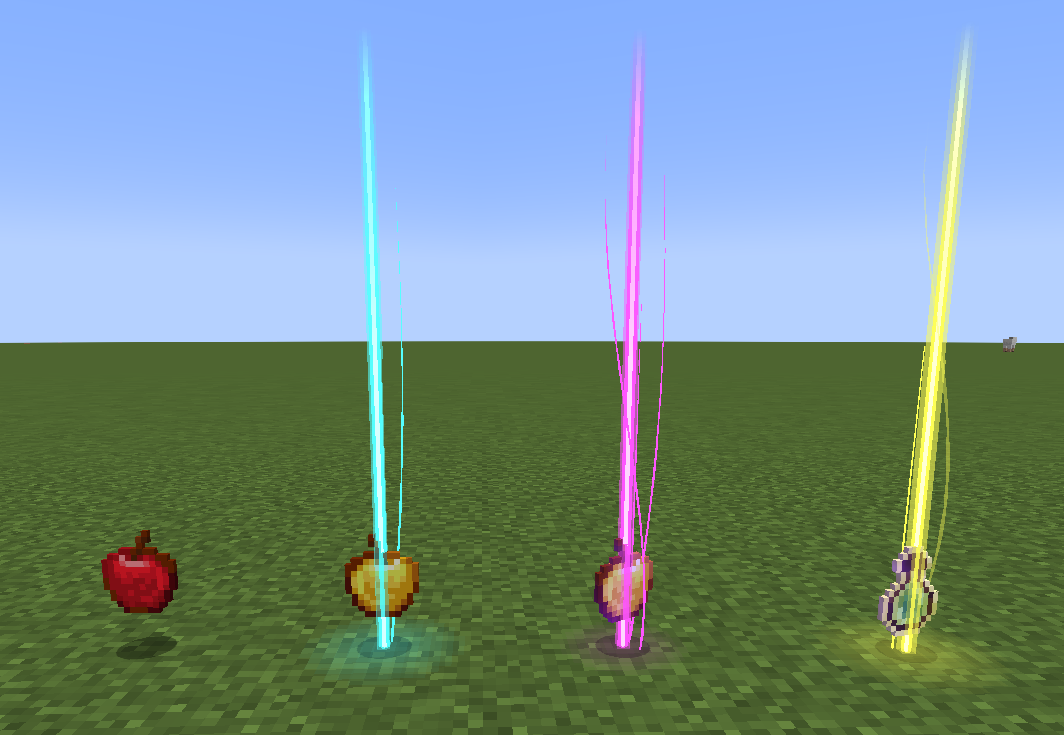
A 1.21 Fabric client-side Minecraft mod that adds colorful and customizable loot beams to dropped items!
Loot Beams are added to all items by default and they change colors depending on the items name. You can, however, specify a whitelist/blacklist for Beams, color overrides, and even NBT tags to change their color! (like "lootbeams.color:"0xFFFFFF").
Beams also have nametags that show up when looking at an item or crouching so you can see what an item is without even picking it up. This mod is client-side, meaning it will run on vanilla servers and forge servers that do not have this mod installed!
Also this version fixes many bugs of original version:
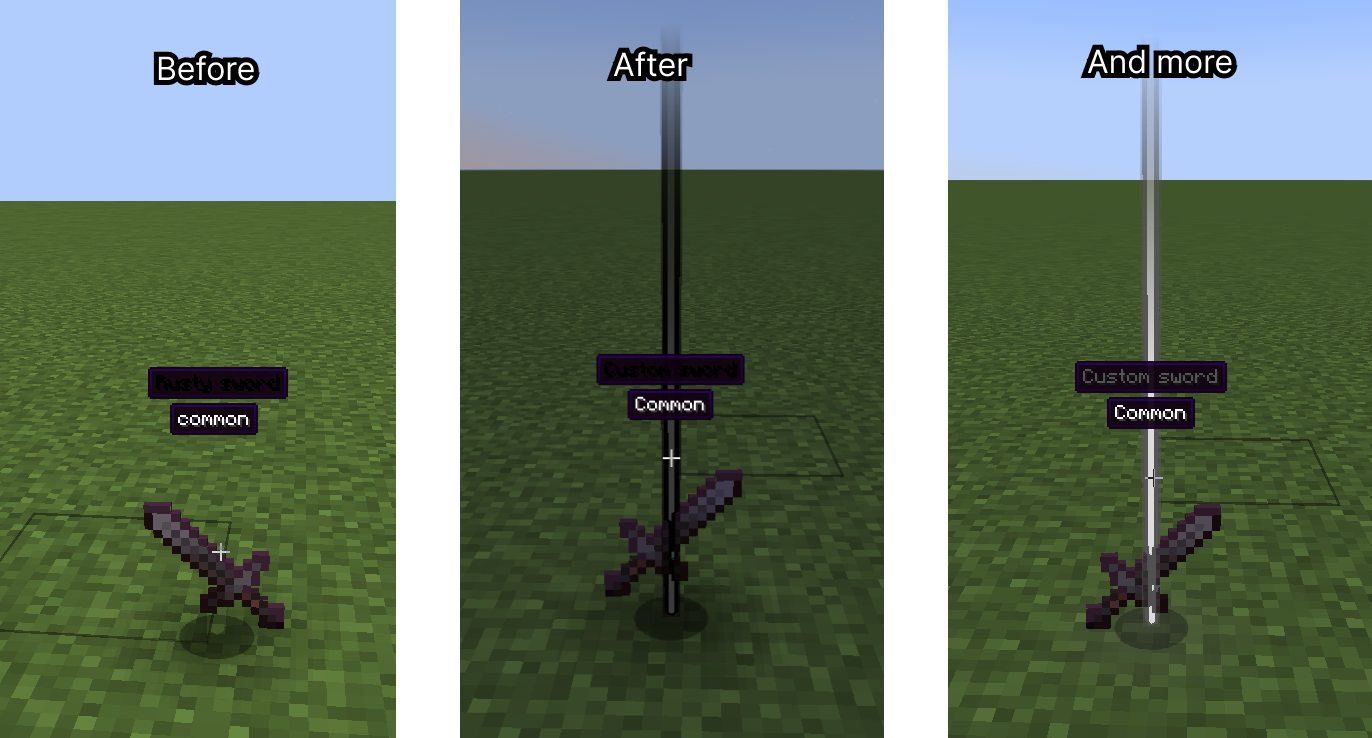
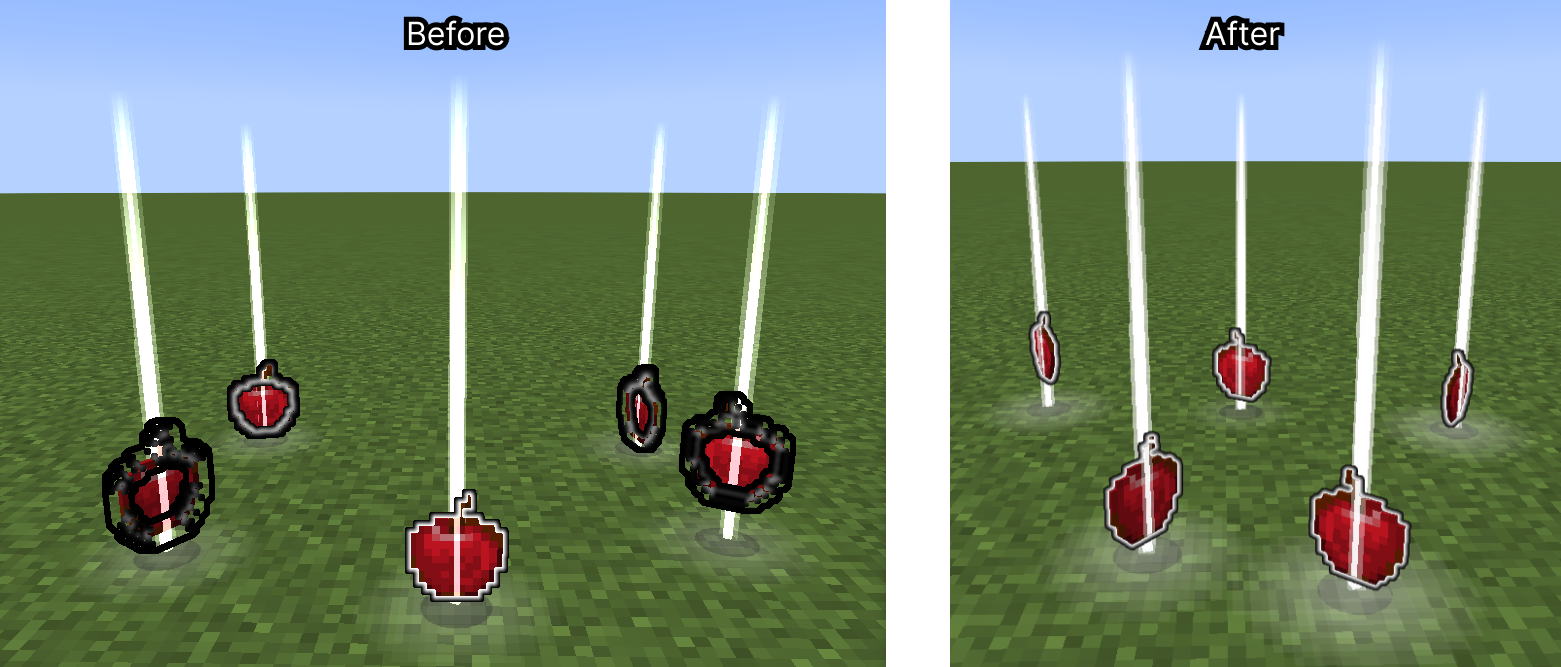
And implement new features:
{custom_rarity:{name:"Legendary",color:"#FF9900"}}{custom_rarity:{name:"my.custom.rarity.legendary",color:"#FF9900"}}New features:
Droplight (like in Droplights mod)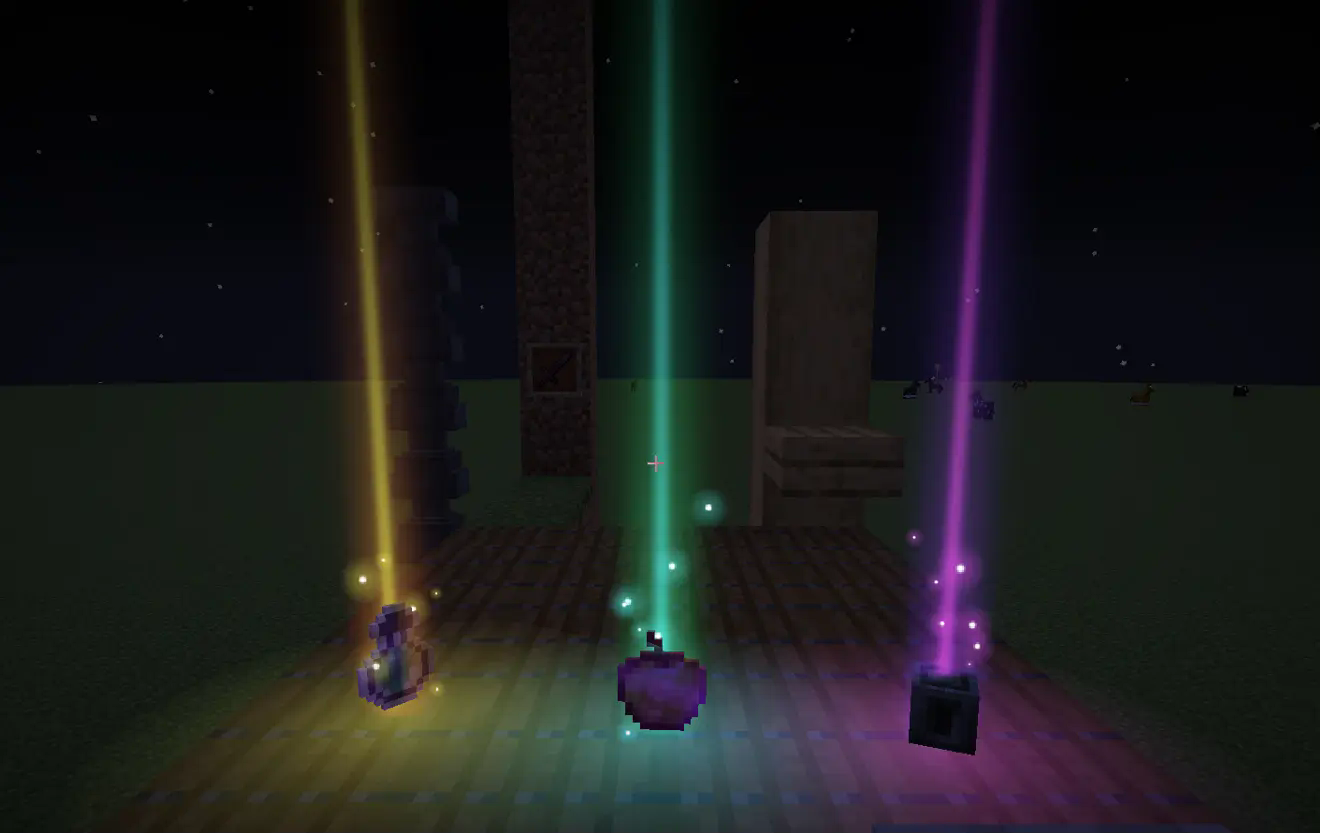
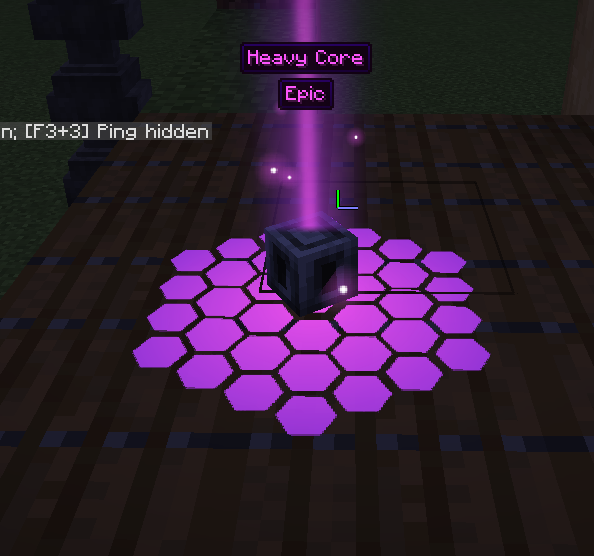
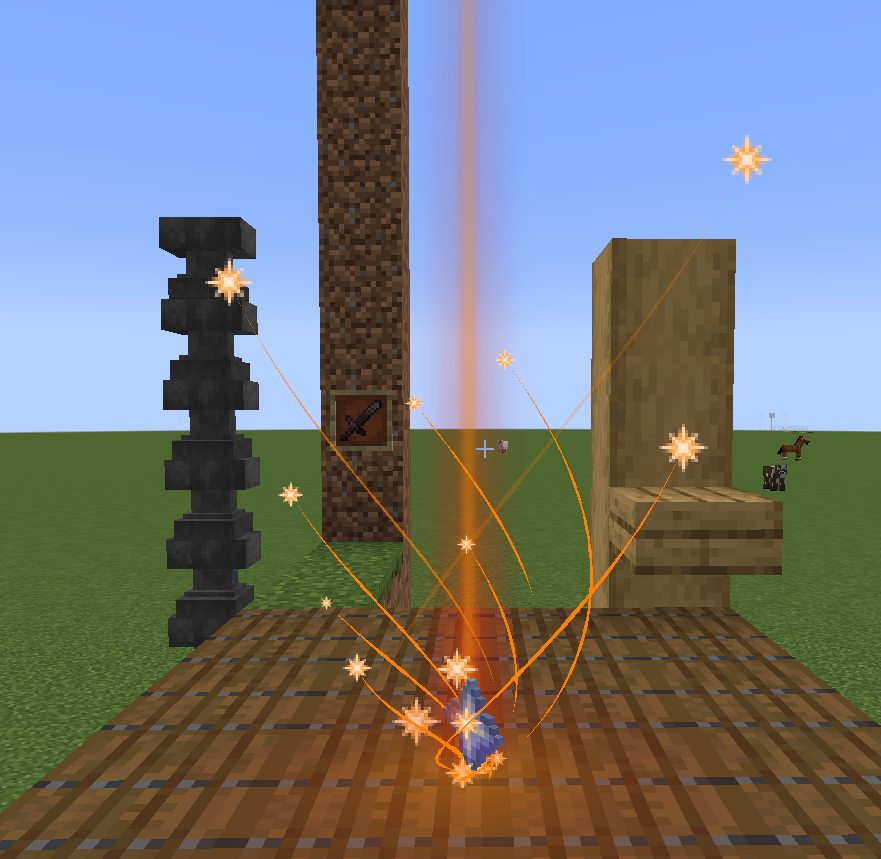
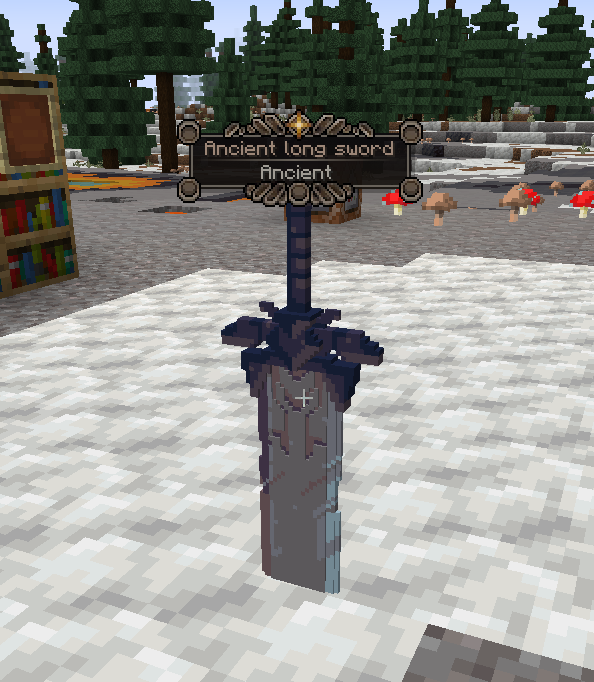
_colored postfix, example: cake_colored.png)Added a resource pack example.
assets/lootbeams/textures/ground_glow_effects/

assets/lootbeams/textures/particle/. Particles can be animated with .mcmeta file.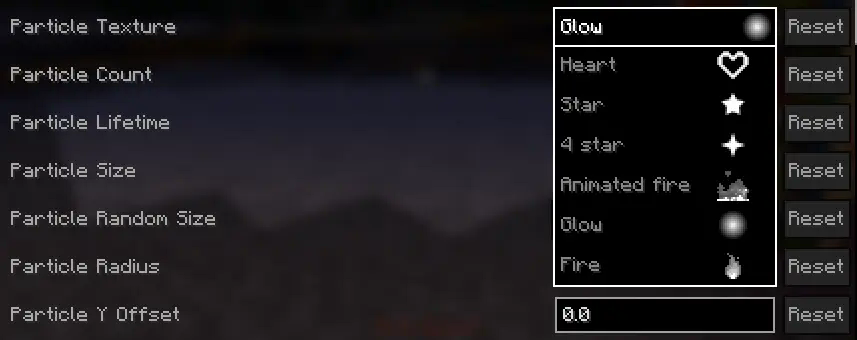
assets/lootbeams/custom_rarities.jsoncustom_rarity_id (String)custom_rarity_id and custom_rarity are set, custom_rarity will take priority/lootbeams item-custom-config available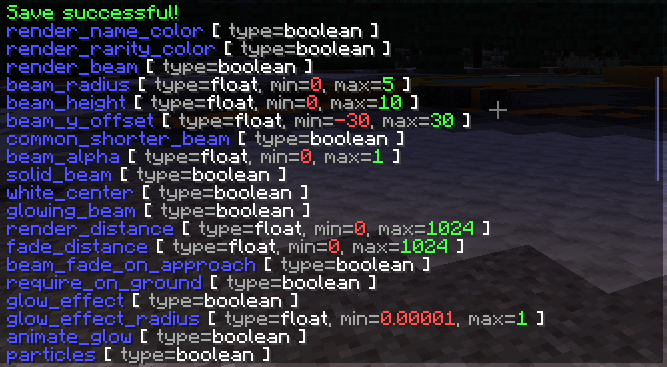
Below are some examples of beam configuration with the new features.
custom_rarities.json example:
{
    "custom_rarities": [
        {
            "id": "snowy",
            "name": "Snowy", // also may be a translation string
            "color": "#ddeeff",
            "config": {
                "trails": false,
                "particle_use_constant_vertical_speed": true,
                "render_name_color": false,
                "render_rarity_color": true,
                "particle_random_y": false,
                "particle_y_offset": 2,
                "particle_lifetime": 40,
                "particle_size": 0.5,
                "particle_speed": 0.00001,
                "particle_speed_x": 0.1,
                "particle_speed_y": -0.004,
                "particle_speed_z": 0.1,
                "particle_count": 10,
                "pulse_glow": false,
                "rotate_glow": false,
                "glow_effect_texture": "lootbeams:vortex_2", // For this effect you need resource pack example (listed below)
                "glow_effect_radius": 1,
                "glow_effect_alpha": 1
            },
            "selectors": [ // Applies this rarity to all items cantains "snow" in name
                "%Snow", "%snow"
            ]
        },
        {
            "id": "fire_infused",
            "name": "Fire infused", // also may be a translation string
            "color": "#ff4400",
            "animated_color": "2_#ff4400_#ff0000_#ffff00", // Can be used if Prism installed
            "config": {
                "trails": false,
                "render_name_color": false,
                "render_rarity_color": true,
                "particle_random_y": false,
                "spin_around_beam": false,
                "particle_texture": "lootbeams:animated_fire",
                "particle_size": 2,
                "particle_radius": 0.4,
                "particle_speed": 0.00001,
                "particle_speed_y": 0,
                "particle_count": 20,
                "pulse_glow": true,
                "rotate_glow": false,
                "glow_effect_texture": "lootbeams:glow",
                "pulse_glow_min_alpha": 0.6,
                "pulse_glow_max_alpha": 0.8,
                "pulse_glow_min_radius": 0.75,
                "pulse_glow_max_radius": 1
            },
            "selectors": [ // Applies this rarity to all items cantains "Nether" in name, and excludes "erite" (netherite), "Wart", "Sprouts", "Star" and "Quartz"
                "%ether+~%erite+~%Wart+~%Sprouts+~%Star+~%Quartz"
            ]
        },
        {
            "id": "love",
            "name": "Love", // also may be a translation string
            "color": "#ff6666",
            "config": {
                "beam_height": 3,
                "beam_alpha": 0.6,
                "trails": false,
                "render_name_color": false,
                "render_rarity_color": true,
                "particle_texture": "lootbeams:heart",
                "particle_size": 1,
                "particle_speed_y": 0.0003,
                "particle_count": 20
            },
            "selectors": [ // Applies this rarity to pink bed
                "minecraft:pink_bed"
            ]
        },
        {
            "id": "---emerald---",
            "name": "---emerald---",
            "color": "#40ff80",
            "config": {
                "render_item_rarity": false,
                "pulse_glow": false,
                "rotate_glow": false,
                "glow_effect_texture": "lootbeams:tech_1", // For this effect you need resource pack example (listed below)
                "glow_effect_radius": 1,
                "glow_effect_alpha": 1
            },
            "selectors": [ // Applies this rarity to emerald
                "minecraft:emerald"
            ]
        }
    ]
}
Snowy rarity effect:
minecraft:custom_data { // If version < 1.20.5 then "tag:"
  custom_rarity_id: "snowy"
}

Fire infused rarity effect:
minecraft:custom_data { // If version < 1.20.5 then "tag:"
  custom_rarity_id: "fire_infused"
}

Love rarity effect:
minecraft:custom_data { // If version < 1.20.5 then "tag:"
  custom_rarity_id: "love"
}

Smoke rarity effect:
minecraft:custom_data { // If version < 1.20.5 then "tag:"
  custom_rarity_id: "smoke"
}

Multiple configs at the same time:

Project description from Modrinth.
Pick your setup
Choose the version and loader you play, then open the matching release.
Showing the newest 12 of 16 game versions. Older files are in the list below.
Check the dependencies, then try the file in a copied instance before changing a world you care about.
Recent files
lootbeamsup-neoforge-5.2.1+26.3.jar
8 Nov 2026
lootbeamsup-fabric-5.2.1+26.3.jar
8 Nov 2026
lootbeamsup-fabric-5.2.0+1.21.11.jar
8 Nov 2026
lootbeamsup-forge-5.2.0+1.21.11.jar
8 Nov 2026
lootbeamsup-neoforge-5.2.0+1.21.11.jar
8 Nov 2026
lootbeamsup-fabric-5.2.0+26.1.2.jar
8 Nov 2026
lootbeamsup-neoforge-5.2.0+26.1.2.jar
8 Nov 2026
lootbeamsup-neoforge-5.2.0+26.2.jar
8 Nov 2026
lootbeamsup-fabric-5.2.0+26.2.jar
8 Nov 2026
lootbeamsup-fabric-5.2.0+26.3.jar
8 Nov 2026
lootbeamsup-neoforge-5.2.0+26.3.jar
8 Nov 2026
lootbeamsup-neoforge-5.1.2+26.3.jar
8 Nov 2026
Looking for an older file? The official Modrinth project page is in Resources.
 mod
Spill blood for power. Altars that consume life, sigils that bend the world, custom demons in an endless dungeon, sentient armor that drinks souls, a shield that pays your damage in essentia. Datapack-driven from the ground up.
 mod
Simple Tracking Compass is a Minecraft mod that adds a Compass to the top-left corner of your screen which lets you track other players.
 mod
Putting more Magic in your Blood Magic.