Minecraft version
Back to mods 
Modrinth · Minecraft mod
Saro´s Creative Tab
You can add All Items you want to your own Custom Creative Tabs
Choose a version Pick your version below, then grab the matching file.
Quick answer
Which Saro´s Creative Tab release should I use?
Latest stable file 2.1.4-forge-26.3
Game version 26.3
Loader Forge
Saro´s Creative Tab 2.1.4-forge-26.3 targets 26.3 with Forge. It must be installed on the client. Do not install it on the dedicated server. No extra mods listed for this file.
Where it goes
Is Saro´s Creative Tab required on the client, server, or both?
It must be installed on the client. Do not install it on the dedicated server.
Client Required
Dedicated server Not supported
Loader for this release Forge
Required install it here Optional supported, not mandatory Not supported do not install here Source doesn’t say do not assume
This file is marked client-only.
What else does Saro´s Creative Tab 2.1.4-forge-26.3 need?
2.1.4-forge-26.3. Change the file and its required mods may change too.
This file does not list any required mods. Do not add a library just because a different file uses it.
This file does not list any required or optional mods.
Before you install it
Add Saro´s Creative Tab without breaking your instance.
Built for Saro´s Creative Tab 2.1.4-forge-26.3. Pick another file and the loader, install side or required mods may change.
- 01
Stick to this file
Use 2.1.4-forge-26.3. It targets 26.3 with Forge; another release may have different loader, side or dependency requirements.
- 02
Bring the mods it needs
This file does not list any required mods. Do not add a library just because a different file uses it.
- 03
Put it on the correct side
It must be installed on the client. Do not install it on the dedicated server.
- 04
Pick the file you checked
Use the “Get this file” button beside 2.1.4-forge-26.3. It opens that exact file at the source.
About this project
What does Saro´s Creative Tab add?

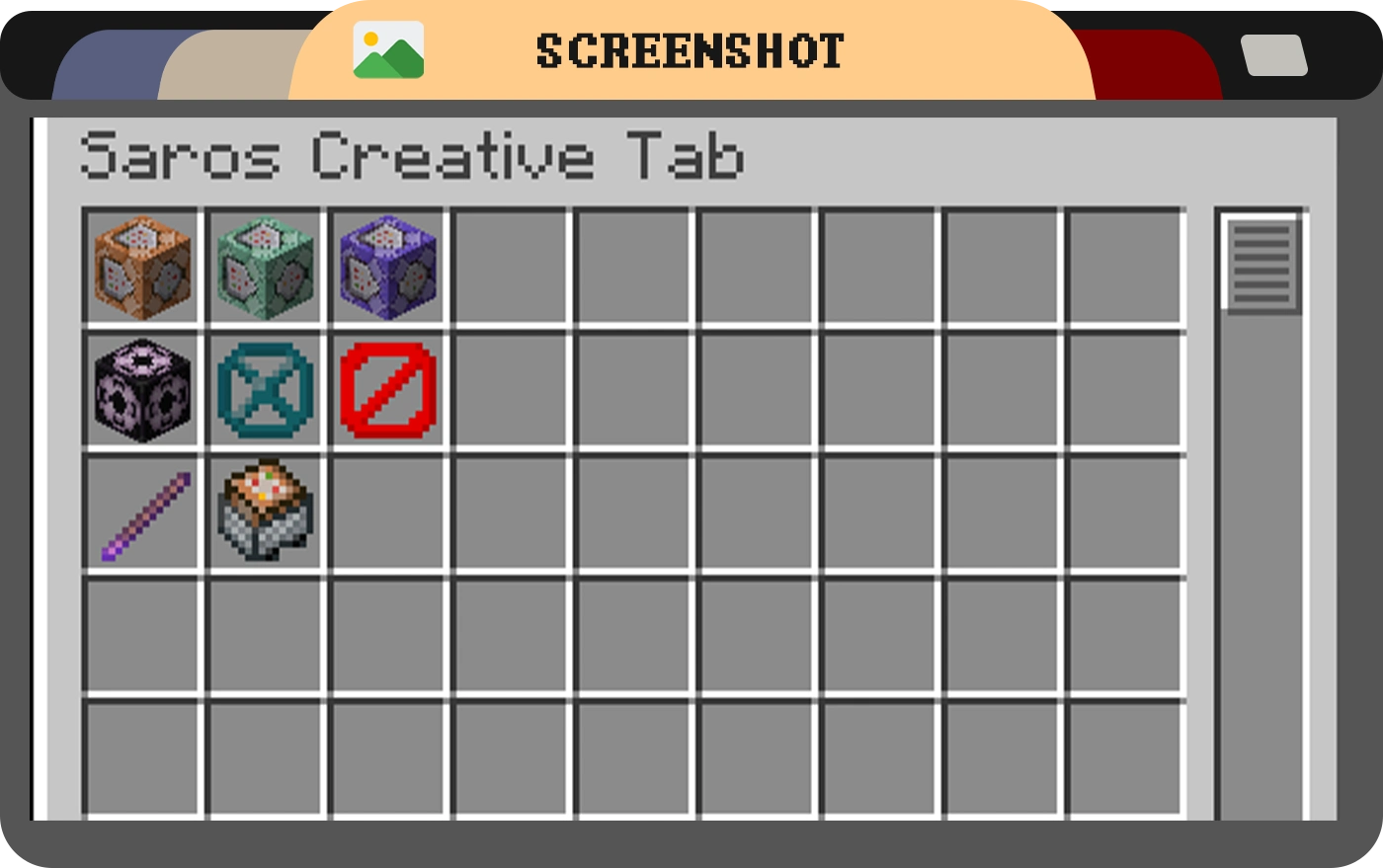
The Saros Creative Tab mod adds a custom creative tab to Minecraft, allowing players to easily access essential vanilla items like the Command Block and Barrier, which are not available in the default creative inventory.
For version 1.20.1 and above, this mod features a powerful Dynamic Custom Tab Management System that allows server administrators to create, manage, and configure multiple custom creative tabs through in-game commands!

Features (Version 1.19.4 and earlier)
- Custom Creative Tab: A new tab named "Saros Creative Tab" is added to the creative inventory, this tab adds Vanilla Items like Command blocks and more.
Features (Version 1.20.1+)
- Dynamic Tab Creation: Create unlimited custom creative tabs with unique names and icons
- Command-Based Management: Full control through intuitive in-game commands
- Item Organization: Add, remove, and organize items in your custom tabs
- Permission System: Configurable permission levels for tab management (per-tab and global)
- Server Synchronization: All players see the same custom tabs configured by administrators
- Persistent Storage: Custom tabs are saved and persist across server restarts
- Flexible Configuration: Configure default permissions and behavior through config files
Commands (1.20.1+)
/customtab create <id> <displayName> <icon>- Create a new custom tab/customtab delete <id>- Delete a custom tab/customtab list- List all custom tabs/customtab add <tabId> <item>- Add an item to a tab/customtab remove <tabId> <item>- Remove an item from a tab/customtab items <tabId>- List all items in a tab/customtab rename <tabId> <newName>- Rename a tab/customtab seticon <tabId> <icon>- Change a tab's icon/customtab setpermission <tabId> <permission>- Set tab-specific permissions/customtab reload- Reload tabs and configuration from files/customtab help- Display command help
Permission Levels (1.20.1+)
- EVERYONE - All players can manage the tab (default for tab modification)
- OP_LEVEL_2 - Only operators with level 2+ (default for tab creation/deletion)
- OP_LEVEL_3 - Only operators with level 3+
- OP_LEVEL_4 - Only operators with level 4 (server owner)
Permissions can be configured globally in the config file or per-tab using commands.
Note: Changes to tabs require rejoining the world to take effect in the creative inventory.

- 1.21.1 Forge/Fabric/NeoForge (New Dynamic Tab Management System)
- 1.20.1 Forge/Fabric/NeoForge (New Dynamic Tab Management System)
- 1.19.4
- 1.19.2
- 1.18.2
- 1.16.5
Port wishes welcome

Connect with us on Discord and be part of the Saro's Mod community!

Project Support & Usage
Hosting: For the best performance, I recommend using BisectHosting linked in the banner.
Modpacks: You are free to include my work in any modpack. Please ensure proper credit is given by providing a link to this project page.
Project description from Modrinth.
Pick your setup
Saro´s Creative Tab by Minecraft version and loader
Choose the version and loader you play, then open the matching release.
Minecraft version
26.2
3 loader buildsMinecraft version
1.21.1
3 loader buildsMinecraft version
1.20.6
2 loader buildsMinecraft version
1.20.5
2 loader buildsMinecraft version
1.20.4
2 loader buildsMinecraft version
1.20.3
2 loader buildsMinecraft version
1.20.2
2 loader buildsMinecraft version
1.20.1
3 loader buildsMinecraft version
1.19.4
1 loader buildMinecraft version
1.19.2
1 loader buildMinecraft version
1.18.2
1 loader buildShowing the newest 12 of 13 game versions. Older files are in the list below.
Check the dependencies, then try the file in a copied instance before changing a world you care about.
Recent files
Saro´s Creative Tab versions and loaders
2.1.4-forge-26.3
Saros-Creative-Tab-Forge-26.3-2.1.4.jar
22 Sept 2026
Client Required Server Not supported Dependencies No extras listed Listed on Release listing
Check the 26.3 · Forge setup 26.3Forge release
2.1.3
Saros-Creative-Tab-NeoForge-26.3-2.1.3.jar
20 Sept 2026
Client Required Server Not supported Dependencies No extras listed Listed on Release listing
Check the 26.3 · NeoForge setup 26.3NeoForge release
2.1.2
Saros-Creative-Tab-Fabric-26.3-2.1.2.jar
19 Sept 2026
Client Required Server Not supported Dependencies No extras listed Listed on Release listing
Check the 26.3 · Fabric setup 26.3Fabric release
2.1.1
Saros-Creative-Tab-Fabric-26.2-2.1.1.jar
15 Jul 2026
Client Required Server Not supported Dependencies No extras listed Listed on Release listing
Check the 26.2 · Fabric setup 26.2Fabric release
2.1.1
Saros-Creative-Tab-NeoForge-26.2-2.1.1.jar
15 Jul 2026
Client Required Server Not supported Dependencies No extras listed Listed on Release listing
Check the 26.2 · NeoForge setup 26.2NeoForge release
2.1.1
Saros-Creative-Tab-Forge-26.2-2.1.1.jar
15 Jul 2026
Client Required Server Not supported Dependencies No extras listed Listed on Release listing
Check the 26.2 · Forge setup 26.2Forge release
2.1.1
Saros-Creative-Tab-Fabric-1.21.1-2.1.1.jar
15 Jul 2026
Client Required Server Not supported Dependencies No extras listed Listed on Release listing
Check the 1.21.1 · Fabric setup 1.21.1Fabric release
2.1.1
Saros-Creative-Tab-NeoForge-1.21.1-2.1.1.jar
15 Jul 2026
Client Required Server Not supported Dependencies No extras listed Listed on Release listing
Check the 1.21.1 · NeoForge setup 1.21.1NeoForge release
2.1.1
Saros-Creative-Tab-Forge-1.21.1-2.1.1.jar
15 Jul 2026
Client Required Server Not supported Dependencies No extras listed Listed on Release listing
Check the 1.21.1 · Forge setup 1.21.1Forge release
2.0.2
Saros-Creative-Tab-Fabric-1.20.1-2.0.2.jar
15 Jul 2026
Client Required Server Not supported Dependencies No extras listed Listed on Release listing
Check the 1.20.1 · Fabric setup 1.20.1Fabric release
2.0.2
Saros-Creative-Tab-Forge-1.20.1-2.0.2.jar
15 Jul 2026
Client Required Server Not supported Dependencies No extras listed Listed on Release listing
Check the 1.20.1 · Forge setup 1.20.1ForgeNeoForge release
2.1.0
saroscreativetab-2.1.0.jar
22 Jun 2026
Client Required Server Not supported Dependencies No extras listed Listed on Release listing
Check the 26.2 · Fabric setup 26.2Fabric release
Looking for an older file? The official Modrinth project page is in Resources.
 mod
mod CurseForge + Modrinth · Minecraft
TokorotenSlime
A core mod adding a few items and blocks, serving as the foundation for addons.
 mod
mod CurseForge + Modrinth · Minecraft
Mar Mar's Rotten Planks & Logs
Enhance your ports and coasts with a mossy variant of (almost) every wood type. Build the ruins of a civilization, or a rainy forest, the decision is yours.
 mod
mod CurseForge + Modrinth · Minecraft
Flowerary
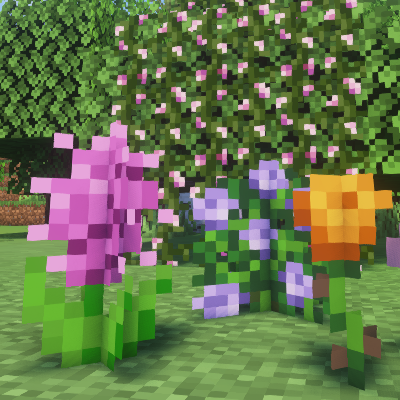
Hybridize vanilla flowers into new, fun colors and more!