Fabric API Needed by RPG Coins 3.0.1+26.1-26.3
requiredMatching file found Matched file: [26.3] Fabric API 0.166.2+26.3

CurseForge · Minecraft mod
Adds three new coin items. Inspired by the RPG Series.
Quick answer
RPG Coins 3.0.1+26.1-26.3 targets 26.1, 26.1.1, 26.1.2 with Fabric. The project page does not say whether this file belongs on the client, dedicated server, or both. All 1 required mods have matching files.
Where it goes
The project page does not say whether this file belongs on the client, dedicated server, or both.
The source does not explicitly classify this release as client-only or server-only.
RPG Coins 3.0.1+26.1-26.3 on Fabric. Every mod below is checked against that same setup.
Install Fabric API first. We found matching files for this game-version and loader setup.
We only count dependency files that match this setup. A file for another loader does not fill the gap.
Before you install it
Built for RPG Coins 3.0.1+26.1-26.3 on Fabric. Pick another file and the loader, install side or required mods may change.
Use RPG Coins 3.0.1+26.1-26.3. It targets 26.1, 26.1.1, 26.1.2 with Fabric; another release may have different loader, side or dependency requirements.
Install Fabric API first. We found matching files for this game-version and loader setup.
The project page does not say whether this file belongs on the client, dedicated server, or both.
Use the “Get this file” button beside RPG Coins 3.0.1+26.1-26.3. It opens that exact file at the source.
About this project
RPG Coins is a Fabric mod that adds three new coin items — gold, iron, and copper — that can be used for trading or custom gameplay mechanics. Inspired by the RPG Series mods.
From version 3.0.0 onward, the mod no longer includes default coin crafting recipes. Server owners and modpack creators must provide their own.
This change improves flexibility, as adding custom recipes is easier and more straightforward than removing predefined ones, allowing full control over how coins are obtained.
Ways to implement custom recipes:
Recipe remover example data pack for versions prior to 3.0.0: Here
.jar into your mods folder for both client and server.coins:coinscoins:gold_coincoins:iron_coincoins:copper_coin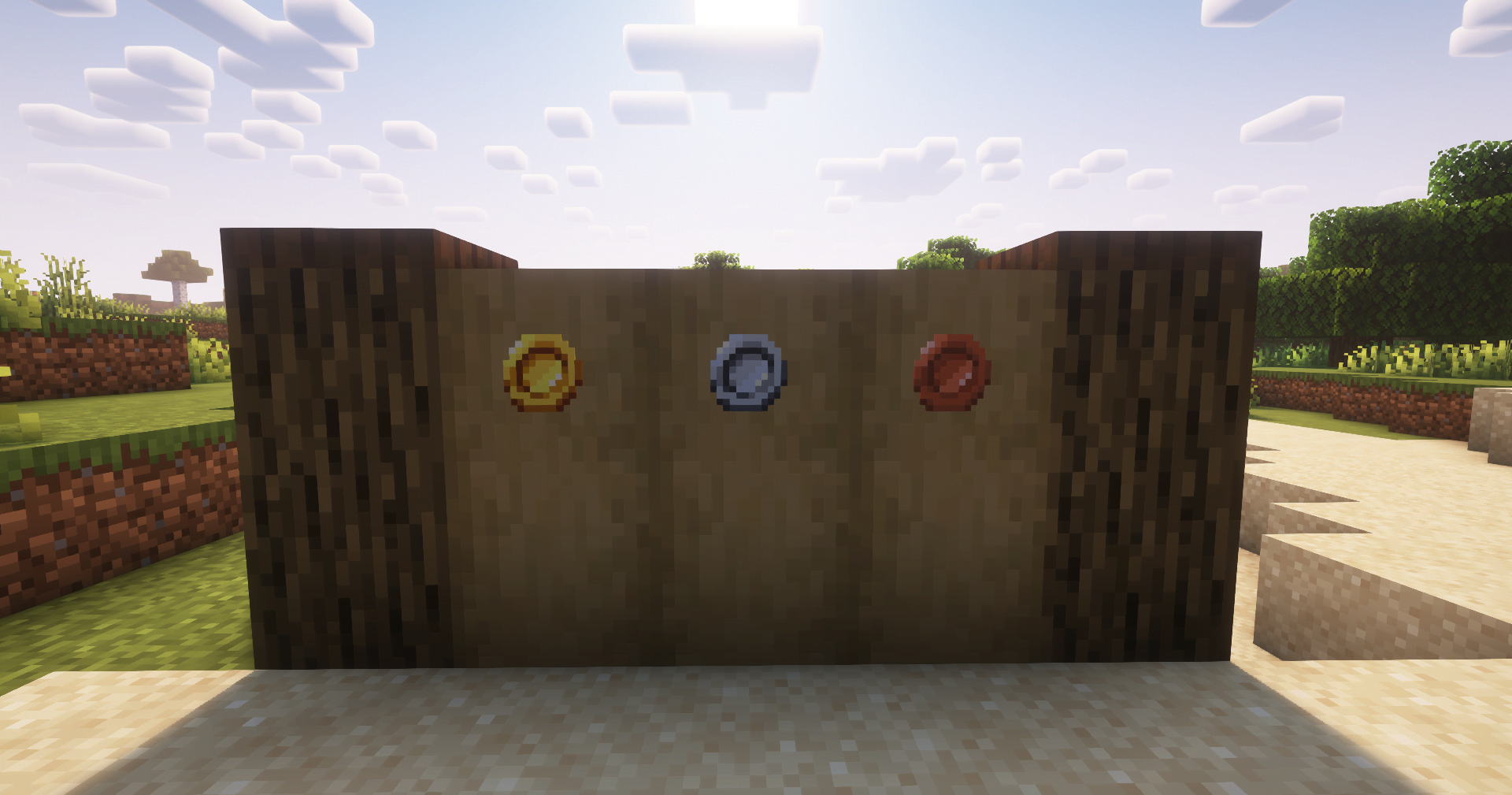
Jewelry (RPG Series) by ZsoltMolnarrr for visual and design inspiration for this mod’s item concepts.
If you extend or fork this mod, please consider keeping credits intact where applicable.
Project description from CurseForge.
Pick your setup
Choose the version and loader you play, then open the matching release.
Showing the newest 12 of 17 game versions. Older files are in the list below.
Check the dependencies, then try the file in a copied instance before changing a world you care about.
Recent files
Coins-3.0.1.jar
23 Jun 2026
Coins-3.0.1.jar
23 Jun 2026
Coins-3.0.1.jar
23 Jun 2026
Coins-3.0.0.jar
26 Mar 2026
Coins-3.0.0.jar
2 Jan 2026
Coins-3.0.0.jar
2 Jan 2026
Coins-2.0.1.jar
28 Sept 2025
Coins-2.0.1.jar
4 Aug 2025
Coins-2.0.0.jar
27 Jul 2025
Coins-1.0.1.jar
25 May 2025
Coins-1.0.0.jar
10 May 2025
Looking for an older file? The official CurseForge project page is in Resources.
 mod
Improved horses: faster hitching, smooth riding, QOL features and more...
 mod
temporary alternative to Carry On ,recall bed,home command. allows players to bind and teleport animals, villagers, and aquatic creatures to desired locations, simplifying mob logistics.move mobs,portable mob,relocate,pick up
 mod
A mod designed to enhance world generation and elevate the gameplay experience by smoothing out terrain with custom slabs, making exploration more seamless!