Fabric API Needed by Friend+ 1.1.1+26.3
requiredMatching file found Matched file: 0.166.2+26.3

Modrinth · Minecraft mod
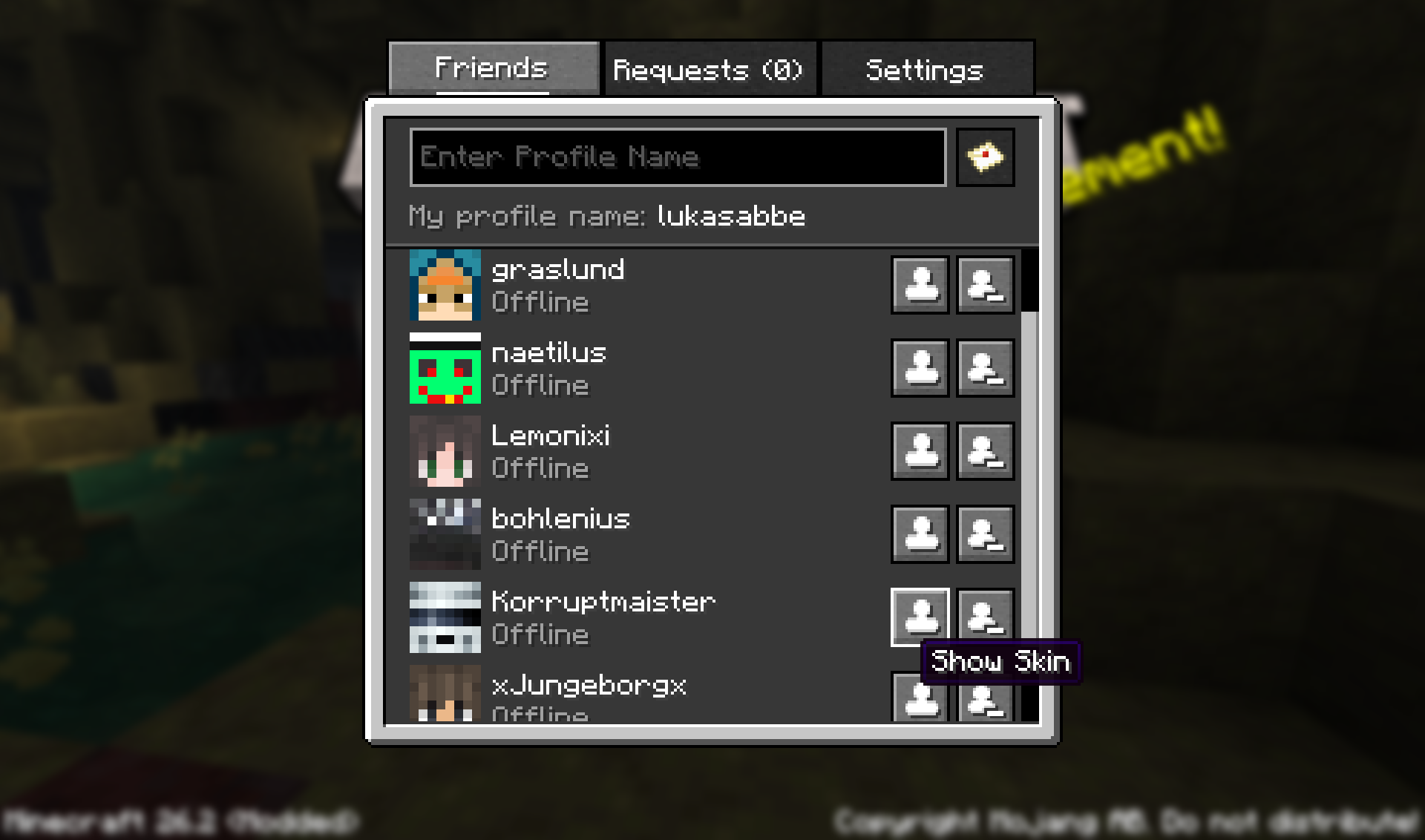
View your friends skins directly from the friends menu.
Quick answer
Friend+ 1.1.1+26.3 targets 26.3 with Fabric. It must be installed on the client. Do not install it on the dedicated server. All 1 required mods have matching files.
Where it goes
It must be installed on the client. Do not install it on the dedicated server.
This file is marked client-only.
1.1.1+26.3. Change the file and its required mods may change too.
Install Fabric API first. We found matching files for this game-version and loader setup.
We only count dependency files that match this setup. A file for another loader does not fill the gap.
Before you install it
Built for Friend+ 1.1.1+26.3. Pick another file and the loader, install side or required mods may change.
Use 1.1.1+26.3. It targets 26.3 with Fabric; another release may have different loader, side or dependency requirements.
Install Fabric API first. We found matching files for this game-version and loader setup.
It must be installed on the client. Do not install it on the dedicated server.
Use the “Get this file” button beside 1.1.1+26.3. It opens that exact file at the source.
About this project
View your friends skins directly from the friends menu.
You can also change what status presence you are. For example, you can signal to the game that you are in a singleplayer world always.
Only works when you are Online in the game!


Get BisectHosting and save 25% off for new customers using code Lukas at checkout.
Thanks for your support — it helps me develop this and other mods I make!
#ad
Project description from Modrinth.
Pick your setup
Choose the version and loader you play, then open the matching release.
Check the dependencies, then try the file in a copied instance before changing a world you care about.
Recent files
FriendPlus-1.1.1+26.3.jar
15 Sept 2026
FriendPlus-1.1.1+26.1.jar
8 Aug 2026
FriendPlus-1.1+26.1.jar
19 Jun 2026
FriendPlus-1.0+26.1.jar
16 Jun 2026
Looking for an older file? The official Modrinth project page is in Resources.
 mod
Well-rounded client-side optimization mod, works with Sodium + all other mods. Extremely compatible Vulkan backend for 1.21.11-26.1.2. By Polyfrost, best with OneClient.
 mod
Display PvPHQ tiers on nametags, in the tab list and in chat
 mod
A potion expansion with a large variety of different effects