Create Needed by Create: Unify 1.18.2-1.0a.Release
requiredMatching file found Matched file: 1.18.2-0.5.1.i

Modrinth · Minecraft mod
Material Library for addons "avoiding the ingot dupe for create addons"
Quick answer
Create: Unify 1.18.2-1.0a.Release targets 1.18.2 with Forge, NeoForge. Installation on the client is optional. Installation on the dedicated server is optional. All 1 required mods have matching files.
Where it goes
Installation on the client is optional. Installation on the dedicated server is optional.
The source marks this as usable on both the client and server.
1.18.2-1.0a.Release. Change the file and its required mods may change too.
Install Create first. We found matching files for this game-version and loader setup.
We only count dependency files that match this setup. A file for another loader does not fill the gap.
Before you install it
Built for Create: Unify 1.18.2-1.0a.Release. Pick another file and the loader, install side or required mods may change.
Use 1.18.2-1.0a.Release. It targets 1.18.2 with Forge, NeoForge; another release may have different loader, side or dependency requirements.
Install Create first. We found matching files for this game-version and loader setup.
Installation on the client is optional. Installation on the dedicated server is optional.
Use the “Get this file” button beside 1.18.2-1.0a.Release. It opens that exact file at the source.
About this project
Material Libaray for addons "avoiding the ingot dupe for create addons"
simple enough a addon that adds materials such as metal, steel, cast iron, and/or more for the said addon
Current Materials
only metals at the moment
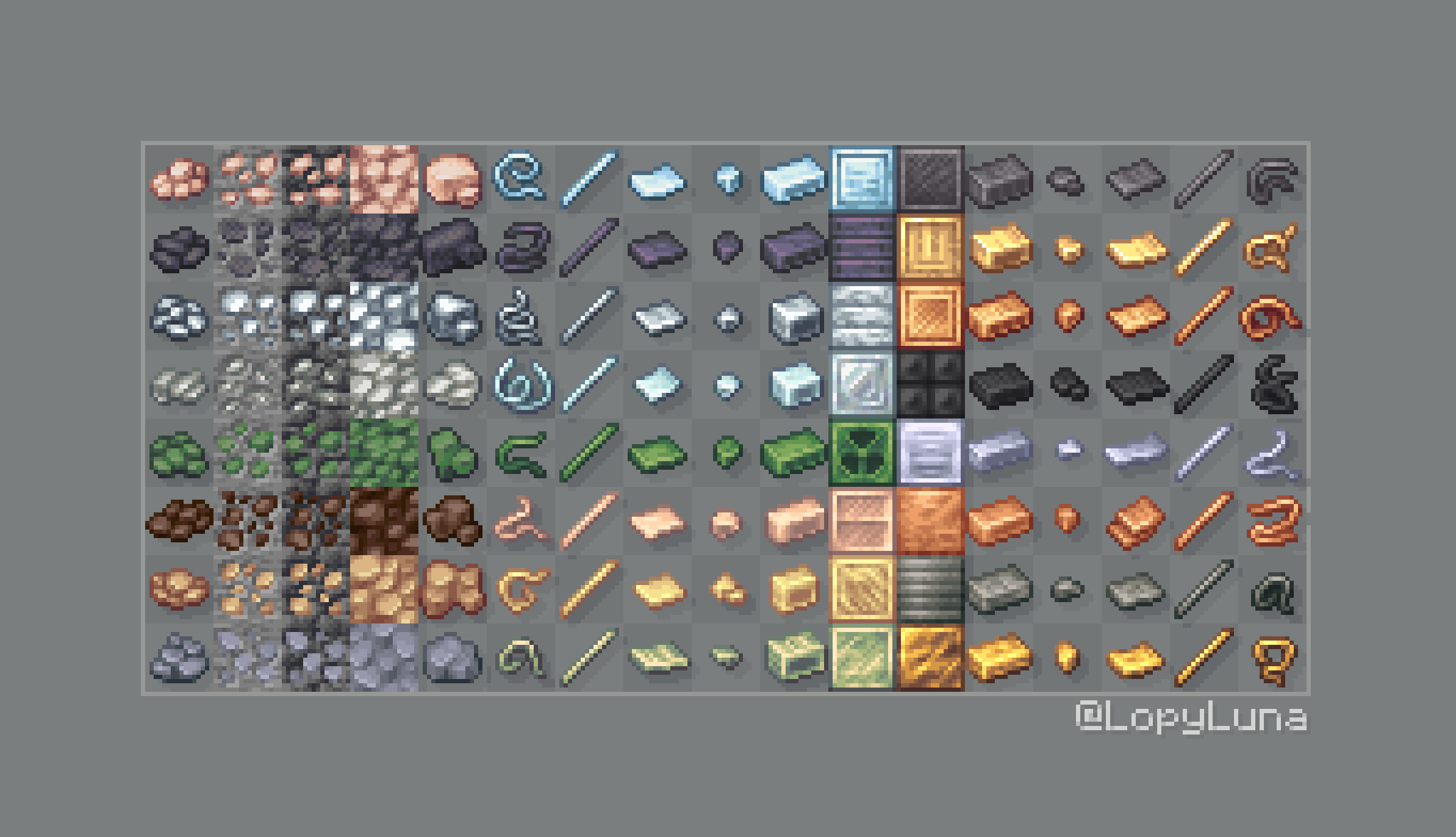
ORE:
ALLOY:
Currently Planned to be added
if you wanna suggest/report issue anything like that please send them in here [My Discord Server] as I will notice them 90% of the time unlike github
if you wanna look at decor using these id Suggest looking at Create: Design n' Decor with some planned at the moment
Project description from Modrinth.
Pick your setup
Choose the version and loader you play, then open the matching release.
Check the dependencies, then try the file in a copied instance before changing a world you care about.
Recent files
Create-Unify-1.18.2-1.0a.Release.jar
23 Sept 2024
Create-Unify-1.19.2-1.0a.Release.jar
23 Sept 2024
Create-Unify-1.20.1-1.0a.Release.jar
23 Sept 2024
Create-Unify-1.20.1-0.1a.Beta.jar
27 Aug 2024
Create-Unify-1.19.2-0.1a.Beta.jar
26 Aug 2024
Looking for an older file? The official Modrinth project page is in Resources.
 mod
modA mod to take full and automated control of your appliances
 mod
modIt adds a GUI which helps you get any trade you want from villagers.
 mod
modA Fabric mod for Minecraft 1.21.1+ that prevents selected players from dying by keeping their health at a minimum of half a heart.