Minecraft version
Back to mods 
Modrinth · Minecraft mod
Lever & Button Lights
buttons that act like levers and levers that act like buttons
Choose a version Pick your version below, then grab the matching file.
Quick answer
Which Lever & Button Lights release should I use?
Latest stable file 4.0.1
Game version 26.3
Loader NeoForge
Lever & Button Lights 4.0.1 targets 26.3 with NeoForge. Installation on the client is optional. Installation on the dedicated server is optional. No extra mods listed for this file.
Where it goes
Is Lever & Button Lights required on the client, server, or both?
Installation on the client is optional. Installation on the dedicated server is optional.
Client Optional
Dedicated server Optional
Loader for this release NeoForge
Required install it here Optional supported, not mandatory Not supported do not install here Source doesn’t say do not assume
The source marks this as usable on both the client and server.
What else does Lever & Button Lights 4.0.1 need?
4.0.1. Change the file and its required mods may change too.
This file does not list any required mods. Do not add a library just because a different file uses it.
This file does not list any required or optional mods.
Before you install it
Add Lever & Button Lights without breaking your instance.
Built for Lever & Button Lights 4.0.1. Pick another file and the loader, install side or required mods may change.
- 01
Stick to this file
Use 4.0.1. It targets 26.3 with NeoForge; another release may have different loader, side or dependency requirements.
- 02
Bring the mods it needs
This file does not list any required mods. Do not add a library just because a different file uses it.
- 03
Put it on the correct side
Installation on the client is optional. Installation on the dedicated server is optional.
- 04
Pick the file you checked
Use the “Get this file” button beside 4.0.1. It opens that exact file at the source.
About this project
What does Lever & Button Lights add?

If you want a server setup for the Lever Button Lights mod with zero effort, get a server with BisectHosting and receive 25% off your first month as a new customer using the code kreezxil
Description
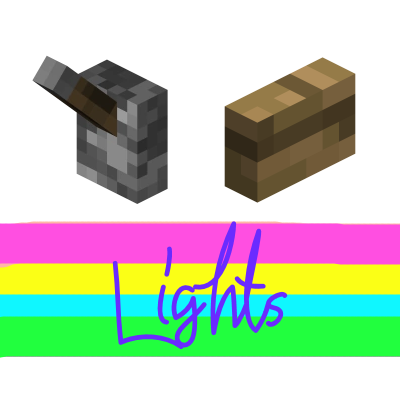
51 glass lights for Minecraft 26.3 on NeoForge: glass levers, glass light blocks and glass button lights, each in clear and 16 colors. Right-click switches a light on or off, and it stays that way until clicked again. While on, it gives off light and sends a redstone signal.
Blocks and recipes
• Glass Light Block: 1 torch above 1 glass. It is the base of every other light.
• Glass Lever Light: 1 stick above 1 clear Glass Light Block.
• Glass Button Light: 1 clear Glass Light Block in a crafting grid.
• 16 colored Glass Light Blocks: any Glass Light Block + 1 dye of that color.
• 16 colored Lever Lights: any lever light + 1 dye of that color.
• 16 colored Button Lights: any button light + 1 dye of that color.
Colors: white, orange, magenta, light blue, yellow, lime, pink, gray, silver, cyan, purple, blue, brown, green, red and black. Silver lights are dyed with light gray dye. Any light can be re-dyed into another color of the same kind.
All 51 lights are in the mod's own creative tab, Lever & Button Lights.
How they work
• Every light is placed like a lever: on the floor, on the ceiling or on a wall, and it needs the block behind it to stay in place.
• The button lights toggle like a lever and do not spring back. They have button-sized hitboxes and look pressed while on.
• While on, a light gives off light level 15 and sends a redstone signal of 15, powering the block it is attached to like a vanilla lever. While off it is dark and sends no signal.
• The glass light blocks are full, solid blocks: they are selected, broken and collided with like glass. Lever lights and button lights have no collision, like vanilla levers and buttons.
• The light given off is white for every color.
• They make glass sounds, break quickly by hand (a pickaxe is faster), need no tool and always drop themselves.
Configuration
All settings are in config/leverbuttonlights-common.toml, an ordinary local config file read before a world loads, on clients and dedicated servers. In game, open Mods, select Lever & Button Lights and press Config to edit every option.
The lever lights, the glass light blocks and the button lights each have their own light level when on (default 15), light level when off (default 0), redstone signal strength (default 15), hardness and explosion resistance. Another option adds redstone dust particles like a modern vanilla lever (default off).
The mod also writes config/leverbuttonlights.example.cf, which shows every option with its default value. The mod never reads it; do not rename it to leverbuttonlights-common.toml.
Roadmap
- Real colored light from the colored lights. This is not possible in Minecraft 26.3: block light is a single brightness level per block with no color, and the Albedo library from the original plan does not exist for 26.3.
Modpacks
No need to ask. Add it. A link back would be appreciated but not required.
Instructions for versions prior to 26.3 NeoForge are contained below.
Spoiler


If you want a server setup for the Lever Button Lights mod with zero effort, get a server with BisectHosting and receive 25% off your first month as a new customer using the code kreezxil
Videos
Screens


Click Images for Larger View
Description
A lever light? Is that a light switch? I've also created a Glass block light! The block lights itself when you hit it and if you hit again, it turns off. If it is on, it'll send a redstone signal. So if you only wanted regular glass, use that.
Added the awesome solid textures from Extra Mods and created 16 new buttons that are either on or off like a lever. They emit a level 15 redstone signal when on, otherwise 0. When on they look beautiful.
Recipes


The new colored button lights are formed by placing 1 colored stained glass in a crafting grid.
TODO
- Adjust hit box models to more tight around the buttons and large block light.
- Implement an Albedo library to have real colored light emanate from the light sources.
Modpacks
No need to ask. Add it. A link back would be appreciated but not required.
This project is proudly powered by FORGE, without whom it would not be possible. Help FORGE get rid of Adfocus at https://www.patreon.com/LexManos.
Project description from Modrinth.
Pick your setup
Lever & Button Lights by Minecraft version and loader
Choose the version and loader you play, then open the matching release.
Minecraft version
1.12.2
1 loader buildMinecraft version
1.11.2
1 loader buildCheck the dependencies, then try the file in a copied instance before changing a world you care about.
Recent files
Lever & Button Lights versions and loaders
4.0.1
Lever-Button-Lights-4.0.1-MC26.3-NeoForge.jar
17 Nov 2026
Client Optional Server Optional Dependencies No extras listed Listed on Release listing
Check the 26.3 · NeoForge setup 26.3NeoForge release
3.4.0
leverbuttonlights-1.12.2-3.4.0.jar
26 May 2022
Client Optional Server Optional Dependencies No extras listed Listed on Release listing
Check the 1.12.2 · Forge setup 1.12.2Forge release
1.3
leverbuttonlights-1.11.2-1.3.jar
26 May 2022
Client Optional Server Optional Dependencies No extras listed Listed on Release listing
Check the 1.11.2 · Forge setup 1.11.2Forge release
Looking for an older file? The official Modrinth project page is in Resources.
 mod
CurseForge + Modrinth · Minecraft
Config Manager
Config Manager is a Minecraft mod that allows modpack developers to ship configuration files without messing with the user's preferences
 mod
Modrinth · Minecraft
Delta-calc
DeltaCalc is a client-side utility mod for Cobblemon Delta that adds an in-battle damage calculator, expanded battle overlays, richer tooltips, and team indicators. It helps players read battle state faster and make better decisions without changing Cobble
 mod
Modrinth · Minecraft
Variant Crafting Tables
Crafting Tables made from all wood types