Cloth Config API (Fabric/Forge/NeoForge) Optional for Dark Loading Screen v1.6.19
optionalNo matching file
CurseForge · Minecraft mod
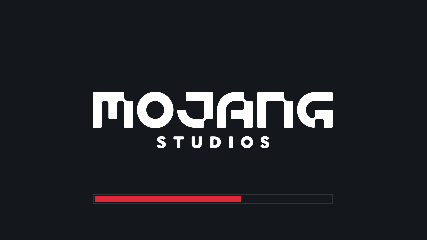
Makes the loading screen darker.
Quick answer
Dark Loading Screen v1.6.19 targets 26.2 with Fabric, Quilt. The project page does not say whether it belongs on the client. The project page does not say whether it belongs on the dedicated server. No extra mods listed for this file.
Where it goes
The project page does not say whether it belongs on the client. The project page does not say whether it belongs on the dedicated server.
The source does not explicitly classify this release as client-only or server-only.
v1.6.19 on 26.2 Quilt. Every mod below is checked against that same setup.
This file does not list any required mods. Do not add a library just because a different file uses it.
2 extra mods were pulled in by other dependencies. Indented rows show who needs each one. We only count dependency files that match this setup. A file for another loader does not fill the gap.
Before you install it
Built for Dark Loading Screen v1.6.19 on 26.2 Quilt. Pick another file and the loader, install side or required mods may change.
Use v1.6.19. It targets 26.2 with Fabric, Quilt; another release may have different loader, side or dependency requirements.
This file does not list any required mods. Do not add a library just because a different file uses it.
The project page does not say whether it belongs on the client. The project page does not say whether it belongs on the dedicated server.
Use the “Get this file” button beside v1.6.19. It opens that exact file at the source.
About this project
A simple Fabric mod to make the loading screen darker.
A changelog is available here.
Colors can be modified in-game if both Mod Menu and Cloth Config are installed.
Create or edit .minecraft/config/dark-loading-screen.json, the default config is
{
    "background": "14181c",
    "bar": "e22837",
    "barBackground": "14181c",
    "border": "303336",
    "logo": "ffffff",
    "fadeIn": 1.0,
    "fadeOut": 2.0
}
Manual changes are only visible after restarting the game.
bg_bg translation by natee22de_de translation by Der_Anderl and moritz-htkes_xx translations by Haseckit_it translations by Ocizukoko_kr translation by gyularpl_pl translation by DarkKnightComes and goodideagiverpt_br translation by FITFCru_ru translation by Felix14-v2sv_se translation by Luracasmustr_tr translation by Mid0ariauk_ua translation by BurrConniezh_cn translation by GodGun968, Hambaka, w5860363, Q2297045667Links: CurseForge · GitHub · Modrinth
Project description from CurseForge.
Pick your setup
Choose the version and loader you play, then open the matching release.
Showing the newest 12 of 51 game versions. Older files are in the list below.
Check the dependencies, then try the file in a copied instance before changing a world you care about.
Recent files
dark-loading-screen-1.6.19.jar
19 Jun 2026
Looking for an older file? The official CurseForge project page is in Resources.