Minecraft version
Back to mods 
Modrinth · Minecraft mod
Dark Loading Screen
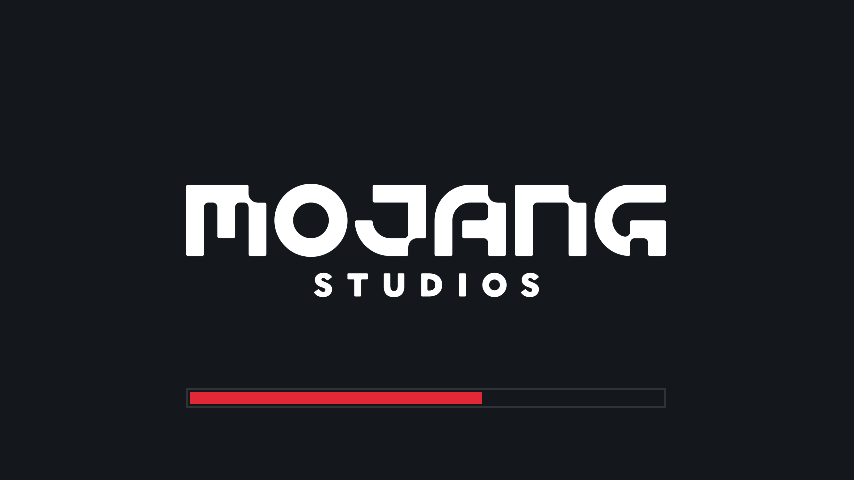
Makes the loading screen darker.
Choose a version Pick your version below, then grab the matching file.
Quick answer
Which Dark Loading Screen release should I use?
Latest stable file 1.6.19
Game version 26.2
Loader Fabric, Quilt
Dark Loading Screen 1.6.19 targets 26.2 with Fabric, Quilt. It must be installed on the client. Do not install it on the dedicated server. No extra mods listed for this file.
Where it goes
Is Dark Loading Screen required on the client, server, or both?
It must be installed on the client. Do not install it on the dedicated server.
Client Required
Dedicated server Not supported
Loader for this release Fabric, Quilt
Required install it here Optional supported, not mandatory Not supported do not install here Source doesn’t say do not assume
This file is marked client-only.
What else does Dark Loading Screen 1.6.19 need?
1.6.19. Change the file and its required mods may change too.
This file does not list any required mods. Do not add a library just because a different file uses it.
This file does not list any required or optional mods.
Before you install it
Add Dark Loading Screen without breaking your instance.
Built for Dark Loading Screen 1.6.19. Pick another file and the loader, install side or required mods may change.
- 01
Stick to this file
Use 1.6.19. It targets 26.2 with Fabric, Quilt; another release may have different loader, side or dependency requirements.
- 02
Bring the mods it needs
This file does not list any required mods. Do not add a library just because a different file uses it.
- 03
Put it on the correct side
It must be installed on the client. Do not install it on the dedicated server.
- 04
Pick the file you checked
Use the “Get this file” button beside 1.6.19. It opens that exact file at the source.
About this project
What does Dark Loading Screen add?
A simple Fabric mod to make the loading screen darker.
A changelog is available here.
Color configuration
Colors can be modified in-game if both Mod Menu and Cloth Config are installed.
Manual configuration
Create or edit .minecraft/config/dark-loading-screen.json, the default config is
{
    "background": "14181c",
    "bar": "e22837",
    "barBackground": "14181c",
    "border": "303336",
    "logo": "ffffff",
    "fadeIn": 1.0,
    "fadeOut": 2.0
}
Manual changes are only visible after restarting the game.
Credits
- Config screen made using shedaniel's Cloth Config
- Logo coloring suggested by Minenash
- Bar background coloring suggested by Chrisblox
bg_bgtranslation by natee22de_detranslation by Der_Anderl and moritz-htkes_xxtranslations by Haseckit_ittranslations by Ocizukoko_krtranslation by gyularpl_pltranslation by DarkKnightComes and goodideagiverpt_brtranslation by FITFCru_rutranslation by Felix14-v2sv_setranslation by Luracasmustr_trtranslation by Mid0ariauk_uatranslation by BurrConniezh_cntranslation by GodGun968, Hambaka, w5860363, Q2297045667
Links: CurseForge · GitHub · Modrinth
Project description from Modrinth.
Pick your setup
Dark Loading Screen by Minecraft version and loader
Choose the version and loader you play, then open the matching release.
Minecraft version
26.1.2
2 loader buildsMinecraft version
26.1.1
2 loader buildsMinecraft version
26.1
2 loader buildsMinecraft version
1.21.11
2 loader buildsMinecraft version
1.21.10
2 loader buildsMinecraft version
1.21.9
2 loader buildsMinecraft version
1.21.8
2 loader buildsMinecraft version
1.21.7
2 loader buildsMinecraft version
1.21.6
2 loader buildsCheck the dependencies, then try the file in a copied instance before changing a world you care about.
Recent files
Dark Loading Screen versions and loaders
1.6.19
dark-loading-screen-1.6.19.jar
19 Jun 2026
Client Required Server Not supported Dependencies No extras listed Listed on Release listing
Check the 26.2 · Fabric setup 26.2FabricQuilt release
1.6.18
dark-loading-screen-1.6.18.jar
28 Mar 2026
Client Required Server Not supported Dependencies No extras listed Listed on Release listing
Check the 26.1.2 · Fabric setup 26.126.1.126.1.2Fabric release
1.6.17
dark-loading-screen-1.6.17.jar
21 Jun 2025
Client Required Server Not supported Dependencies No extras listed Listed on Release listing
Check the 1.21.11 · Fabric setup 1.21.61.21.71.21.81.21.9 release
Looking for an older file? The official Modrinth project page is in Resources.
 mod
mod CurseForge + Modrinth · Minecraft
World Finder
World Finder is a client-side seed map and structure finder for vanilla Minecraft worlds, built as an in-game ChunkBase-style helper.
 mod
mod CurseForge + Modrinth · Minecraft
REMS Carpet Addition
This is an extension for the Carpet mod, which includes some features that I found useful and some features that I want but don't have.
 mod
mod Modrinth · Minecraft
LostSous
LOSTSOUS is a visual client for Minecraft Forge 1.16.5: custom menu, nameplates over mobs/players, TargetHUD with ping display, and other PvP-oriented features for a smoother experience on HolyWorld. The mod is still in active development — regular upd