Fabric API Needed by No Hurt Cam 1.3
requiredNo matching file

Modrinth · Minecraft mod
More options for damage tilt effects.
Quick answer
No Hurt Cam 1.3 targets 1.20.4 with Fabric. It must be installed on the client. Do not install it on the dedicated server. 1 required mod needs a matching file.
Where it goes
It must be installed on the client. Do not install it on the dedicated server.
This file is marked client-only.
1.3. Change the file and its required mods may change too.
Install Fabric API, Mod Menu, Cloth Config API, Text Placeholder API first, but 1 required mod has no matching file for this setup. Do not mix loader builds to force a match. 1 comes through another mod in the chain.
1 extra mod was pulled in by another dependency. Indented rows show who needs each one. We only count dependency files that match this setup. A file for another loader does not fill the gap.
Before you install it
Built for No Hurt Cam 1.3. Pick another file and the loader, install side or required mods may change.
Use 1.3. It targets 1.20.4 with Fabric; another release may have different loader, side or dependency requirements.
Install Fabric API, Mod Menu, Cloth Config API, Text Placeholder API first, but 1 required mod has no matching file for this setup. Do not mix loader builds to force a match. 1 comes through another mod in the chain.
It must be installed on the client. Do not install it on the dedicated server.
Use the “Get this file” button beside 1.3. It opens that exact file at the source.
About this project
-Provides a slider from 0-120% for both screen shake and hand shake when damaged.
-Alternative GUI for damage tilt options in the Options menu.
-Toggle directional tilt when damaged.
-Improved view bobbing options which replace vanilla settings.
-Change world or hand bobbing separately.
Make sure to enable view bobbing for changes to apply.
Contact me for issues/suggestions on Discord.
Project description from Modrinth.
Pick your setup
Choose the version and loader you play, then open the matching release.
Check the dependencies, then try the file in a copied instance before changing a world you care about.
Recent files
no-hurt-cam-1.20.4-1.3.jar
14 May 2024
no-hurt-cam-1.20-1.3.jar
14 May 2024
no-hurt-cam-1.19.4-1.3.jar
14 May 2024
no-hurt-cam-1.18-1.3.jar
14 May 2024
no-hurt-cam-1.18-1.2.jar
9 Nov 2023
no-hurt-cam-1.19.4-1.2.jar
9 Nov 2023
no-hurt-cam-1.20-1.2.jar
9 Nov 2023
no-hurt-cam-1.18-1.1.jar
27 Aug 2023
no-hurt-cam-1.19.4-1.1.jar
27 Aug 2023
no-hurt-cam-1.20-1.1.jar
27 Aug 2023
no-hurt-cam-1.18-1.0.jar
8 Aug 2023
no-hurt-cam-1.20-1.0.jar
8 Aug 2023
Looking for an older file? The official Modrinth project page is in Resources.
 mod
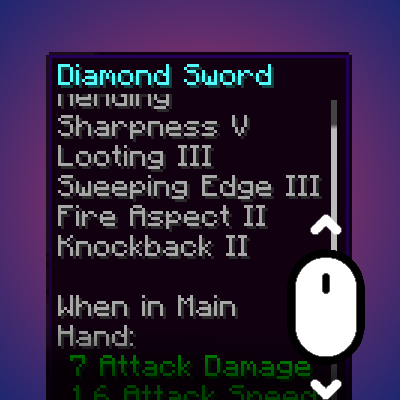
modDynamically resizes and scrolls oversized tooltips while keeping the item title anchored.
 mod
modDon’t mess with the server Play Minecraft with your friends in 2 clicks
 mod
modServer-authoritative daily lucky draws for Forge and NeoForge, with optional animations, admin tools, and unmodded-client chat fallback.