Minecraft version
Back to mods 
Modrinth · Minecraft mod
FPS Reducer
Reduce GPU and CPU usage automatically when no user operation exists.
Choose a version Pick your version below, then grab the matching file.
Quick answer
Which FPS Reducer release matches 1.9.4 Forge?
Best match for your filters 1.9.4-1.10.3
Game version 1.9.4
Loader Forge
FPS Reducer 1.9.4-1.10.3 targets 1.9.4 with Forge. It must be installed on the client. Do not install it on the dedicated server. No extra mods listed for this file.
Where it goes
Is FPS Reducer required on the client, server, or both?
It must be installed on the client. Do not install it on the dedicated server.
Client Required
Dedicated server Not supported
Loader for this release Forge
Required install it here Optional supported, not mandatory Not supported do not install here Source doesn’t say do not assume
This file is marked client-only.
What else does FPS Reducer 1.9.4-1.10.3 need?
1.9.4-1.10.3 on 1.9.4 Forge. Every mod below is checked against that same setup.
This file does not list any required mods. Do not add a library just because a different file uses it.
This file does not list any required or optional mods.
Before you install it
Add FPS Reducer without breaking your instance.
Built for FPS Reducer 1.9.4-1.10.3 on 1.9.4 Forge. Pick another file and the loader, install side or required mods may change.
- 01
Stick to this file
Use 1.9.4-1.10.3. It targets 1.9.4 with Forge; another release may have different loader, side or dependency requirements.
- 02
Bring the mods it needs
This file does not list any required mods. Do not add a library just because a different file uses it.
- 03
Put it on the correct side
It must be installed on the client. Do not install it on the dedicated server.
- 04
Pick the file you checked
Use the “Get this file” button beside 1.9.4-1.10.3. It opens that exact file at the source.
About this project
What does FPS Reducer add?
Description
This mod reduces unnecessary GPU and CPU load by reducing the frame rate automatically when the client window is inactive or you are not operating the Minecraft for a certain period of time (optional from v2.0). As soon as the user performs any operation, it returns to the original frame rate.
Features
- Reduce FPS automatically under the following conditions.
- No user operation for the specified time.
- The game window is inactive or minimized.
- Suppress sound volume if the game window is inactive or minimized.
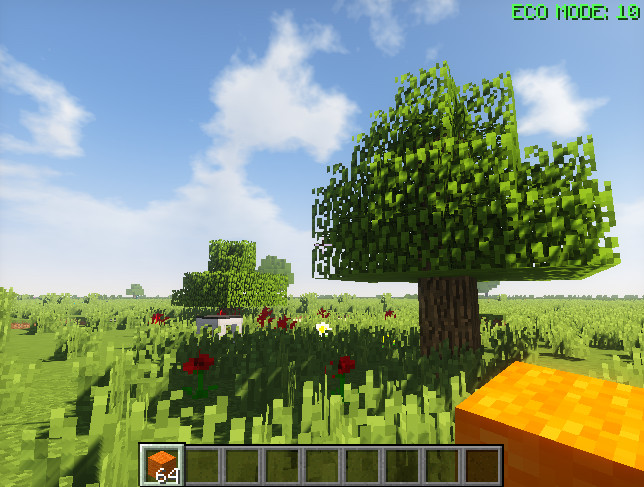
- Display the current FPS on the screen edge.
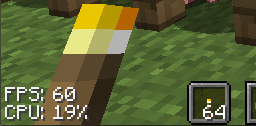
- Display CPU usage of client thread. (v1.14~)
Recommended in the following cases
- When leaving the game running without the operation, for example with automated agriculture and/or industry.
- When doing other work concurrently with running Minecraft in background.
- When you want to extend the lifespan of your PC even a little.
- When you want to save unnecessary power.
- When the room is hot...
Usage
By default, if there is no operation for 5 minutes the frame rate will drop to 10.
Pressing [PAUSE] key reduces FPS manually. (new feature in v1.16)
Pressing [END] key opens the configuration GUI by default.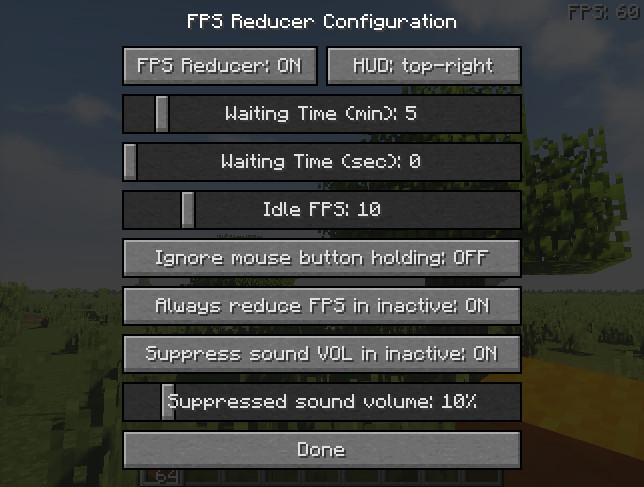
Note
This is a client-side mod, so it is not necessary to install it on the server.
Modpacks
Feel free to use this mod in any modpacks.
Special Thanks
- Thanks to RoCoKo for Turkish translations.
- Thanks to Grreg21 for Polish translations.
- Thanks to cutedobe and StarsShine17423 for Simplified Chinese translation.
- Thanks to cutedobe and StarsShine17423 for Traditional Chinese translation.
- Thanks to agent_rby_ and Secret_Rabbit for Russian translation.
- Thanks to b14st0 for French translation.
- Thanks to Kazuya79H for Brazilian Portuguese translation.
- Thanks to AlexDerProGamer_mc for German translation.
- Thanks to 귤러리 for Korean translation.
- Thanks to AceDragoonOfficial for Ukrainian translation.
- Thanks to Giedo for Dutch translation.
- Thanks to iwafflebro for Spanish translation.
- Thanks to 000729735256 for Classical Chinese translation.
Project description from Modrinth.
Pick your setup
FPS Reducer by Minecraft version and loader
Choose the version and loader you play, then open the matching release.
Minecraft version
26.1.2
4 loader buildsMinecraft version
26.1.1
4 loader buildsMinecraft version
26.1
4 loader buildsMinecraft version
1.21.11
4 loader buildsMinecraft version
1.21.10
4 loader buildsMinecraft version
1.21.9
4 loader buildsMinecraft version
1.21.8
4 loader buildsMinecraft version
1.21.7
4 loader buildsMinecraft version
1.21.6
4 loader buildsMinecraft version
1.21.5
4 loader buildsMinecraft version
1.21.4
4 loader buildsShowing the newest 12 of 40 game versions. Older files are in the list below.
Check the dependencies, then try the file in a copied instance before changing a world you care about.
Recent files
FPS Reducer versions and loaders
1.9.4-1.10.3
FpsReducer-mc1.9.4-1.10.3.jar
6 Sept 2023
Client Required Server Not supported Dependencies No extras listed Listed on Release listing
Check the 1.9.4 · Forge setup 1.9.4Forge release
Looking for an older file? The official Modrinth project page is in Resources.