Minecraft version
Back to mods 
Modrinth · Minecraft mod
Edit Everything
A client side GUI Mod to edit Items, Entities, Potions, Fireworks + More!
Choose a version Pick your version below, then grab the matching file.
Quick answer
Which Edit Everything release should I use?
Latest stable file 26.3.0
Game version 26.3
Loader Fabric
Edit Everything 26.3.0 targets 26.3 with Fabric. It must be installed on the client. Do not install it on the dedicated server. No extra mods listed for this file.
Where it goes
Is Edit Everything required on the client, server, or both?
It must be installed on the client. Do not install it on the dedicated server.
Client Required
Dedicated server Not supported
Loader for this release Fabric
Required install it here Optional supported, not mandatory Not supported do not install here Source doesn’t say do not assume
This file is marked client-only.
What else does Edit Everything 26.3.0 need?
26.3.0. Change the file and its required mods may change too.
This file does not list any required mods. Do not add a library just because a different file uses it.
This file does not list any required or optional mods.
Before you install it
Add Edit Everything without breaking your instance.
Built for Edit Everything 26.3.0. Pick another file and the loader, install side or required mods may change.
- 01
Stick to this file
Use 26.3.0. It targets 26.3 with Fabric; another release may have different loader, side or dependency requirements.
- 02
Bring the mods it needs
This file does not list any required mods. Do not add a library just because a different file uses it.
- 03
Put it on the correct side
It must be installed on the client. Do not install it on the dedicated server.
- 04
Pick the file you checked
Use the “Get this file” button beside 26.3.0. It opens that exact file at the source.
About this project
What does Edit Everything add?

Edit Everything
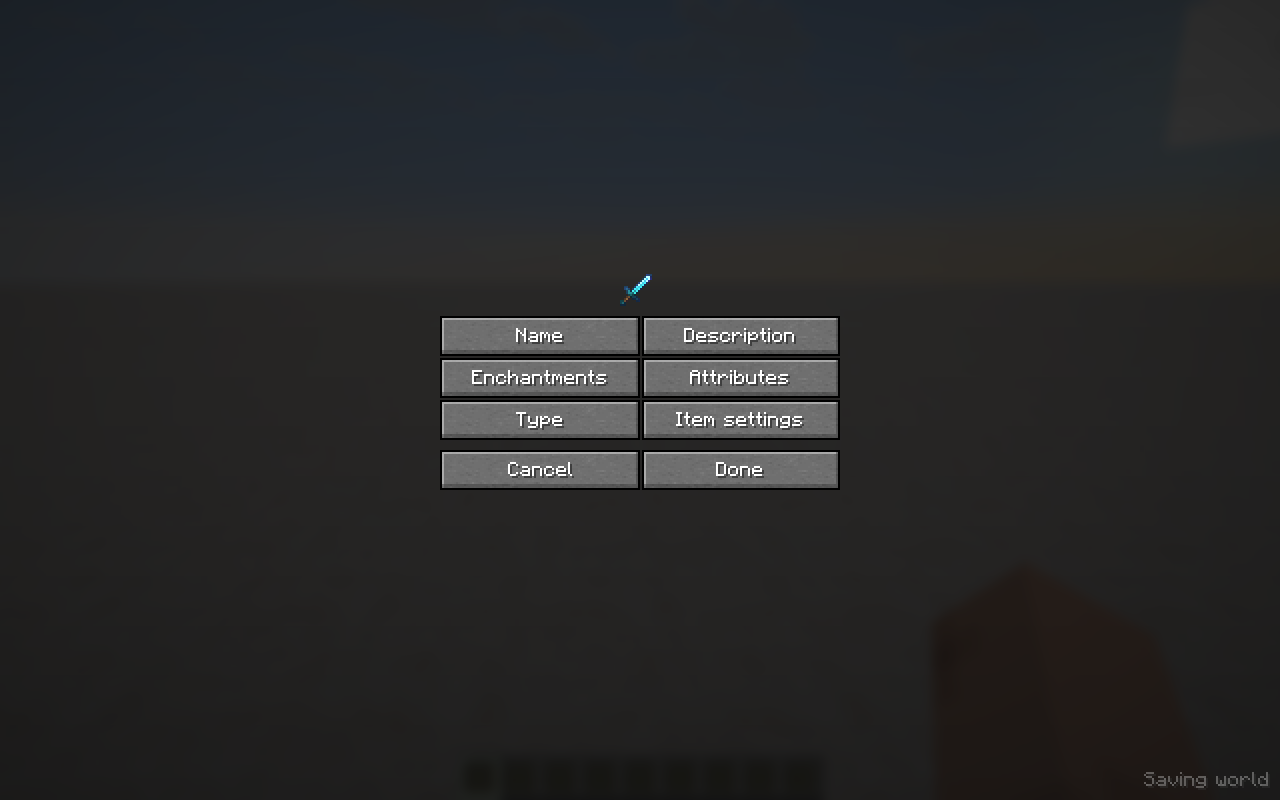
Edit Everything lets you create custom items, mobs and decorations in Creative mode without writing NBT by hand. Make weapons with custom stats, food with special effects, containers filled with loot, styled signs and books, custom villagers, mob stacks and more. Save your creations and share them using item codes.
Getting started
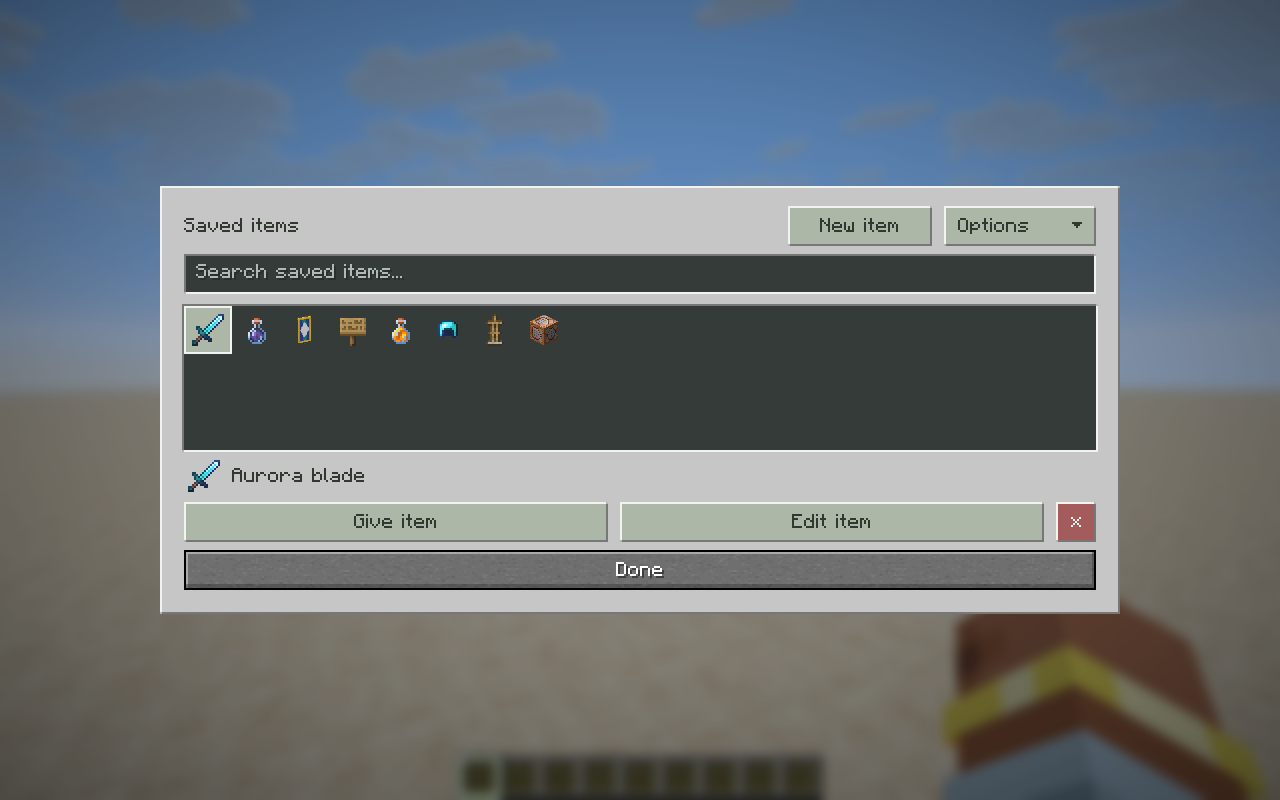
Hold an item in Creative mode and press H to edit it. Press Y to open the Item giver, or N for Saved items. You can change these keys in Minecraft's Controls settings.
Features
Items, saved creations and sharing
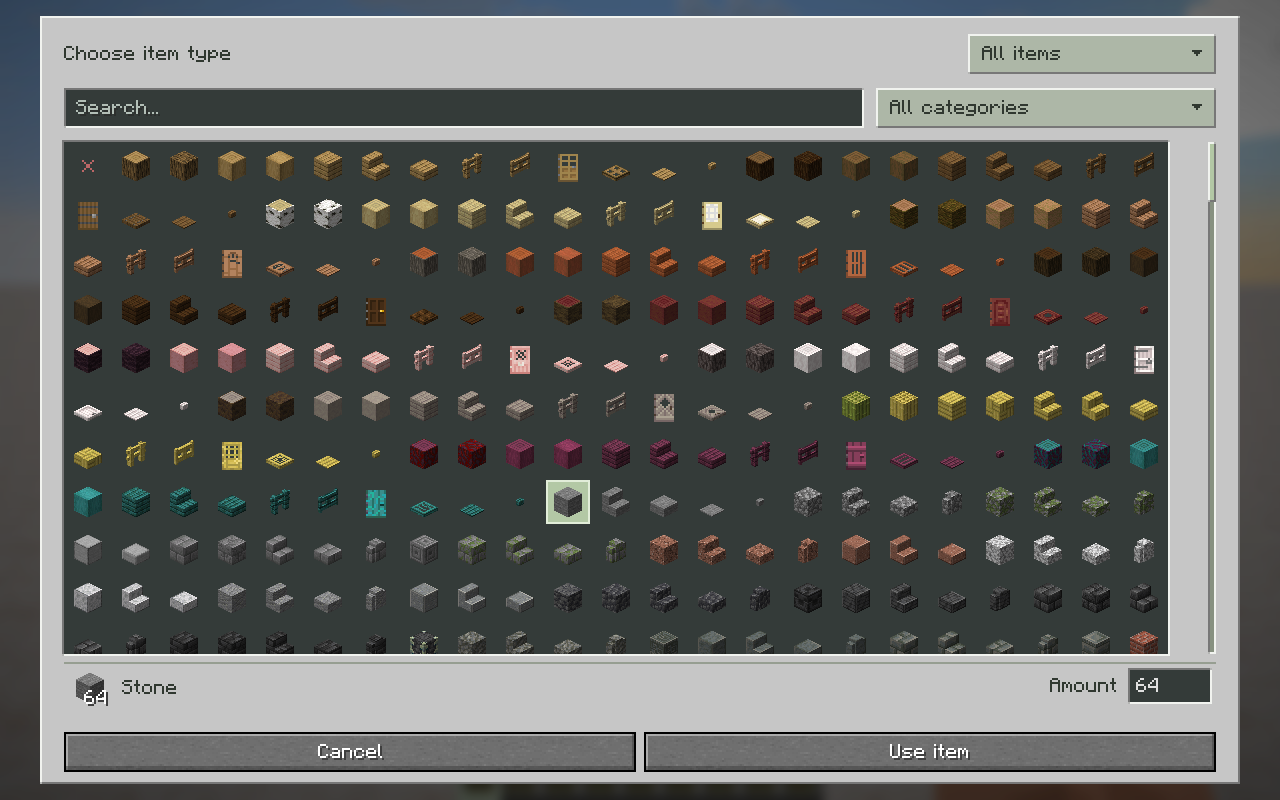
- Change an item's material and amount while keeping its custom properties.
- Find items from the creative catalog, your inventory or your saved creations.
- Create stacks up to 99 where supported; damageable items remain limited to one.
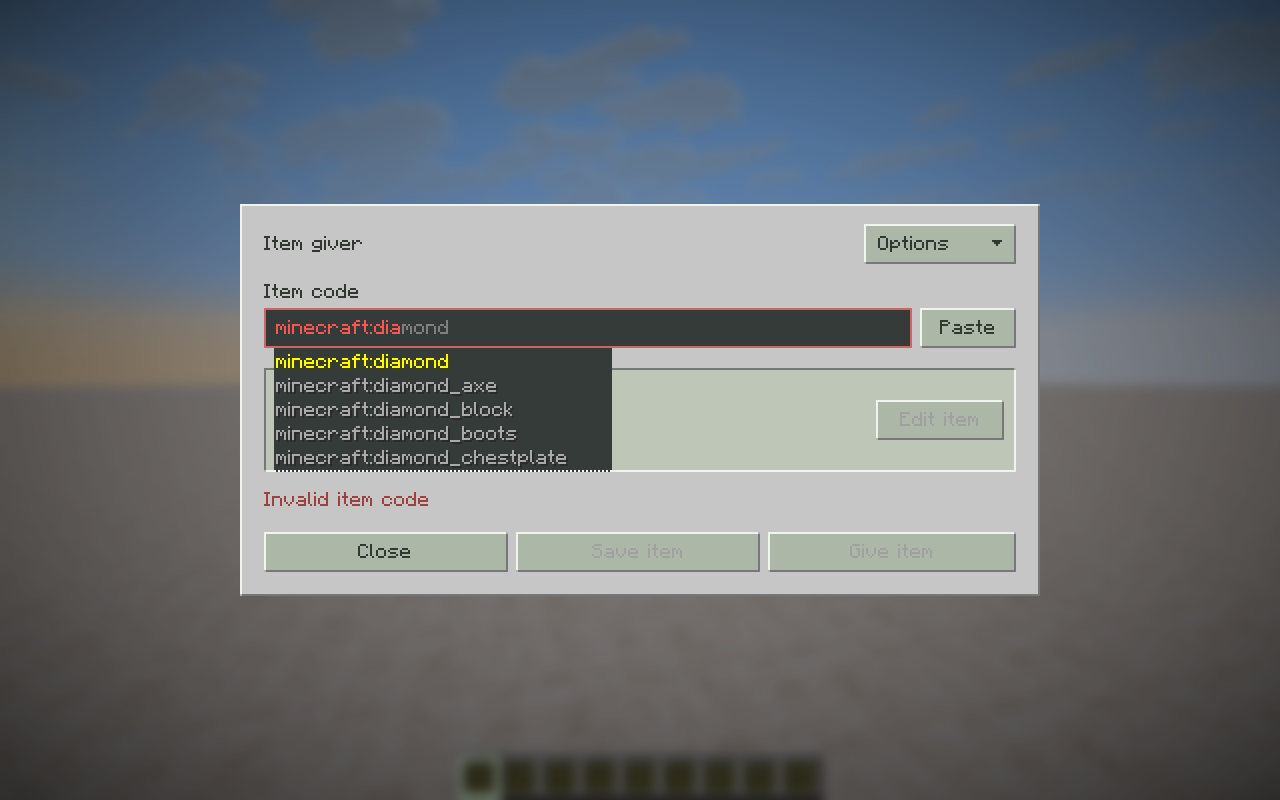
- Paste item codes or full
/givecommands to recreate items, with command autocomplete. - Save, edit, duplicate and import creations, or copy their item codes to share them.
- Access your creations in Saved items, with special and hidden items in a separate Operator items creative tab.
Names, lore, colors and gradients
- Customize item names, lore, entity names, signs, books and text displays.
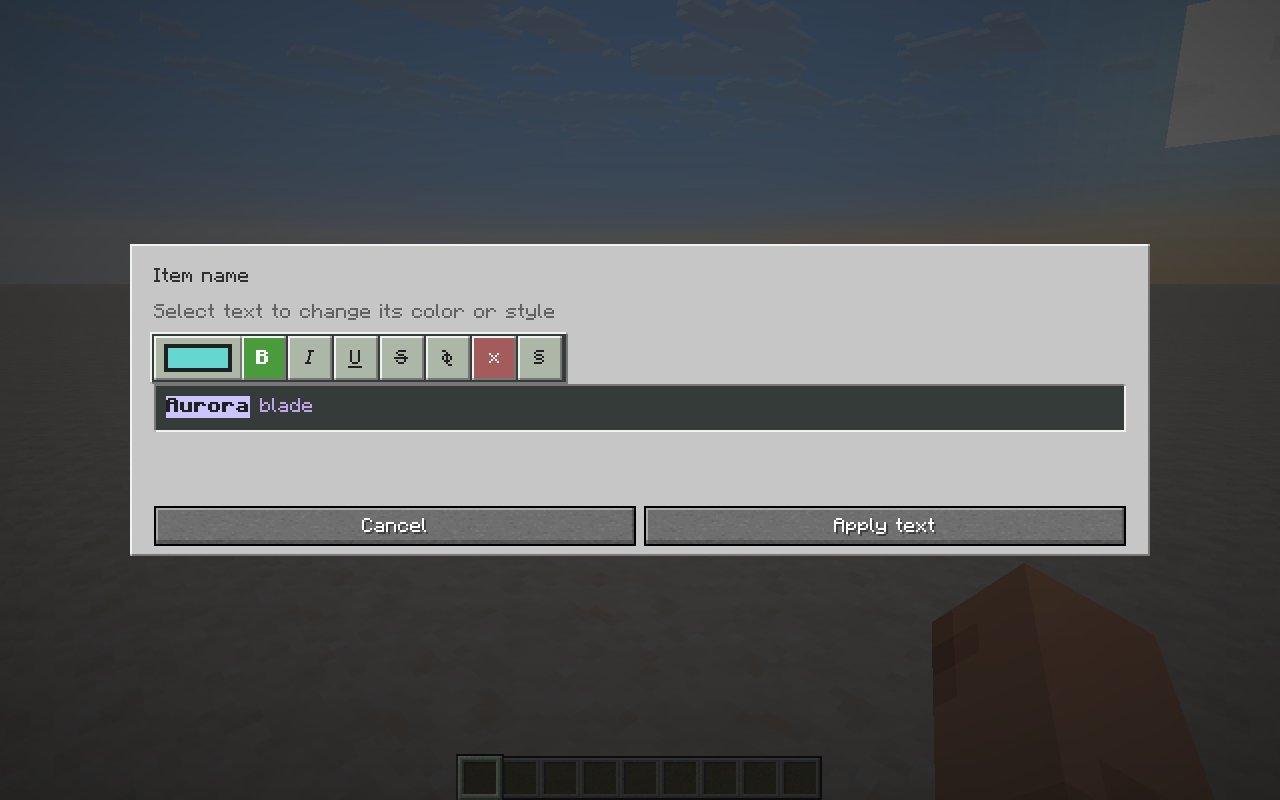
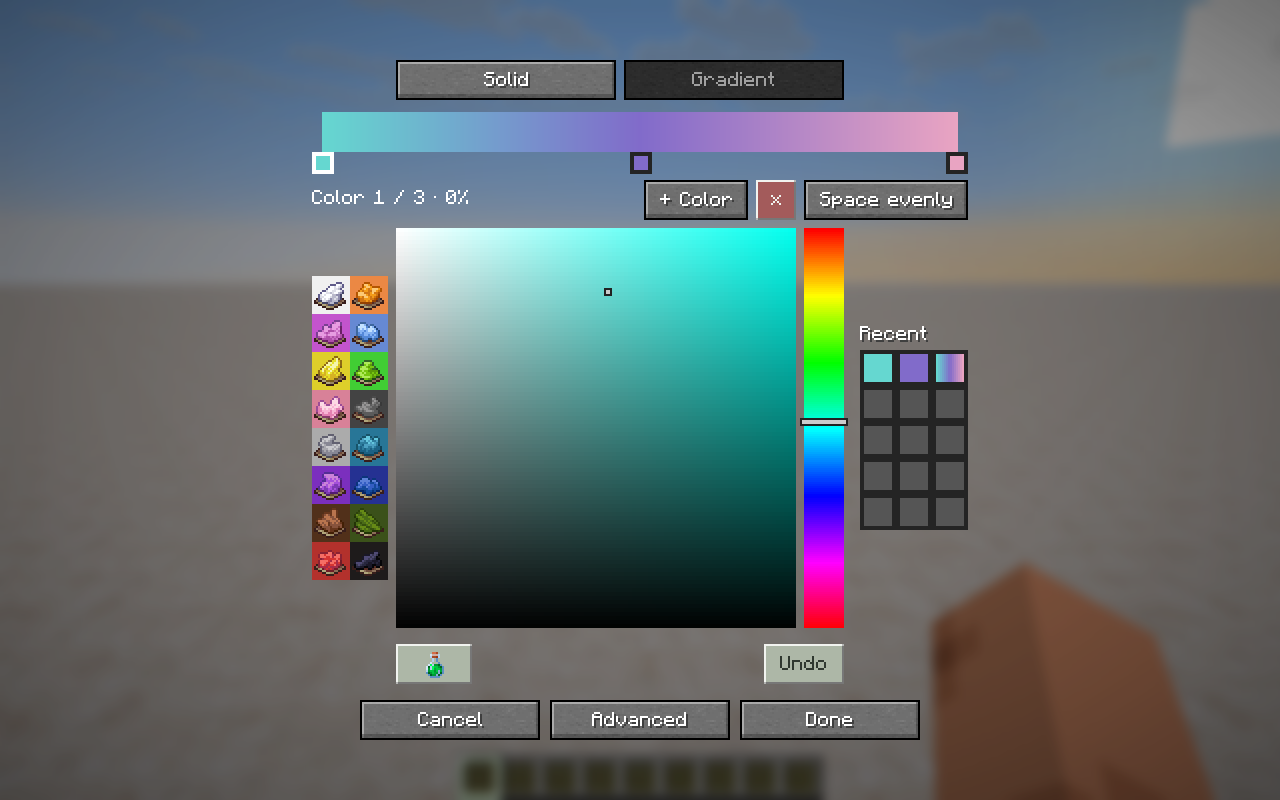
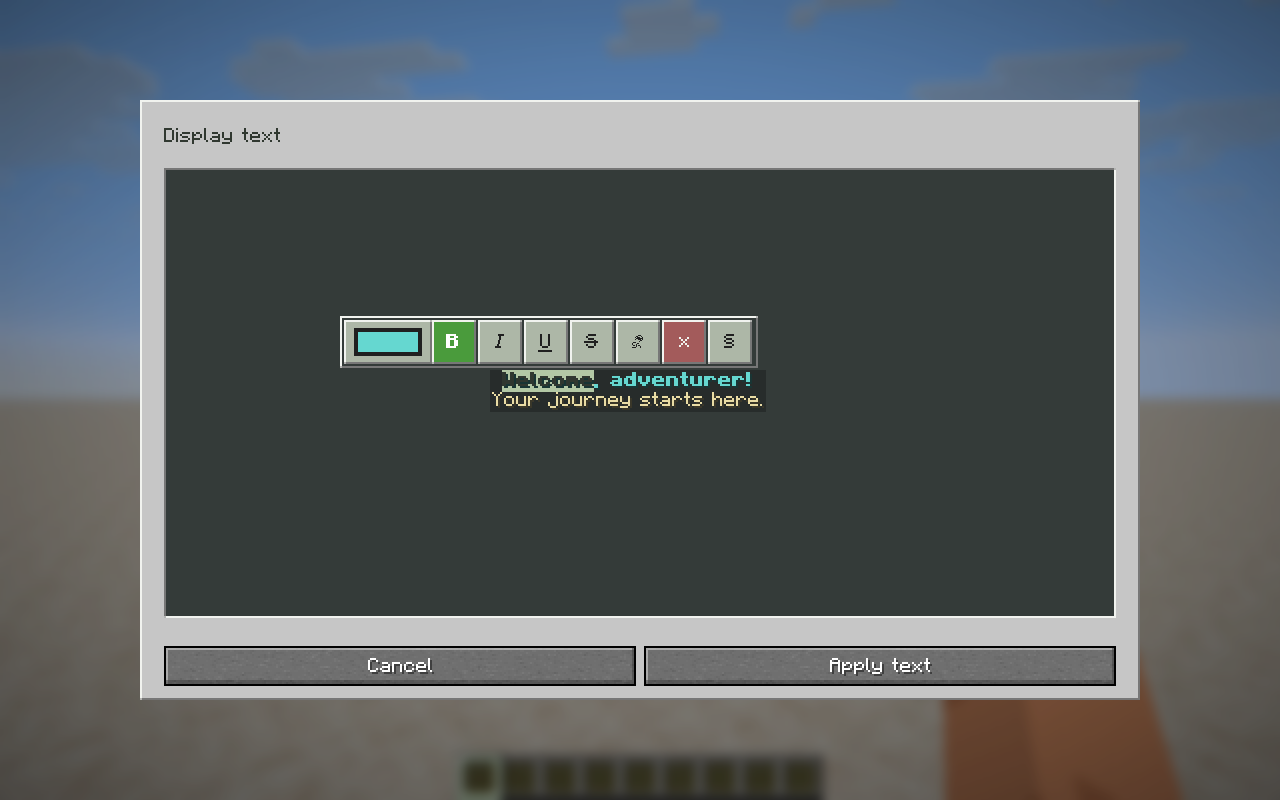
- Color individual letters or words using Minecraft colors, a color wheel or hex codes.
- Create gradients with multiple colors and adjust where each color starts.
- Apply bold, italic, underline, strikethrough and obfuscated text.
- Reuse recent custom colors and gradients, or enter legacy color codes in supported text fields.
- Dye leather armor and customize potion colors.
Item properties, food and use behavior
- Set stack size, durability, damage, unbreakable state and repair cost.
- Change item models, rarity, enchantment glint and tooltip style.
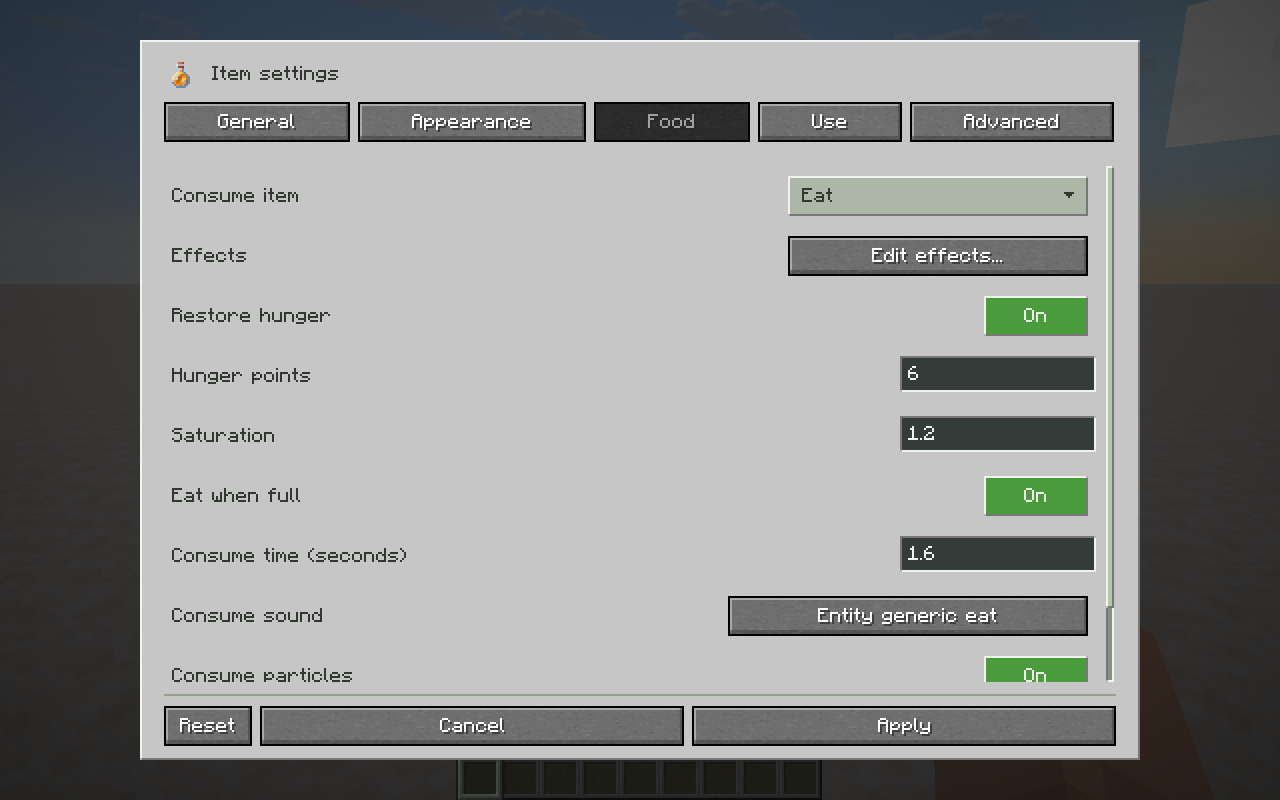
- Turn items into food or drinks with custom hunger, saturation and consumption time.
- Choose consumption sounds and the item returned after use.
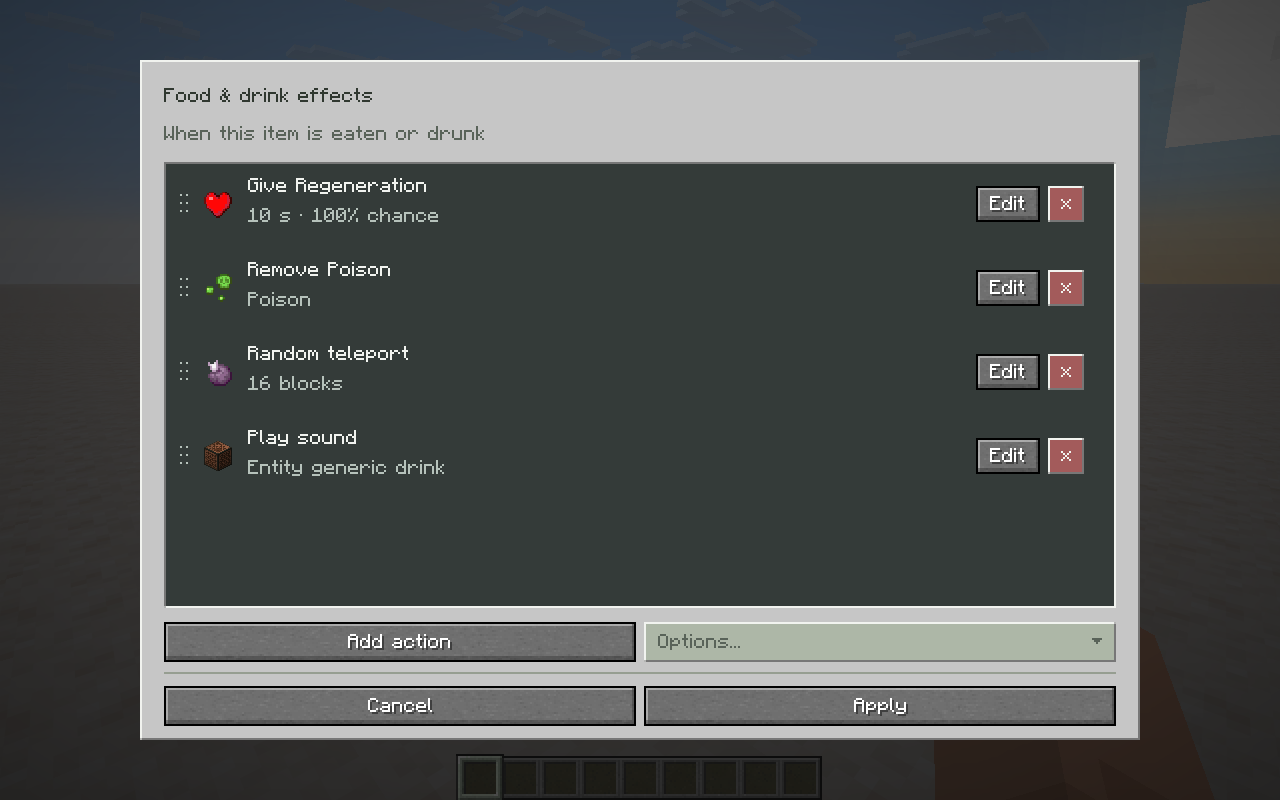
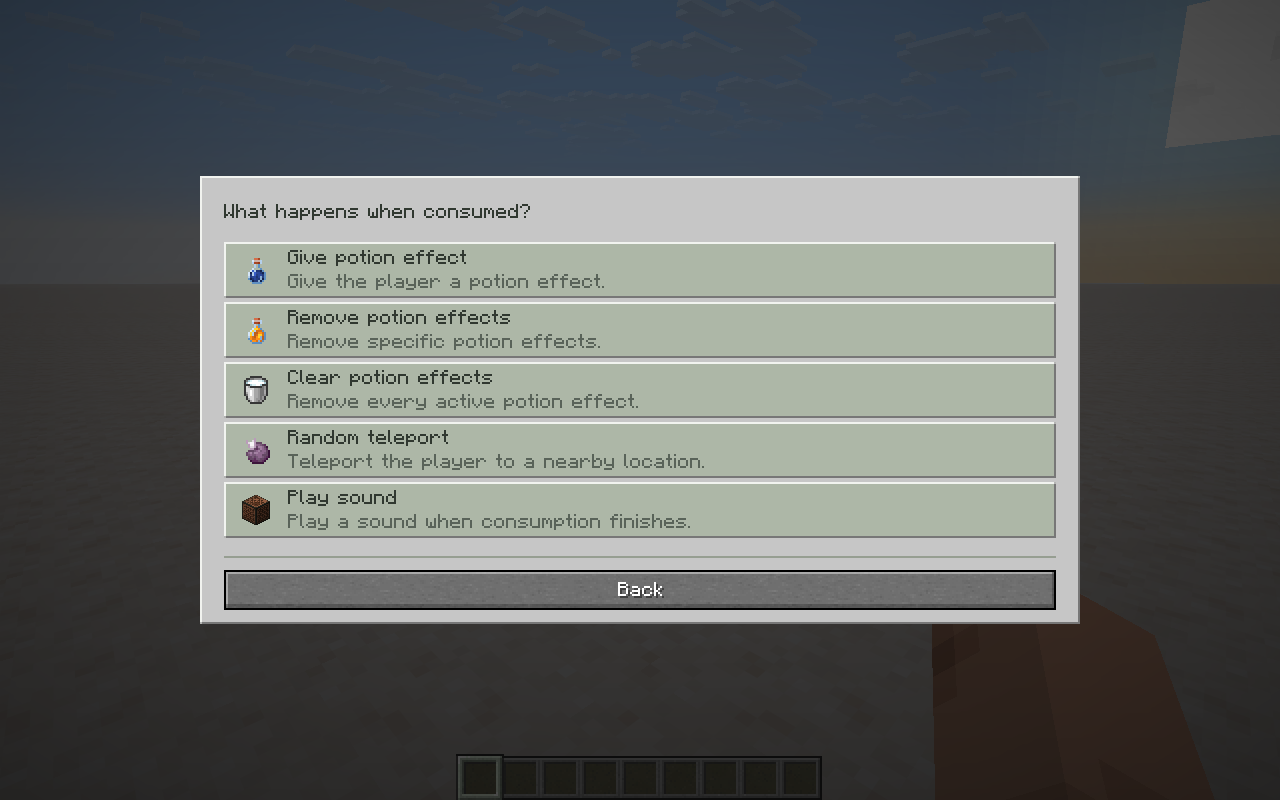
- Give or remove potion effects, clear all effects, randomly teleport the player or play a sound when consumed. Combine actions and set effect chances.
- Customize break sounds, attack and interaction animations, use effects and cooldowns.
- Edit raw data components and custom NBT for more advanced customization.
Enchantments and attributes
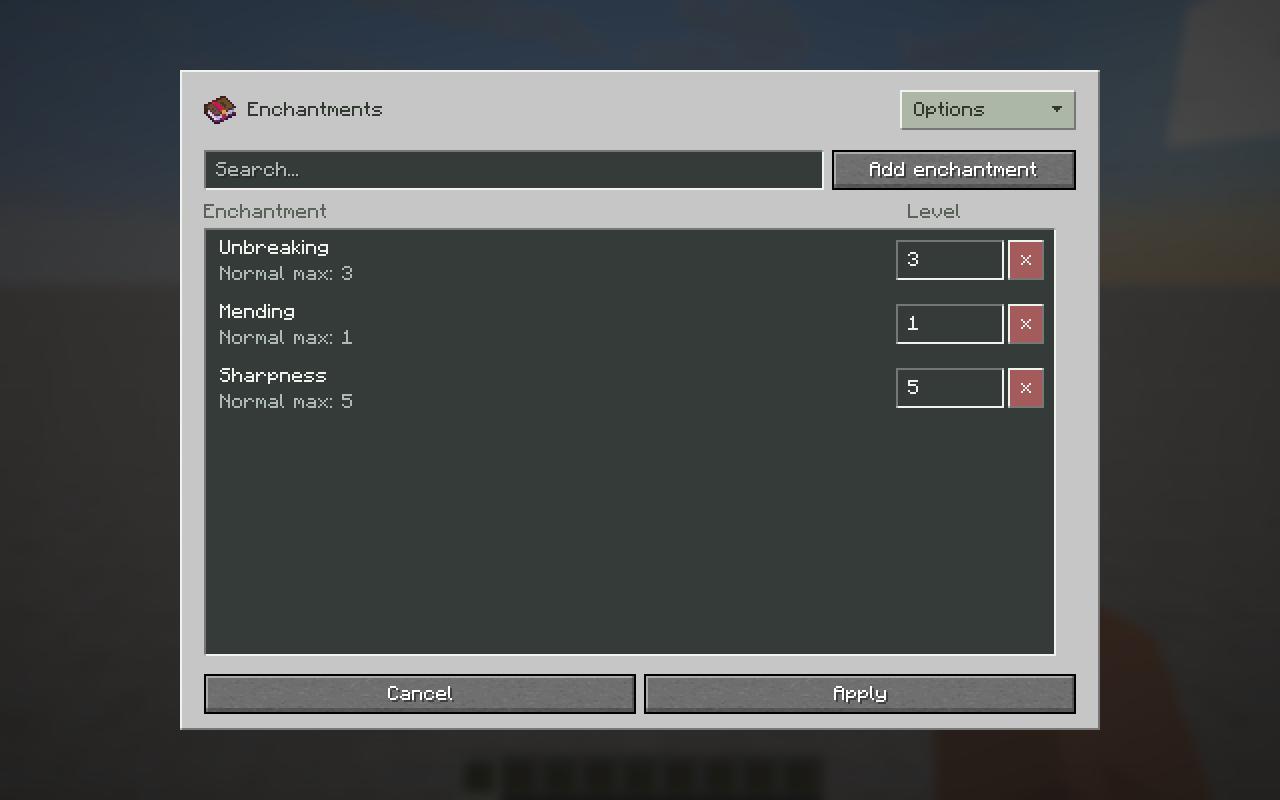
Add enchantments with creative levels 1–255, including enchantments normally incompatible with the item. Edit stored enchantments on enchanted books too.
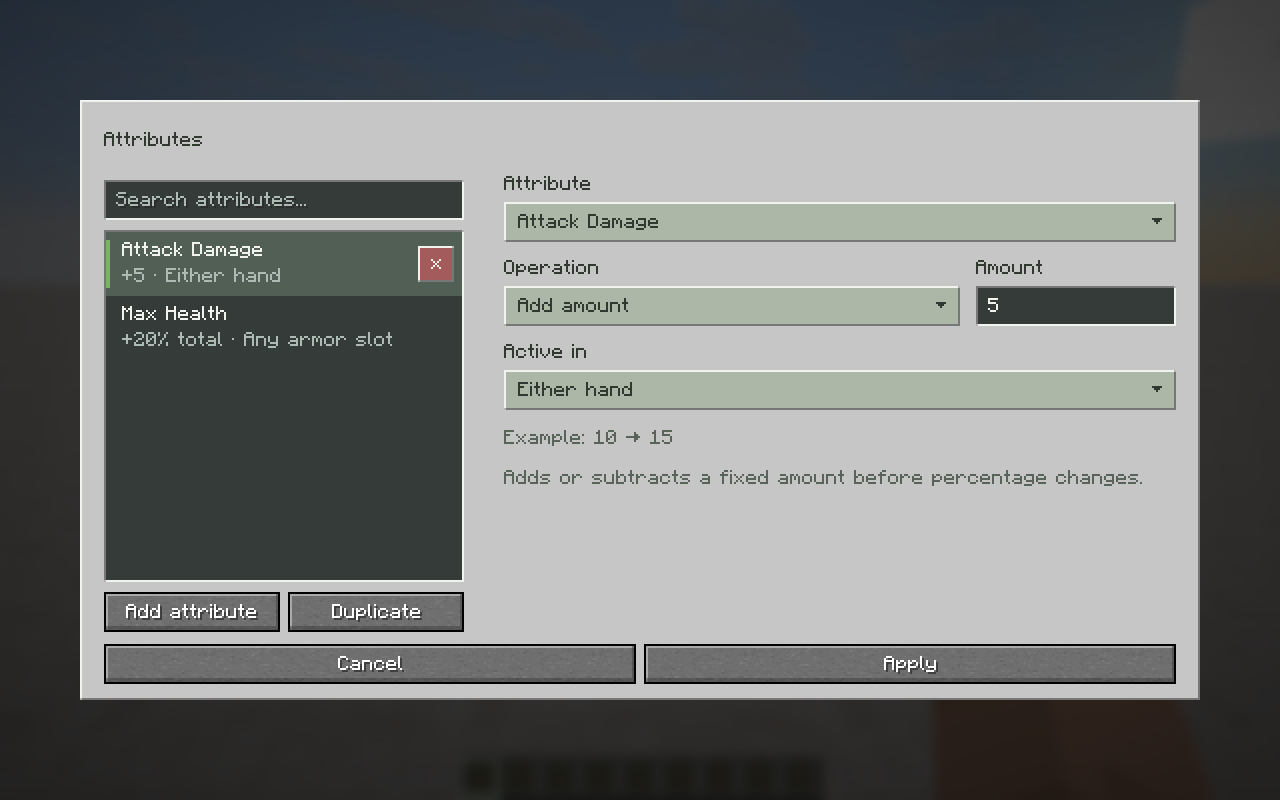
Change attributes such as attack damage, movement speed and maximum health. Assign item modifiers to equipment slots, add flat amounts or percentage bonuses, and change entity base values.
Adventure-mode block permissions
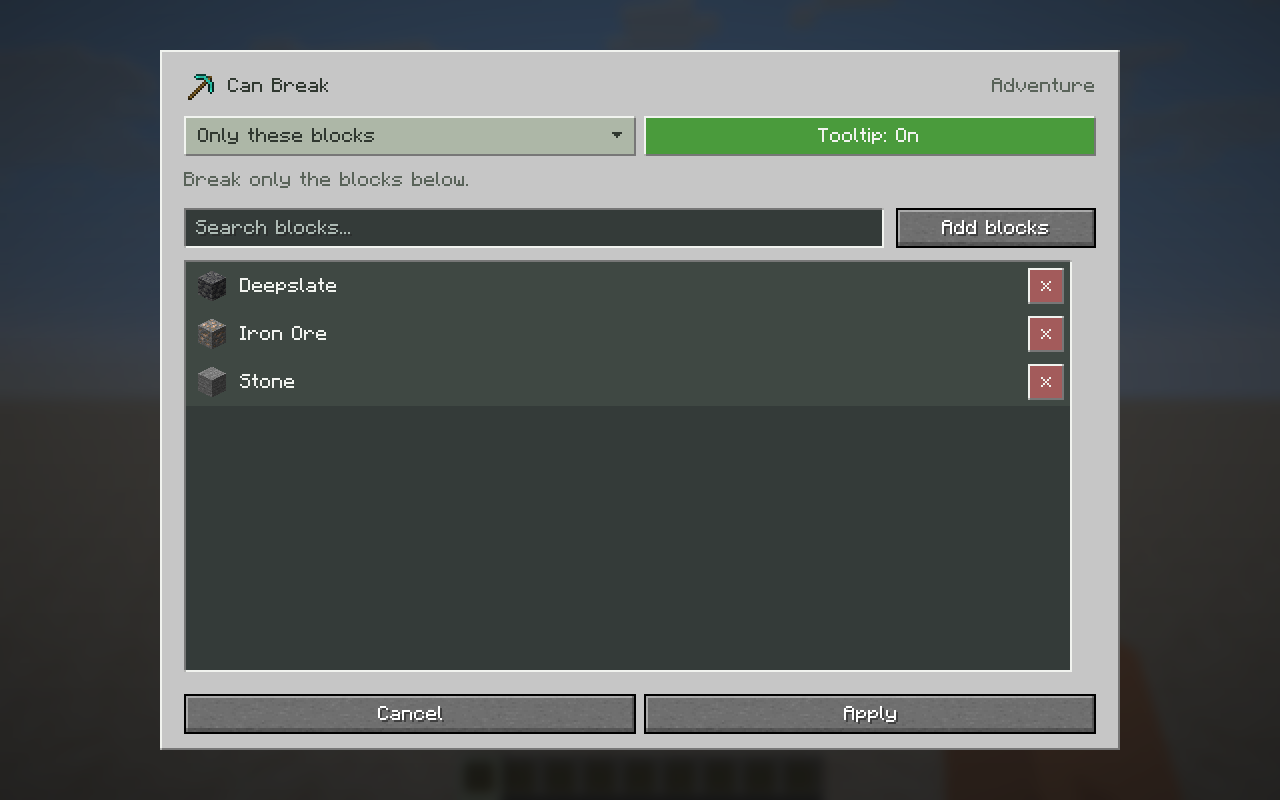
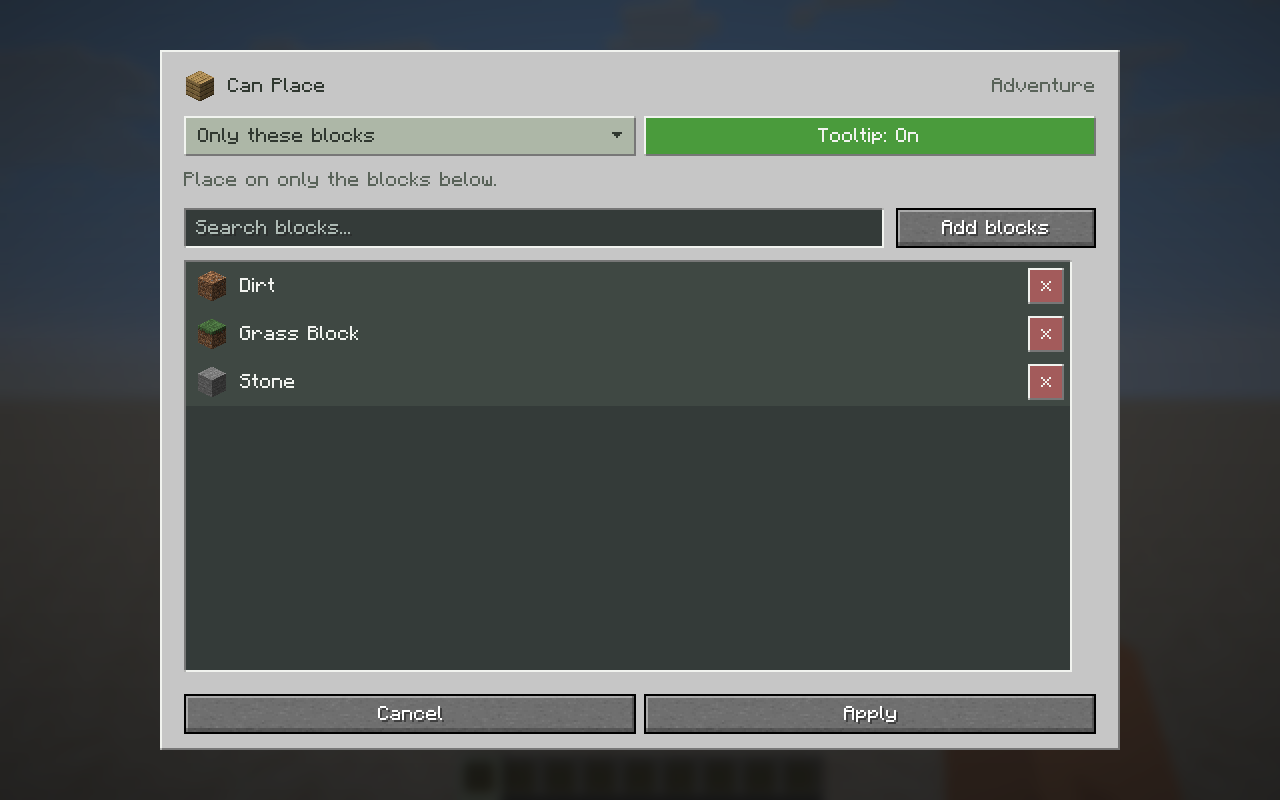
Choose which blocks an item Can Break or Can Place on in Adventure mode. Allow only selected blocks, or allow everything except selected blocks. Choose whether players see these permissions in the item's tooltip.
Containers and bundles
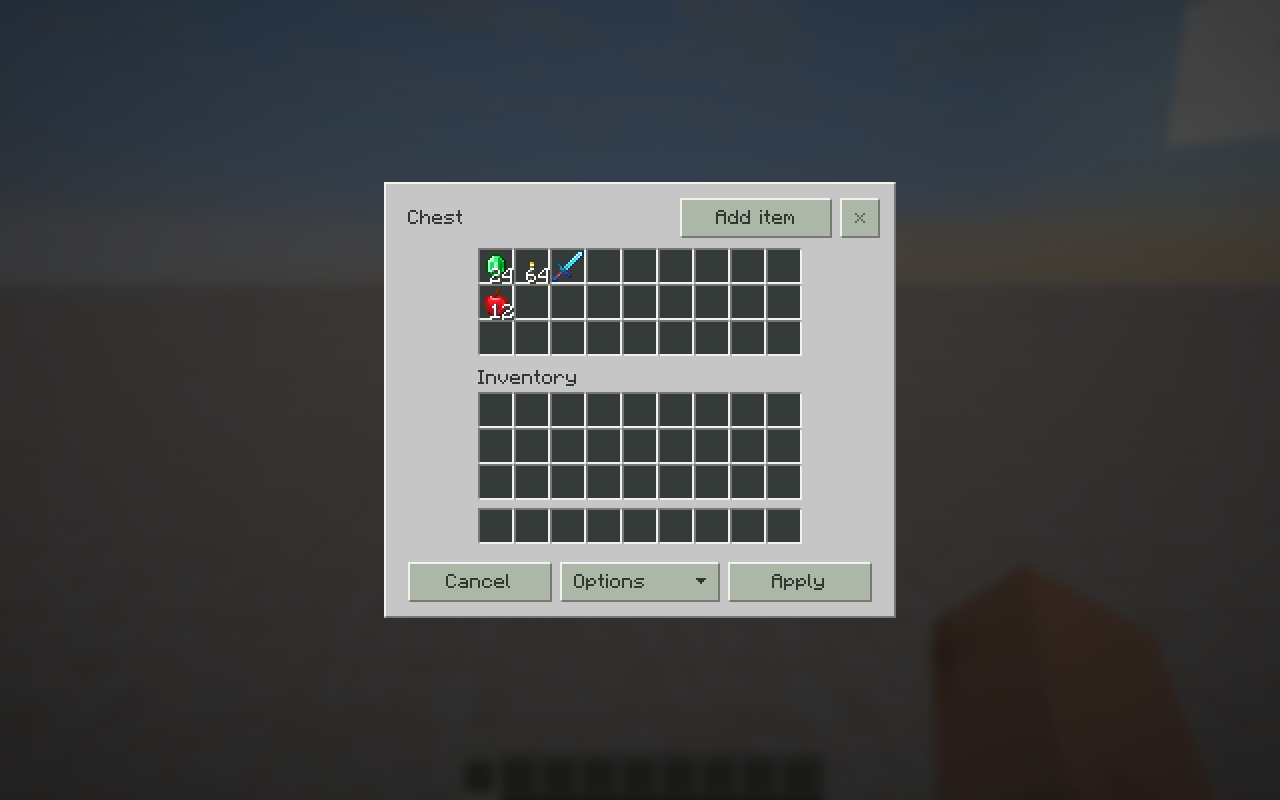
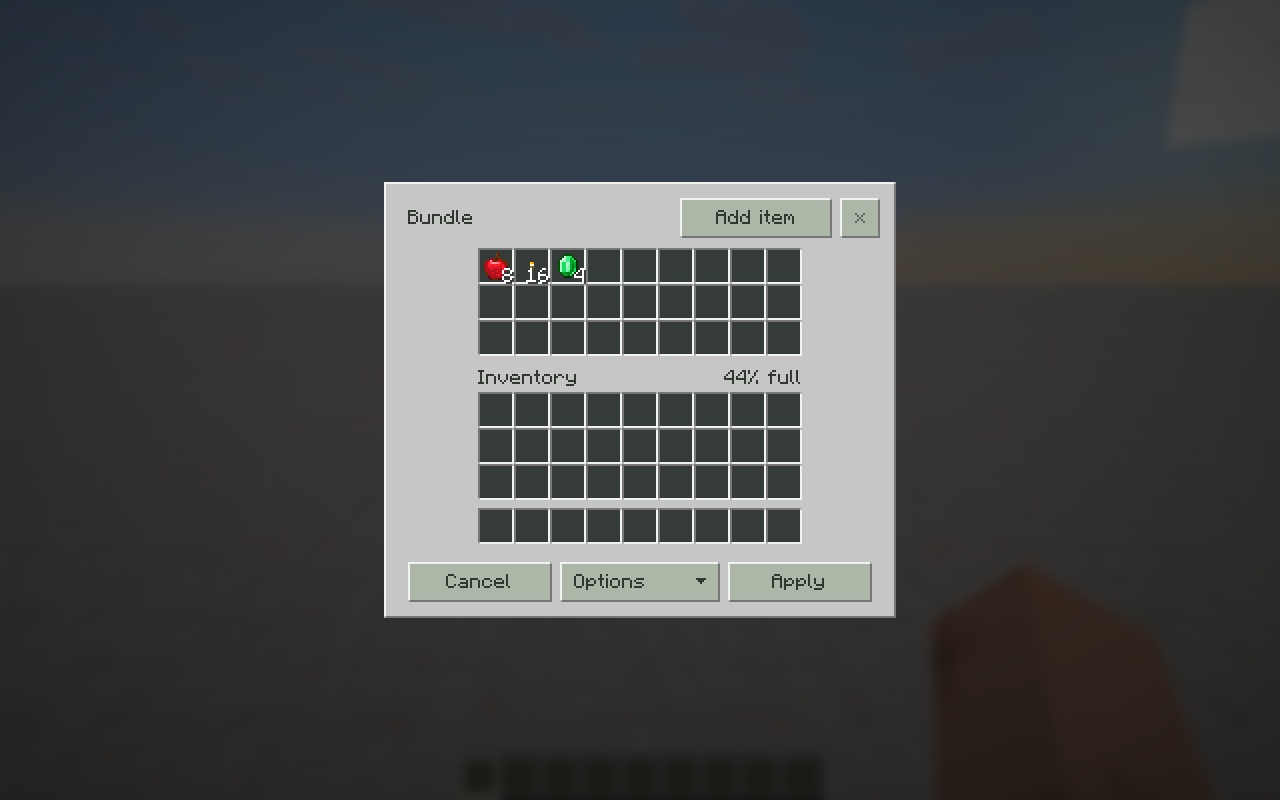
Prepare containers full of items before placing them. Drag, stack, split and move items as you would in a normal inventory.
Edit chests, shulker boxes and other block containers, furnace slots, chest and hopper minecarts, chest boats and rafts, bundles, lectern books and jukebox records.
Potions and entity effects
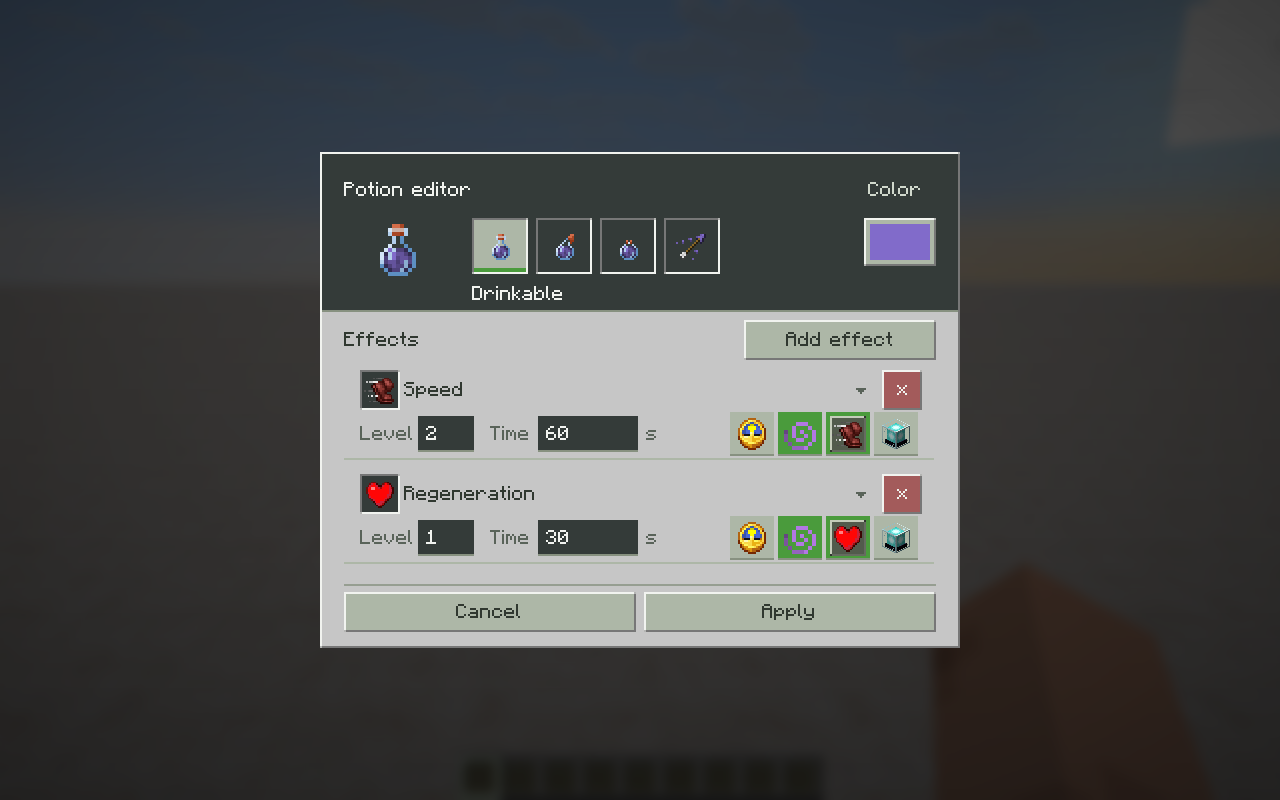
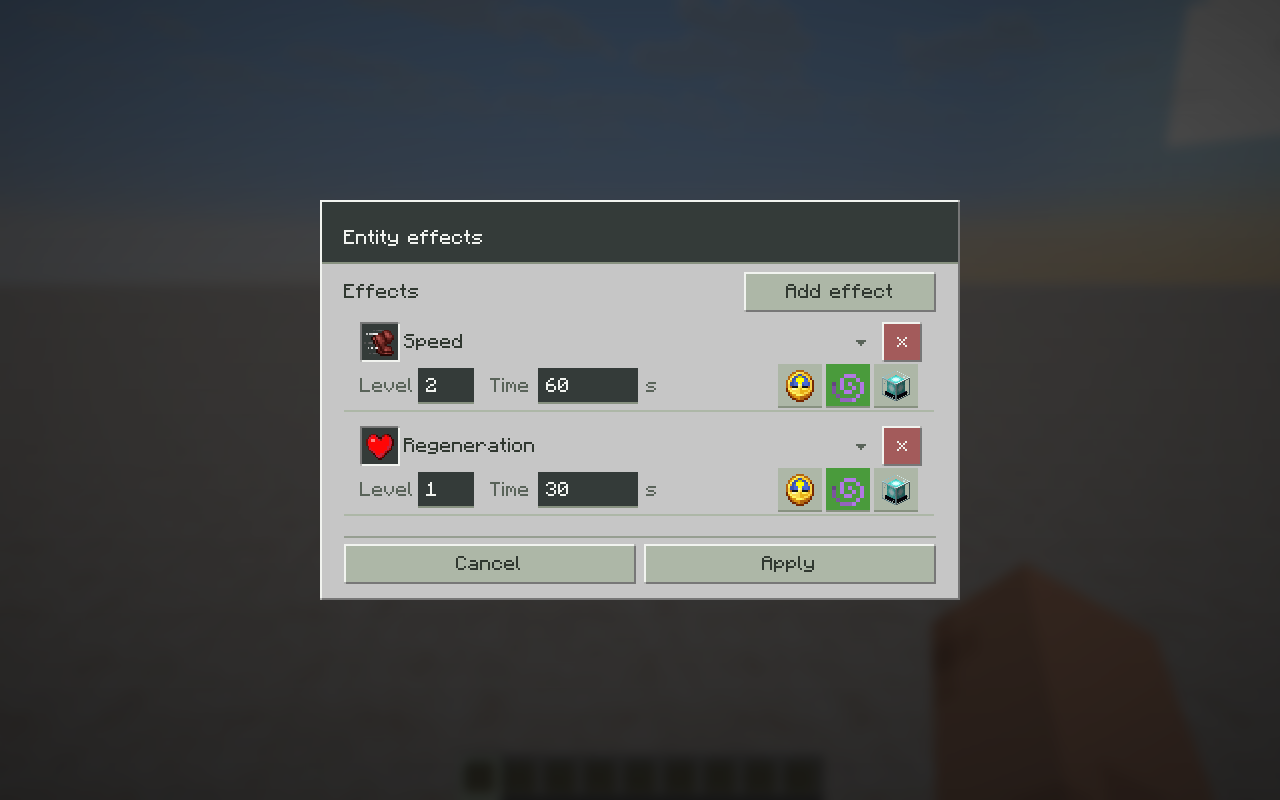
Create custom drinkable, splash and lingering potions, plus tipped arrows. Combine effects, choose a potion color and set each effect's level and duration, including infinite duration. Effect levels 1–256 are supported.
Configure particles, ambient effects and potion status icons. Apply custom effects to mobs as well.
Signs
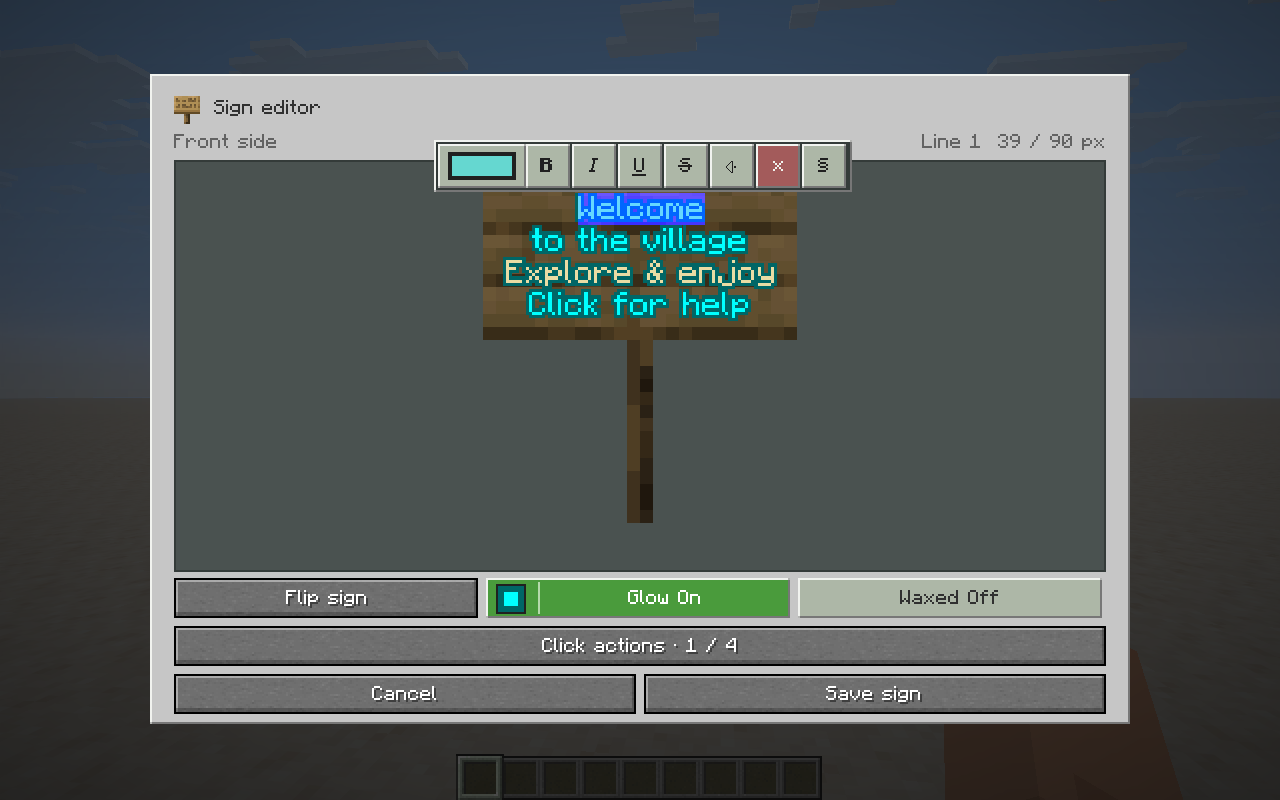
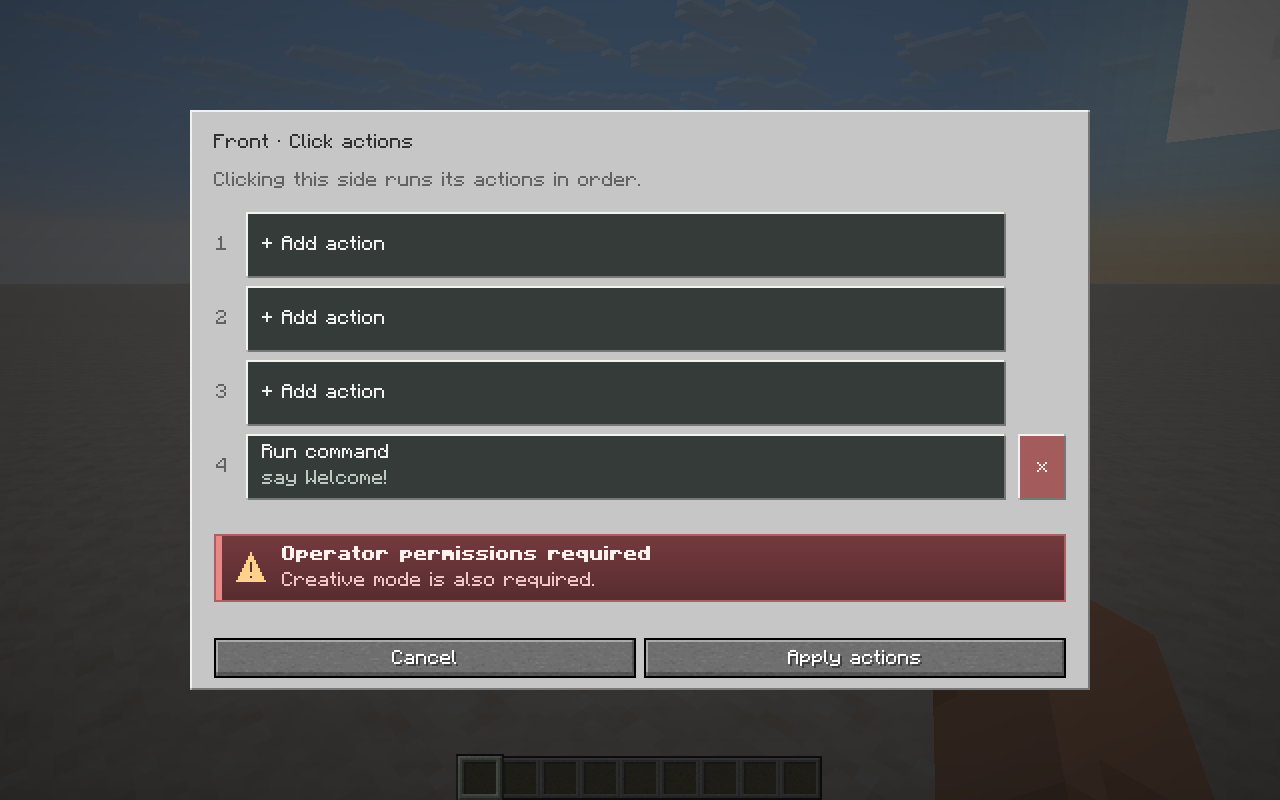
Write and format both sides of signs and hanging signs. Give individual letters custom colors and gradients, add glowing text, choose a glow dye and wax the sign. Add commands that players can activate by clicking the sign.
Books
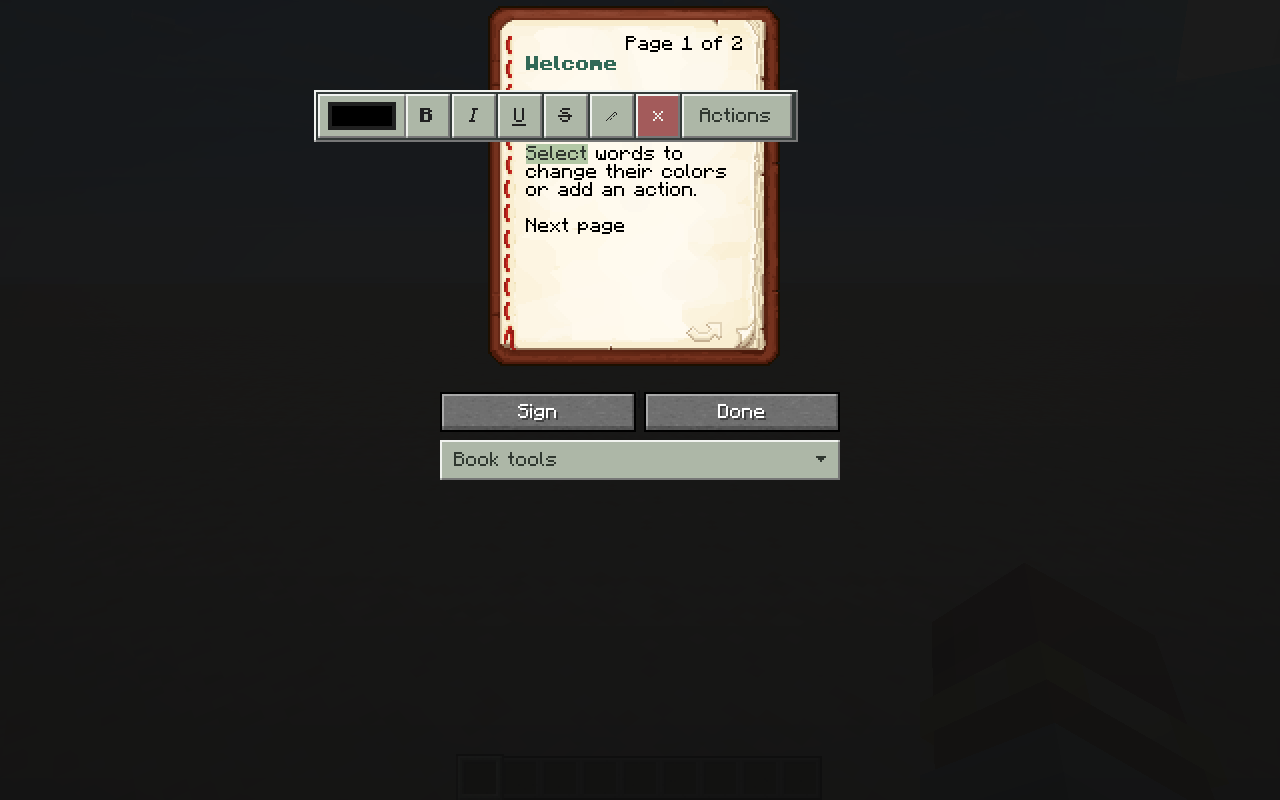
- Write books with colored text, gradients and formatting.
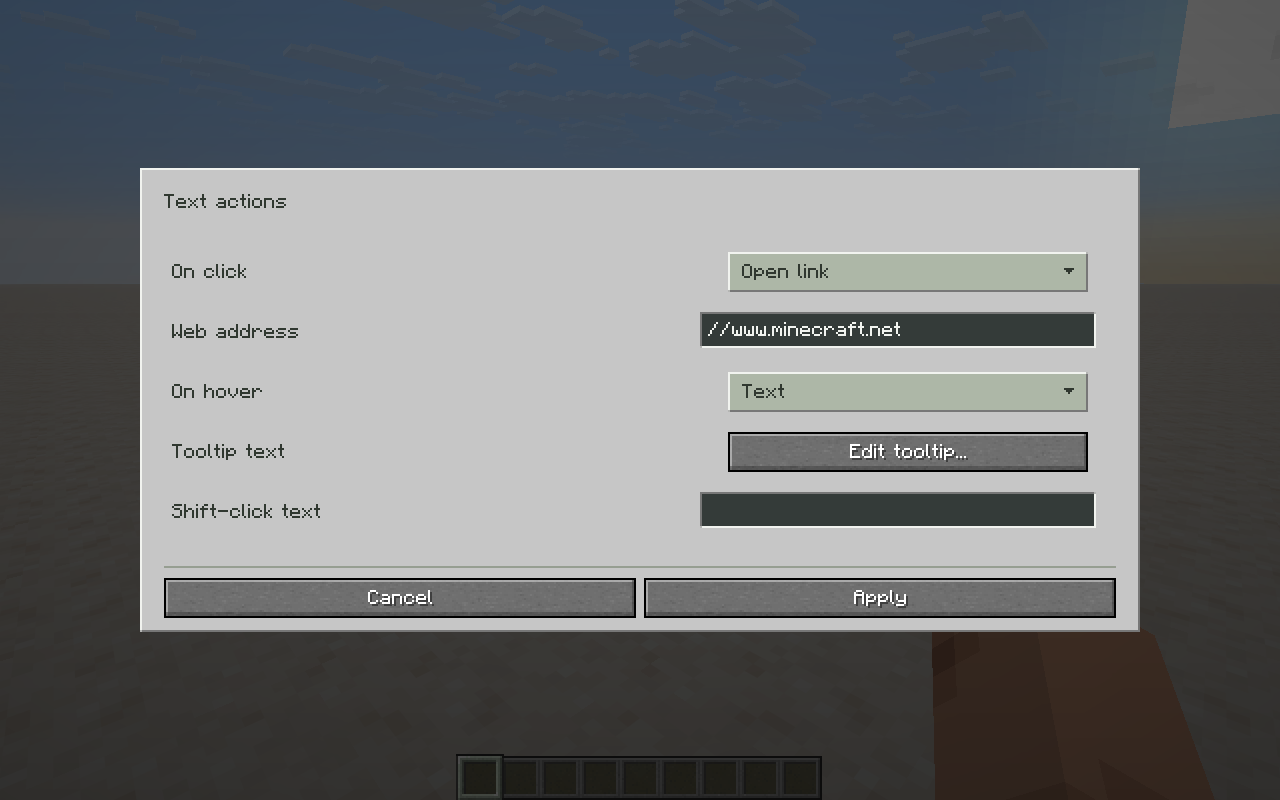
- Add clickable commands, web links, page links and copyable text.
- Add hover text, item or entity information, and insertion text.
- Change the author, title and copy generation.
- Duplicate, reorder or remove pages, and preview interactive text.
- Sign books or unlock Written Books to edit and sign them again.
Mobs, equipment and mob stacks
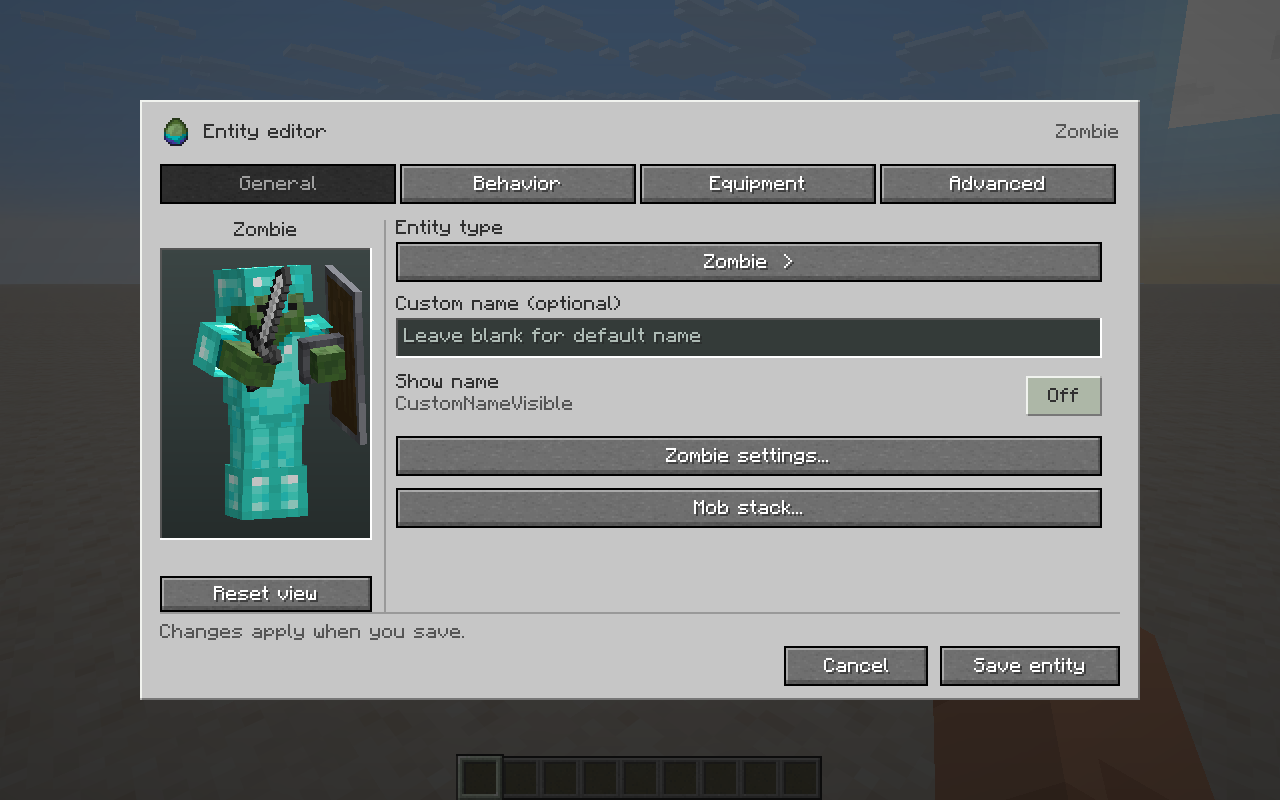
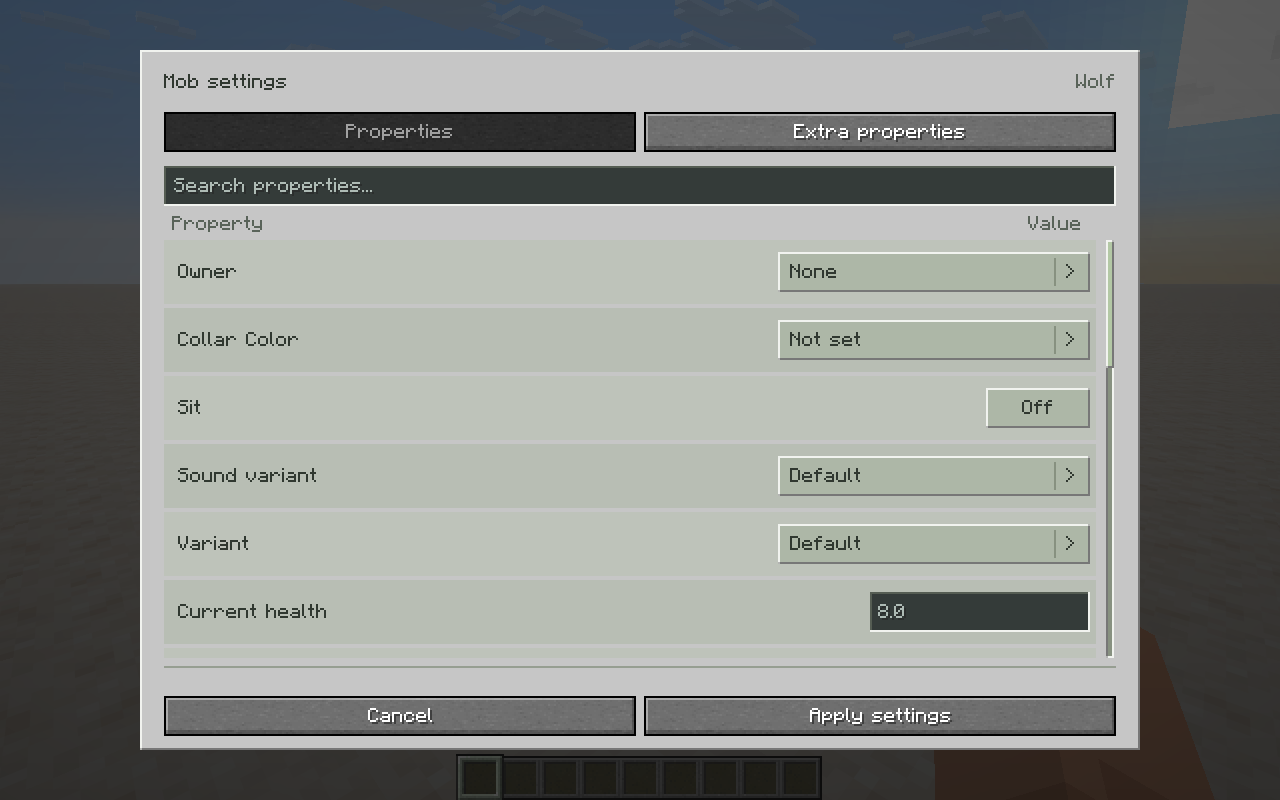
Customize mobs through their spawn eggs: names, behavior, attributes, effects and mob-specific settings. Change variants, owners, trusted players, leashes, inventories, timers, anger, villager gossip and more where supported by the mob.
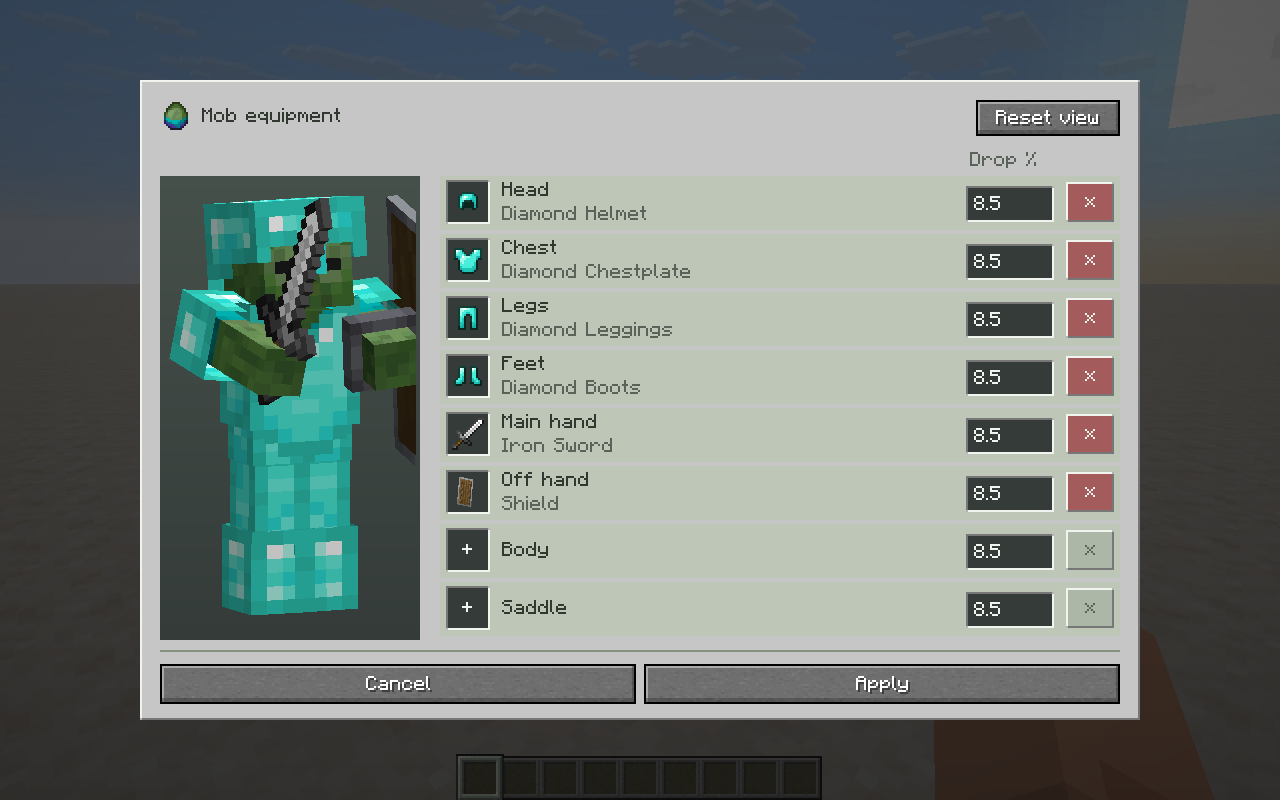
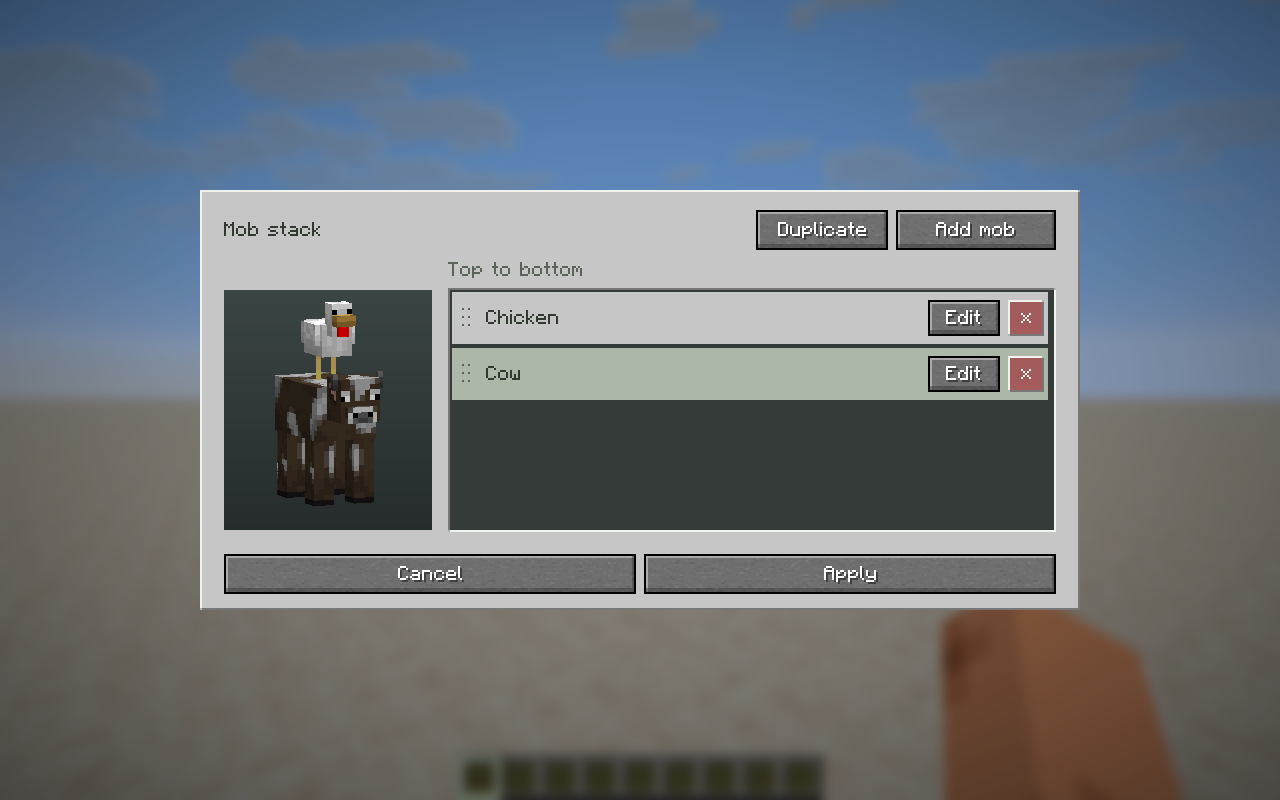
Equip mobs with custom items and set equipment drop chances. Stack mobs on top of one another, duplicate them and rearrange who rides whom.
NOTE: On servers, mob stacking requires Edit Everything to be on both the client and the server.
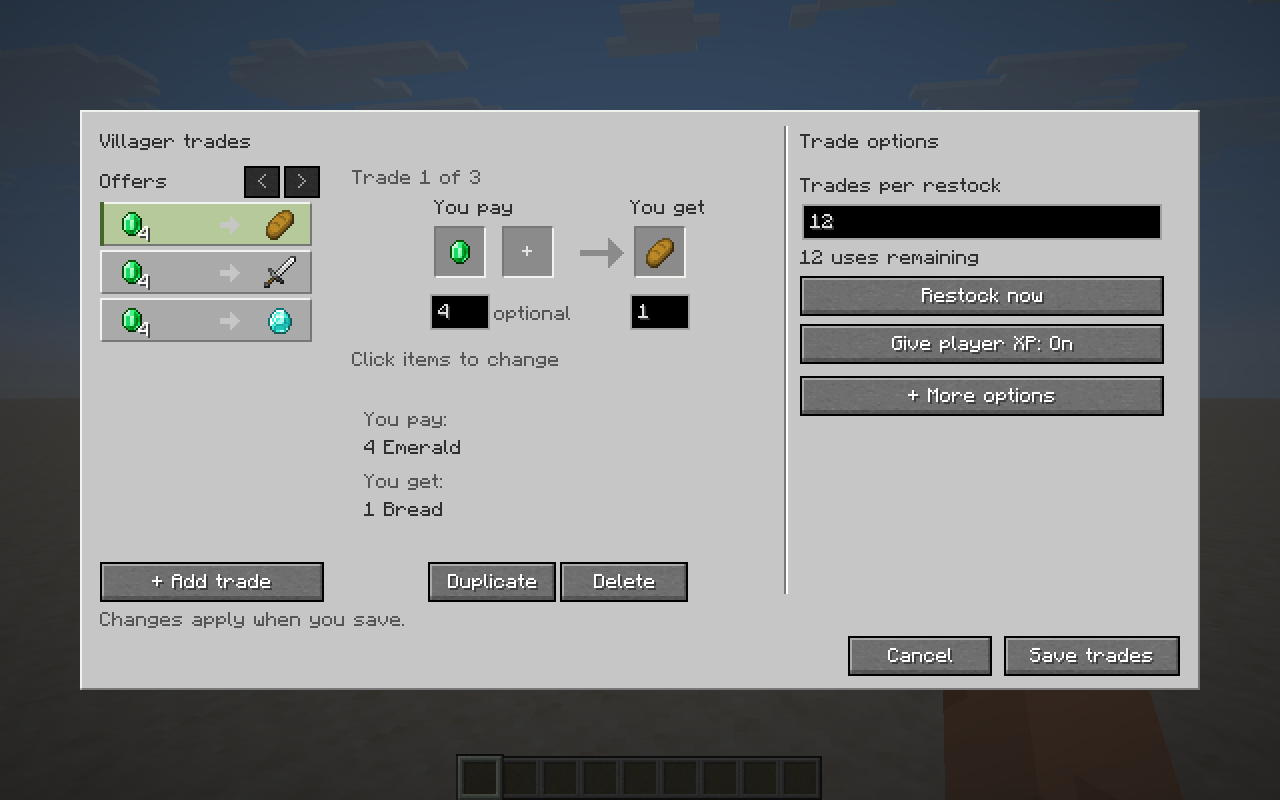
Villager trades
Create custom villager trades with your own payment items and results. Add an optional second payment, set item amounts and adjust trade settings.
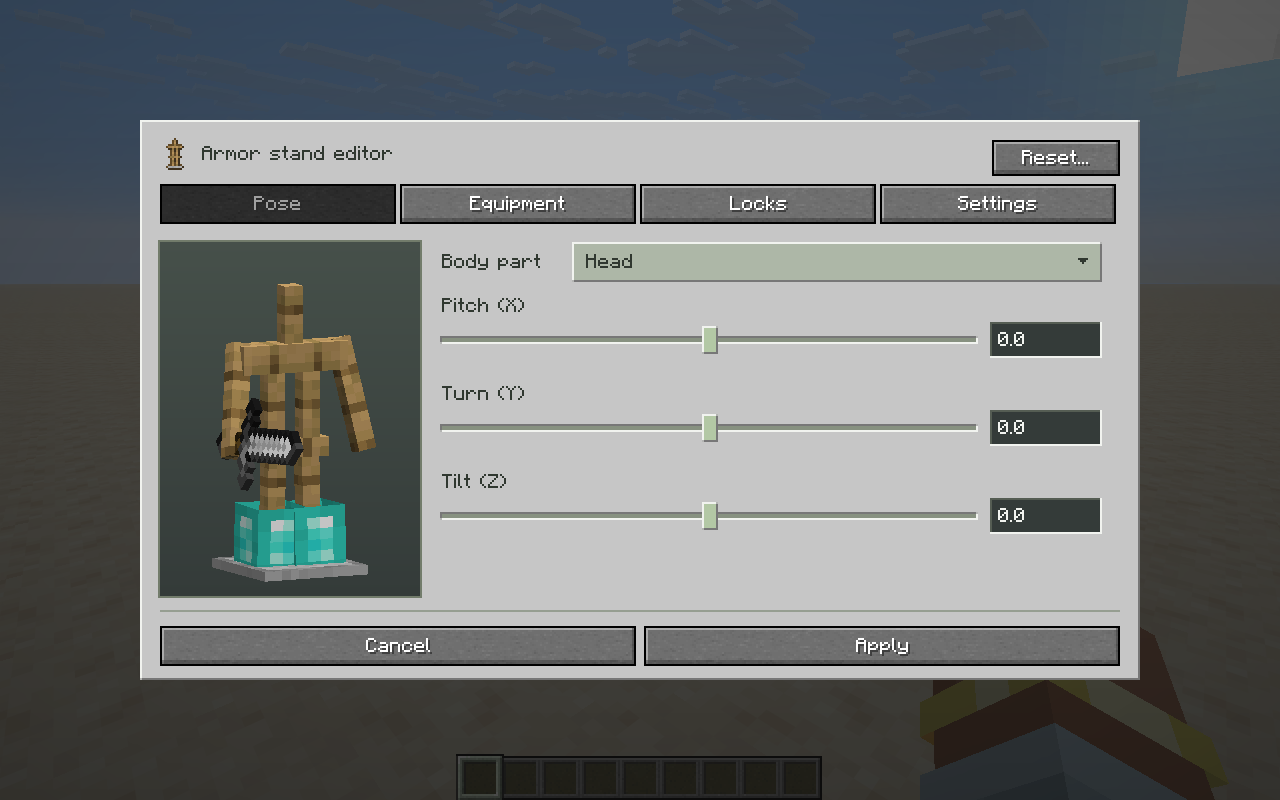
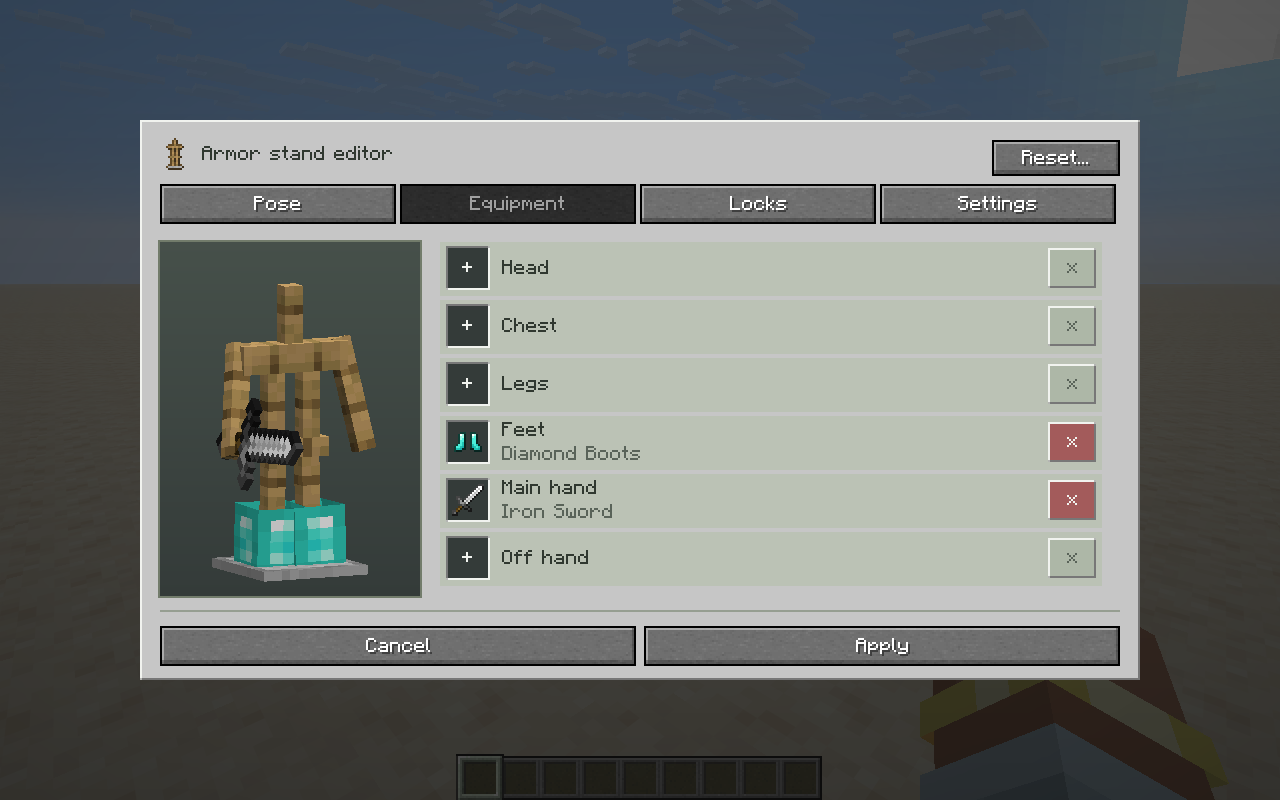
Armor stands
Pose each body part, equip custom items and lock equipment slots. Customize arms, base plates, size, visibility, glowing and names. Edit armor stand items, spawn eggs or a targeted placed armor stand with /ee armorstand.
Block, item and text displays
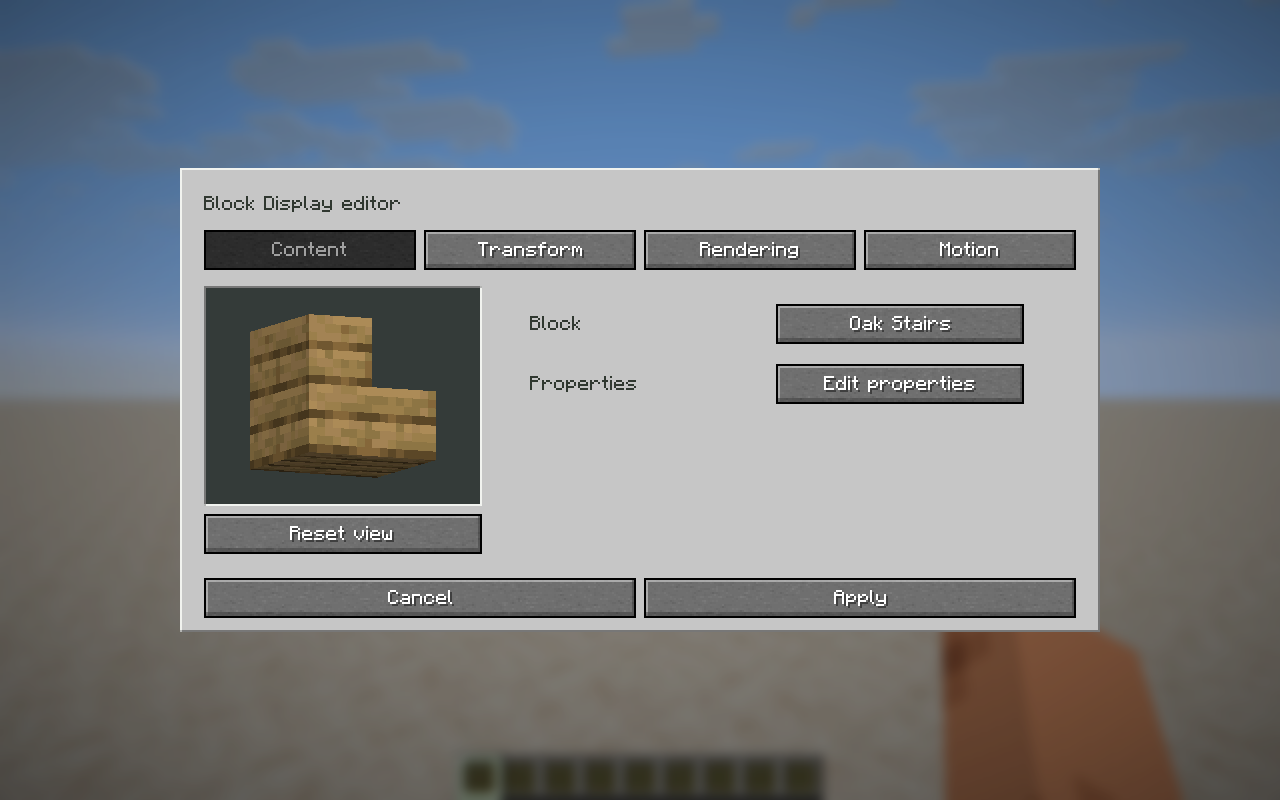
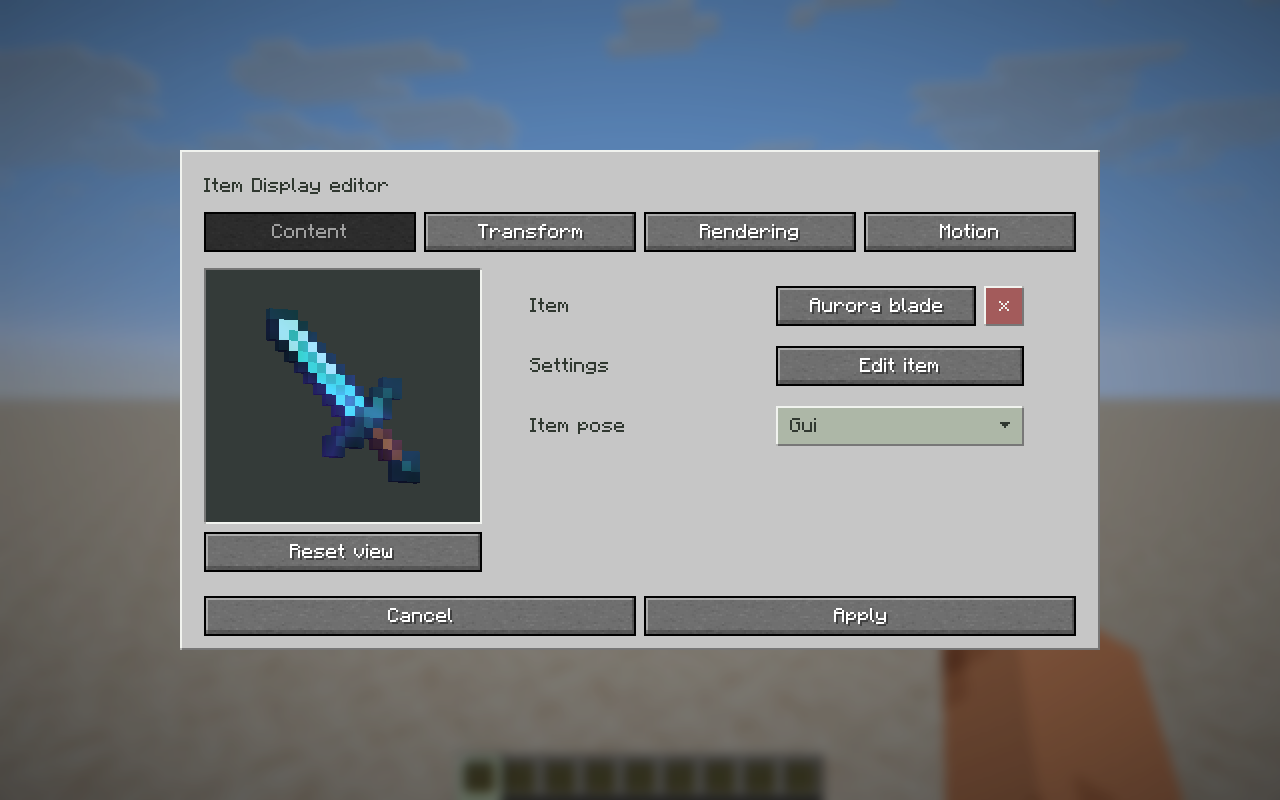
Create Block Displays, Item Displays and Text Displays. Choose block states, displayed items and item poses, or styled multiline text.
Position, rotate and resize displays. Configure billboard orientation, lighting, view distance, shadows and interpolation. Text displays support wrapping, alignment, opacity, backgrounds, shadows and see-through text.
Mannequins
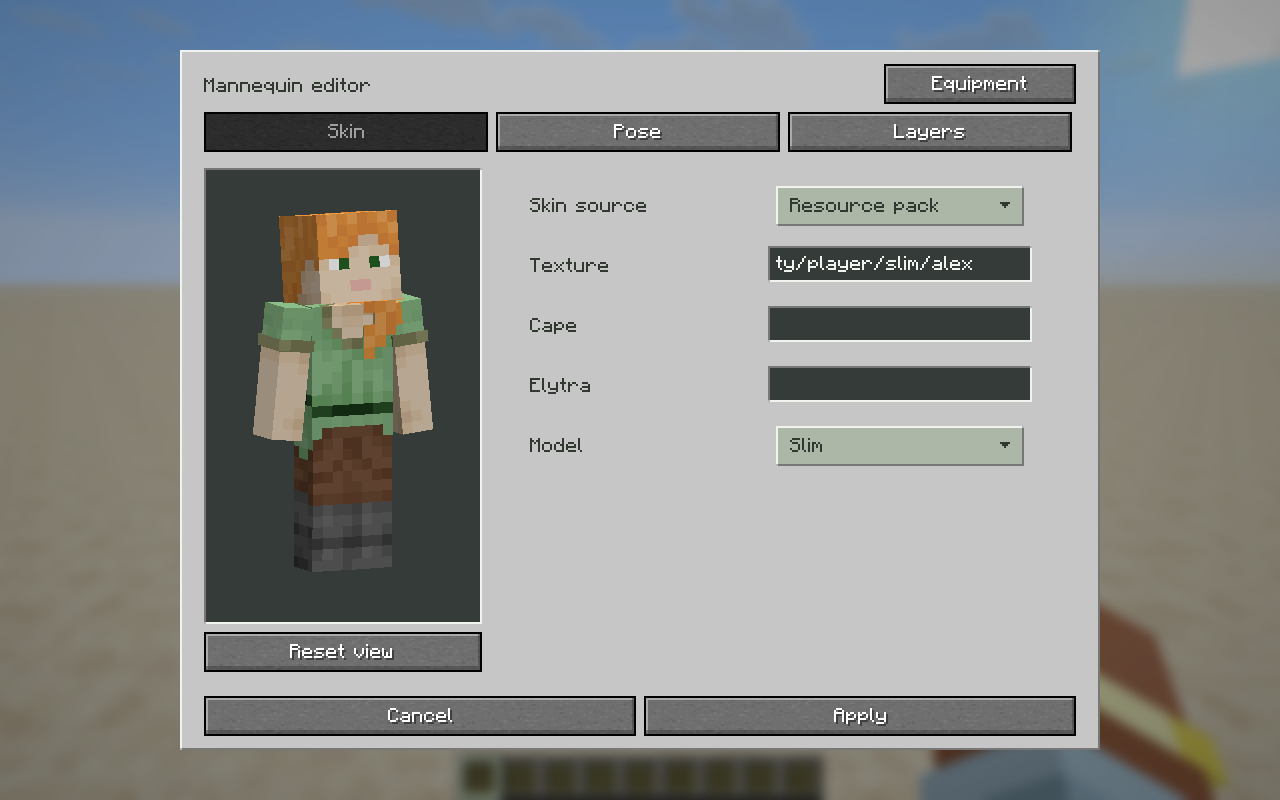
Customize mannequin skins using player profiles, custom textures or resource-pack textures. Choose wide or slim arms, poses, equipment, visible skin layers, main hand, immovability and formatted descriptions.
Banners and shields
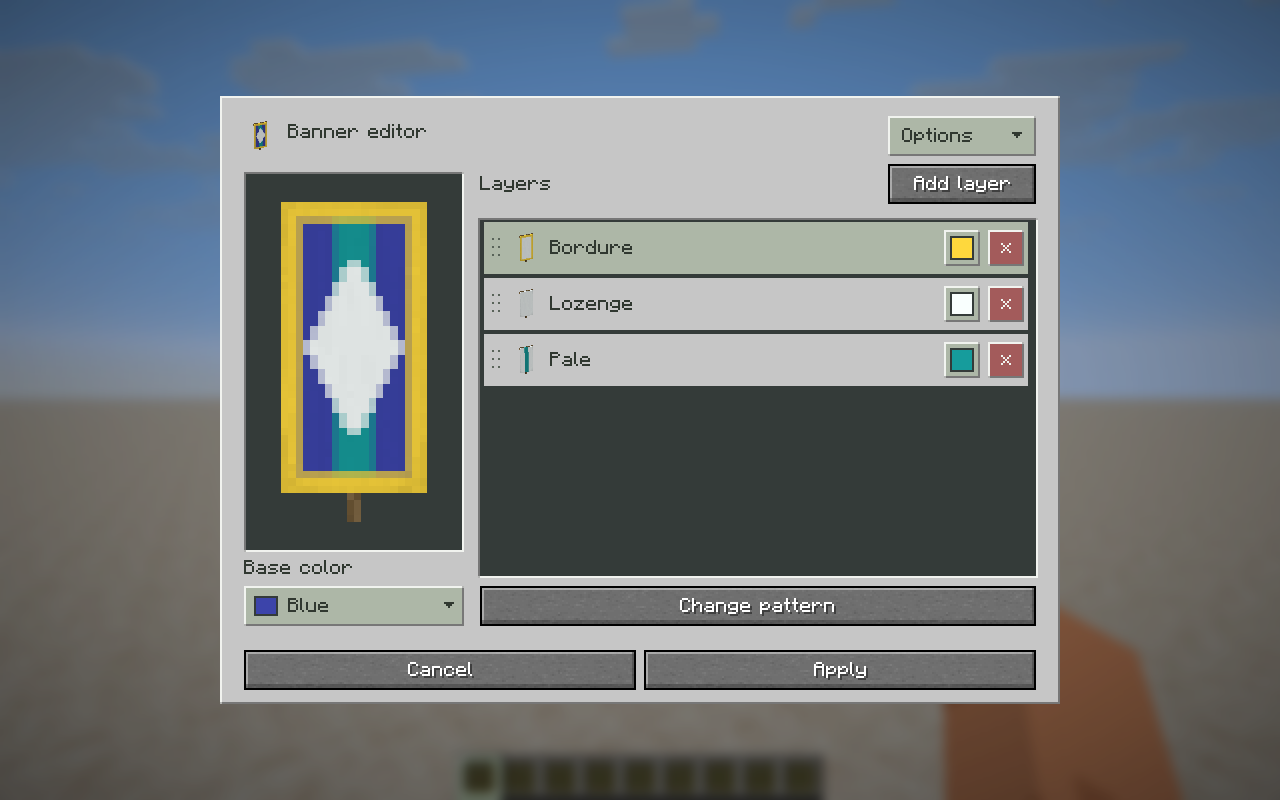
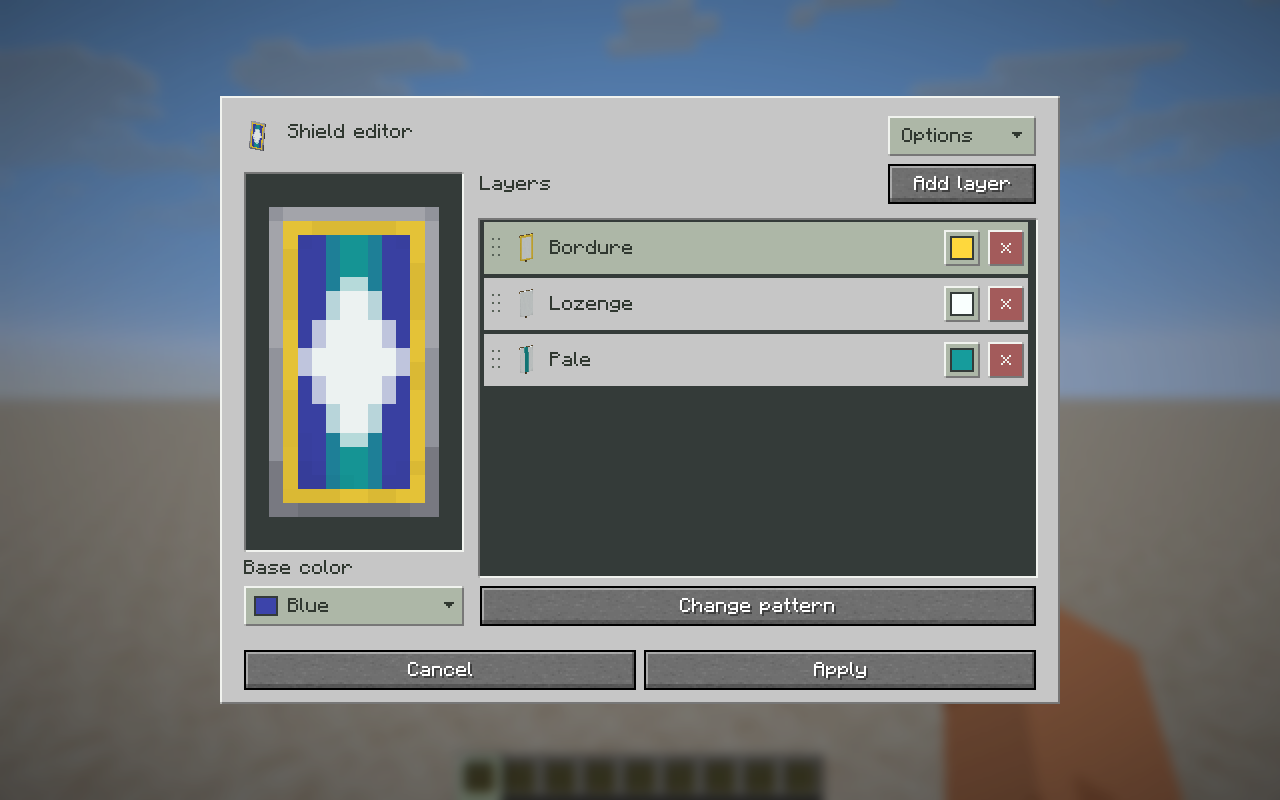
Design banners and shields with a base color and up to 16 visible pattern layers. Choose patterns and dyes, duplicate layers and rearrange their order.
Fireworks
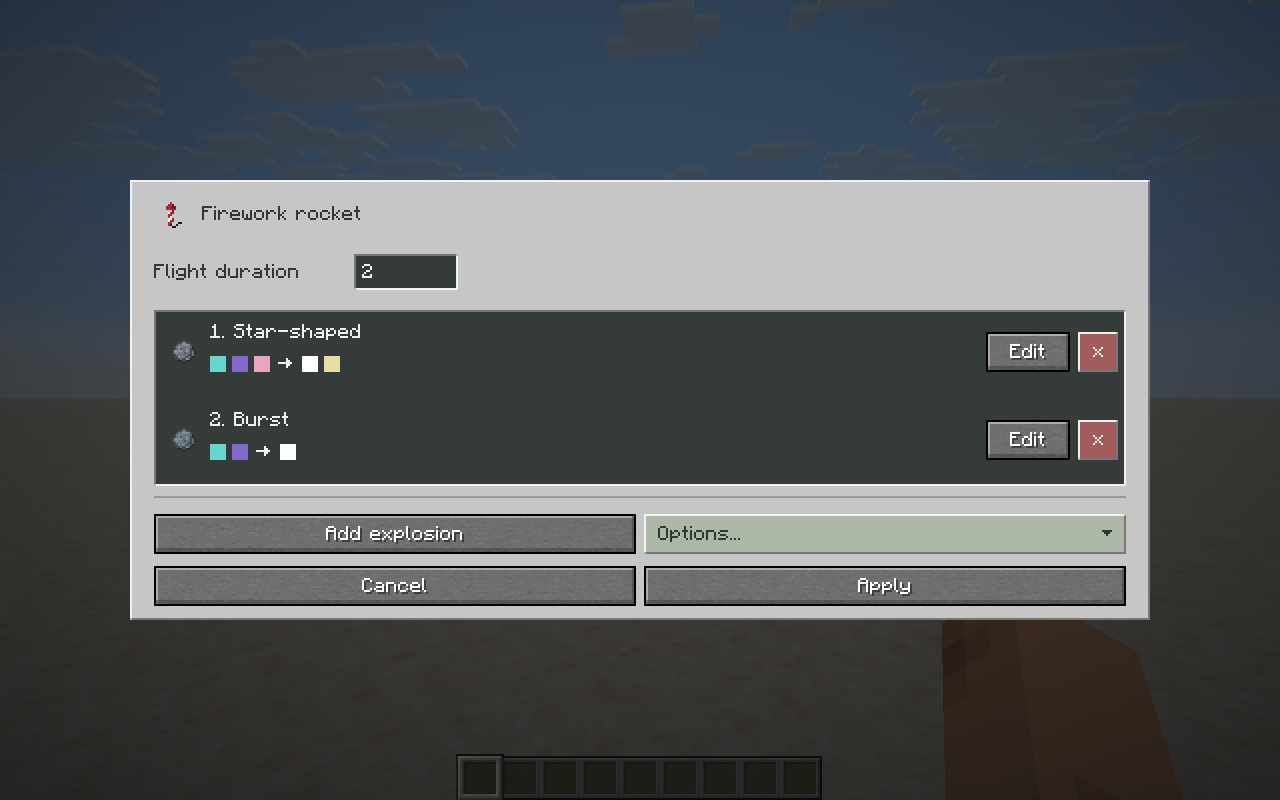
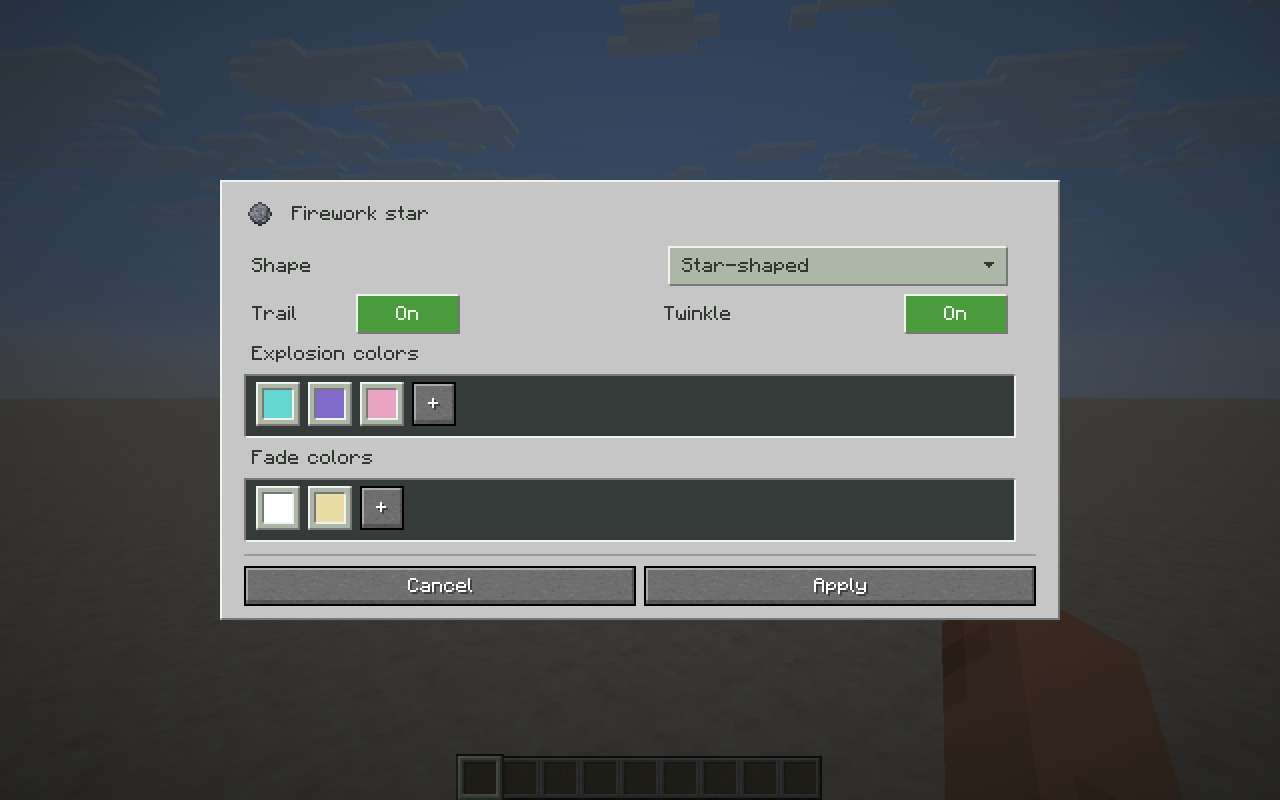
Build rockets with multiple explosions and a custom flight duration. Choose each explosion's shape, colors, fade colors, trail and twinkle. Combine Minecraft dyes with custom colors, then duplicate or reorder explosions.
Command blocks
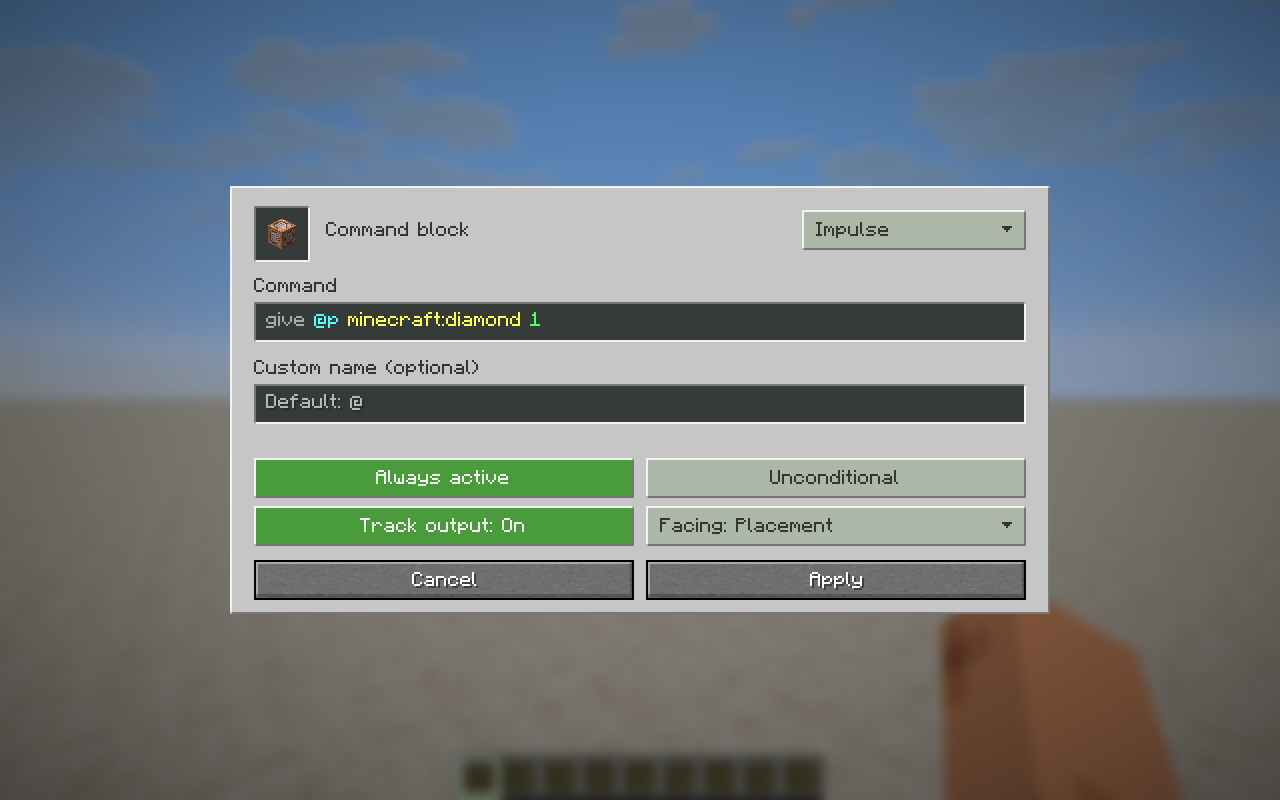
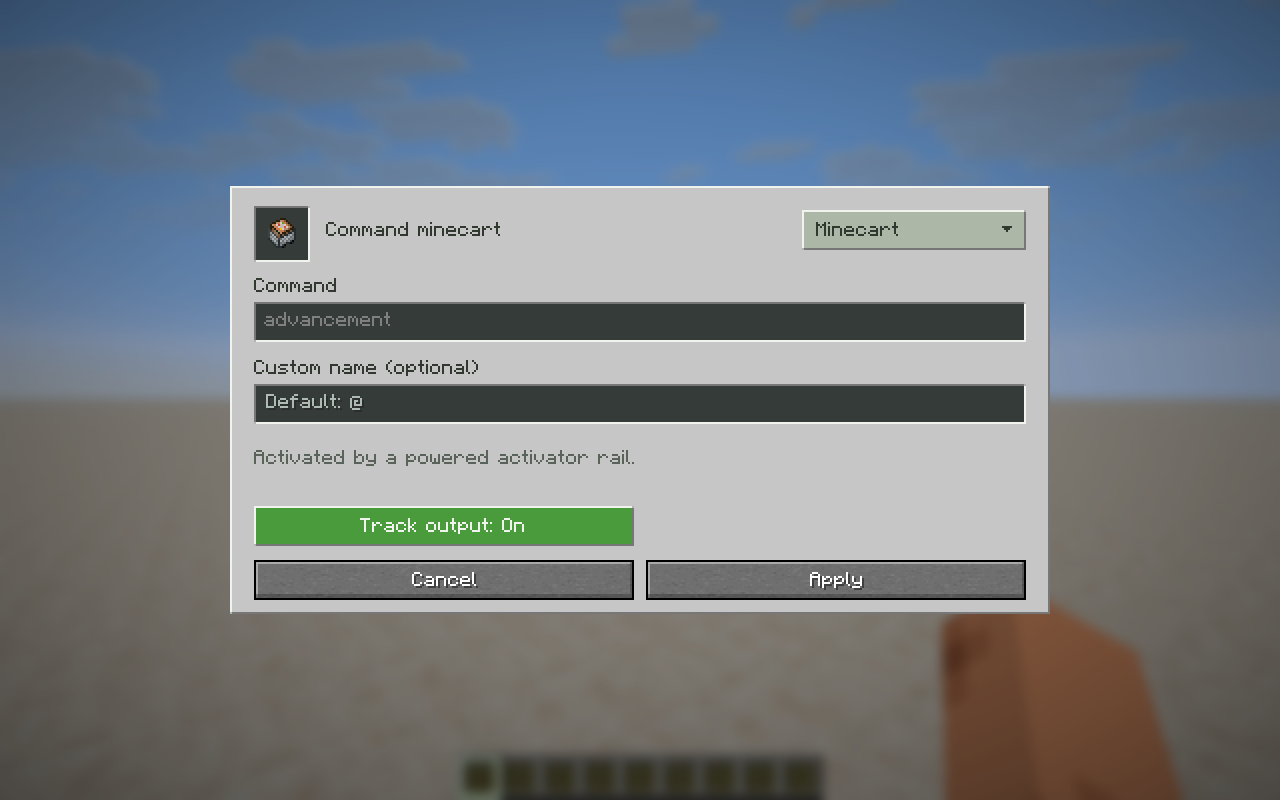
Configure Impulse, Repeating and Chain command blocks, plus command-block minecarts. Edit commands with server-command autocomplete, add formatted names and set activation, conditional execution, output tracking and facing where supported.
Player heads
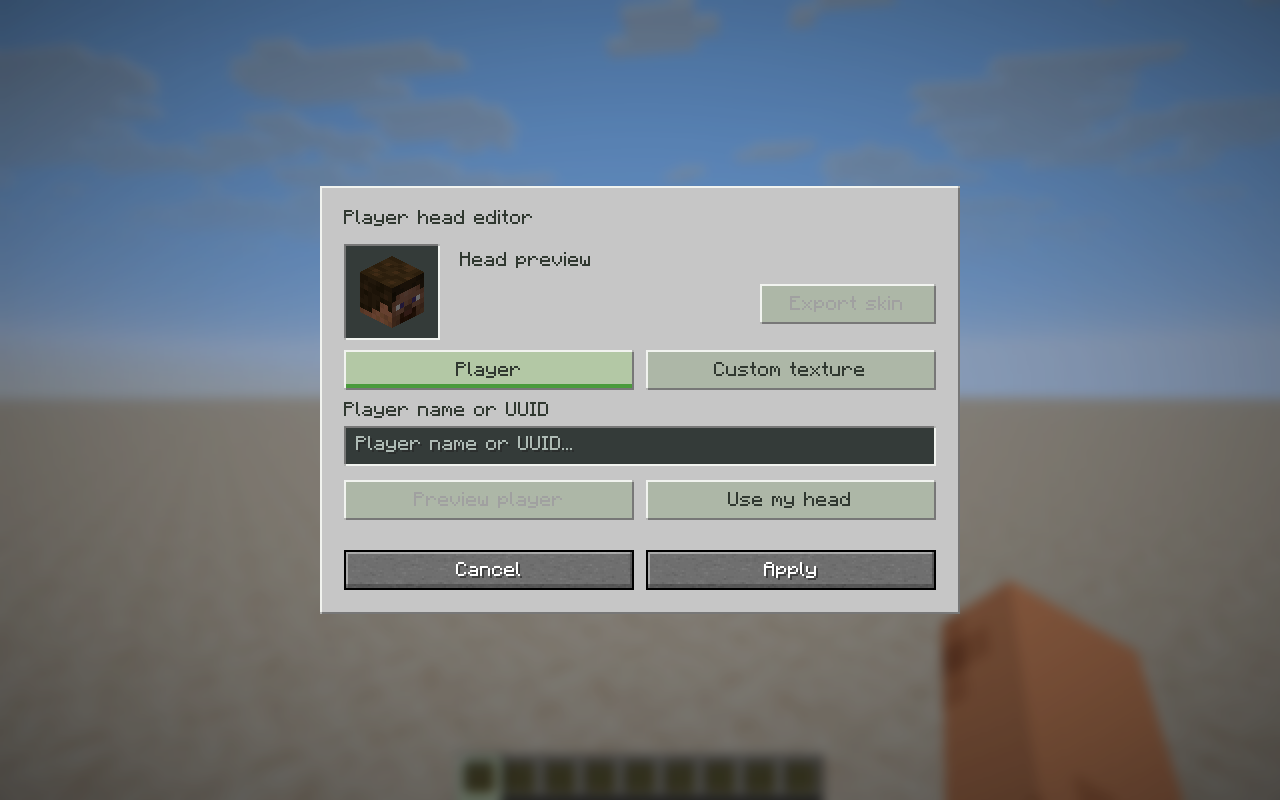
Create heads from a player name or UUID, or use a custom Minecraft texture URL, texture hash or Base64 value.
Creative tools
Use gamemode shortcuts and the F3 + F4 switcher without requiring OP, or generate random fireworks. See the commands below for more tools.
Multiplayer and permissions
Use Creative mode to edit items. Servers control which items and custom data they accept. Sign actions, command blocks and changes to placed entities may require operator permissions; book commands use the reader's permissions. Gamemode shortcuts do not bypass server permissions.
Mob-stack spawning requires Edit Everything on both the client and server. Singleplayer includes the server functionality.
Commands
The main command is /ee, also available as /editeverything.
| Command | Alias | Description |
|---|---|---|
/ee menu |
/ee om |
Open Saved items. |
/ee edit |
/ee e |
Edit the held item. |
/ee give <item> |
/ee g |
Give an item from its item code. |
/ee opengiver |
Open the Item giver. | |
/ee color |
Open the held item's color editor. | |
/ee enchant <id> <level> |
Enchant the held item. | |
/ee rename <name> |
Rename the held item; supports legacy & codes. |
|
/ee unbreakable [bool] |
Set or toggle unbreakable state. | |
/ee head <name> |
Create a player head. | |
/ee armorstand |
/ee as |
Work with a targeted armor stand. |
/ee randomfireworks |
/ee rfw |
Create a random firework rocket. |
/ee info |
Show mod information. | |
/ee format |
Show chat formatting codes. | |
/ee palette |
Show a copyable color palette. | |
/ee spectatortp <player> |
/ee sptp |
Teleport to a player. |
/ee help |
Show command help. |
Gamemode shortcuts: /gm <mode>, /gmc, /gms, /gma and /gmsp. /gm accepts names, numbers and short forms, such as /gm creative, /gm 1 or /gm c.
Discord
Join our Discord server for support, feedback and sharing your creations.
Credits and license
Previously known as Advanced Creative Tab by ATE47.
- DutchMTC — author and maintainer.
- ATE47 — creator of the original Advanced Creative Tab mod.
Licensed under LGPL-3.0.
Project description from Modrinth.
Pick your setup
Edit Everything by Minecraft version and loader
Choose the version and loader you play, then open the matching release.
Minecraft version
26.2
1 loader buildMinecraft version
26.1.2
1 loader buildMinecraft version
26.1.1
1 loader buildMinecraft version
26.1
1 loader buildMinecraft version
1.21.11
1 loader buildMinecraft version
1.21.10
1 loader buildCheck the dependencies, then try the file in a copied instance before changing a world you care about.
Recent files
Edit Everything versions and loaders
26.3.0
EditEverything-26.3.0.jar
13 Oct 2026
Client Required Server Not supported Dependencies No extras listed Listed on Release listing
Check the 26.3 · Fabric setup 26.3Fabric release
26.1.2
EditEverything-26.1.2.jar
15 Aug 2026
Client Required Server Not supported Dependencies No extras listed Listed on Release listing
Check the 26.1.2 · Fabric setup 26.126.1.126.1.2Fabric release
26.1.1
EditEverything-26.1.1.jar
31 Jul 2026
Client Required Server Not supported Dependencies No extras listed Listed on Release listing
Check the 26.1.2 · Fabric setup 26.126.1.126.1.2Fabric release
21.11.5
EditEverything-21.11.5.jar
31 Jul 2026
Client Required Server Not supported Dependencies No extras listed Listed on Release listing
Check the 1.21.11 · Fabric setup 1.21.101.21.11Fabric release
26.2.1
EditEverything-26.2.1.jar
31 Jul 2026
Client Required Server Not supported Dependencies No extras listed Listed on Release listing
Check the 26.2 · Fabric setup 26.2Fabric release
26.2.0
EditEverything-26.2.0.jar
16 Jun 2026
Client Required Server Not supported Dependencies No extras listed Listed on Release listing
Check the 26.2 · Fabric setup 26.2Fabric release
26.1.0
EditEverything-26.1.0.jar
5 Jun 2026
Client Required Server Not supported Dependencies No extras listed Listed on Release listing
Check the 26.1.2 · Fabric setup 26.126.1.126.1.2Fabric release
21.11.4
EditEverything-21.11.4.jar
9 Feb 2026
Client Required Server Not supported Dependencies No extras listed Listed on Release listing
Check the 1.21.11 · Fabric setup 1.21.101.21.11Fabric release
21.11.3
EditEverything-21.11.3.jar
3 Feb 2026
Client Required Server Not supported Dependencies No extras listed Listed on Release listing
Check the 1.21.11 · Fabric setup 1.21.101.21.11Fabric release
21.11.2
EditEverything-21.11.2.jar
3 Feb 2026
Client Required Server Not supported Dependencies No extras listed Listed on Release listing
Check the 1.21.11 · Fabric setup 1.21.101.21.11Fabric release
21.11.1
EditEverything-21.11.1.jar
7 Jan 2026
Client Required Server Not supported Dependencies No extras listed Listed on Release listing
Check the 1.21.11 · Fabric setup 1.21.101.21.11Fabric beta
Looking for an older file? The official Modrinth project page is in Resources.
 mod
mod Modrinth · Minecraft
OneConfig
Access all your mod settings in one place, with a sleek and intuitive interface. By Polyfrost, best with OneClient.
 mod
mod Modrinth · Minecraft
Aditions
Aditions adds new vanilla-style building blocks and other cool Aditions.
 mod
mod Modrinth · Minecraft
Minks And Misfits
Adds some strange and unique mobs to Minecraft!