Fabric API Optional for QuickAlias 1.0.1+1.20.5-fabric
optionalNo matching file

Modrinth · Minecraft mod
Lightweight client-side command alias utility.
Quick answer
QuickAlias 1.0.1+1.20.5-fabric targets 1.20.5 with Fabric, Quilt. It must be installed on the client. Do not install it on the dedicated server. No extra mods listed for this file.
Where it goes
It must be installed on the client. Do not install it on the dedicated server.
This file is marked client-only.
1.0.1+1.20.5-fabric on 1.20.5 Quilt. Every mod below is checked against that same setup.
This file does not list any required mods. Do not add a library just because a different file uses it.
1 extra mod was pulled in by another dependency. Indented rows show who needs each one. We only count dependency files that match this setup. A file for another loader does not fill the gap.
Before you install it
Built for QuickAlias 1.0.1+1.20.5-fabric on 1.20.5 Quilt. Pick another file and the loader, install side or required mods may change.
Use 1.0.1+1.20.5-fabric. It targets 1.20.5 with Fabric, Quilt; another release may have different loader, side or dependency requirements.
This file does not list any required mods. Do not add a library just because a different file uses it.
It must be installed on the client. Do not install it on the dedicated server.
Use the “Get this file” button beside 1.0.1+1.20.5-fabric. It opens that exact file at the source.
About this project




QuickAlias is a client-side utility modification designed to optimize command interaction efficiency within Minecraft. It features a comprehensive visual alias editor, hierarchical command menus, dynamic variable parsing, and a quick access command panel.
This mod aims to resolve the tediousness associated with manual entry of repetitive command strings. Users can construct customized command hierarchies and access them seamlessly via standard chat auto-completion or the convenient visual overlay panel.
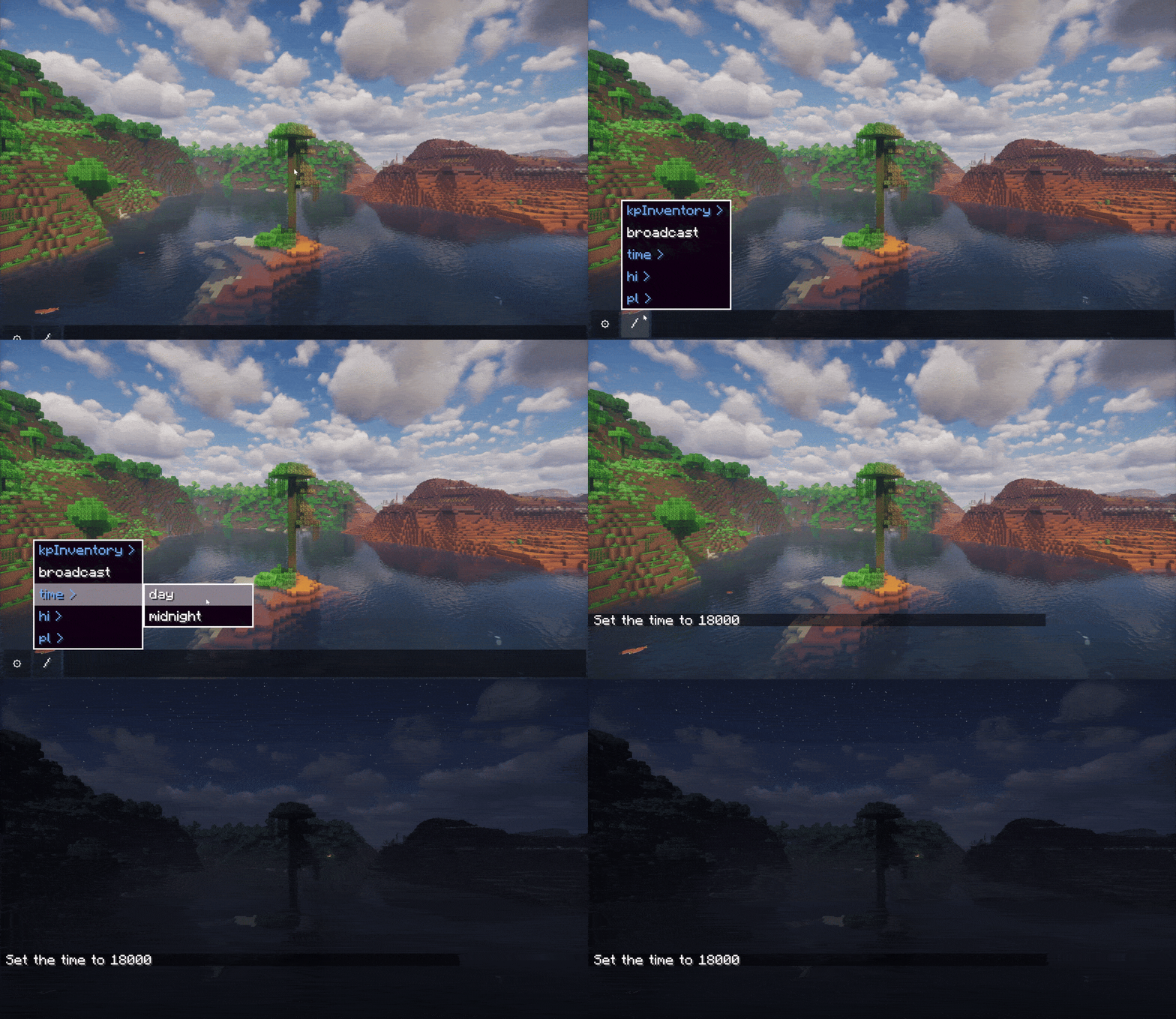
Warp, and cascade sub-options such as Home, Hub, and Mining under it.{X}, {Y}, {Z}), player ID ({ID}), and dimension info ({DIM})./invite {player}. The system intelligently captures user input and dynamically replaces the corresponding variables in the command.{id} automatically prompt online player names, while {dim} suggests dimension IDs./ icon), which summons a visual alias navigation menu, enabling command execution without typing.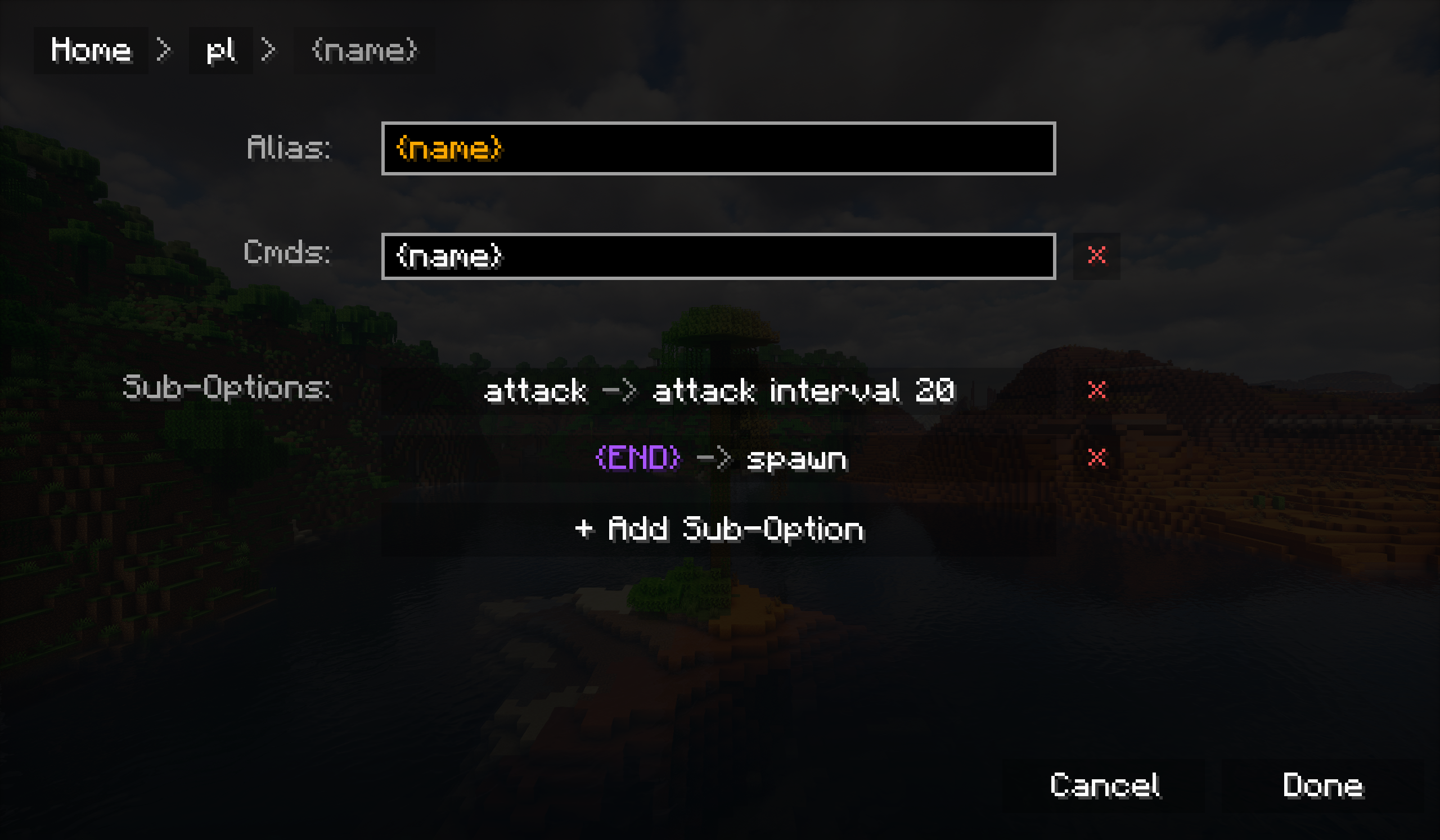
+ button to create a new root alias.home)./tp <x> <y> <z>)./home in the chat bar.To create an alias that accepts dynamic arguments (such as a player name):
hi.{id} (Curly braces indicate this node is a variable).{id} node's command list, enter: hello {id}./hi Steve in the chat bar, and the system will execute hello Steve (text without a slash "/" will be sent as a chat message).The following placeholders can be used in any command configuration:
{X}, {Y}, {Z} - Current coordinate values (retains one decimal place).{ID} - Current player name.{DIM} - Registered resource name of the current dimension..jar file into the mods folder in your game directory.Project description from Modrinth.
Pick your setup
Choose the version and loader you play, then open the matching release.
Check the dependencies, then try the file in a copied instance before changing a world you care about.
Recent files
QuickAlias-Fabric-mc1.20.5-1.0.1.jar
7 Dec 2025
Looking for an older file? The official Modrinth project page is in Resources.