Cloth Config API (Fabric/Forge/NeoForge) Needed by Mob Variants [1.21 - 1.21.1] Mob Variants - 6.5.4
requiredMatching file found Matched file: [Fabric 1.21] v15.0.140
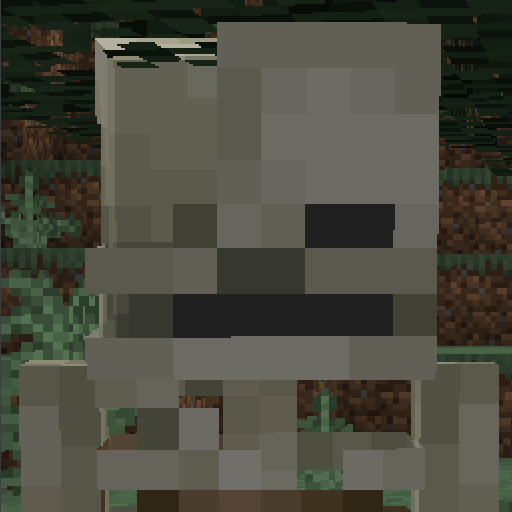
CurseForge · Minecraft mod
Adds stronger variants for hostile mobs
Quick answer
Mob Variants [1.21 - 1.21.1] Mob Variants - 6.5.4 targets 1.21, 1.21.1 with Fabric. The project page does not say whether this file belongs on the client, dedicated server, or both. All 2 required mods have matching files.
Where it goes
The project page does not say whether this file belongs on the client, dedicated server, or both.
The source does not explicitly classify this release as client-only or server-only.
[1.21 - 1.21.1] Mob Variants - 6.5.4. Change the file and its required mods may change too.
Install Cloth Config API (Fabric/Forge/NeoForge), Cloth Config API first. We found matching files for this game-version and loader setup.
We only count dependency files that match this setup. A file for another loader does not fill the gap.
Before you install it
Built for Mob Variants [1.21 - 1.21.1] Mob Variants - 6.5.4. Pick another file and the loader, install side or required mods may change.
Use [1.21 - 1.21.1] Mob Variants - 6.5.4. It targets 1.21, 1.21.1 with Fabric; another release may have different loader, side or dependency requirements.
Install Cloth Config API (Fabric/Forge/NeoForge), Cloth Config API first. We found matching files for this game-version and loader setup.
The project page does not say whether this file belongs on the client, dedicated server, or both.
Use the “Get this file” button beside [1.21 - 1.21.1] Mob Variants - 6.5.4. It opens that exact file at the source.
About this project
Forge: Requires Sinytra Connector
Mob Variants adds stronger variants for hostile mobs.
When mob spawns, there is a chance that it will be converted into cave variant. The chance is the higher the deeper it spawns.
By default, they appear under 26 Y level.
Detailed description of mobs:
Spider variants:
Spider has a chance to convert to Armored Spider.
Armored Spider has 2 hp more, 12 armor and 0.1 knockback resistance. It also deflects arrows without piercing.
Skeleton variants:
Skeleton has a chance to convert to Undead Warrior.
Undead Warrior has 50% chance to spawn with stone sword and has 2 hp more, 0.2 knockback resistance and walks a bit faster. Additionally, the first (1 - 4) arrows he shots apply one of the following status effects: weakness, blindness, instant damage.
Zombie variants:
Zombie has a chance to convert to Forgotten.
Forgotten has 6 hp more, 2 armor more, walks a bit faster and applies mining fatigue to enemy
Creeper variants:
Creeper has a chance to convert to Cave Creeper.
Cave Creeper quickly explodes when set on fire
When mob spawns on a specific biome, it has a chance to convert into biome variant
Detailed description of mobs:
Spider variants:
Spider has a chance to convert to Tropical Spider in Jungle
Tropical Spider deals less damage, but poisons enemies
Zombie variants:
Zombie has a chance to convert to Explorer in Jungle
Explorer can climb walls and gets less damage from falling
Zombie has a chance to convert to Frozen Zombie on Snowy Biomes
Frozen Zombie has 4 armor more and applies slowness to enemy
Zombie has a chance to convert to Bloated Corpse on Swamps
Bloated Corpse has 2 hp less. Upon death it leaves poisonous "gas" that causes nausea + poison on hard difficulty. If Bloated Corpse is on fire, it will create fire explosion instead.
Skeleton variants:
Skeleton has a chance to convert to Corsair on Beach or Ocean (not frozen)
Additionally Corsair spawns on shipwrecks and when skeleton is underwater, it will convert to Corsair.
Corsair can swim and wields wooden sword.
Slime variants:
Slime has a chance to convert to Toxic Slime on Mangrove Swamps
Toxic Slime poisons enemies. Smallest Toxic Slimes can still attack.
Mobs in nether has a chance to convert into stronger variant
Detailed description of mobs:
Ghast variants:
Ghast has a chance to convert to Nightmare
Nightmare has 6 hp more, its fireball is stronger and it shoots many small fireballs when target is close enough.
Wither Skeleton variants:
Wither Skeleton has a chance to convert to Executioner
Executioner walks slower, but has 26 hp more, 0.6 knockback resistance, and spawns with axe and iron helmet
Piglin and Piglin Brute variants:
Piglin has a chance to convert to Infected Piglin
Infected Piglins are immune to fire
Skeleton variants:
Skeleton has a chance to convert to Soul Stealer
Soul Stealer deals additional magic damage, uses melee attacks and walks fast when on soul sand.
Magma Cube variants:
Magma Cube has a chance to convert to Lava Slime
Lava Slime sets enemies on fire and leaves a pool of lava after death.
Zombified Piglin variants:
Zombified Piglin has a chance to convert to Zombified Piglin Brute
Zombified Piglin Brute walks faster, has 22 more hp, deals 1 more damage and wields golden axe.
Additionally, it gets angry when player gets too close.
Configuration:
You can set chances of converting mob into stronger variant
You can access config via Mod Menu
Config file name: frycmobvariants.json5
Compatibility:
Project description from CurseForge.
Pick your setup
Choose the version and loader you play, then open the matching release.
Check the dependencies, then try the file in a copied instance before changing a world you care about.
Recent files
frycmobvariants-6.5.4+1.21.jar
11 May 2026
frycmobvariants-5.5.4+1.20.5.jar
11 May 2026
frycmobvariants-4.5.4+1.20.jar
11 May 2026
frycmobvariants-4.5.3+1.20.jar
8 Nov 2025
frycmobvariants-5.5.3+1.20.5.jar
8 Nov 2025
frycmobvariants-6.5.3+1.21.jar
8 Nov 2025
frycmobvariants-6.5.2+1.21.jar
29 Aug 2025
frycmobvariants-5.5.2+1.20.5.jar
29 Aug 2025
frycmobvariants-4.5.2+1.20.jar
29 Aug 2025
frycmobvariants-6.5.1+1.21.jar
9 Jul 2025
frycmobvariants-5.5.1+1.20.5.jar
9 Jul 2025
frycmobvariants-4.5.1+1.20.jar
9 Jul 2025
Looking for an older file? The official CurseForge project page is in Resources.
 mod
modThis mod adds toy infecton! (It extreamly WIP)
 mod
modThe World Will Soon Be Destroyed....
 mod
modClay Soldiers World is a redesign of the original clay soldier mod with brand new kingdoms!