Minecraft version
Back to mods 
Modrinth · Minecraft mod
MCglTF
glTF library for Minecraft Mod
Choose a version Pick your version below, then grab the matching file.
Quick answer
Which MCglTF release should I use?
Latest stable file 1.19.3-Fabric-2.1.0.0
Game version 1.19.3
Loader Fabric
MCglTF 1.19.3-Fabric-2.1.0.0 targets 1.19.3 with Fabric. It must be installed on the client. Do not install it on the dedicated server. No extra mods listed for this file.
Where it goes
Is MCglTF required on the client, server, or both?
It must be installed on the client. Do not install it on the dedicated server.
Client Required
Dedicated server Not supported
Loader for this release Fabric
Required install it here Optional supported, not mandatory Not supported do not install here Source doesn’t say do not assume
This file is marked client-only.
What else does MCglTF 1.19.3-Fabric-2.1.0.0 need?
1.19.3-Fabric-2.1.0.0. Change the file and its required mods may change too.
This file does not list any required mods. Do not add a library just because a different file uses it.
This file does not list any required or optional mods.
Before you install it
Add MCglTF without breaking your instance.
Built for MCglTF 1.19.3-Fabric-2.1.0.0. Pick another file and the loader, install side or required mods may change.
- 01
Stick to this file
Use 1.19.3-Fabric-2.1.0.0. It targets 1.19.3 with Fabric; another release may have different loader, side or dependency requirements.
- 02
Bring the mods it needs
This file does not list any required mods. Do not add a library just because a different file uses it.
- 03
Put it on the correct side
It must be installed on the client. Do not install it on the dedicated server.
- 04
Pick the file you checked
Use the “Get this file” button beside 1.19.3-Fabric-2.1.0.0. It opens that exact file at the source.
About this project
What does MCglTF add?
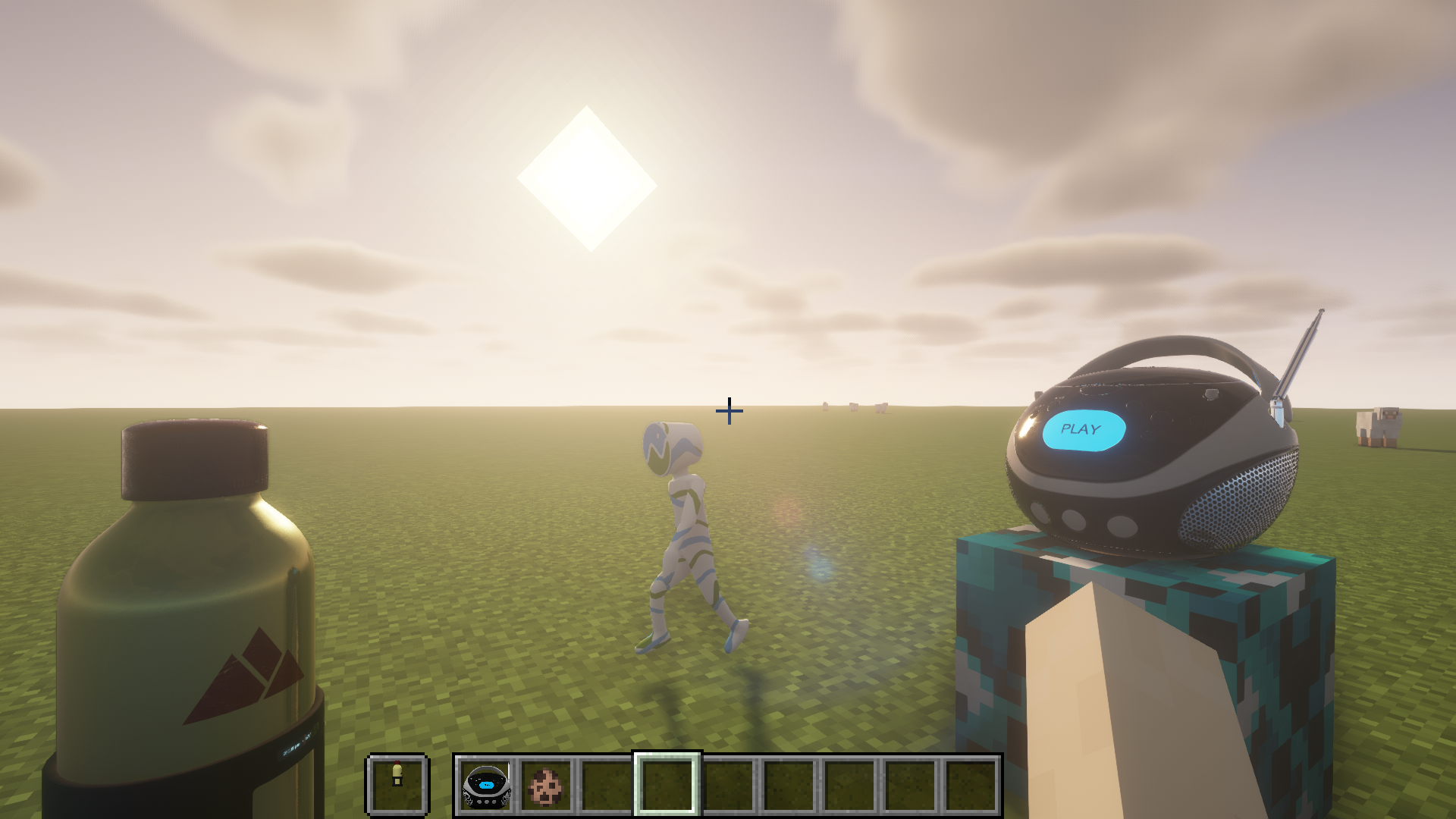
MCglTF is a 3D model loader library which load glTF format file and prepare the required techniques to render the model for Minecraft Modding enviroment.
Various features from glTF spec are available, but still remain a good compatibility and performance.
Usages
The example codes for rendering Block, Item, and Entity
Features
- ✅ GLTF format (Embedded resources or via ResourceLocation)
- ✅ GLB format
- ✅ UVs
- ✅ Normals
- ✅ Tangents
- ✅ Vertex colors
- ✅ Materials (Require OptiFine or Iris Shaders and supported ShaderPack for PBR and Normal map)
- ✅ Textures
- ❎ Mutiple texture coordinates (For compatibility reason with Vanilla)
- ✅ Rig
- ✅ Animations (multiple)
- ✅ Morph targets
- ✅ Zero-scale node culling (https://github.com/KhronosGroup/glTF/pull/2059)
Frequently Asked Question
Q. Why my texture for my model does not show up?
A. You need to defined material inside "extras" of "materials" to link your texture. For more details please visit wiki page.
Q. Why two animations cannot control translation/rotation/scale/weight in same node at the same time and cause one of the animation not playing?
A. There is no animation blending technique defined in glTF specification, so the animations created by GltfAnimationCreator does not support animation blending too. You need to create your own animation processor based on your scenario.
Q. How to apply my custom processing to the model like custom material(e.g. apply player skin) or create special OpenGL commands for specified node?
A. For more advanced way to generate OpenGL commands for glTF model, you can override and return false to isReceiveSharedModel(GltfModel, GltfRenderDatas) in your IGltfModelReceiver. This allow you to create your custom RenderedGltfModel based on supplied GltfModel. (Beware to add your OpenGL objects like VBO, VAO, Texture, etc to GltfRenderDatas for deletion during refresh resource.)
Credit
- JglTF by javagl: https://github.com/javagl/JglTF
- Mikk Tangent Generator by jMonkeyEngine: https://github.com/jMonkeyEngine/jmonkeyengine
Project description from Modrinth.
Pick your setup
MCglTF by Minecraft version and loader
Choose the version and loader you play, then open the matching release.
Minecraft version
1.18.2
2 loader buildsMinecraft version
1.16.5
2 loader buildsMinecraft version
1.16.4
1 loader buildMinecraft version
1.16.3
1 loader buildMinecraft version
1.16.2
1 loader buildMinecraft version
1.16.1
1 loader buildMinecraft version
1.16
1 loader buildMinecraft version
1.12.2
1 loader buildCheck the dependencies, then try the file in a copied instance before changing a world you care about.
Recent files
MCglTF versions and loaders
1.19.3-Fabric-2.1.0.0
MCglTF-1.19.3-Fabric-2.1.0.0.jar
15 Jul 2023
Client Required Server Not supported Dependencies No extras listed Listed on Release listing
Check the 1.19.3 · Fabric setup 1.19.3Fabric release
1.19.3-Forge-2.1.0.0
MCglTF-1.19.3-Forge-2.1.0.0.jar
15 Jul 2023
Client Required Server Not supported Dependencies No extras listed Listed on Release listing
Check the 1.19.3 · Forge setup 1.19.3Forge release
1.18.2-Fabric-2.0.3.0
MCglTF-1.18.2-Fabric-2.0.3.0.jar
15 Jul 2023
Client Required Server Not supported Dependencies No extras listed Listed on Release listing
Check the 1.18.2 · Fabric setup 1.18.2Fabric release
1.18.2-Forge-2.0.3.0
MCglTF-1.18.2-Forge-2.0.3.0.jar
15 Jul 2023
Client Required Server Not supported Dependencies No extras listed Listed on Release listing
Check the 1.18.2 · Forge setup 1.18.2Forge release
1.16.5-Fabric-2.0.3.0
MCglTF-1.16.5-Fabric-2.0.3.0.jar
15 Jul 2023
Client Required Server Not supported Dependencies No extras listed Listed on Release listing
Check the 1.16.5 · Fabric setup 1.161.16.11.16.21.16.3 release
1.16.5-Forge-2.0.3.0
MCglTF-1.16.5-Forge-2.0.3.0.jar
15 Jul 2023
Client Required Server Not supported Dependencies No extras listed Listed on Release listing
Check the 1.16.5 · Forge setup 1.16.5Forge release
1.12.2-Forge-2.0.3.0
MCglTF-1.12.2-Forge-2.0.3.0.jar
15 Jul 2023
Client Required Server Not supported Dependencies No extras listed Listed on Release listing
Check the 1.12.2 · Forge setup 1.12.2Forge release
Looking for an older file? The official Modrinth project page is in Resources.
 mod
mod Modrinth · Minecraft
InventoryManager
A client side mod for Minecraft featuring instant inventory sorting, chest sorting, slot locking, and advanced item search.
 mod
mod Modrinth · Minecraft
Confirm Disconnect
Adds a confirmation dialogue before exiting your world/server
 mod
mod Modrinth · Minecraft
Smart Trading
The best Fabric villager trading quality of life mod. Name villagers, favorite trades, search librarians by enchantment, and track zombie cures. No server install needed.