TerraBlender Needed by Nyctophobia 2.0.0+mc1.21.8
requiredMatching file found Matched file: 6.0.0.3

Modrinth · Minecraft mod
Nyctophobia adds dark, foggy and unsettling biomes to the Overworld to make your adventure more thrilling and challenging.
Quick answer
Nyctophobia 2.0.0+mc1.21.8 targets 1.21.8 with NeoForge. Installation on the client is optional. Installation on the dedicated server is optional. All 1 required mods have matching files.
Where it goes
Installation on the client is optional. Installation on the dedicated server is optional.
The source marks this as usable on both the client and server.
2.0.0+mc1.21.8. Change the file and its required mods may change too.
Install TerraBlender first. We found matching files for this game-version and loader setup.
We only count dependency files that match this setup. A file for another loader does not fill the gap.
Before you install it
Built for Nyctophobia 2.0.0+mc1.21.8. Pick another file and the loader, install side or required mods may change.
Use 2.0.0+mc1.21.8. It targets 1.21.8 with NeoForge; another release may have different loader, side or dependency requirements.
Install TerraBlender first. We found matching files for this game-version and loader setup.
Installation on the client is optional. Installation on the dedicated server is optional.
Use the “Get this file” button beside 2.0.0+mc1.21.8. It opens that exact file at the source.
About this project
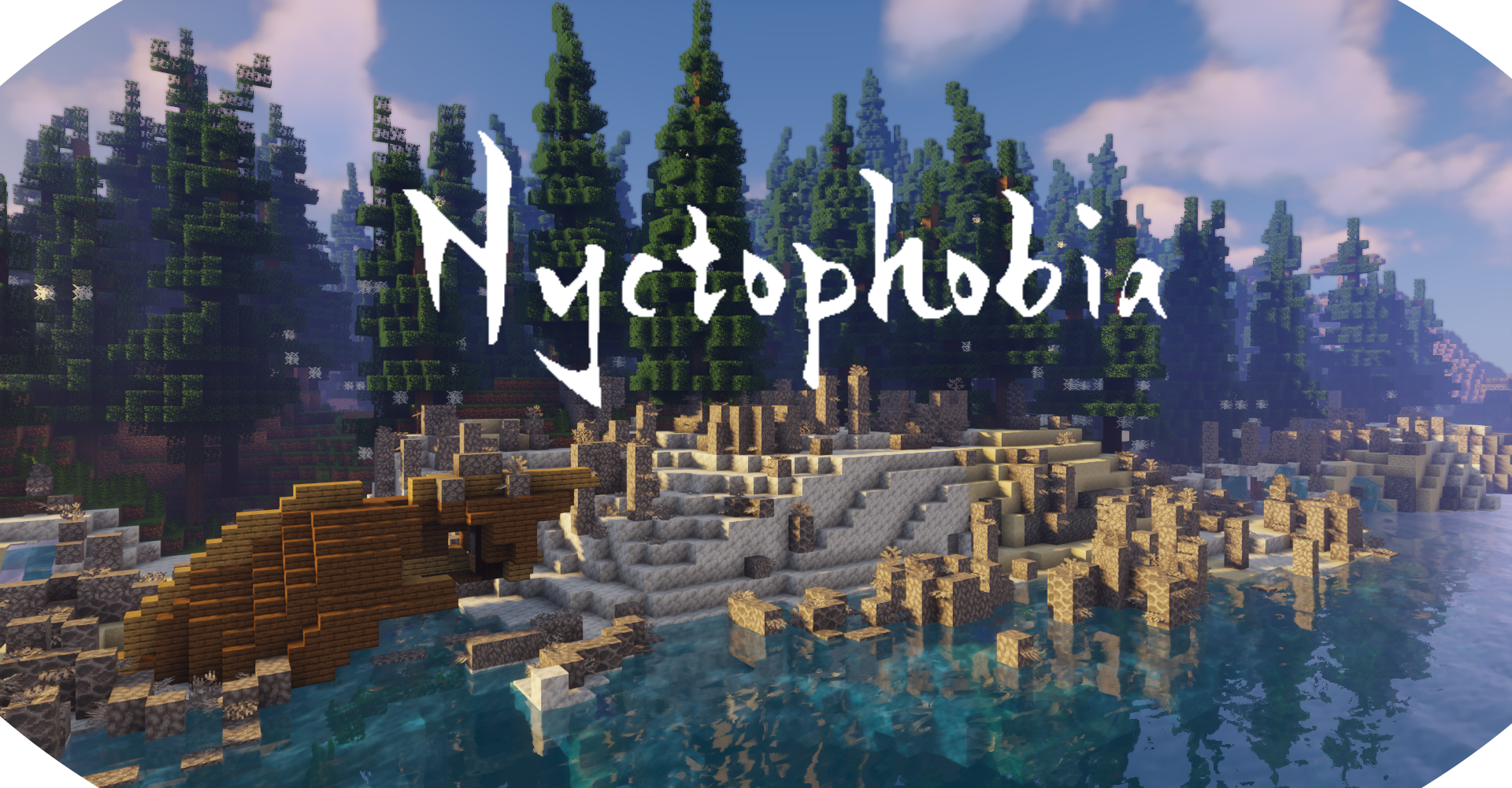
Nyctophobia adds dark, foggy and unsettling biomes to the Overworld to make your adventure more thrilling and challenging.
Every biome was built with a lot of attention to detail to create an immersive experience for you.
Versions: 1.20.1, 1.21.1, 1.21.8
Loader: Fabric, Forge (1.20.1), NeoForge (1.21.1+)
Support my work on

Nyctophobia needs TerraBlender to run. It is the library that places every biome of this mod into the world, on Fabric as well as on Forge and NeoForge. Without it no Nyctophobia biome will generate.
On Fabric you also need Fabric API. On Forge and NeoForge you do not.
Nyctophobia adds no blocks, items or mobs. Everything is built from vanilla blocks, so it plays well with texture packs and other worldgen mods.
| Biome | Replaces | Fog |
|---|---|---|
| Haunted Forest | Windswept Forest, Taiga | yes |
| Eroded Haunted Forest | Meadow | yes |
| Haunted Lakes | Swamp | yes |
| Marshlands | Mangrove Swamp, Birch Forest | yes |
| Burnt Forest | Old Growth Pine Taiga, Old Growth Spruce Taiga, Windswept Hills | no |
| Deep Dark Forest | Dark Forest | no |
| Dead Coral Reef | Beach | no |
Haunted Forest A dark and damp spruce forest wrapped in dense fog and full of danger. Cobwebs, fallen trees and soul lights between the trunks.
Eroded Haunted Forest Strong winds have taken out most of the trees, leaving only a barren wasteland home to the deadliest creatures.
Haunted Lakes A foggy swampland covered in blood red water. Watch your step - some say each candle you encounter represents a lost adventurer.
Marshlands Open wetland with no trees at all: shallow pools held by banks of mud, tangles of mangrove roots, thickets that block the way, and a few candle flames that somebody left behind. Frogs, slimes and witches live here.
Burnt Forest What is left after a fire went through a spruce forest: bare stripped trunks, charred logs on the ground, cobwebs and lichen creeping over the dead wood. Skeletons and wither skeletons roam the clearings.
Deep Dark Forest Massive trees with broad crowns darken the mossy ground, leaving only a few places for sunlight to reach through. Giant red mushrooms grow in the shade.
Dead Coral Reef Long forgotten remains of a once colorful place buzzing with life. Bleached coral, dead fans and the fish that stayed.
Four of the biomes come with their own volumetric-looking fog. It fades in as you enter the biome and fades out as you leave, and it never covers more than the world already does: underwater, in lava and with blindness the vanilla fog stays in charge.
The fog is purely visual and lives on your client, so you can switch it off for yourself on any server:
/nyctophobia fog toggles it/nyctophobia fog on and /nyctophobia fog off set it explicitlyThe config file is config/nyctophobia_config.json5, the same format on every loader.
Biomes
biomesoplenty:bayou). Two Nyctophobia biomes must not claim the same host biome.nyctophobiaBiomeWeight, the overall weight of the mod's biomes against vanillaFog
minY to maxY) in which the fog showsMisc
useSoulLanternsInHauntedLakes: soul lanterns instead of candles on the lake shoresProject description from Modrinth.
Pick your setup
Choose the version and loader you play, then open the matching release.
Check the dependencies, then try the file in a copied instance before changing a world you care about.
Recent files
nyctophobia-neoforge-mc1.21.8-2.0.0.jar
22 Aug 2026
nyctophobia-fabric-mc1.21.8-2.0.0.jar
22 Aug 2026
nyctophobia-neoforge-mc1.21.1-2.0.0.jar
22 Aug 2026
nyctophobia-fabric-mc1.21.1-2.0.0.jar
22 Aug 2026
nyctophobia-forge-mc1.20.1-2.0.0.jar
22 Aug 2026
nyctophobia-fabric-mc1.20.1-2.0.0.jar
22 Aug 2026
Nyctophobia_1.9_(FABRIC)_for_1.20+.jar
17 Jun 2023
Nyctophobia_1.6_(FORGE)_for_1.20+.jar
17 Jun 2023
The_Graveyard_Biomes_1.6_(FABRIC)_for_1.19.3.jar
28 Dec 2022
The_Graveyard_Biomes_1.3_(FORGE)_for_1.19.3.jar
28 Dec 2022
The_Graveyard_Biomes_1.2_(FORGE)_for_1.19.2.jar
13 Nov 2022
The_Graveyard_Biomes_1.5_(FABRIC)_for_1.19.2.jar
13 Nov 2022
Looking for an older file? The official Modrinth project page is in Resources.