Minecraft version
Back to mods 
Modrinth · Minecraft mod
DirtyAliasing
Simple Anti-Aliasing (FXAA/TAA) and CAS Upscaling solution for smoother gameplay.
Choose a version Pick your version below, then grab the matching file.
Quick answer
Which DirtyAliasing release matches 1.21.7?
Best match for your filters 1.1.0
Game version 1.21.5, 1.21.6, 1.21.7
Loader NeoForge
DirtyAliasing 1.1.0 targets 1.21.5, 1.21.6, 1.21.7 with NeoForge. It must be installed on the client. Do not install it on the dedicated server. No extra mods listed for this file.
Where it goes
Is DirtyAliasing required on the client, server, or both?
It must be installed on the client. Do not install it on the dedicated server.
Client Required
Dedicated server Not supported
Loader for this release NeoForge
Required install it here Optional supported, not mandatory Not supported do not install here Source doesn’t say do not assume
This file is marked client-only.
What else does DirtyAliasing 1.1.0 need?
1.1.0 on 1.21.7. Every mod below is checked against that same setup.
This file does not list any required mods. Do not add a library just because a different file uses it.
This file does not list any required or optional mods.
Before you install it
Add DirtyAliasing without breaking your instance.
Built for DirtyAliasing 1.1.0 on 1.21.7. Pick another file and the loader, install side or required mods may change.
- 01
Stick to this file
Use 1.1.0. It targets 1.21.5, 1.21.6, 1.21.7 with NeoForge; another release may have different loader, side or dependency requirements.
- 02
Bring the mods it needs
This file does not list any required mods. Do not add a library just because a different file uses it.
- 03
Put it on the correct side
It must be installed on the client. Do not install it on the dedicated server.
- 04
Pick the file you checked
Use the “Get this file” button beside 1.1.0. It opens that exact file at the source.
About this project
What does DirtyAliasing add?
DirtyAliasing
DirtyAliasing is a post-processing mod that adds FXAA, TAA and FSR 1 upscaling to Minecraft. Edges get smooth and block textures stay sharp.
Available for Minecraft 1.20.1 – 26.3 on Fabric, Forge and NeoForge.
Modes
FXAA (fast)
Smooths jagged edges in a single frame at almost no cost. It only touches geometry edges, which it finds from the depth buffer, so pixel-art textures stay crisp. The hand and held items are smoothed too.
TAA (best quality)
Blends several frames for the smoothest edges, with no jitter and no shimmering, including the sky. Variance clipping and motion-aware blending keep ghosting low, and a sharpening pass keeps textures from going soft.
Upscale (more FPS)
Renders at a lower resolution and scales up with our own implementation of AMD FidelityFX Super Resolution 1 (EASU + RCAS), with FXAA applied first. It helps when your GPU is the bottleneck: weak integrated graphics, 4K or shader packs. The image is softer than native.
Settings
- Press O in game to open the settings. You can rebind the key in Options → Controls → DirtyAliasing.
- You'll get a one-time chat hint with the key the first time you join a world.
- The settings screen is also in the mod list: the Config button on Forge/NeoForge, or Mod Menu on Fabric.
- Settings: mode, strength, and render scale for upscaling. Each option explains itself in a tooltip.
- English and Russian.
Requirements
| Version | Needs |
|---|---|
| Fabric 1.20.1 – 1.21.4, 1.21.11 | Fabric API |
| Fabric 1.21.8, 26.x | nothing |
| Forge / NeoForge, all versions | nothing |
Cloth Config is no longer required. Mod Menu is optional on Fabric.
Java 17 for 1.20.1–1.20.4, 21 for 1.20.5–1.21.x, 25 for 26.x.
Compatibility notes
- Client-side only; it doesn't need to be on the server.
- Shader packs (Iris/Oculus) run their own pipeline, so use the pack's AA, or this mod's Upscale for extra FPS.
Project description from Modrinth.
Pick your setup
DirtyAliasing by Minecraft version and loader
Choose the version and loader you play, then open the matching release.
Minecraft version
26.2
3 loader buildsMinecraft version
26.1.2
3 loader buildsMinecraft version
26.1.1
3 loader buildsMinecraft version
26.1
3 loader buildsMinecraft version
1.21.11
3 loader buildsMinecraft version
1.21.10
2 loader buildsMinecraft version
1.21.9
2 loader buildsMinecraft version
1.21.8
3 loader buildsMinecraft version
1.21.7
3 loader buildsMinecraft version
1.21.6
3 loader buildsMinecraft version
1.21.5
3 loader buildsShowing the newest 12 of 23 game versions. Older files are in the list below.
Check the dependencies, then try the file in a copied instance before changing a world you care about.
Recent files
DirtyAliasing versions and loaders
1.1.0
dirtyaliasing-1.21.8-neoforge-1.1.0.jar
1 Nov 2026
Client Required Server Not supported Dependencies No extras listed Listed on Release listing
Check the 1.21.7 · NeoForge setup 1.21.51.21.61.21.71.21.8 release
1.1.0
dirtyaliasing-1.21.8-forge-1.1.0.jar
1 Nov 2026
Client Required Server Not supported Dependencies No extras listed Listed on Release listing
Check the 1.21.7 · Forge setup 1.21.51.21.61.21.71.21.8 release
1.1.0
dirtyaliasing-1.21.8-fabric-1.1.0.jar
1 Nov 2026
Client Required Server Not supported Dependencies No extras listed Listed on Release listing
Check the 1.21.7 · Fabric setup 1.21.51.21.61.21.71.21.8 release
Looking for an older file? The official Modrinth project page is in Resources.
 mod
CurseForge + Modrinth · Minecraft
OverflowAnimations
The all-you-could-want 1.7, 1.8, and modern animations mod for Minecraft. Animatium fork, backported to 1.8.9 and more. By Polyfrost, best with OneClient.
 mod
CurseForge + Modrinth · Minecraft
MineMenu
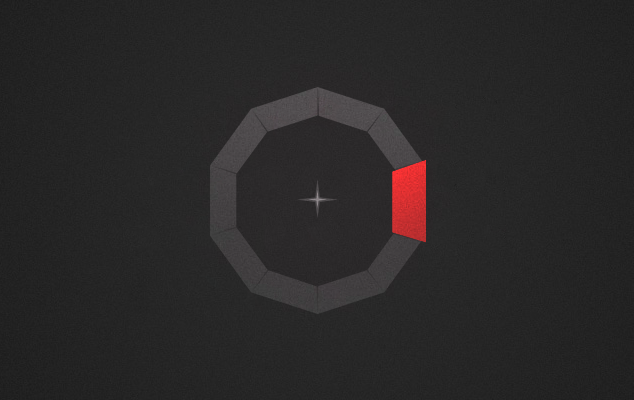
Mine Menu - Radial menu, 'nuff said
 mod
CurseForge + Modrinth · Minecraft
Armor Poser
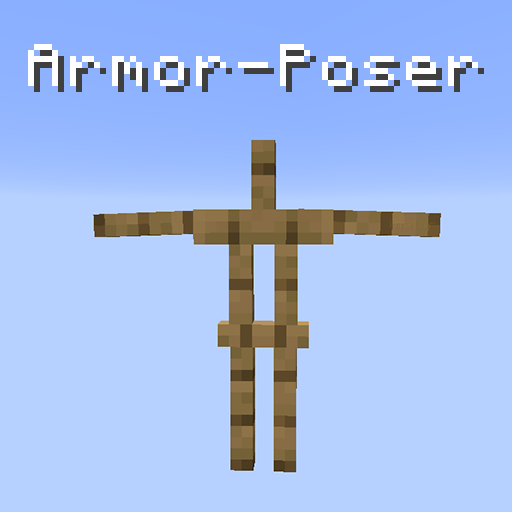
Adds a GUI for armor stands in which you can configure it's pose and other properties