Puzzles Lib Needed by Visual Workbench 26.1.0
requiredNo matching file

Modrinth · Minecraft mod
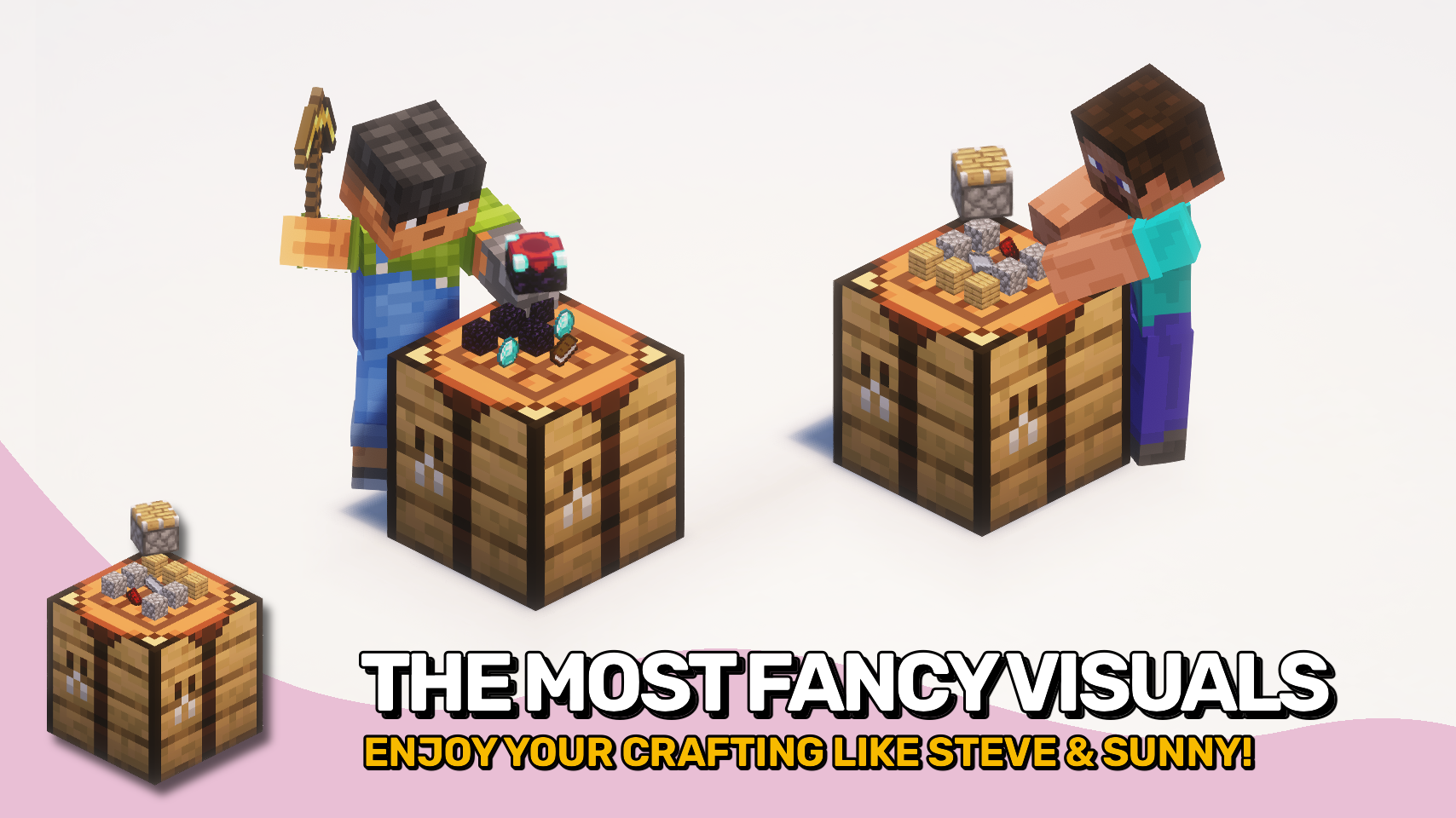
Items stay inside of crafting tables and are also rendered on top. It's really fancy!
Quick answer
Visual Workbench 26.1.0 targets 26.1, 26.1.1, 26.1.2 with NeoForge. Installation on the client is optional. Installation on the dedicated server is optional. 1 required mod needs a matching file.
Where it goes
Installation on the client is optional. Installation on the dedicated server is optional.
The source marks this as usable on both the client and server.
26.1.0 on 26.1.2 NeoForge. Every mod below is checked against that same setup.
Install Puzzles Lib first, but 1 required mod has no matching file for this setup. Do not mix loader builds to force a match.
We only count dependency files that match this setup. A file for another loader does not fill the gap.
Before you install it
Built for Visual Workbench 26.1.0 on 26.1.2 NeoForge. Pick another file and the loader, install side or required mods may change.
Use 26.1.0. It targets 26.1, 26.1.1, 26.1.2 with NeoForge; another release may have different loader, side or dependency requirements.
Install Puzzles Lib first, but 1 required mod has no matching file for this setup. Do not mix loader builds to force a match.
Installation on the client is optional. Installation on the dedicated server is optional.
Use the “Get this file” button beside 26.1.0. It opens that exact file at the source.
About this project








Visual Workbench makes items put into a crafting table stay inside. Breaking the block drops everything on the ground, just like you'd expect. Oh, and crafting ingredients as well as the resulting item are also rendered on top. Really fancy if you ask me!


⏩ INSTALLATION REQUIRED ON CLIENT & REQUIRED ON SERVER
⏩ REQUIRES PUZZLES LIB TO BE INSTALLED (FABRIC & NEOFORGE)
⏩ REQUIRES FABRIC API TO BE INSTALLED (FABRIC)
⏩ REQUIRES FORGE CONFIG API PORT TO BE INSTALLED (FABRIC)

If available for a mod, configuration is possible directly from in-game using the mod menu (requires Mod Menu by Prospector to be installed on Fabric). Please note that on older Minecraft versions installing Forge Config Screens is also a requirement.
For manual configuration using an external text editor all files are found at .minecraft/config, named as MOD_ID-client.toml, MOD_ID-common.toml, or MOD_ID-server.toml, depending on the type of config. Not all types might exist for a mod, if any at all.

🌟 Thanks to Prototik for the original idea and most of the rendering code from their RealBench mod.
🌟 Thanks to Tfarecnim for the Just Enough Items plugin code from their Crafting Station mod.
🌟 Thanks to Daomephsta from the Fabric Discord for pointing me into the right direction for supporting modded crafting tables on Fabric.




Project description from Modrinth.
Pick your setup
Choose the version and loader you play, then open the matching release.
Check the dependencies, then try the file in a copied instance before changing a world you care about.
Recent files
VisualWorkbench-v26.1.0-mc26.1.x-NeoForge.jar
28 Apr 2026
Looking for an older file? The official Modrinth project page is in Resources.
 mod
modTurn Blockbench models into simple Minecraft entities without writing Java code.
 mod
modAutomatically places torches in selected areas or near the player, with a client-side light level overlay for identifying mob-spawnable blocks. 在选定区域或玩家附近自动放置火把,并提供客户端光照等级显示,快速定位可能刷怪的位置。
 mod
modCeketrum Enough Items (CEI) is a sleek, highly optimized alternative to traditional recipe viewers, featuring a modern flat dark user interface.
