Drive-By-Wire With Sable Needed by Drive-By-Wire: Typewriter drivebywire-typewriter-1.2.0.jar
requiredMatching file found Matched file: drivebywire-0.3.0.jar
CurseForge · Minecraft mod
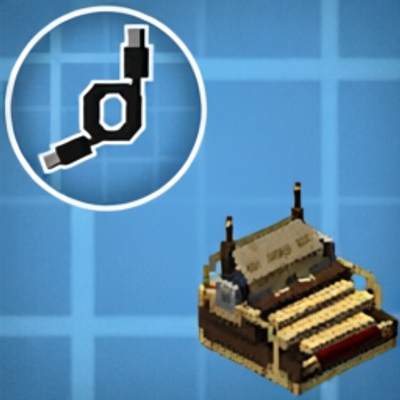
Drive-By-Wire Addon, add Linked Typewriter style control, making each key a wire signal channel.
Quick answer
Drive-By-Wire: Typewriter drivebywire-typewriter-1.2.0.jar targets 1.21.1 with NeoForge. The project page does not say whether this file belongs on the client, dedicated server, or both. All 6 required mods have matching files.
Where it goes
The project page does not say whether this file belongs on the client, dedicated server, or both.
The source does not explicitly classify this release as client-only or server-only.
drivebywire-typewriter-1.2.0.jar. Change the file and its required mods may change too.
Install Drive-By-Wire With Sable, Create Aeronautics, Drive-By-Wire with Sable, Create Aeronautics and 2 more first. We found matching files for this game-version and loader setup. 3 come through another mod in the chain.
3 extra mods were pulled in by other dependencies. Indented rows show who needs each one. We only count dependency files that match this setup. A file for another loader does not fill the gap.
Before you install it
Built for Drive-By-Wire: Typewriter drivebywire-typewriter-1.2.0.jar. Pick another file and the loader, install side or required mods may change.
Use drivebywire-typewriter-1.2.0.jar. It targets 1.21.1 with NeoForge; another release may have different loader, side or dependency requirements.
Install Drive-By-Wire With Sable, Create Aeronautics, Drive-By-Wire with Sable, Create Aeronautics and 2 more first. We found matching files for this game-version and loader setup. 3 come through another mod in the chain.
The project page does not say whether this file belongs on the client, dedicated server, or both.
Use the “Get this file” button beside drivebywire-typewriter-1.2.0.jar. It opens that exact file at the source.
About this project
A NeoForge addon for Minecraft 1.21.1 that adds a keyboard-driven wire source to the Drive By Wire (Sable) network, using Create Aeronautics's typewriter mechanics.
Adds a Typewriter Hub block. Right-click it with an empty hand to start typing — your keypresses are broadcast as redstone signals on the Drive By Wire network, one channel per key. Right-click again to stop.
| Block | Description |
|---|---|
| Typewriter Hub | A typewriter and multi-channel wire source in one block. |
The hub exposes a channel for every key:
A–Z0–9', ,, -, ., /, ;, =, [, ], \á, é, í, ó, ö, ő, ú, ü, ű (Channel shows when using a hungarian keyboard layout)Each channel is active (1) while the key is held and inactive (0) when released. Only one player can use a hub at a time; disconnecting or losing window focus resets all channels.
| Mod | Version |
|---|---|
| NeoForge | 21.1.228+ |
| Simulated (Create: Simulated) | 1.1.3+ |
| Drive By Wire | 0.2.9+ |
| Create | 6.0.10+ |
Selecting a hub as the wire source shows a tip above the hotbar with your current quick-selection shortcut alongside the selected channel.
Rebind Select wire channel in Minecraft's Options → Controls → Key Binds. Open Mods → Drive By Wire - Typewriter → Config and adjust Channel selection hold time (ms) (default: 300; range: 0–5000; 0 opens immediately). Save with Done; the new delay applies without restarting the game. The overlay uses the active keyboard layout, including supported Hungarian characters. The current channel is highlighted in green; the hovered key is highlighted in blue. Release outside a key or press Escape to cancel. The overlay is available while wiring, and does not open during hub typing. Mouse-wheel selection remains available.


This project was developed with substantial assistance from Claude Code (Anthropic) and Codex (OpenAI). It was built iteratively on top of the official NeoForge mod project template (Mod Generator).
Beyond the initial template setup, the implementation, refactors, bug fixes, documentation, and validation were generated and refined through collaborative, human-directed development with these AI coding assistants.
This project is licensed under the MIT License
Project description from CurseForge.
Pick your setup
Choose the version and loader you play, then open the matching release.
Check the dependencies, then try the file in a copied instance before changing a world you care about.
Recent files
15 Sept 2026
30 Jun 2026
27 Jun 2026
1 Jun 2026
30 May 2026
Looking for an older file? The official CurseForge project page is in Resources.
 mod
Low-tech computing for Minecraft
 mod
A train mod using Create Aeronautics.
 mod
Mod that adds all 22 knives from Counter-Strike 2 to Minecraft, featuring every knife type from the game.