
Minecraft version
Back to mods 
Modrinth · Minecraft mod
Simple Text Chat
A simple mod that allows you to chat with voices while playing by recognize your voice to chat messages.
Choose a version Pick your version below, then grab the matching file.
Quick answer
Which Simple Text Chat release should I use?
Latest stable file 1.1.1+mc1.21.11
Game version 1.21.11, 1.21.10, 1.21.9
Loader Fabric
Simple Text Chat 1.1.1+mc1.21.11 targets 1.21.11, 1.21.10, 1.21.9 with Fabric. It must be installed on the client. Do not install it on the dedicated server. No extra mods listed for this file.
Where it goes
Is Simple Text Chat required on the client, server, or both?
It must be installed on the client. Do not install it on the dedicated server.
Client Required
Dedicated server Not supported
Loader for this release Fabric
Required install it here Optional supported, not mandatory Not supported do not install here Source doesn’t say do not assume
This file is marked client-only.
What else does Simple Text Chat 1.1.1+mc1.21.11 need?
1.1.1+mc1.21.11. Change the file and its required mods may change too.
This file does not list any required mods. Do not add a library just because a different file uses it.
This file does not list any required or optional mods.
Before you install it
Add Simple Text Chat without breaking your instance.
Built for Simple Text Chat 1.1.1+mc1.21.11. Pick another file and the loader, install side or required mods may change.
- 01
Stick to this file
Use 1.1.1+mc1.21.11. It targets 1.21.11, 1.21.10, 1.21.9 with Fabric; another release may have different loader, side or dependency requirements.
- 02
Bring the mods it needs
This file does not list any required mods. Do not add a library just because a different file uses it.
- 03
Put it on the correct side
It must be installed on the client. Do not install it on the dedicated server.
- 04
Pick the file you checked
Use the “Get this file” button beside 1.1.1+mc1.21.11. It opens that exact file at the source.
About this project
What does Simple Text Chat add?
Simple Text Chat
A simple mod that allows you to chat with voices while playing by recognize your voice to chat messages.
Intention
"You can speak while playing, but you can't type while playing."
—— Yuang2714's speech on a Minecraft server that has not Simple Voice Chat installed
Installation
Install the Mod first. When needed, a setup menu will appear on game starting.
Follow the instractions shown in the menu to complete setup.
Mannually Installation Steps
YOU SHOULD USE SETUP MENU INSTEAD.
ACCESS HERE ONLY IF YOU HAVE SPECIAL REASON.
- Go to Vosk Models Page and select model based on your language.
- Download the
.ziparchive of selected model. - Extract the archive to somewhere.
- Go to the Game's config folder, and create a
simple_text_chat.jsonfile. - Write contents formatted like:
{"setup":true,"recognizationMode":"mode","modelFolder":"/path/to/model","modelLang":"lang"}
- "/path/to/model" is the DIRECTORY path to the model.
- "mode" is a selection of working mode. There are following modes to choose:
- "AUTO_DETECT": Recognize continuously, send message when detect a sentence's end.
- "PRESS_SEND": Recognize continuously, send message on pressing the Function Key.
- "HOLD_TO_SPEAK": Press the Function Key once to start recognize, then press it again to send message.
- "lang" is a selection of which language does your model use. Usually auto detected. Currently, it can be:
- "CHINESE"
- "ENGLISH"
Usage
After install, you will see a new HUD element in-game on the right-down corner of the game window. Prohabily it shows "Simple Text Chat Disabled" etc.
Check your keybindings. This mod added 3 keybindings:
- Feature Toggle Key: Controls if the recognization engine is running
- Speech Done Key: The "Feature" key, works differently among modes:
- In Auto Detect Mode: It won't have any effect, all detection is automated.
- In Press Send Mode: Press it will send the message, whatever sentence is finished.
- In Hold To Speak Mode: Press once to start recognization, and press again to send.
- Cancel Key: Press it will cancel message sending once.
As you speak, the HUD element displays the temporary content.
Enjoy!
Vosk lib Usage
This project uses Vosk as recognization engine under the Apache-2.0 license.
Vosk is included in mod jar file. Don't worry about it's installation.
Project description from Modrinth.
Pick your setup
Simple Text Chat by Minecraft version and loader
Choose the version and loader you play, then open the matching release.
Minecraft version
26.2
1 loader buildMinecraft version
26.1.2
1 loader buildMinecraft version
26.1.1
1 loader buildMinecraft version
26.1
1 loader buildMinecraft version
1.21.11
1 loader buildMinecraft version
1.21.10
1 loader buildMinecraft version
1.21.9
1 loader buildMinecraft version
1.21.8
1 loader buildMinecraft version
1.21.7
1 loader buildMinecraft version
1.21.6
1 loader buildMinecraft version
1.21.5
1 loader buildShowing the newest 12 of 20 game versions. Older files are in the list below.
Check the dependencies, then try the file in a copied instance before changing a world you care about.
Recent files
Simple Text Chat versions and loaders
1.1.1+mc1.21.11
SimpleTextChat-fabric-1.1.1+mc1.21.11.jar
8 Nov 2026
Client Required Server Not supported Dependencies No extras listed Listed on Release listing
Check the 1.21.11 · Fabric setup 1.21.111.21.101.21.9Fabric release
1.1.1+mc1.21.9
SimpleTextChat-fabric-1.1.1+mc1.21.9.jar
8 Nov 2026
Client Required Server Not supported Dependencies No extras listed Listed on Release listing
Check the 1.21.10 · Fabric setup 1.21.101.21.9Fabric release
1.1.1+mc1.21.5
SimpleTextChat-fabric-1.1.1+mc1.21.5.jar
8 Nov 2026
Client Required Server Not supported Dependencies No extras listed Listed on Release listing
Check the 1.21.8 · Fabric setup 1.21.81.21.71.21.61.21.5 release
1.1.1+mc1.21
SimpleTextChat-fabric-1.1.1+mc1.21.jar
8 Nov 2026
Client Required Server Not supported Dependencies No extras listed Listed on Release listing
Check the 1.21.4 · Fabric setup 1.21.41.21.31.21.21.21.1 release
1.1.1+mc1.20.5
SimpleTextChat-fabric-1.1.1+mc1.20.5.jar
8 Nov 2026
Client Required Server Not supported Dependencies No extras listed Listed on Release listing
Check the 1.20.6 · Fabric setup 1.20.61.20.5Fabric release
1.1.1+mc26.3
SimpleTextChat-fabric-1.1.1+mc26.3.jar
7 Nov 2026
Client Required Server Not supported Dependencies No extras listed Listed on Release listing
Check the 26.3 · Fabric setup 26.3Fabric release
1.1.1+mc26.2
SimpleTextChat-fabric-1.1.1+mc26.2.jar
7 Nov 2026
Client Required Server Not supported Dependencies No extras listed Listed on Release listing
Check the 26.2 · Fabric setup 26.2Fabric release
1.1.1+mc26.1
SimpleTextChat-fabric-1.1.1+mc26.1.jar
7 Nov 2026
Client Required Server Not supported Dependencies No extras listed Listed on Release listing
Check the 26.1.2 · Fabric setup 26.1.226.1.126.1Fabric release
1.1.0+mc26.2
text_chat-1.1.0+mc26.2.jar
31 Oct 2026
Client Required Server Not supported Dependencies 1 required · 1 unchecked Listed on Release listing
Check the 26.2 · Fabric setup 26.2Fabric release
1.1.0+mc26.1
text_chat-1.1.0+mc26.1.jar
31 Oct 2026
Client Required Server Not supported Dependencies 1 required · 1 unchecked Listed on Release listing
Check the 26.1.2 · Fabric setup 26.126.1.126.1.2Fabric release
1.1.0+mc1.20.1
text_chat-1.1.0+mc1.20.1-all.jar
31 Oct 2026
Client Required Server Not supported Dependencies No extras listed Listed on Release listing
Check the 1.20.1 · Forge setup 1.20.1Forge release
1.1.0-beta2+mc1.20.1
text_chat-1.1.0-beta2+mc1.20.1-all.jar
30 Oct 2026
Client Required Server Not supported Dependencies No extras listed Listed on Release listing
Check the 1.20.1 · Forge setup 1.20.1Forge beta
Looking for an older file? The official Modrinth project page is in Resources.
 mod
CurseForge + Modrinth · Minecraft
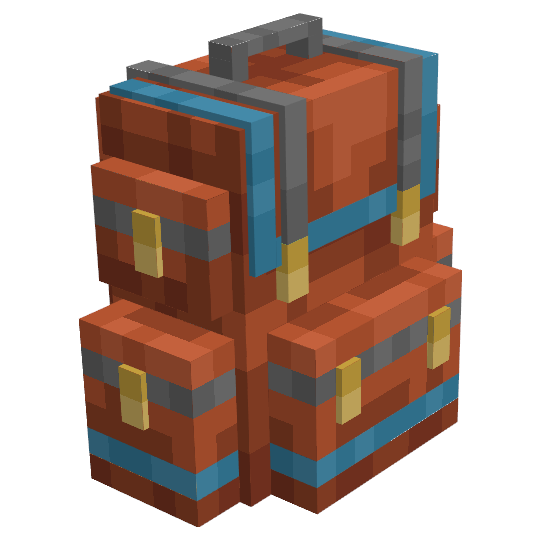
Sophisticated Backpacks
Yet another backpack mod this time with backpack you can place in world, color in different color combinations, upgrade with more inventory and enhance with many functional upgrades
 mod
CurseForge + Modrinth · Minecraft
Sophisticated Core
Library mod for Sophisticated mods
 mod
Modrinth · Minecraft
SurvivalPlusPlus
Game Technology Options Control