Minecraft version
Back to mods 
Modrinth · Minecraft mod
Widgets
Adds customizable in-game widgets (like FPS, CPS, Armor, etc.) to your game HUD.
Choose a version Pick your version below, then grab the matching file.
Quick answer
Which Widgets release matches 26.2 NeoForge?
beta file 2.6.0-26.2-neoforge
Game version 26.2
Loader NeoForge
Widgets 2.6.0-26.2-neoforge targets 26.2 with NeoForge. It must be installed on the client. Do not install it on the dedicated server. No extra mods listed for this file.
Where it goes
Is Widgets required on the client, server, or both?
It must be installed on the client. Do not install it on the dedicated server.
Client Required
Dedicated server Not supported
Loader for this release NeoForge
Required install it here Optional supported, not mandatory Not supported do not install here Source doesn’t say do not assume
This file is marked client-only.
What else does Widgets 2.6.0-26.2-neoforge need?
2.6.0-26.2-neoforge on 26.2 NeoForge. Every mod below is checked against that same setup.
This file does not list any required mods. Do not add a library just because a different file uses it.
This file does not list any required or optional mods.
Before you install it
Add Widgets without breaking your instance.
Built for Widgets 2.6.0-26.2-neoforge on 26.2 NeoForge. Pick another file and the loader, install side or required mods may change.
- 01
Stick to this file
Use 2.6.0-26.2-neoforge. It targets 26.2 with NeoForge; another release may have different loader, side or dependency requirements.
- 02
Bring the mods it needs
This file does not list any required mods. Do not add a library just because a different file uses it.
- 03
Put it on the correct side
It must be installed on the client. Do not install it on the dedicated server.
- 04
Pick the file you checked
Use the “Get this file” button beside 2.6.0-26.2-neoforge. It opens that exact file at the source.
About this project
What does Widgets add?
Widgets
Adds customizable in-game widgets to your game.
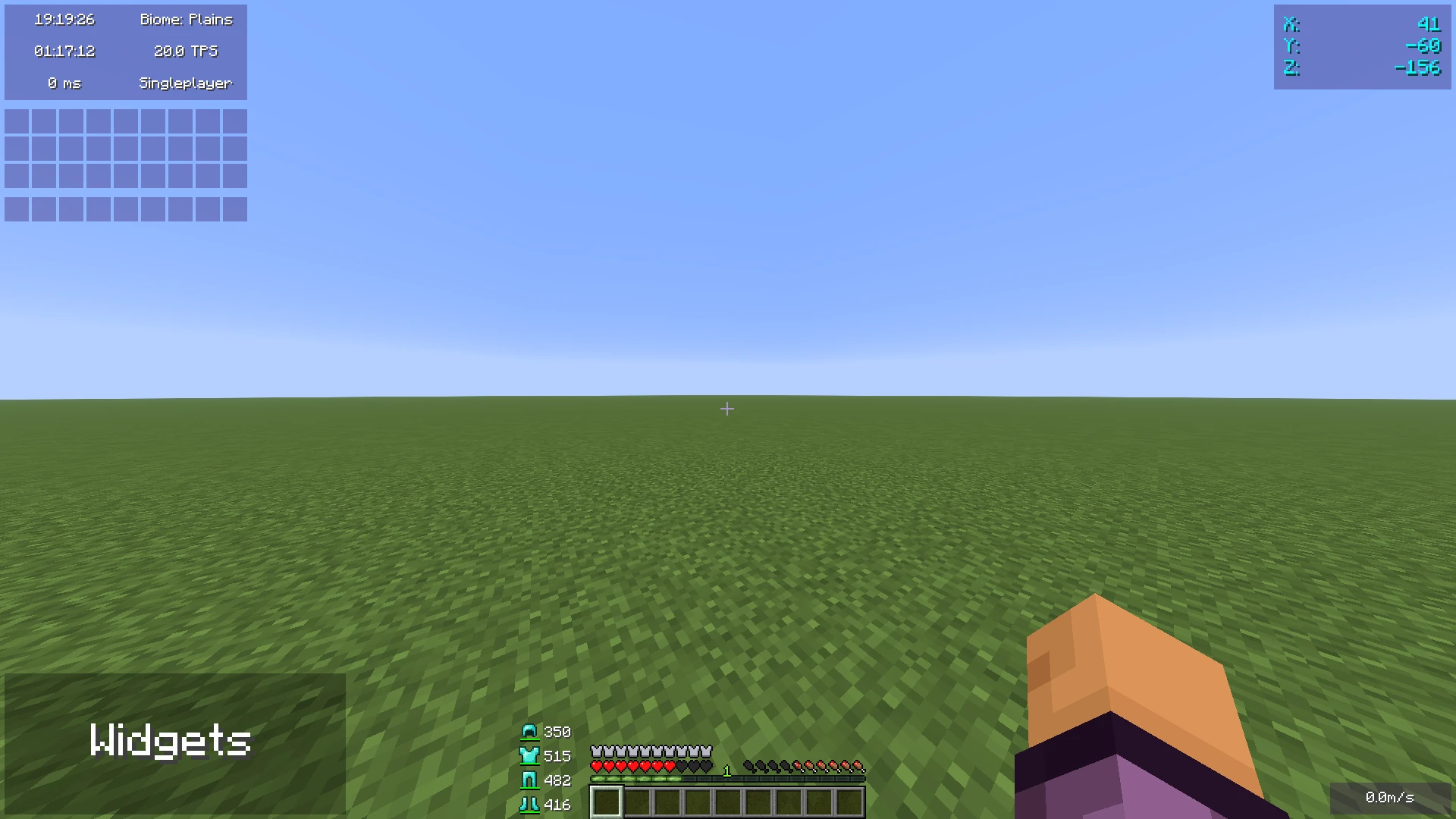
This Minecraft mod adds customizable widgets that you may know from other Minecraft clients.
This mod was specifically made for people who just use Fabric or Quilt (and no specific client).
It also has some benefits over using clients:
- Performance:
- We've tried to optimize the mod as much as possible to make sure the game runs as smoothly as possible.
- Disabled widgets don't use any performance
- No additional features
- The mod focuses on widgets only. It does not contain any other features such as performance improvements or mods.
- Easy to use
- We've tried to make the mod as easy to use as possible, for example, there are three ways to open the config menu instead of only a keybind.
Widget settings
There are three ways to open the widget settings:
- Press the key bind (bound to right shift by default)
- Enter the command "/widgetsmod"
- Open the config menu through Mod Menu
Once you've opened the settings, you will see the widget overview menu:
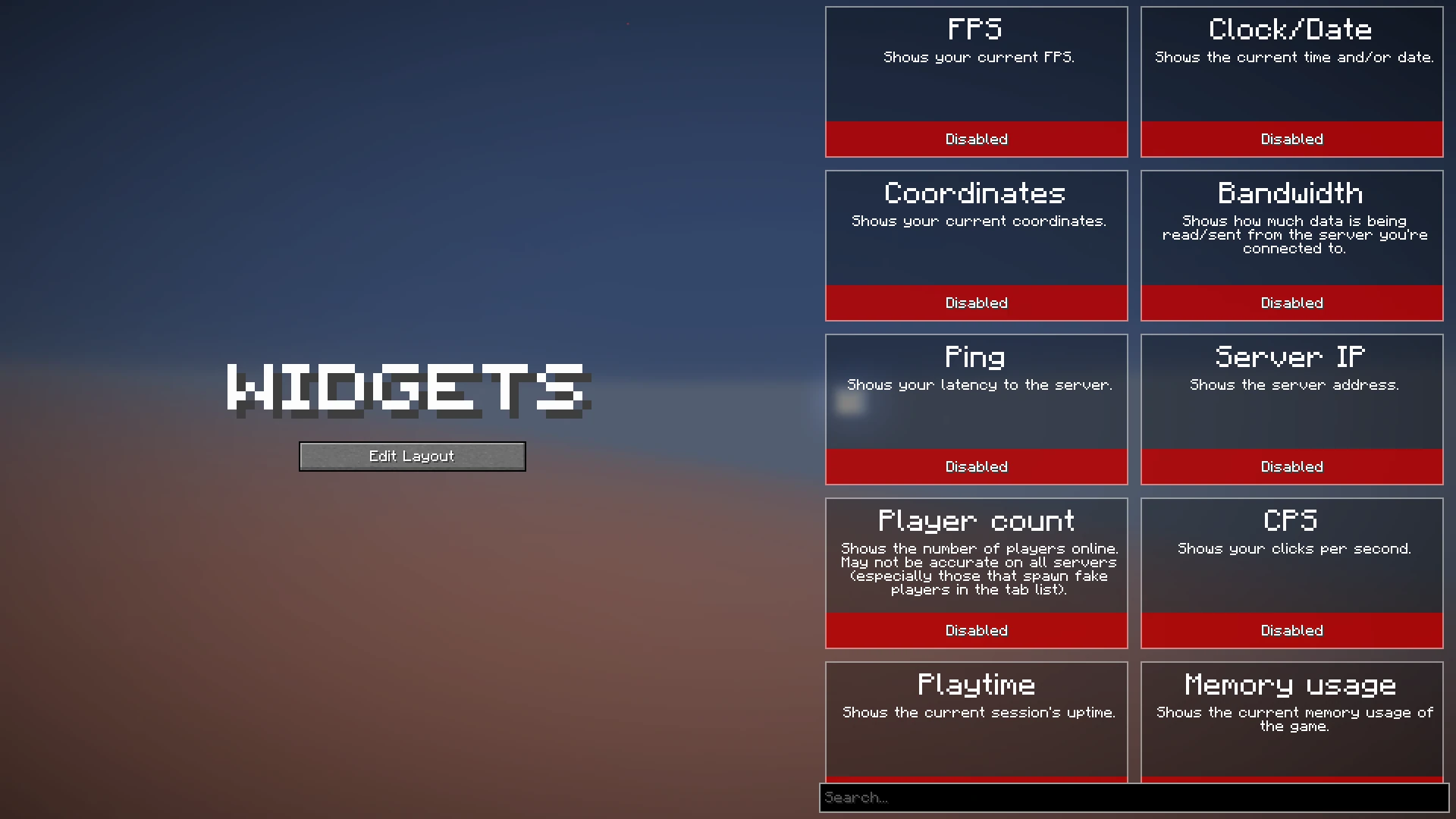
You can now enable the widgets you want to enable, or click on them to view their additional settings, as you can see here:
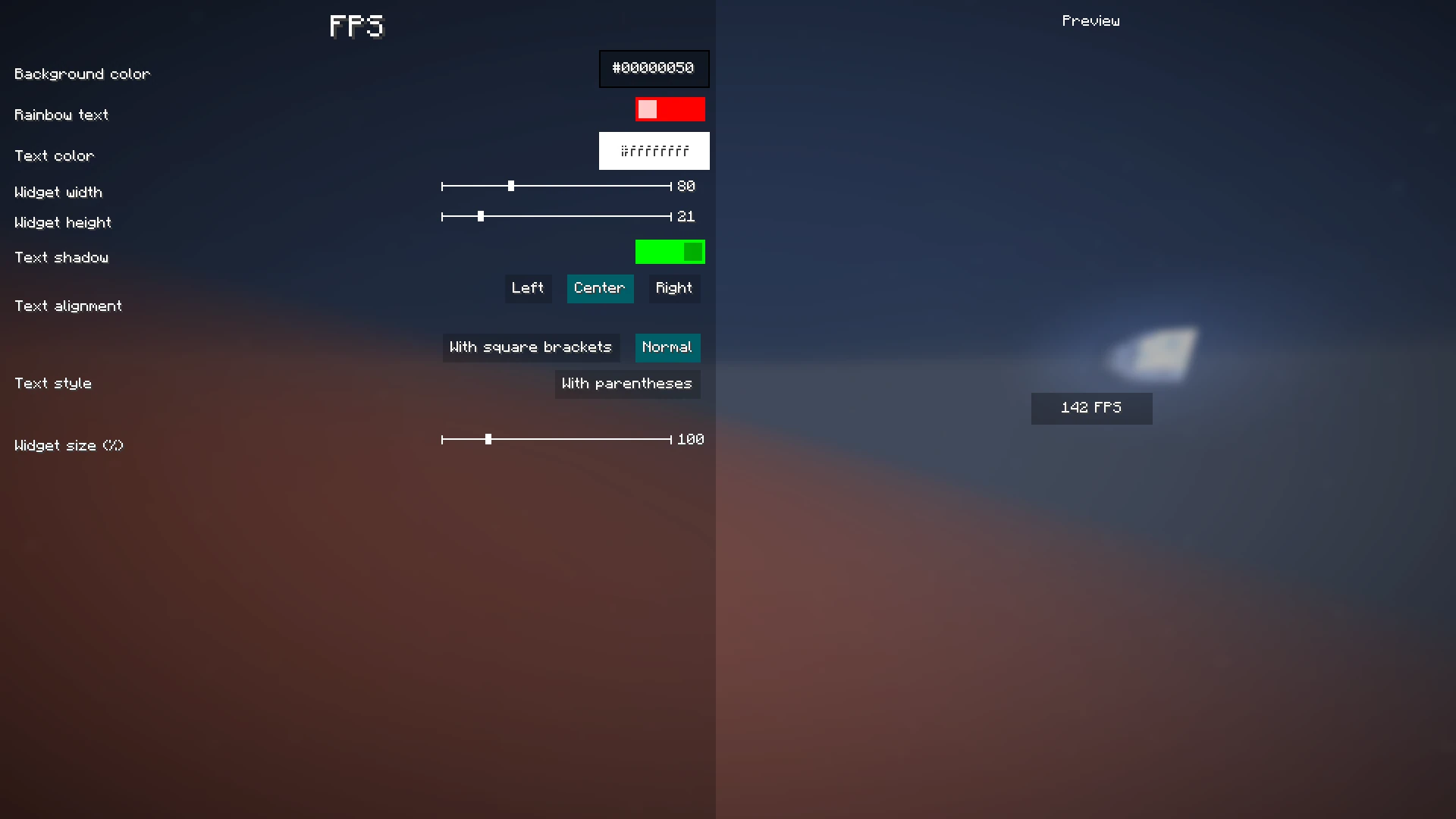
When you're done with configuring which widgets you want to enable and their settings, click the "Edit Layout" button on the left side of the mod configuration screen.
This will take you to a screen where you can freely move around your enabled widgets.
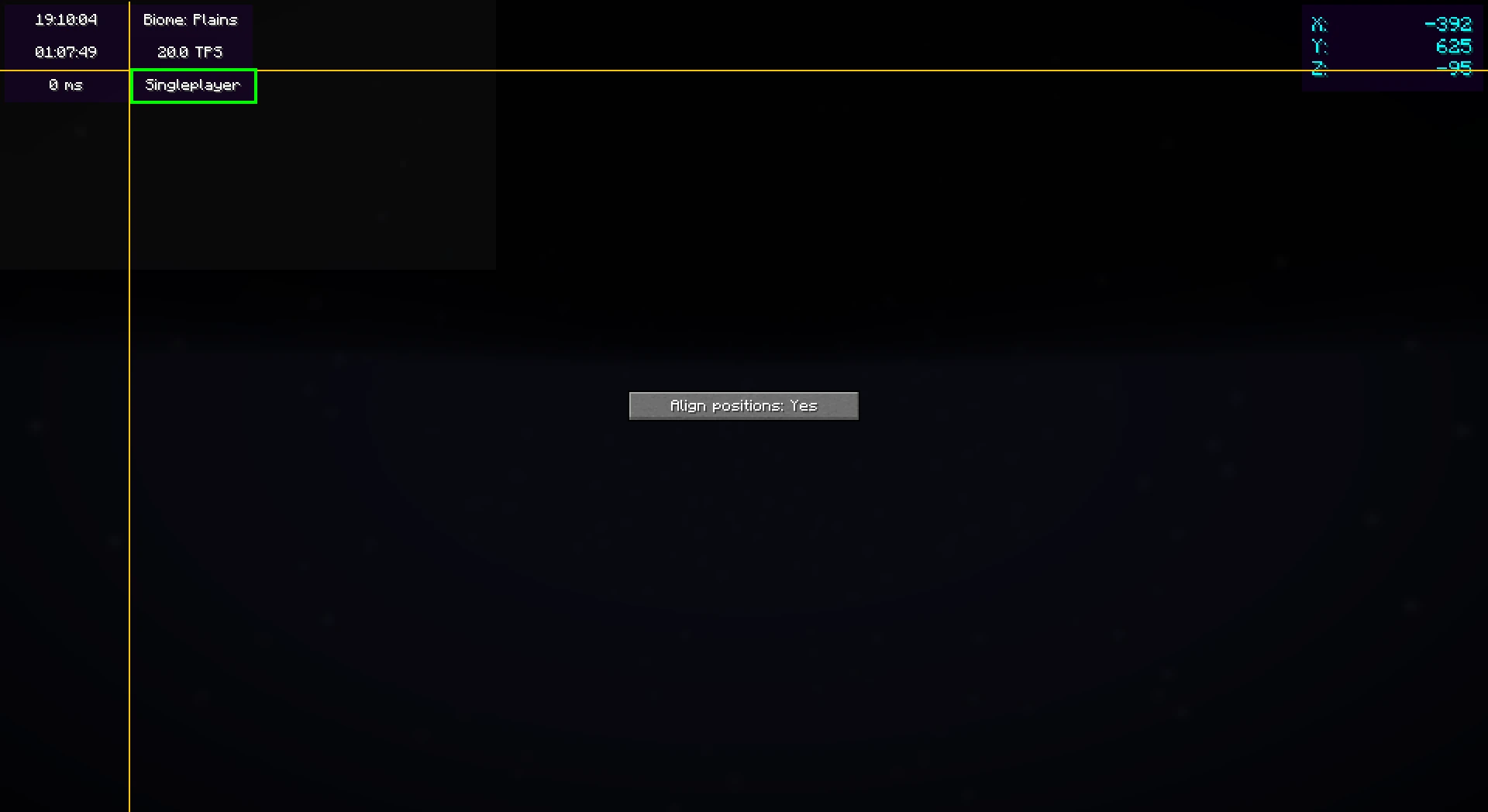
Right-clicking on this screen will bring up a useful context menu with additional options, like enabling/disabling widgets or changing their settings.
When you're done, just press Escape until you return to the game.
Now, everything is done. Your widgets automatically save for the next time you play.
Color editor
Newer mod versions (2.3.0+) include a color editor which provides full customization for your widgets' background and text colors:
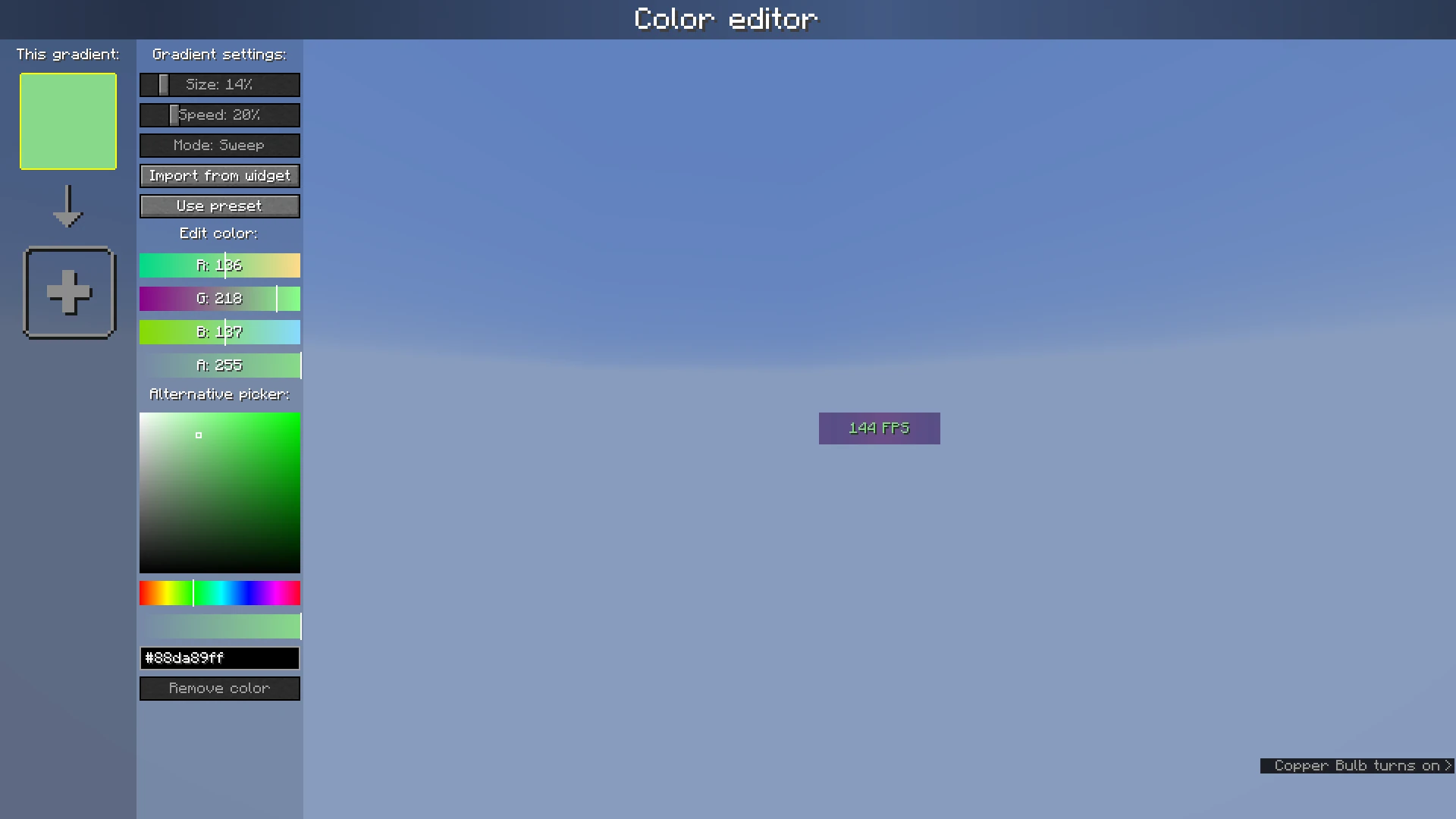
The color list on the left shows the colors which are currently configured; if you add more than one, it becomes a gradient. Clicking on the colors will select them.
The settings bar on the right of the color list can be used to customize gradient settings, import from other widgets, or use presets.
Below that, the color which is currently selected can be changed or deleted.
Project description from Modrinth.
Pick your setup
Widgets by Minecraft version and loader
Choose the version and loader you play, then open the matching release.
Minecraft version
26.1.2
3 loader buildsMinecraft version
26.1.1
3 loader buildsMinecraft version
26.1
3 loader buildsMinecraft version
1.21.11
3 loader buildsMinecraft version
1.21.10
2 loader buildsMinecraft version
1.21.9
2 loader buildsMinecraft version
1.21.8
2 loader buildsMinecraft version
1.21.7
2 loader buildsMinecraft version
1.21.6
2 loader buildsMinecraft version
1.21.5
2 loader buildsMinecraft version
1.21.4
2 loader buildsShowing the newest 12 of 16 game versions. Older files are in the list below.
Check the dependencies, then try the file in a copied instance before changing a world you care about.
Recent files
Widgets versions and loaders
2.6.0-26.2-neoforge
widgets-2.6.0-26.2-neoforge.jar
28 Jul 2026
Client Required Server Not supported Dependencies No extras listed Listed on Release listing
Check the 26.2 · NeoForge setup 26.2NeoForge beta
Looking for an older file? The official Modrinth project page is in Resources.