Balm Needed by Command R 1.0.2
requiredMatching file found Matched file: 26.1.2.15+forge-26.1.2

Modrinth · Minecraft mod
Adds search functionality to your Minecraft chat messages and commands, inspired by reverse-i-search.
Quick answer
Command R 1.0.2 targets 26.1, 26.1.1, 26.1.2 with Forge. It must be installed on the client. Do not install it on the dedicated server. All 1 required mods have matching files.
Where it goes
It must be installed on the client. Do not install it on the dedicated server.
This file is marked client-only.
1.0.2 on 26.1.2 Forge. Every mod below is checked against that same setup.
Install Balm first. We found matching files for this game-version and loader setup.
We only count dependency files that match this setup. A file for another loader does not fill the gap.
Before you install it
Built for Command R 1.0.2 on 26.1.2 Forge. Pick another file and the loader, install side or required mods may change.
Use 1.0.2. It targets 26.1, 26.1.1, 26.1.2 with Forge; another release may have different loader, side or dependency requirements.
Install Balm first. We found matching files for this game-version and loader setup.
It must be installed on the client. Do not install it on the dedicated server.
Use the “Get this file” button beside 1.0.2. It opens that exact file at the source.
About this project
In three words, this is "reverse-i-search for Minecraft".
Command R is a mod that brings search functionality to your Minecraft chat messages and commands. If you've ever used reverse-i-search in a Bash, Zsh, or Powershell terminal, this is basically the same.
IMPORTANT: This mod requires Balm installed in order to work.
Here is a 30-second video showcasing the mod:
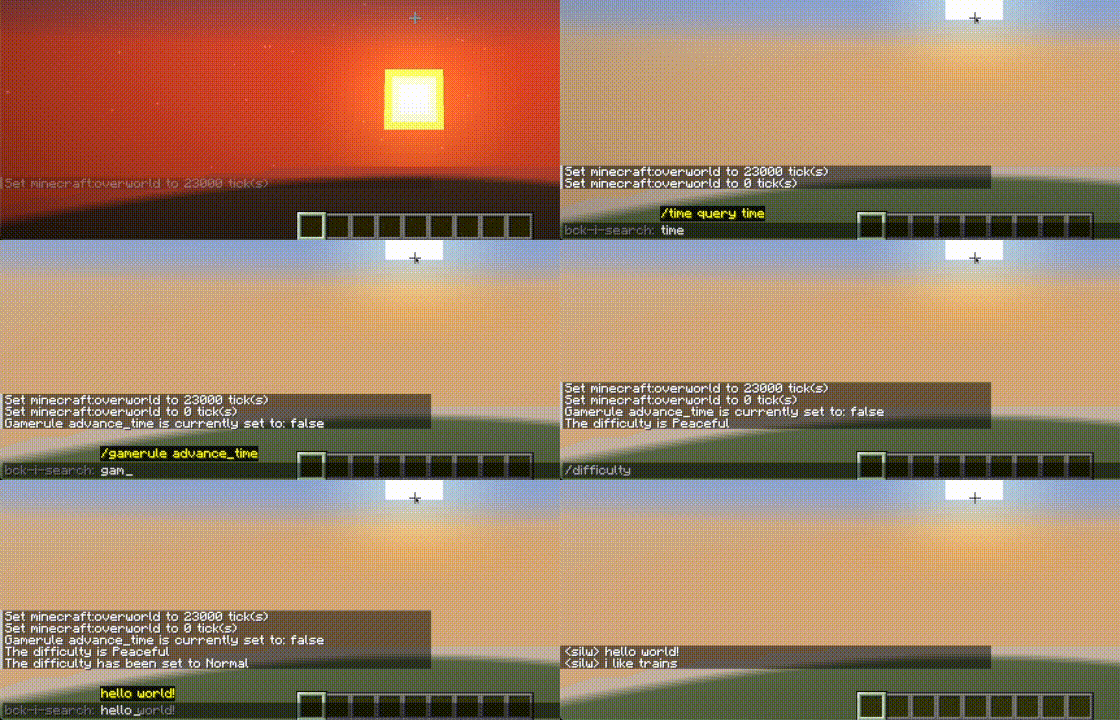
Activate Search: Activate Search Mode while the chat is open. Use the "Next" keybind (CTRL + R default)
Next: Find the next item (in reverse) that matches your search query.
Previous: Go back to the previous item (go forward) that last matched your search query. Use the "Previous" keybind (CTRL + SHIFT + R default)
Change Keybinds: You can change the keybinds above in Options > Controls > Keybinds > Command R
Feel free to go through GitHub issue tracker or create a new Issue. However, If there is a change you want made, consider contributing!
Project description from Modrinth.
Pick your setup
Choose the version and loader you play, then open the matching release.
Check the dependencies, then try the file in a copied instance before changing a world you care about.
Recent files
commandr-forge-26.1.2-1.0.2.jar
9 Jul 2026
Looking for an older file? The official Modrinth project page is in Resources.
 mod
A working voice chat in Minecraft!
 mod
A Minecraft server management panel for Paper / Folia / Fabric / Forge / Neoforge servers
 mod
It was never that easy to have chunks always loaded.