Minecraft version
Back to mods 
Modrinth · Minecraft mod
Tennory
Provided weapons from Warframe!
Choose a version Pick your version below, then grab the matching file.
Quick answer
Which Tennory release should I use?
Latest stable file 1.1.0
Game version 1.21.1
Loader NeoForge
Tennory 1.1.0 targets 1.21.1 with NeoForge. Installation on the client is optional. Installation on the dedicated server is optional. No extra mods listed for this file.
Where it goes
Is Tennory required on the client, server, or both?
Installation on the client is optional. Installation on the dedicated server is optional.
Client Optional
Dedicated server Optional
Loader for this release NeoForge
Required install it here Optional supported, not mandatory Not supported do not install here Source doesn’t say do not assume
The source marks this as usable on both the client and server.
What else does Tennory 1.1.0 need?
1.1.0. Change the file and its required mods may change too.
This file does not list any required mods. Do not add a library just because a different file uses it.
This file does not list any required or optional mods.
Before you install it
Add Tennory without breaking your instance.
Built for Tennory 1.1.0. Pick another file and the loader, install side or required mods may change.
- 01
Stick to this file
Use 1.1.0. It targets 1.21.1 with NeoForge; another release may have different loader, side or dependency requirements.
- 02
Bring the mods it needs
This file does not list any required mods. Do not add a library just because a different file uses it.
- 03
Put it on the correct side
Installation on the client is optional. Installation on the dedicated server is optional.
- 04
Pick the file you checked
Use the “Get this file” button beside 1.1.0. It opens that exact file at the source.
About this project
What does Tennory add?
Tennory
Warframe-inspired weapons for Minecraft.
Weapons
Use the regular attack button for melee and Weapon Special Action (middle mouse by default) for each weapon's special move.
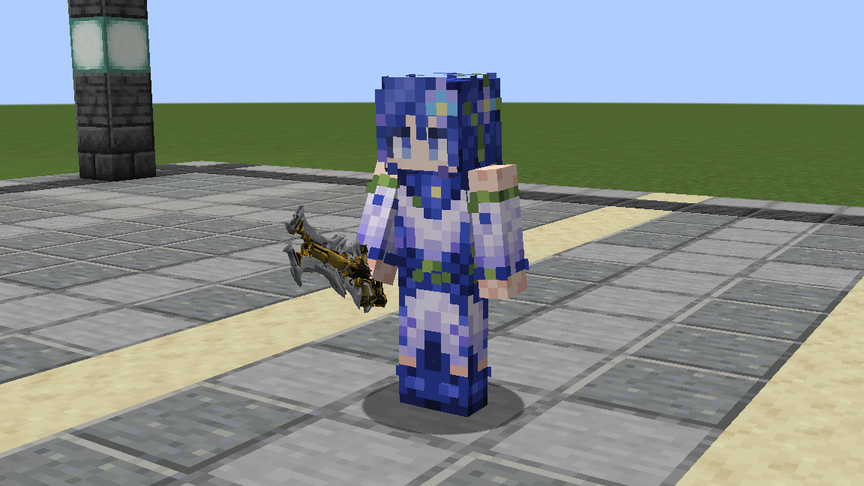
All three use the netherite tier and have 2,035 durability. The in-game demos feature the Delphinium (Alex) skin created by Yagen.
| Weapon | Melee damage | Melee reach (blocks) | Attack speed |
|---|---|---|---|
| Glaive Prime | 8.2 | 2.5 | 1.85 |
| Redeemer Prime | 10.6 | 4.0 | 1.52 |
| Quassus Prime | 13 | 3.4 | 1.44 |
| Glaive Prime | Redeemer Prime | Quassus Prime |
|---|---|---|
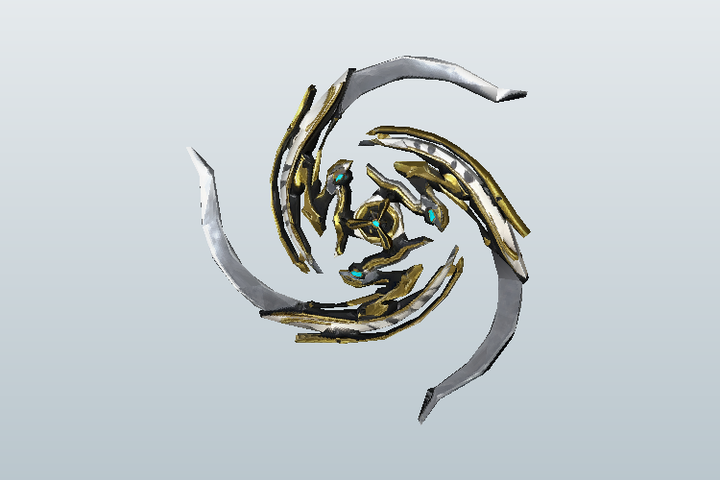 |
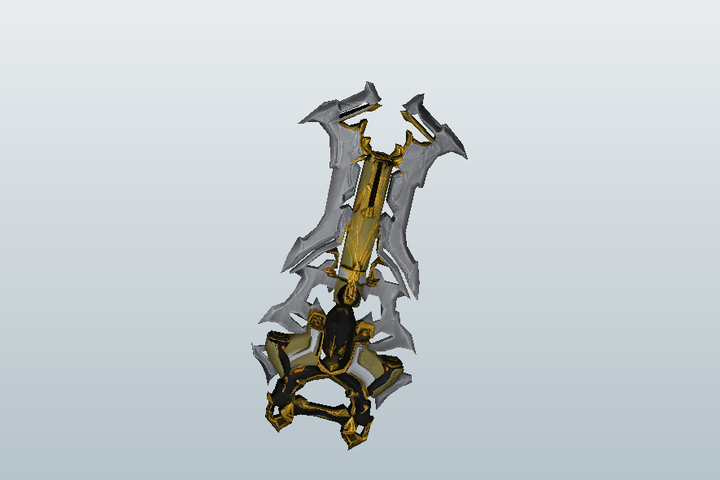 |
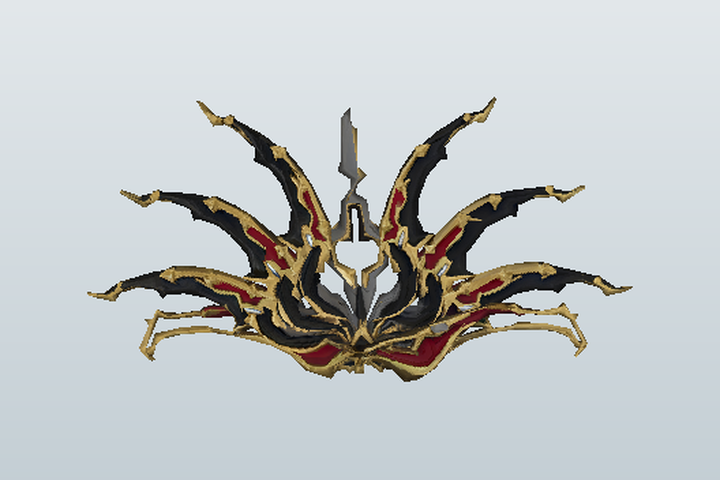 |
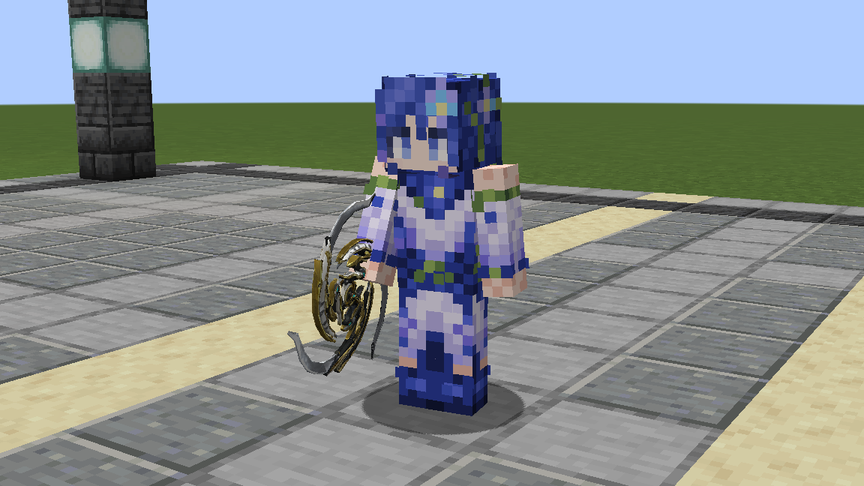
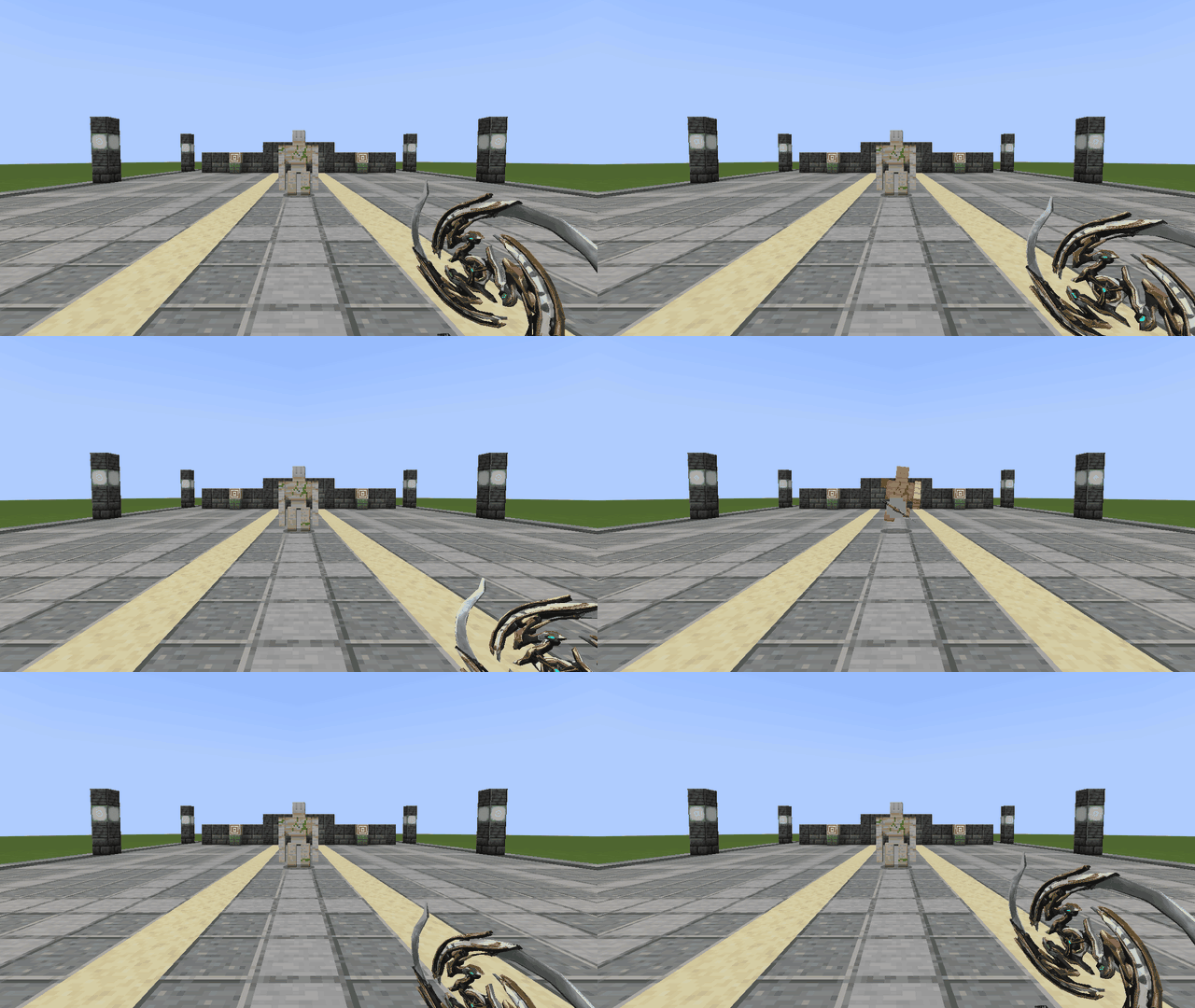
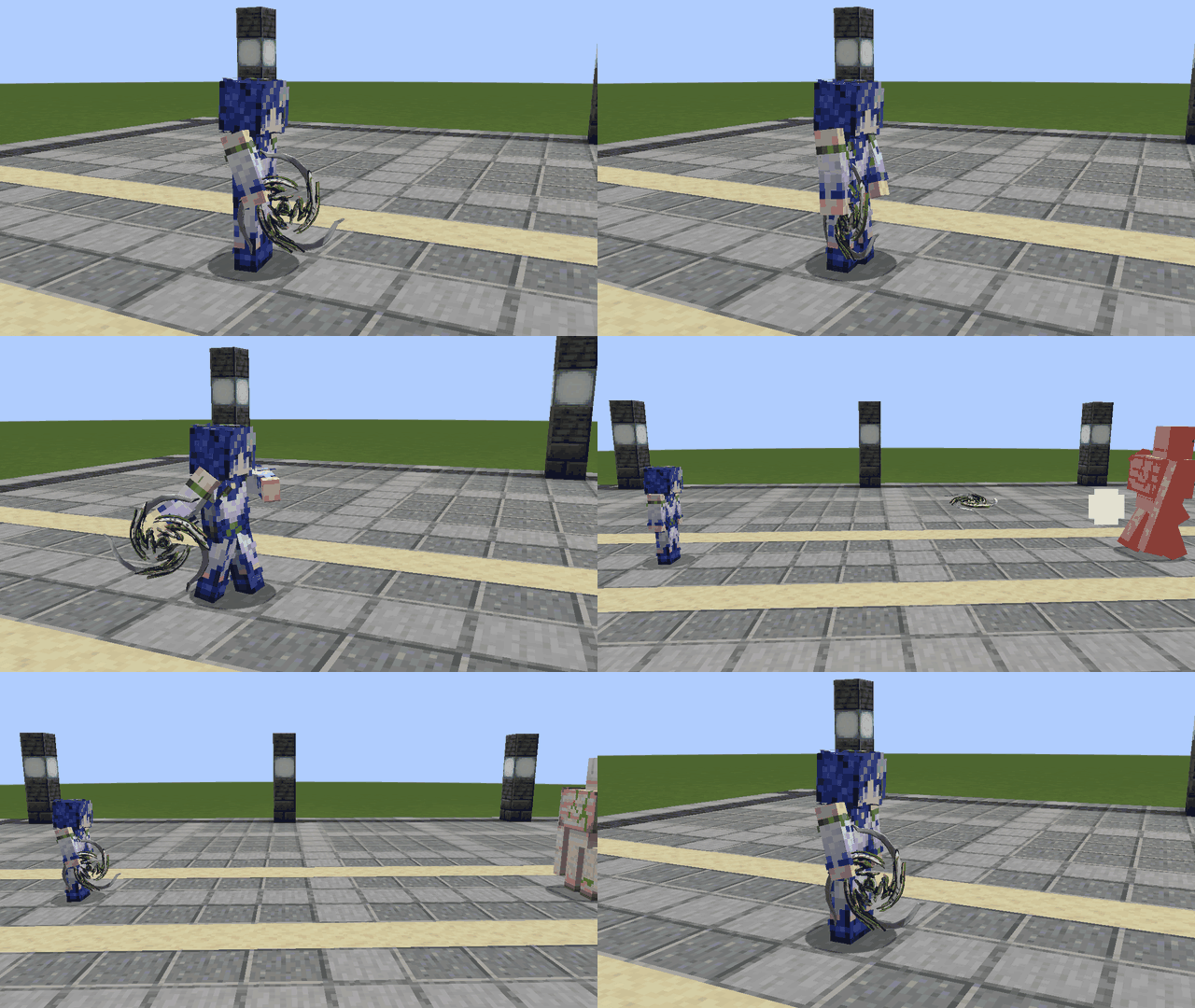
Glaive Prime
Hold right-click for one second and release to throw. The disc ricochets off blocks and mobs, then returns when it reaches its collision limit or gets 64 blocks away from you. Use the special action in flight to detonate it and bring it back early. Sneak and right-click to toggle Volatile mode, which detonates on the first impact.
| First person | Third person |
|---|---|
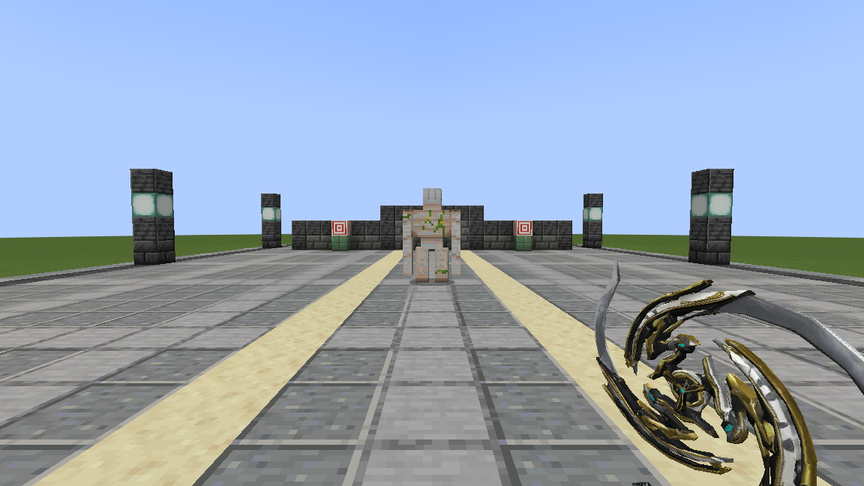 |
 |
 |
 |
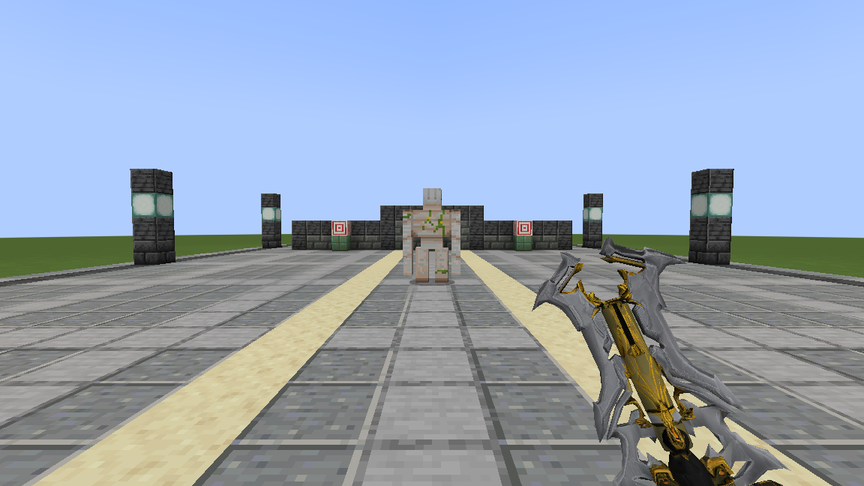
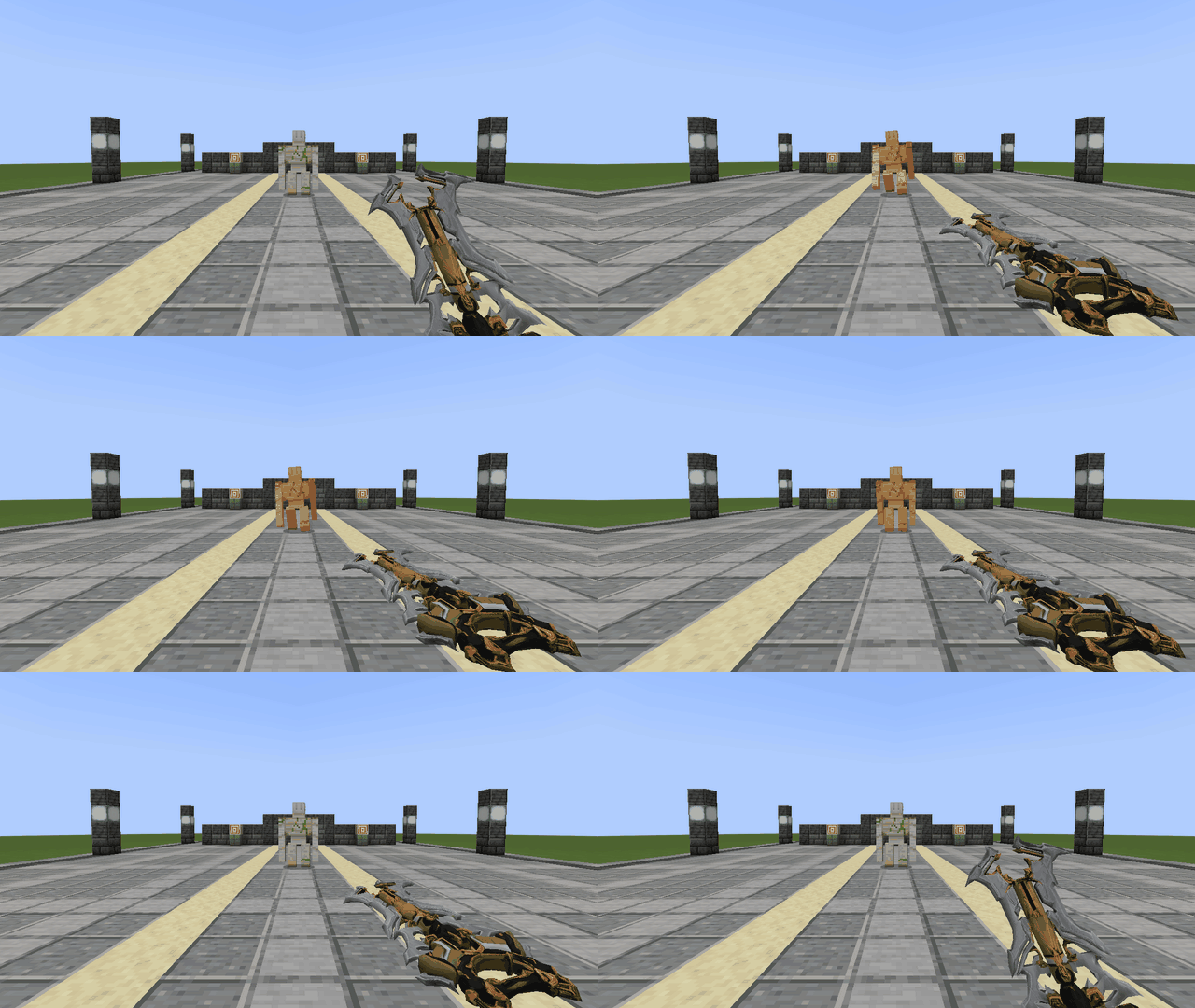
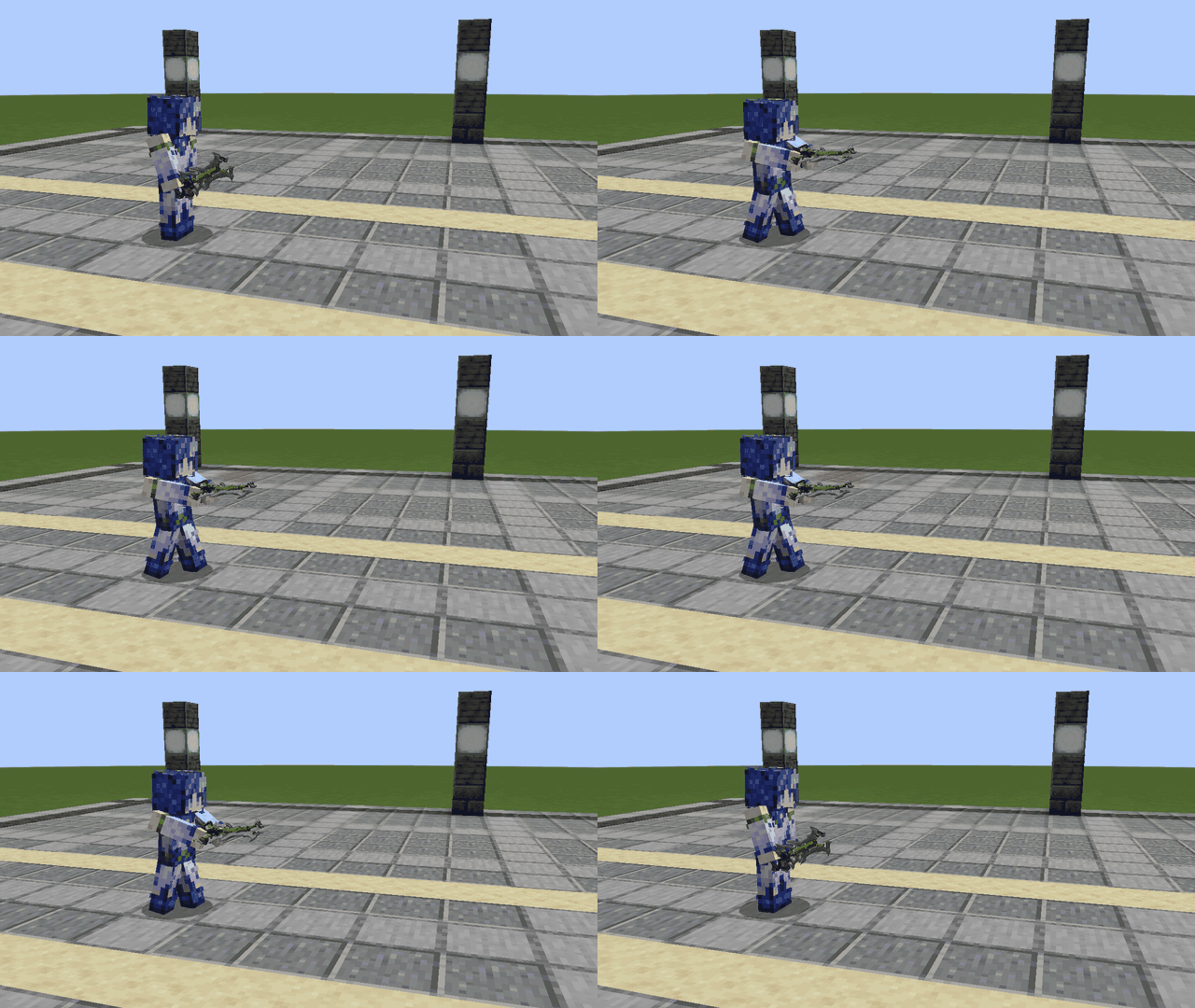
Redeemer Prime
The gunblade fires ten pellets in a circular spread with its special action. It can fire three shots in quick succession, and each chamber reloads independently.
| First person | Third person |
|---|---|
 |
 |
 |
 |
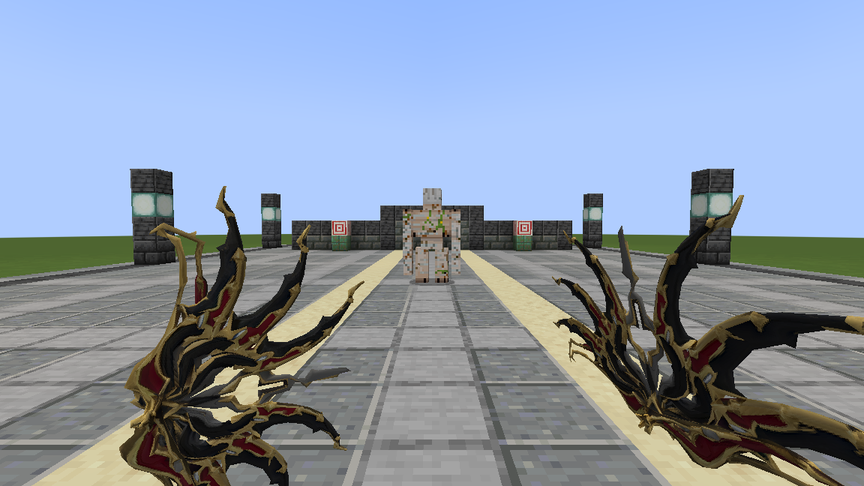
Quassus Prime
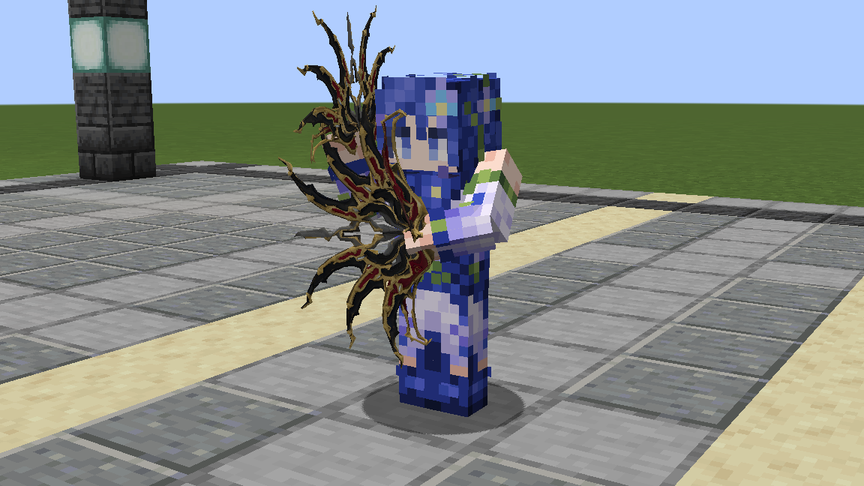
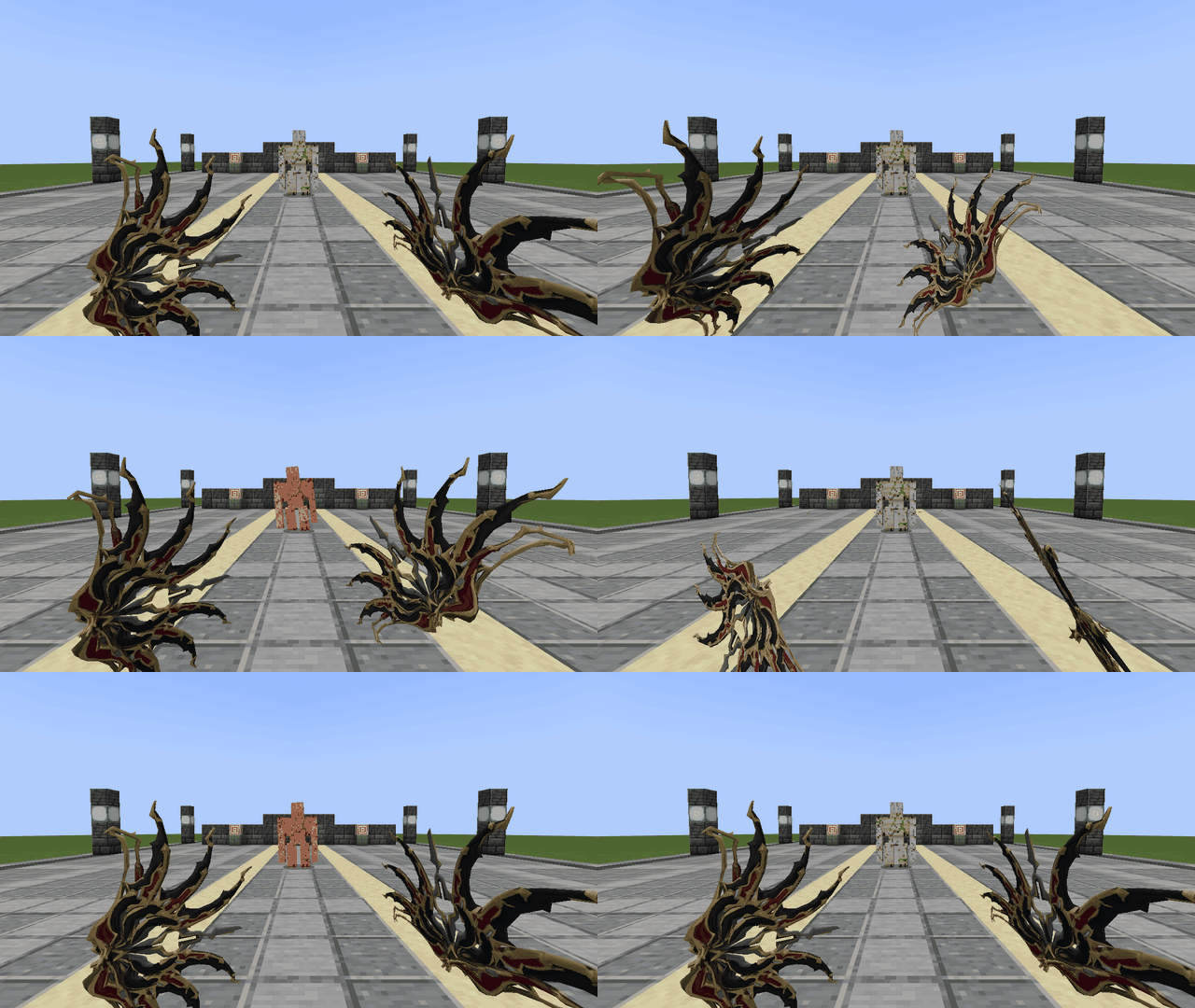
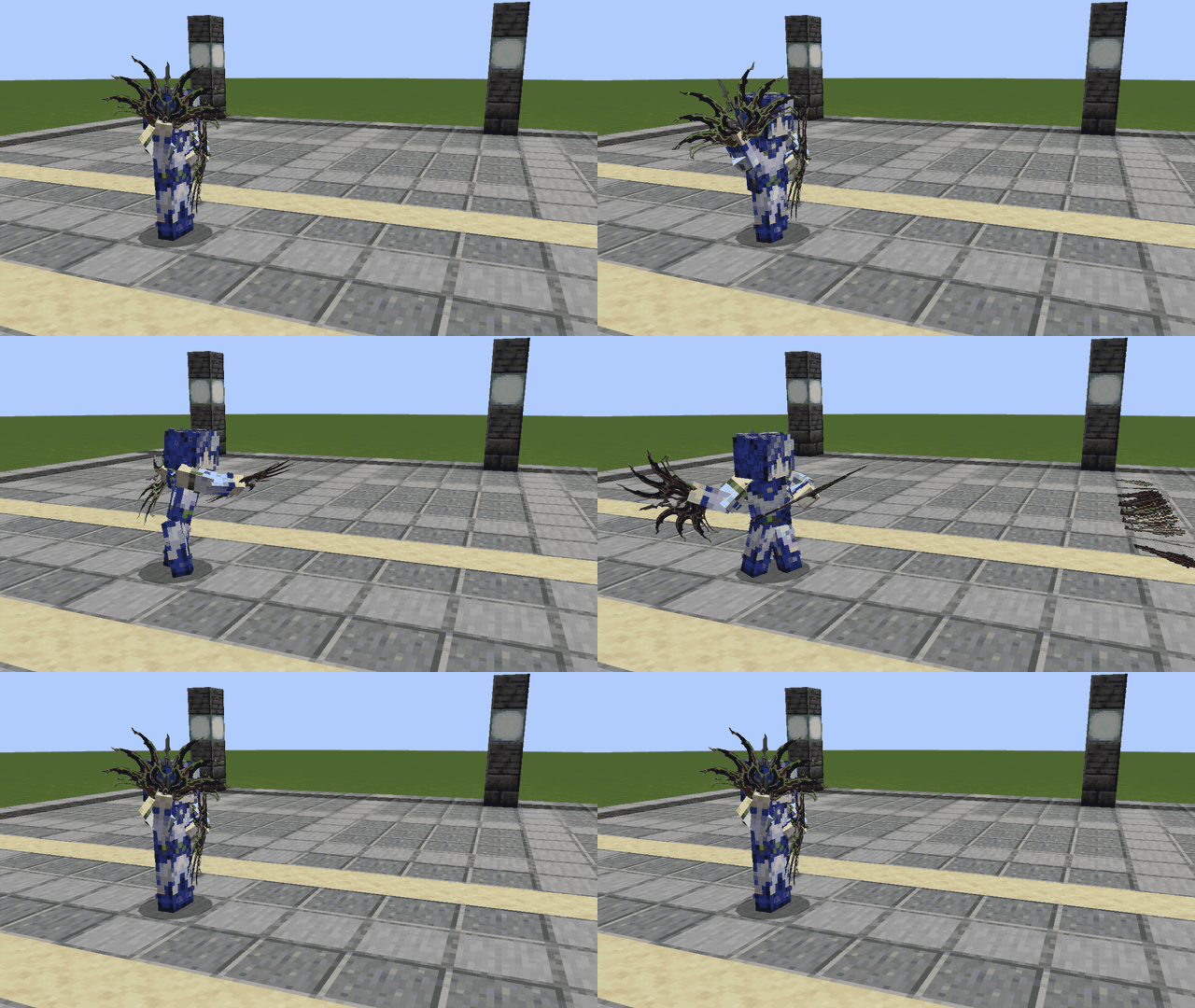
Hold the warfans in your main hand with your off hand free to wield the pair. The special action throws horizontal blade volleys of 18 and 9 blades in succession. Each volley has its own reload timer.
| First person | Third person |
|---|---|
 |
 |
 |
 |
How to obtain them
Drink an Ominous Bottle and approach a Trial Spawner in a Trial Chamber to start an Ominous Trial. Each Ominous Trial Spawner chooses either keys (30%) or consumables (70%) for the round, then ejects one reward per player it recorded. Use an Ominous Trial Key to open an Ominous Vault you have yet to unlock.
| Source | Chance of any Tennory weapon | Chance of a specific weapon |
|---|---|---|
| Opening an Ominous Vault | 7.5% | 2.5% |
| One Ominous Trial Spawner consumable reward | 2% | about 0.67% |
| Clearing one Ominous Trial Spawner solo, from the spawner itself | 1.4% | about 0.47% |
Each successful bonus roll gives one uniformly selected weapon from the TennoryWeaponPool, in addition to the vanilla rewards. A vault can give both a Heavy Core and a weapon on the same opening. In multiplayer, a spawner that chooses consumables rolls the weapon bonus separately for each consumable reward it ejects.
All three weapons are also available in the Tennory creative tab.
License
See LICENSE.md.
Project description from Modrinth.
Pick your setup
Tennory by Minecraft version and loader
Choose the version and loader you play, then open the matching release.
Check the dependencies, then try the file in a copied instance before changing a world you care about.
Recent files
Tennory versions and loaders
1.1.0
tennory-neoforge-1.21.1-1.1.0.jar
20 Nov 2026
Client Optional Server Optional Dependencies No extras listed Listed on Release listing
Check the 1.21.1 · NeoForge setup 1.21.1NeoForge release
1.0.0
tennory-neoforge-1.21.1-1.0.0.jar
19 Nov 2026
Client Optional Server Optional Dependencies No extras listed Listed on Release listing
Check the 1.21.1 · NeoForge setup 1.21.1NeoForge release
1.21.1-0.2.1
tennory-1.21.1-0.2.1.jar
6 Feb 2026
Client Optional Server Optional Dependencies No extras listed Listed on Release listing
Check the 1.21.1 · NeoForge setup 1.21.1NeoForge release
Looking for an older file? The official Modrinth project page is in Resources.
 mod
CurseForge + Modrinth · Minecraft
Dungeon Train: A Lore-Rich Roguelite RPG Adventure
Adventure time inspired dungeon crawler on a train. Procedurally generated carriages on a infinite sable physics train. Rich narrative, with custom made mods for a completely unique experience.
 mod
CurseForge + Modrinth · Minecraft
TofuCraftReload
This mod is a remake of Old Mod TofuCraft made by tsuteto. add soybean As a new all-purpose food!
 mod
Modrinth · Minecraft
Astronautics
Create: Aeronuatics Addon Thats adds Space To Minecraft.