Pool and Billiards Resourcepack Needed by Pool and Billiards v1.3.8-mc1.21plus
requiredNo matching file Version asked for: v1.3.8-mc1.21plus

Modrinth · Minecraft mod
记得安装资源包!Remember to install the resource pack! One of the most advanced open-source pool and billiards games for Minecraft Java Edition, featuring realistic physics, snooker, eight-ball, nine-ball, multiplayer, and AI opponents.
Quick answer
Pool and Billiards v1.3.8-mc1.21plus targets 1.21, 1.21.1, 24w33a with datapack. Installation on the client is optional. Installation on the dedicated server is optional. 1 required mod needs a matching file.
Where it goes
Installation on the client is optional. Installation on the dedicated server is optional.
The source marks this as usable on both the client and server.
v1.3.8-mc1.21plus on 26.2 datapack. Every mod below is checked against that same setup.
Install Pool and Billiards Resourcepack first, but 1 required mod has no matching file for this setup. Do not mix loader builds to force a match.
We only count dependency files that match this setup. A file for another loader does not fill the gap.
Before you install it
Built for Pool and Billiards v1.3.8-mc1.21plus on 26.2 datapack. Pick another file and the loader, install side or required mods may change.
Use v1.3.8-mc1.21plus. It targets 1.21, 1.21.1, 24w33a with datapack; another release may have different loader, side or dependency requirements.
Install Pool and Billiards Resourcepack first, but 1 required mod has no matching file for this setup. Do not mix loader builds to force a match.
Installation on the client is optional. Installation on the dedicated server is optional.
Use the “Get this file” button beside v1.3.8-mc1.21plus. It opens that exact file at the source.
About this project
It got a website for all info you need!
Click the thumbnail below to watch on YouTube:
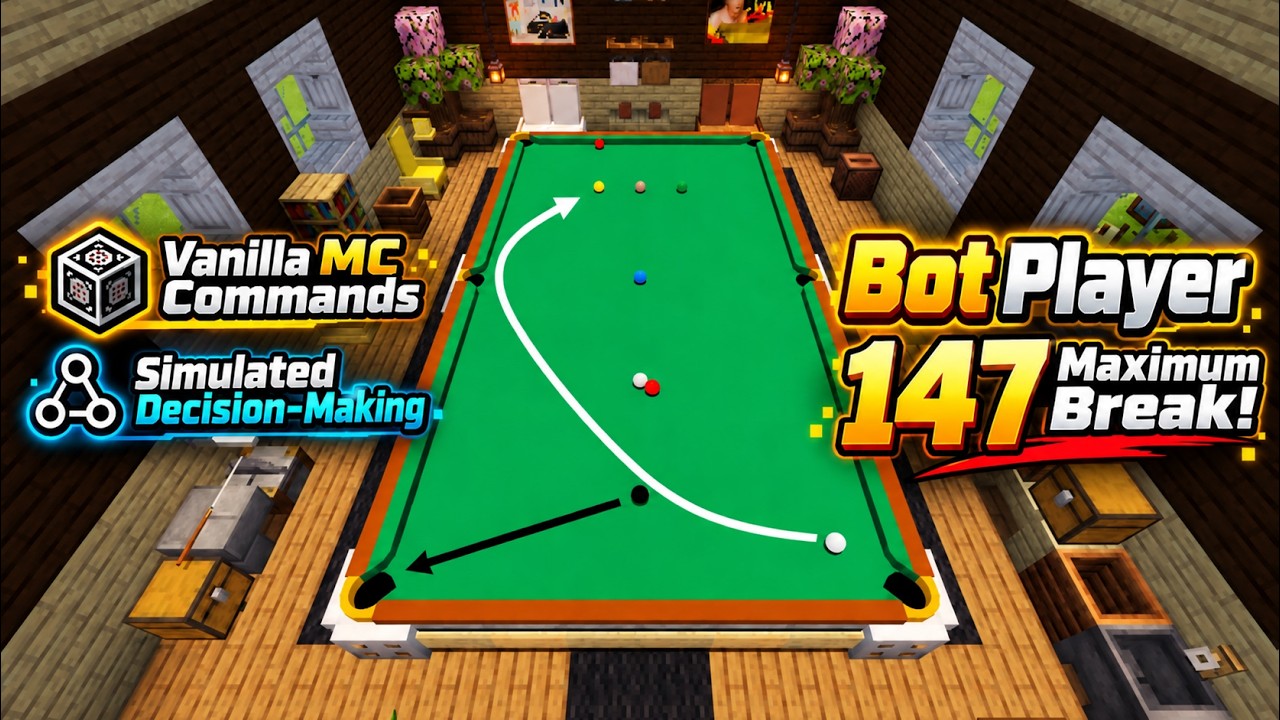
▶ 点击观看:斯诺克电脑玩家打出147满分杆
▶ 2026斯诺克世锦赛决胜局复刻:吴宜泽单杆85分夺冠
This datapack is designed for Minecraft players who enjoy cue sports.
Here, pool broadly refers to cue sports including Snooker, 8-Ball, 9-Ball, and related variants.
The datapack supports single-player, play-with-bot, and two-player gameplay in Minecraft Java Edition 1.16+. It also fully supports players without OP permission or in survival mode.
Build pool tables of various colors and sizes in just a few clicks, and freely adjust ball sizes in Minecraft 1.21+.
Supported game modes:
This datapack depends on the following component:
When installing from Modrinth, the compatible resource pack should be installed automatically.
Please use matching versions of the datapack and resource pack whenever possible. If an exact matching resource-pack version is not available, this means the datapack was updated without requiring a resource-pack update; in that case, use the closest earlier compatible resource-pack version.
Make sure the required resource pack is installed and enabled before use.
Detailed README (GitHub)
中文版使用说明(GitHub)
Summary of Recent Changes
近期改动总结
Starting from v1.2.0, the datapack is also available as a mod version.
The mod version automatically loads the datapack, so you do not need to place it into each world’s datapacks folder manually. The regular datapack version is still fully supported.
1. Download the following for the correct game version
2. Locate your Minecraft directory
On Windows this is usually:
C:/Users/YourUserName/AppData/Roaming/.minecraft
3. Install the resource pack
Move Pool Resource Pack into:
.minecraft/resourcepacks
4. Install the datapacks
Open the world folder where you want to install the datapacks:
.minecraft/saves/<your world>/datapacks
Move the file into this folder:
Each world requires its own copy of the datapacks.
Alternative mod version, available since v1.2.0
You can download the mod version and place it into .minecraft/mods
The mod version automatically loads the datapack, so you do not need to place it into each world's datapacks folder every time.
5. Start Minecraft and open the world
6. Enable the resource pack
Esc -> Options -> Resource Packs
Move Pool Resource Pack to the enabled side.
7. Run the following command
/reload
8. Enjoy
/function app:help/pool/commandwindow/trigger swPool__trigger set 1 if without permission reload./function pool:classes/main/load/function pool:classes/lobby/terminate_helper/function pool:classes/table/clearThis datapack includes the following systems:
For performance and clarity, the simulation omits some real-world effects such as friction between pockets and balls, cushion deformation, and other minor physical complexities.
Full documentation, installation and usage guides, and source code are available here:
https://github.com/MingshiYangUIUC/Pool-Minecraft-Squid-Workshop-Project
For Minecraft versions before 1.21, you may need to edit pack.mcmeta to remove the compatibility warning.
The datapack content is mostly identical across supported versions, so adjusting this single file is usually easier than maintaining multiple nearly identical copies.
Please refer to the Pack Format documentation and update pack.mcmeta according to your Minecraft version:
Project description from Modrinth.
Pick your setup
Choose the version and loader you play, then open the matching release.
Showing the newest 12 of 53 game versions. Older files are in the list below.
Check the dependencies, then try the file in a copied instance before changing a world you care about.
Recent files
Pool-Datapack-v1.3.8-mc1.21plus.zip
17 Nov 2026
Pool-Datapack-v1.3.7-mc1.21plus.zip
24 Oct 2026
Pool-Datapack-v1.3.6-mc1.21plus.zip
17 Sept 2026
Pool-Datapack-v1.3.5-mc1.21plus.zip
21 Aug 2026
Pool-Datapack-v1.3.4-mc1.21plus.zip
8 Aug 2026
Pool-Datapack-Squid-Workshop-1.21plus.zip
30 Jul 2026
Pool-Datapack-Squid-Workshop-1.21plus.zip
26 Jul 2026
Pool-Datapack-Squid-Workshop-1.21plus.zip
13 Jul 2026
Pool-Datapack-Squid-Workshop-1.21plus.zip
7 May 2026
Looking for an older file? The official Modrinth project page is in Resources.
 mod
An extremely customizable nametag mod. By Polyfrost, best with OneClient.
 mod
A mod that modifies various vanilla HUD elements, such as the bossbar, action bar, sidebar / scoreboard, hotbar, title / subtitle, and more. By Polyfrost, best with OneClient.
 mod
Display PvPHQ tiers on nametags, in the tab list and in chat